
Feeling Productive
Why Do I Feel Like I Get Nothing Done?

A common concern that I hear when talking to new managers is the feeling that they’re getting nothing done. There are so many interactions and tasks in flight at any given time that it is almost impossible to focus properly. This feeling is especially common when a manager has spent a portion of their career as a developer.
Many people have written about how to keep developers productive. Often the essence of this writing is about arriving at and maintaining a state of flow for as long as possible, usually by arranging the day so that one can work uninterrupted. Doing this has tangible benefits: a developer’s productivity greatly increases in this flow state. Complex algorithms and infrastructure require developers to construct a mental map of the problem before progress can be made. Context switching and interruptions can destroy this mental map, which means they’ll need to recreate it before continuing.
In addition to individual developers arranging their time so that they can maintain flow, common processes in businesses also support this: for example, Scrum practices the sprint concept, where interruptions are kept to a minimum so that the committed work can be delivered.
However, as a new manager, you may be finding that no such protection exists for you! Constant streams of emails, Slack messages, face-to-face interruptions, and meetings can leave you feeling that you’ve achieved nothing concrete at the end of each day. If you have previously reviewed your daily output by something measurable, such as lines of code written or bugs fixed, then it can feel like you’re spinning. How will you ever feel like you’re being productive?
Creating a Process for Yourself
An environment for performing at your optimum may have been provided for you as a developer, but you now need to create it for yourself as a manager. You need to have systems and processes that make you feel like you are making progress amongst the chaos. I’ll share with you some things that work for me with the caveat that not all these techniques may be right for you — we are all very different. However, reading them may prompt you to create an equivalent system, and I will be happy just the same.
For me, the key to feeling productive is keeping as much information as possible not in my head. I can rest easy that everything I need to remember is written down somewhere, so I can operate in the present moment with as much calm as I can muster. I can systematically work through my tasks in quiet periods and feel good about getting them done.
The Tools of the Trade
I use a handful of systems to organize myself. None are surprising, but I am fairly strict in how I gather and execute information.
The Calendar
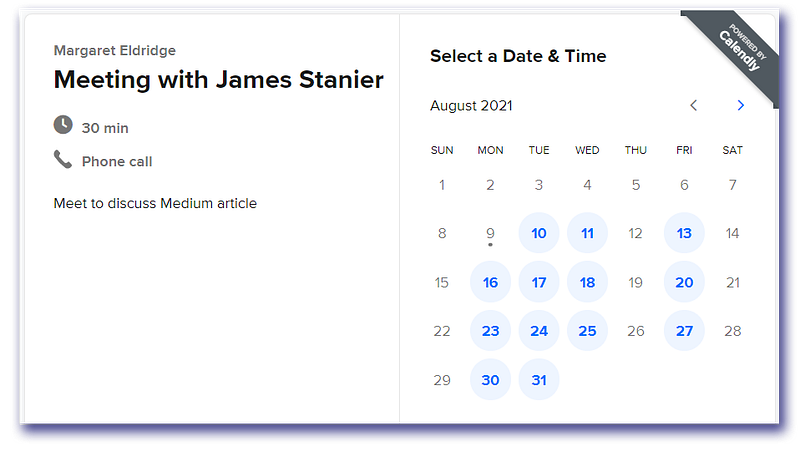
I live my day by my calendar. Every meeting has to be in there, or I’m not going. I let others know that if they want to request some time with me, they don’t really need to ask. They can just book some time in my calendar in the free spaces and I’ll be there.
I block out an hour for lunch each day so people don’t schedule that time.
Typically, I ask others to book meetings with me rather than the other way around. Given that all of the information that tells me where I need to be is captured in my calendar, I can rest easy knowing that I don’t have to remember.
I have 10-minute reminders before the next meeting on my laptop and on my phone. Other than that, I typically glance at it once in the morning to prepare my day. That preparation is done in…
The To-Do List
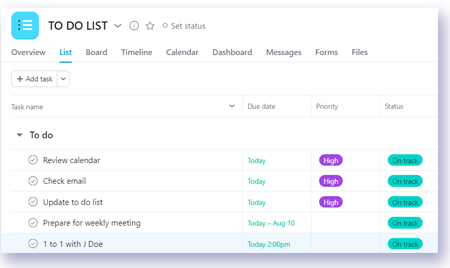
I start each day with a prioritized to-do list, and I simply work through those tasks until they’re gone. I typically prioritize my list as the first thing that I do every morning when I get to the office. I don’t usually get interrupted at this time of the day, but if you’re in an organization where you’re unable to carve out space, then you could get to the office 10 minutes earlier or quickly do it at home before you leave. (Yes, I know that’s an antipattern.)
The technique I use in the morning is to look at my calendar first, see what preparation I need to do ahead of time, and then feed this preparation into my to-do list. I’m not here to convince you to use certain software, but I have learned to trust Asana, which is free for individual use.
The killer feature for me is recurring to-do items by date, which allows me to automate more. For example, I have my 1 to 1s with my direct reports at the same time each week, so I simply have a recurring task in Asana for preparation on the days in question. These tasks then automatically appear in my to-do list when I open it on the morning of the meeting, greatly reducing my need to think about doing it explicitly. I just follow the lead that my past self provided to my present self.
Another excellent feature of Asana is hiding anything that isn’t marked for completion today. You can add a task, give it tomorrow’s date, then move it into the Later section, which I always have collapsed away from view. It’ll pop back to the top automatically tomorrow morning. Less to see, less to think about.
The Place to Capture Information

Your to-do list is the place for quiet contemplation and thinking, but you still need somewhere to capture information informally. Throwing this information into your calendar or to-do list can make them muddled and stressful places. Instead, it’s good to have somewhere to jot notes that you can carry around with you at any time. Then, later, in a quiet place, you can translate all of these notes into real to-do list items.
It doesn’t matter what tool you use, but it needs to be something that you always have access to, such as a notebook or mobile phone. I personally use Evernote on my phone to capture these messy thoughts, and then I delete the notes once I’ve translated them.
The Email Inbox
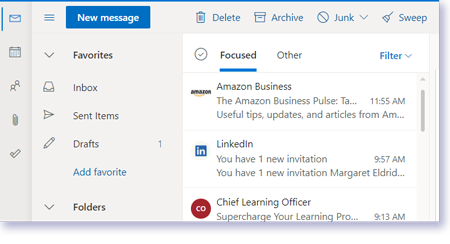
I tend to go through my emails in batches every few hours rather than having them open in front of me while I work; it’s too easy to get distracted by my unread messages when they’re flashing on the screen. I work towards inbox zero by aggressively archiving everything that I’ve actioned or read. I can still find these messages later if I need them, either by looking at the archive or by using the search functionality. The key point is that I don’t want emails staring at me unless I need to do something with them; this keeps my mind calmer. Another important point is that I do not use my email inbox as a to-do list. If there is action to be taken, I move that to my to-do list, and then I archive the email. Anything in my inbox either requires a response or is unread.
Wherever possible, I turn on email notifications for other pieces of messaging software, such as Slack. Doing this means I can treat my email as my primary hub of digital communication and reduce the need to keep other systems open. Again, out of sight, out of mind.
An Example of a Day Using This System
8.45: I sit down at my desk and I open Asana. Today already contains some recurring tasks, such as preparation for a weekly meeting and a 1 to 1. It also contains a daily reminder to go through my emails and check unread messages on Slack. I open my calendar and see what the day holds. I add a few items as a result. I then prioritize the list by dragging the tasks into a different order. If I can tackle all tasks today, I’ll feel accomplished.
9.00: I start going through my emails. Some require no response and get archived; they are purely bulletins. Others that require attention I reply to and archive. Anything requiring action beyond a response, like having a conversation with someone, goes into my to-do list in Asana. Then I archive the email.
9.15–12.00: I go about my morning. I have a couple of meetings where I take short notes in Evernote on my phone. I also note down some reminders to myself for later in the same place. When I get back to my desk, I enter these as to-do list tasks and reprioritize them in Asana and begin working through actions.
12.45: I go through emails once more, archiving them as I go. I now have zero emails in my inbox.
13.00: Lunch.
13.50: I’m back at my desk for an hour before a weekly steering meeting that requires some preparation. This is the most important current task on my to-do list. I do that preparation now and then check my mail once more, answering a Slack direct message that I received an email notification for.
15.00: I’m in a meeting jotting down some rough notes in Evernote again.
16.00: I’m back at my desk and I translate these notes into tasks in Asana. These tasks get labeled with tomorrow’s date, as they are not urgent. I put them into Later so that they disappear out of my sight until tomorrow morning. I then put my head down and get as many to-do list items done as possible. I want to finish my list by the end of the day.
17.30: My tasks are all done apart from one, which was the lowest priority anyway. Oh well, I’ll kick that to tomorrow by setting a new date on it and kicking it into Later on Asana. My list for today is empty. I close the tab.
17.45: One more pass on emails, archiving as I go, and I have an empty inbox. Home time! 🏡
In Summary
Management often means exposure to chaos, and I find having a system to manage my communication contributes greatly to my daily happiness on the job. Although all of this process may seem overly regimented, it serves a higher purpose: greatly helping my own focus, increasing my trust that I see everything I need to, and contributing to the calmness of being under control and the satisfaction of making progress.
What system works for you?
If you enjoyed this article, be sure to pick up James Stanier’s book from The Pragmatic Bookshelf:
Through the end of October 2021, you can save 35% on the ebook version using promo code jsengman_medium_35. Note that promo codes are not valid for prior purchases.