
Figma: The Gold Dust of UI Design & Prototyping
The King of UI Design Tools

Whether you are an experienced developer or a newbie programmer, Figma is an essential tool to master in 2024.
Figma is The #1 Industry-Standard UI Design and Prototyping Tool, surpassing alternatives such as Adobe XD and Sketch; and for good reason.
Today I will highlight Five Major Benefits of using Figma, and why you need Figma under your belt. 🫵
So without wasting any more of your time… Let’s Dive Right In!
1. UI Prototyping
TL;DR: A feature in Figma allowing you to simulate interaction and navigation between multiple designs without any coding.
In Figma, you are able to create multiple design canvases called Frames. E.g. a frame would be a canvas with iPhone X Dimensions (1125x2436).
As you can see in the image below, you can link designs (colored in blue) together by simply connecting different UI elements to different frames.
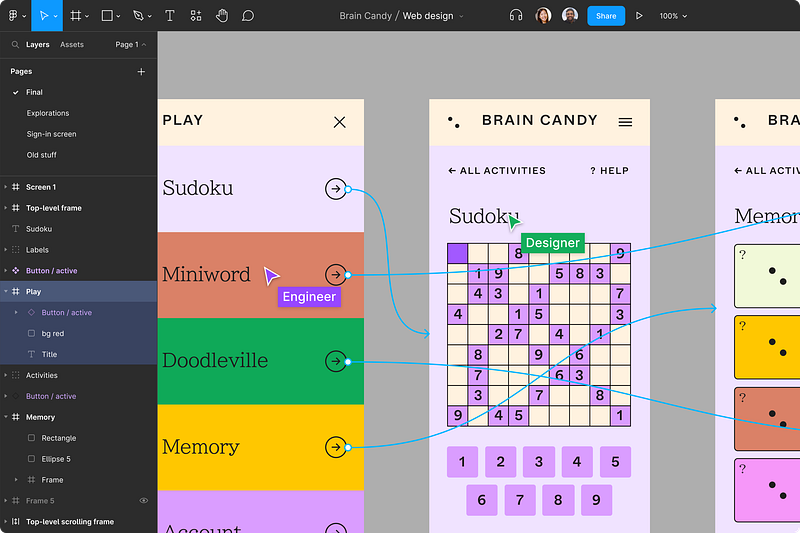
You and your team can now run these prototypes effortlessly with the click of a single button!
2. Collaboration
I hinted above at the notion of team collaboration in Figma.
Collaboration is a USP of Figma, and I believe their emphasis on collaboration is why they are the #1 industry standard design tool.
Figma will let you bring on unlimited members to collaborate on designs in real-time with minimal overhead.
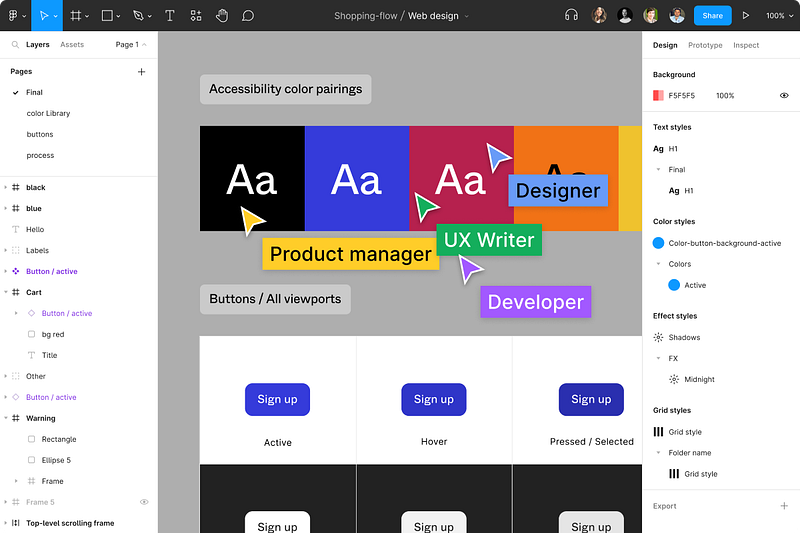
Figma provides adaptable support for both DevOps teams and clients, seamlessly addressing any pain points your team may encounter.
Regardless of the number of team members you add, your team will continue to enjoy the advantages of numerous features, including:
- ✅Real-Time Collaborative Editing for seamless & simultaneous editing for swift designing.
- ✅Real-Time Comments to share ideas and communicate instant feedback on designs.
- ✅Safety Net Version Control to revert to any point in your design development process.
- ✅Default Cloud Backup of Figma Files making it impossible to lose your designs.
3. Mobile, Desktop, and Web Support
Need to view and edit your designs on the go? Well Figma has you covered with both iOS and Android versions available to download for FREE.
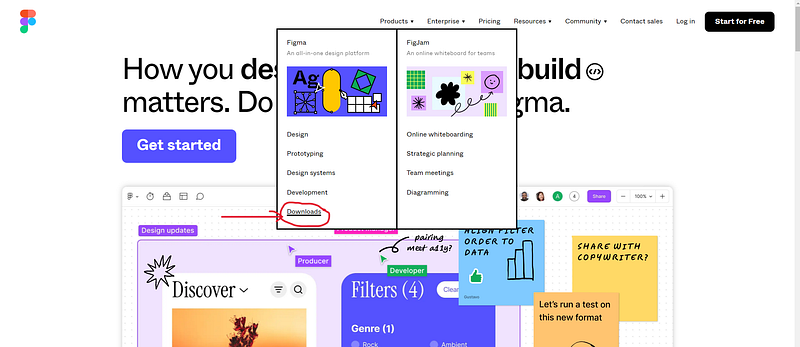
In addition to the popular web version, a Desktop Version is also available, providing you with every benefit the web version offers, including better performance and stability for lower-end computers.
4. Figma Community
Due to Figma’s immense popularity, Figma harbours a rich community of like-minded designers.
This only reinforces the credibility and appeal for this one-of-a-kind design tool.
As a result, countless community-made templates, widgets, and plugins are all available on their website:
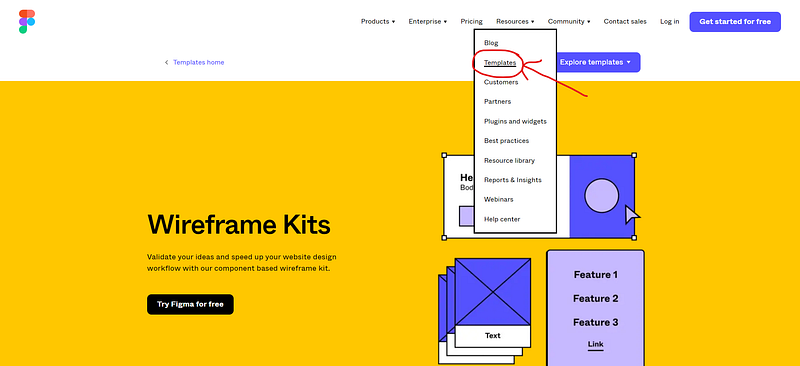
Not to mention the countless forums and support available from the community to help you make the most of Figma’s capabilities.
5. Pricing
I am sorry to tell you but Figma will cost you a grand total of FREE, and you will reap all the rewards listed above.
Additionally, Figma does offer a generous professional plan for hardcore UI designers, offering various upgrades such as:
- 🧑💻Dev Mode: Save time by transforming your designs into pure CSS with the click of a button.
- 📁Unlimited Figma Files: If the limit of 3 Figma files is too little, consider upgrading to the professional plan to store unlimited designs.
Many more features are available in the pricing section of their website.
Conclusion
If you have made it to the end, I hope I have persuaded you that Figma is the Gold Dust of UI design tools, and that Figma is a Game-Changer for all developers.
As Figma is so feature-rich and expansive, I will continue publishing free Figma tutorials so you can master this wonderful tool in no-time.
If you enjoyed this article, please make sure to Subscribe, Clap, Comment and Connect with me today! 🌐
Featured Articles
Affiliates
- Figma Home: The UI design tool I use in all of my projects.
- Figma Professional: The only UI design tool you will ever need.
- FigJam: Let your mind run loose with intuitive diagramming and brainstorming.
- Notion: The tool used to single-handedly organize my entire life.
- Notion AI: The AI tool that supersedes ChatGPT and will supercharge your Notion workflow.


