
Theciva // Dark Mode Series
What Dark Mode Does To Your Eyes And Your Phone?
And why pirates wear that eye patch on one eye?

Do you use Dark Mode on your phone or laptop?
I bet most of you have the same answer as 95% of people had— YES.
Over 92 popular apps or services now offer Dark Mode aka white text in black background.
The dark mode is easier on the eyes. It increases focus and concentration. It gives content the center stage. It makes text easier to read. It saves significant battery charge.
These are some of the arguments used in marketing of Dark Mode trend that made 2019 The Year Of Dark Mode. But how much of this is actually true?
If you consider all hidden conditions these lines come with, you’ll know how exaggerated Dark Mode’s benefits are.
Let’s start off with Dark Mode and your phone.
Does Dark Mode Save Battery?
The dark mode is marketed to be a battery-saver. But does it save any significant amount of battery?
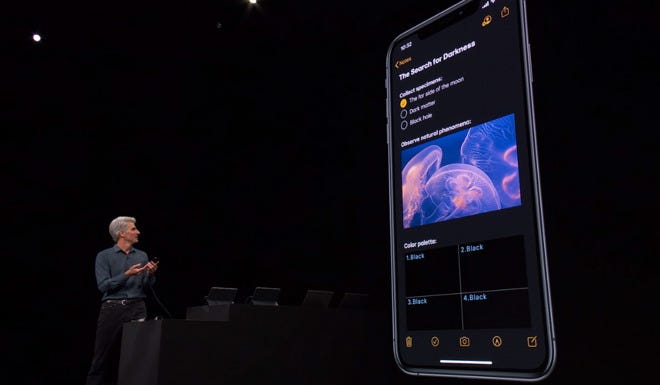

The basic concept is that it consumes less power to display black colour than white colour. On a graph of power consumption, black remains the least while white ranks first.
But this is not the case in every screen. It turns out that this depends upon the type of screen your phone has.
OLED or LCD?
Most smartphones (though, not all) have an LCD which is short for Liquid Crystal Display. The same is with laptops.
To see if dark mode saves power in LCDs, let’s quickly glance over how LCDs work.
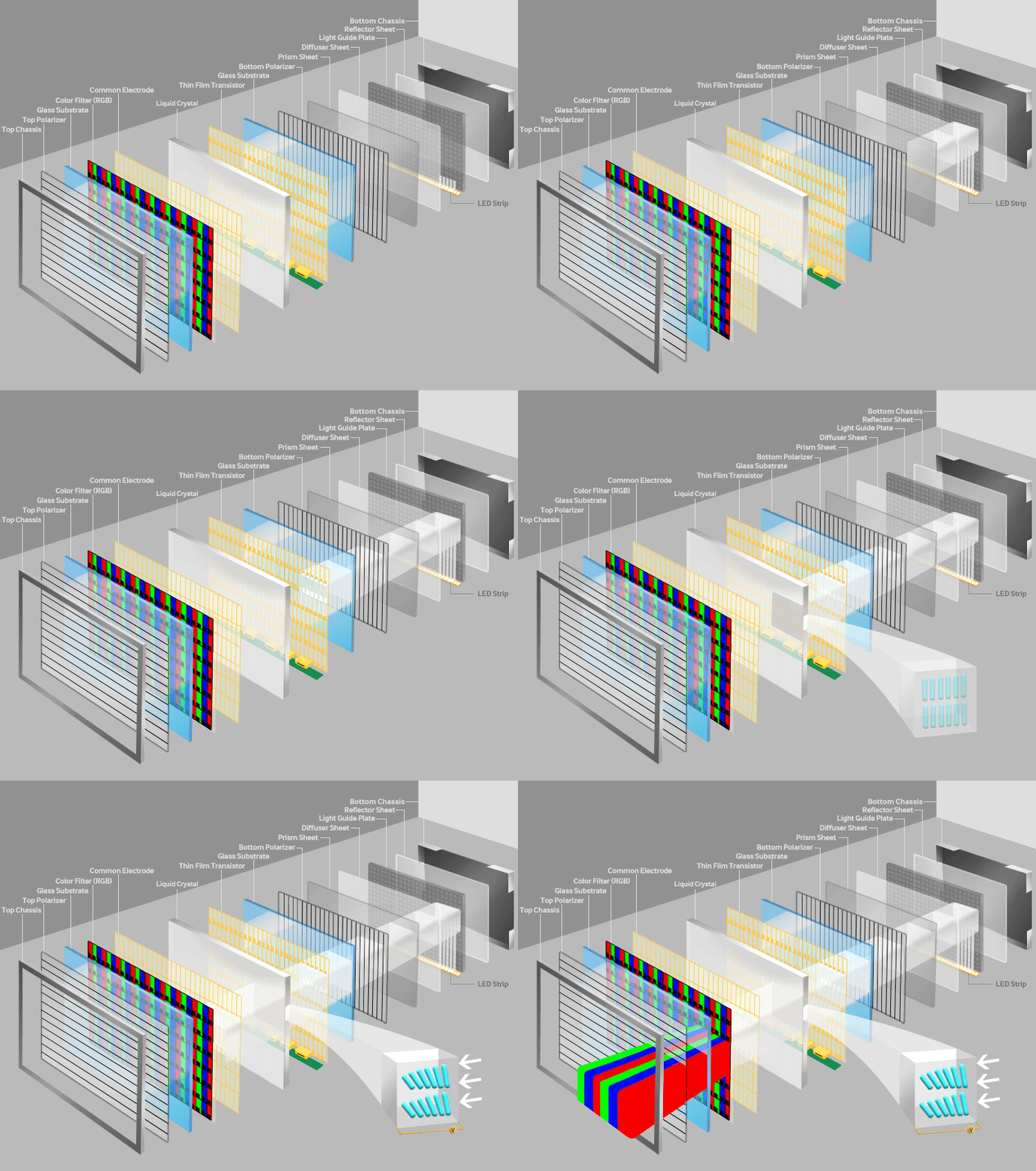
An LCD works by blocking light. It’s made up of two polarised glasses that contain a liquid crystal between them. A backlight creates light that passes through the first glass. At the same time, electrical currents cause the liquid crystal molecules to align to allow varying levels of light to pass through to the second glass and create the colours and images that you see.
An OLED display, on the other hand, works a bit differently. The main component here is an OLED Emitter which is a carbon-based material that emits light when electricity is applied. On top of that are layers of cathode, anodes and other some other layers.
Each pixel in an OLED panel emits its own light while in an LCD, there’s a common backlight for all pixels.
This means if you want to light up just a single pixel on an LCD, you’ll have to power up the whole screen. In other words, you can’t light up just one pixel on an LCD without wasting power on others.
On the other hand, OLED screens can do this with ease. Because each pixel has an individual light source.
Thus, OLEDs are more efficient. They have a lot of other advantages and disadvantages too.
But OLEDs can be less efficient in TVs.
OLEDs Save More Battery Than LCDs, in Dark Mode and also otherwise.
OLEDs don’t consume power to display the black colour. Their pixels just turns off, showing a truly black screen.
While LCDs have to turn on their power consuming backlight for the same.
Due to the backlight, black colour on an LCD isn’t as good as on an OLED screen.
A Scientific American article even says:
“In fact in newer liquid-crystal display, or LCD, monitors[,] white is actually slightly more energy efficient than black.”
Despite being efficient, OLEDs have higher manufacturing costs. Consequently, most smartphone manufacturers, especially in the budget section, stick to LCDs. And most laptops too don’t have an OLED panel.
But if you aren’t sure whether your phone has an OLED screen, here’s a list of all gadgets that have it.
The bottom line is:
Dark Mode does save battery if your phone has an OLED display. If not, your phone’s battery life won’t be affected significantly by Dark Mode.
Newer iPhone models do have OLED screens and thus, Dark Mode can save battery life or prevent battery drain in newer iPhones.
Is Dark Mode Better For Your Eyes?
During night time, white text on a black background feels easier on your eyes rather than black text on white backgrounds.
You most probably would have experienced it. When you stay in a dark or dimly-lighted room for a while and then go out somewhere with bright lights like, under direct sunlight, your eyes experience some discomfort.
That’s because your eyes had adapted to that darkness. But when all of a sudden you went out and exposed them to the bright lights, they had to readjust themselves for the new conditions.
Your phone’s bright white screen, here, is the harsh light source.


Do you know why pirates wore that eye-patch on one eye?
No, it was not to hide a missing eye. They cover one of their eyes to make it adapt to darkness. That way when they enter into a dark place like a cave from bright sunlight, they replace the eye patch on to the other eye. The eye which was previously covered in darkness would not have much difficulty viewing things inside the cave. Thereby allowing pirates to quickly adapt and see things in the darkness.

Light Theme is better. If…
Many studies prove that the good old black-on-white theme is better when it comes to clarity, ease of reading and glanceability, especially in low-light conditions.
Normal Vision Users Aren’t Recommended To Use Dark Mode.
A 2017 study in the journal Applied Ergonomics found that “dark characters on light background lead to better legibility and are strongly recommended independent of observer’s age.”
Some users also say Dark Mode results in eye strain for them.
A 2014 Gizmodo article cites the Sensory Perception and Interaction Research Group at the University of British Columbia:
“People with astigmatism (approximately 50% of the population) find it harder to read white text on black than black text on white.”
In case you’re curious why light mode provides better clarity
Adam Engst on Tidbit explained it this way:

When text is white on a black background as it would be in Dark Mode, the whiteness of the lines lightens the edges of each line broadly on both sides, blurring the edge. If the thin lines of the text are black and the background is white, however, white from both sides washes over the entire line, lightening it evenly, so the edges aren’t blurred.
This can be illustrated with a photo of a cactus backlit by the sun, in which you can see the bright optical flare making the cactus lighter in front of it.
Dark Mode Is Brighter For Visually Impaireds.
I don’t mean Dark Mode can help blinds read.
But several early studies also showed that people with visual disabilities (e.g. cataract) do better with dark mode.
The dark Mode also helps people with photophobia which can cause bright light to trigger migraines.
But Dark Mode is not only an accessibility feature
Whether you choose to adopt Dark Mode is your personal preference.
But Dark Mode is good for focusability. Apps like Adobe Photoshop have utilised Dark Theme to draw greater attention on the photo which you’re editing rather than the toolbox that helps you with it.
As Apple markets it saying:
Dark Mode is a dramatic new look that helps you focus on your work. The subtle colors and fine points of your content take center screen as toolbars and menus recede into the background.
Screen Flicker — which is caused by the computer screen’s refresh rate — is shown to hinder concentration. And a pure backdrop would eliminate the chance of flickers. This is another reason supporting the argument that Dark Mode enhances concentration.
As to summarise:
Black text on a light background is good for:
- Clarity and readability.
- Increased reading speed
- People with astigmatism
White text on a dark background is good for:
- Reading at night.
- People with visual impairments or difficulty in reading.
- Devices with an OLED display
- Better focusability
- And, for people who like it. ;)



