
Exploring Swagger Codegen and Swagger Plugins
Design first or code first, its your call

We have introduced the OpenAPI Specification, Swagger Editor, and Swagger UI. Let’s look further into Swagger Codegen and Swagger Plugins.
Swagger Codegen starts with the OpenAPI Specification (OAS), and performs two actions:
- Generate server stubs.
- Generate client SDKs.
In this article, we focus on how to generate server stubs. We will talk about how to generate client SDKs in another article.
Generating server stubs is the design first approach, which starts with the OpenAPI Specification, YAML or JSON defined APIs on resources, operations, and data models. Once the design is complete, the business logic is implemented based on the generated server stubs. This process is further automated by SwaggerHub, which is an enterprise version Swagger tool. Here, we go through the manual generating process to understand more details.
There is also the code first approach, which build business logic first. Based on the existing API implementation, Swagger plugins generates the OpenAPI Specification.
In general, the design first approach is recommended by the Swagger community. The code first approach is adopted by organizations that already have existing business logic implemented.
Design First — Codegen for Server Stubs
Let’s access Swagger Editor on the web: https://editor.swagger.io/. Copy and paste the following YAML definition of a Pet Store, an official example from the OpenAPI Specification 3.0, into the Editor:
Click the menu, Generate Server, and it shows many choices of servers/frameworks, such as Go server, Java server, Scala server, and Node server.
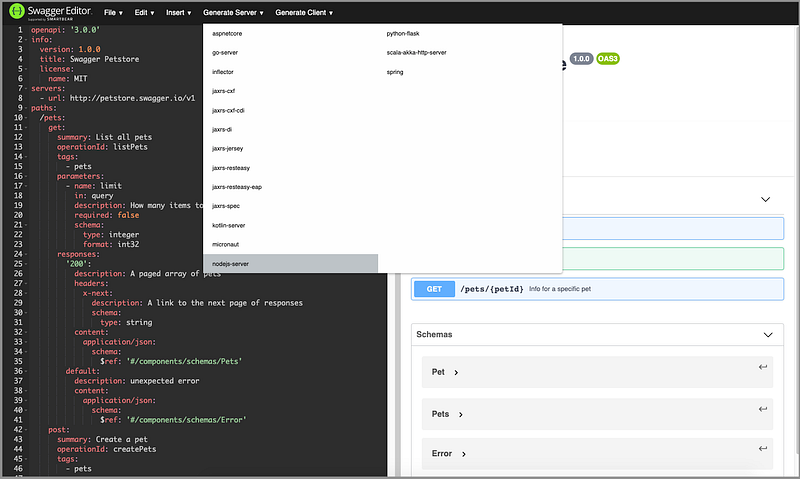
Choose the server that supports your backend implementation. In this article, we use nodejs-server as an example. After click nodejs-server, nodejs-server-server-generated.zip is generated in the Downloads folder.
Open the zip file and show this Node/JavaScript project in VSCode.
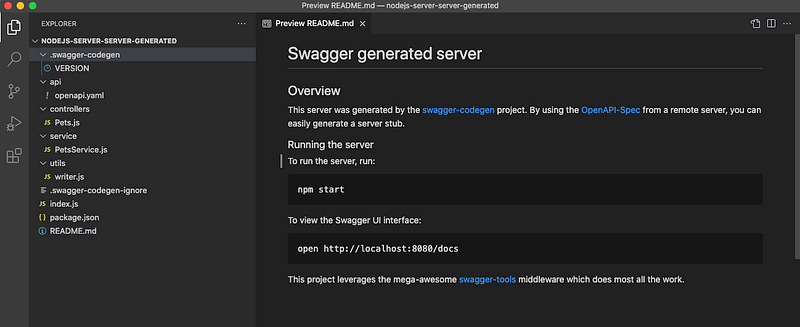
controllers/Pets.js is the server code that handles createPets (line 6), listPets (line 16), and showPetById (line 26).
This controller code is a wrapper for PetsService methods in service/PetsService.js.
These are Swagger generated server stubs, which are not full implemented.
Follow the instruction in README, type npm start in the terminal:
$ npm start> swagger-petstore@1.0.0 prestart /Users/jenniferfu/nodejs-server-server-generated
> npm installnpm notice created a lockfile as package-lock.json. You should commit this file.
added 124 packages from 156 contributors and audited 124 packages in 4.125s7 packages are looking for funding
run `npm fund` for detailsfound 0 vulnerabilities> swagger-petstore@1.0.0 start /Users/jenniferfu/nodejs-server-server-generated
> node index.jsbody-parser deprecated undefined extended: provide extended option node_modules/oas3-tools/dist/middleware/express.app.config.js:22:33
Mock mode: disabled
Your server is listening on port 8080 (http://localhost:8080)
Swagger-ui is available on http://localhost:8080/docsGo to http://localhost:8080/docs, Swagger UI is up and running.
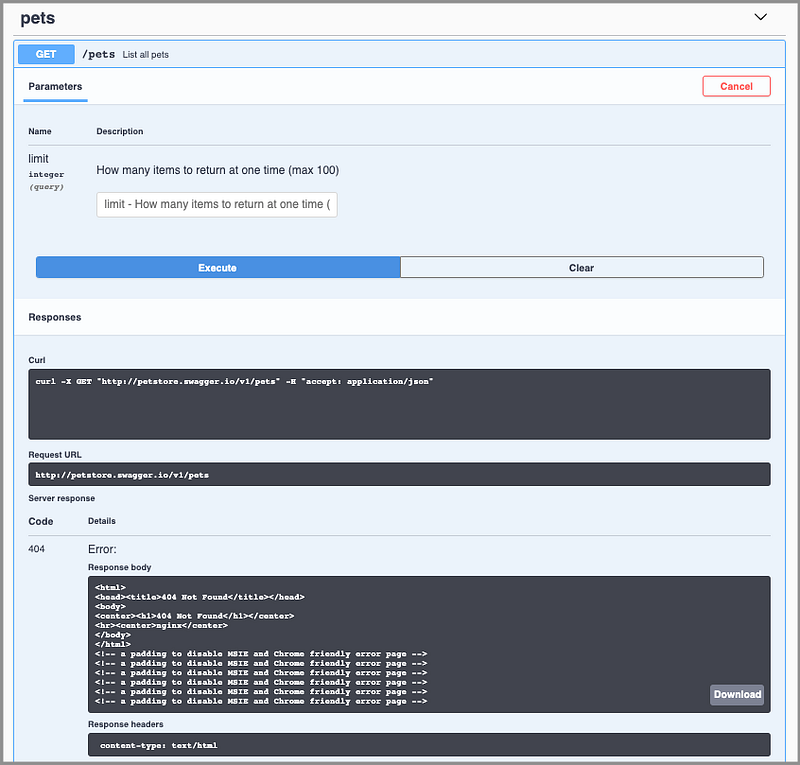
However, execute GET /pets command, and we get the response, 404 Not Found.
The command npm start invokes node index.js, which is generated from the Swagger menu:
Line 7 defines the server port to be 8080.
Lines 10–14 configure the routing to the controllers folder, where Pet.js wraps PetsService methods.
Line 16 reads the YAML file.
Line 20 starts the server at port 8080, and Swagger UI is available on http://localhost:8080/docs.
Apparently, there is no target host to process the APIs at http://petstore.swagger.io/v1, specified in api/openapi.yaml.
In order to execute Swagger UI command, it needs a valid server/deployment that listens to requests and serves responses.
Either we need to set up a server at http://petstore.swagger.io, or we can take a better alternative provided by Swagger Codegen.
The generated server code sets up a server at http://localhost:8080. This can be verified by the GET /pets call.
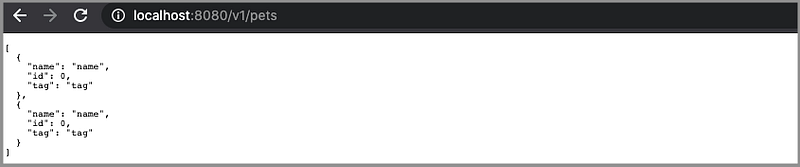
All we need to do is modify api/openapi.yaml to have server URL point to http://localhost:8080/v1.
Execute GET /pets command again, and we get the correct response.
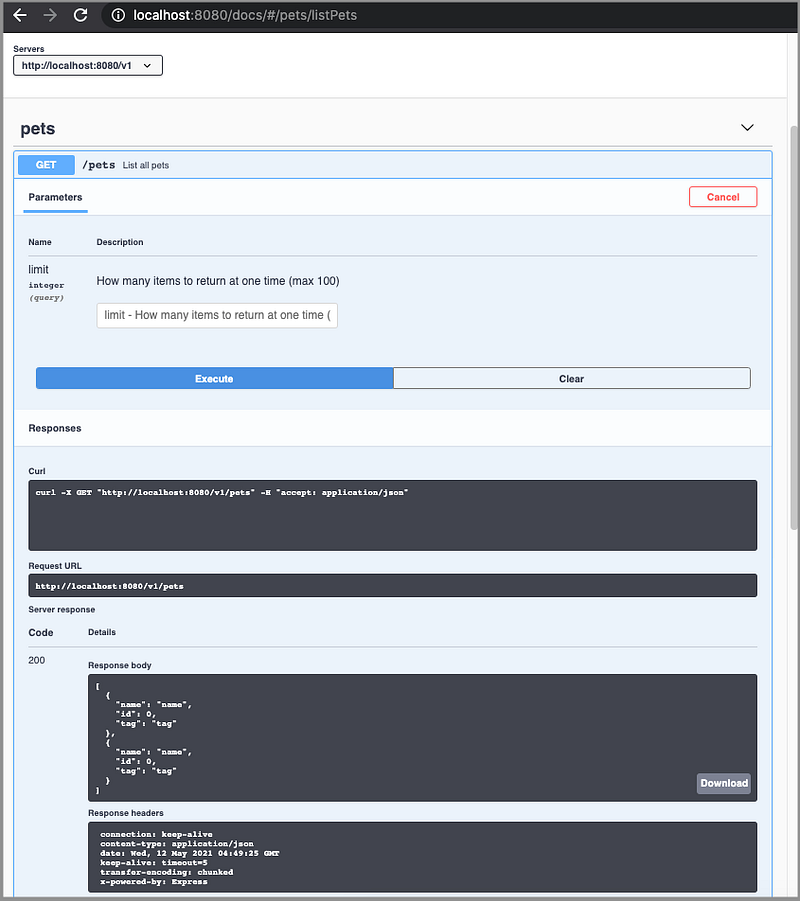
In fact, we can avoid hardcoding the domain name. Simply make server URL point to /v1.
This example can be accessed at the server repo.
This is a simplified example. In a real project, PetsService requires a full scale implementation.
Code First — Swagger Plugins
We have seen a number of projects take the code first approach. If the business logic has already been implemented, it seems natural to use a Swagger Plugin to generate the OpenAPI Specification.
The OpenAPI Specification helps to create server stubs, so why do we need to have it after the server logic is implemented?
Well, Swagger UI is a nicely documented way to deliver APIs, to UI developers, or other consumers. The OpenAPI Specification also enables us to use Codegen to generate client SDKs that are called at the client side, such as a React application.
Kong Chen’s swagger-maven-plugin is well known. This plugin enables Swagger-annotated project to generate Swagger specifications, as well as customizable, templated static documents, during the maven build phase.
OpenAPI’s swagger-maven-plugin is inspired by Kong Chen’s swagger-maven-plugin. It uses the Swagger Core library to generate OpenAPI documentation from a JAX-RS based REST service with as little change as possible.
We personally like play-swagger, which is a library that generates Swagger specifications from route files and case class reflection, no code annotation needed. Although it is defined with each individual route file, the definition is similar to the OpenAPI Specification, decentralized.
play-swagger writes the API definition in Scala Play’s routes files as comments. Here is the official example about POST /users/:profileId/contexts/:contextName/cards.
Lines 1–10 are the OpenAPI Specification, except the comment symbols.
Line 11 shows the route of the POST command that is served by controllers.api.Cards.createCard.
The CardCreated schema is defined by the following case classes.
The resulting Swagger specification looks like this.
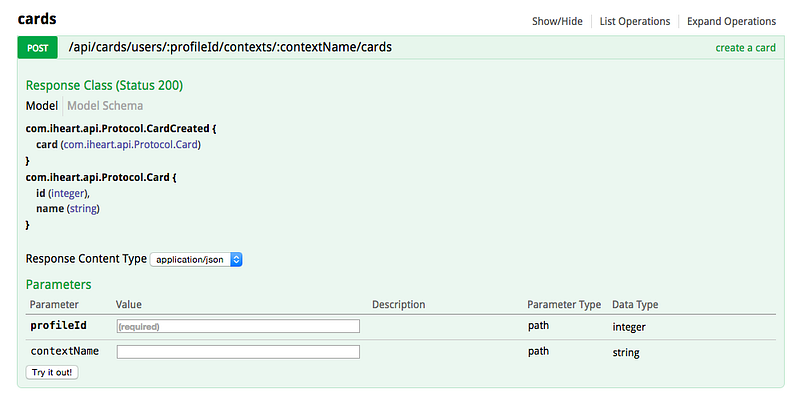
The code first approach is a more traditional way to build APIs. Implement APIs first, and then generate the Swagger documentation from the code.
Conclusion
OpenAPI defines a common language for RESTful web services. Swagger tools facilitate the development across the whole API lifecycle, including design, testing, deployment, and documentation.
There are two approaches to develop server code: design first and code first. The design first approach is recommended by the Swagger community. However, the code first approach is adopted by organizations that already have existing business logic implemented.
What is your preference?
Thanks, Maksim Kouznetsov and Giulio Capolino, for showing me the fascinating features of Swagger!
Thanks for reading. I hope this was helpful. You can see my other Medium publications here.


