
Exploring Server-Driven UI
A new way to build reactive apps with native UI
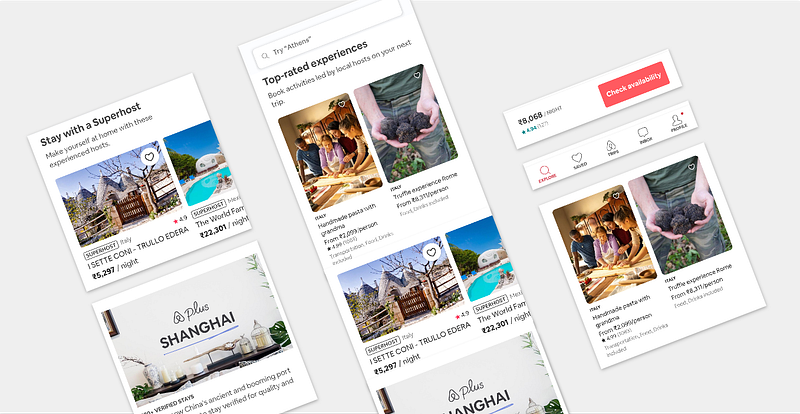
Native apps are still the first choice for businesses that want to expand at scale and reach out to millions based on their UI and performance. This statement might be controversial for many of the people out there, but we’re not going to discuss which platform is best. Instead, we’re going to learn how to grab more control over what you’re showing in the app using server-driven UI.
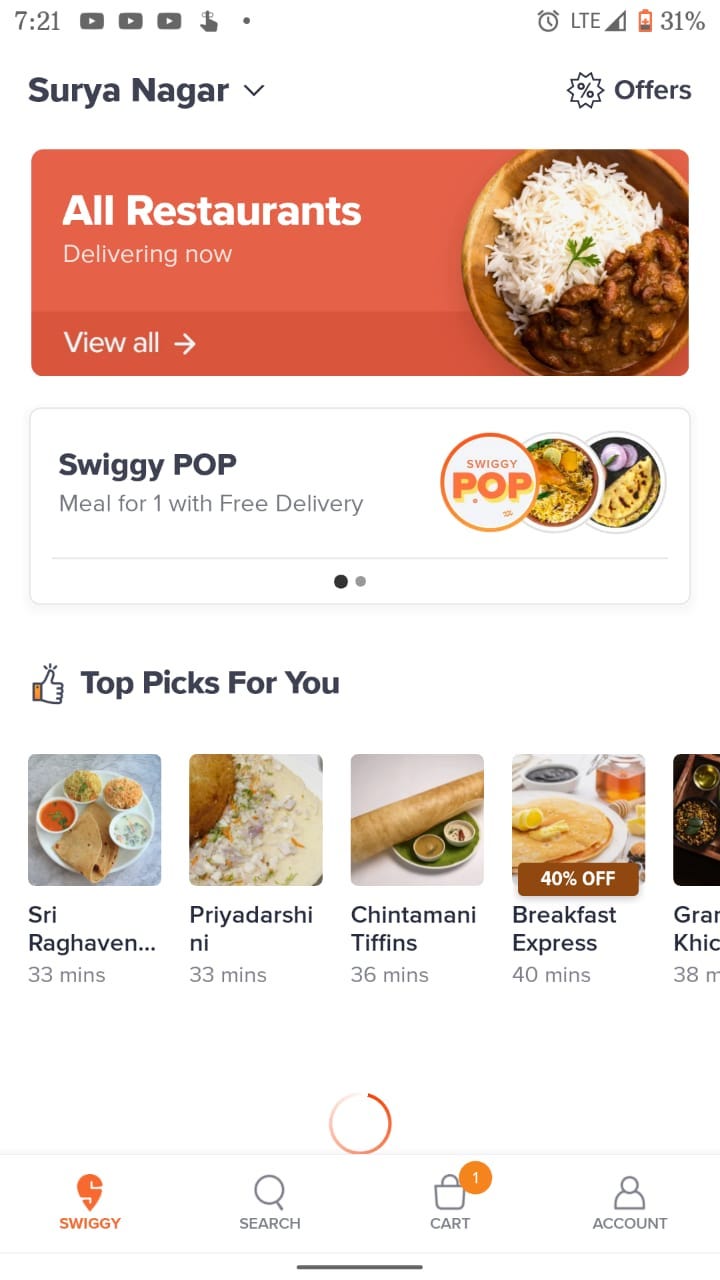
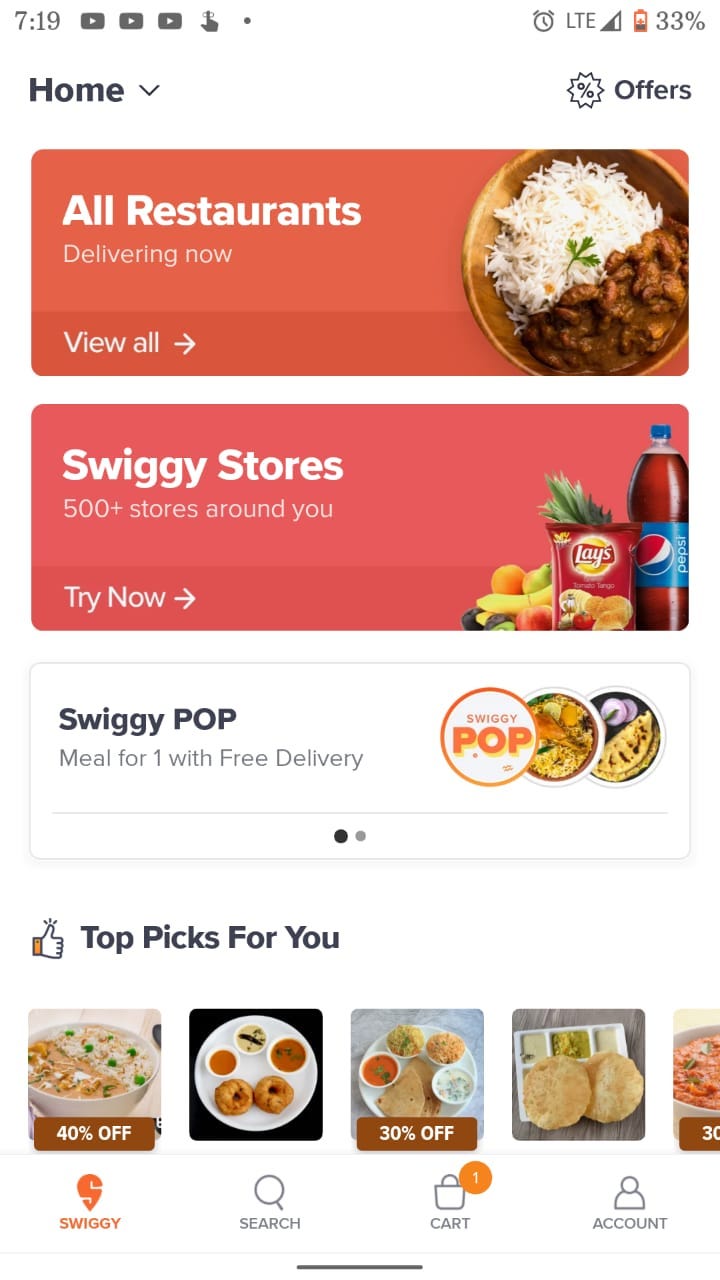
I always wonder how apps like Airbnb, Flipkart, and Swiggy update their UI on the fly. Even if I didn’t update the app, Flipkart shows different UIs during festivals, while Swiggy always changes its UI based on the device location. Do you wonder how they do it?
What Is Server-Driven UI?
Server-driven UI is when the API tells the client what components to render and with what content. This can be implemented in all three major platforms: Android, iOS, and the web. In my opinion, this type of development makes native apps more reactive and controllable.
How Can a Server Control UI?
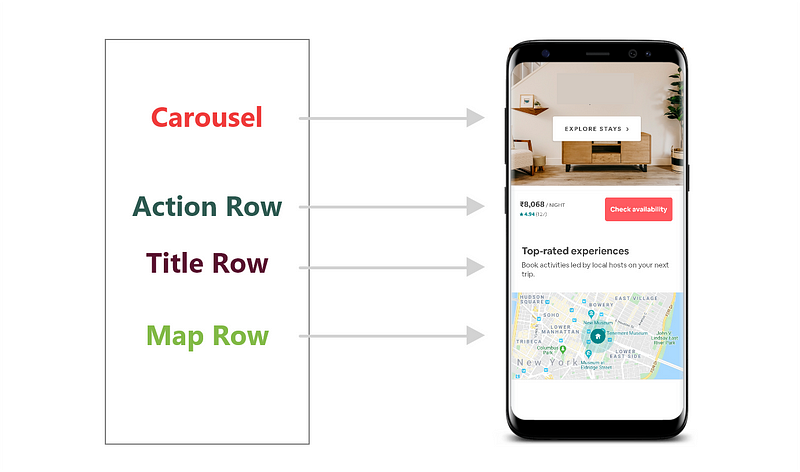
Theoretically, it’s simple: We make a request to a server and then we receive a JSON response in which there will be logic for what to inflate on the screen. Based on the logic, we have to render natively developed UI components on the view. This results in a high-quality user experience and allows more control for the companies over what users can see. Look at the image below to have a high-level view of how the response from a server can render views:
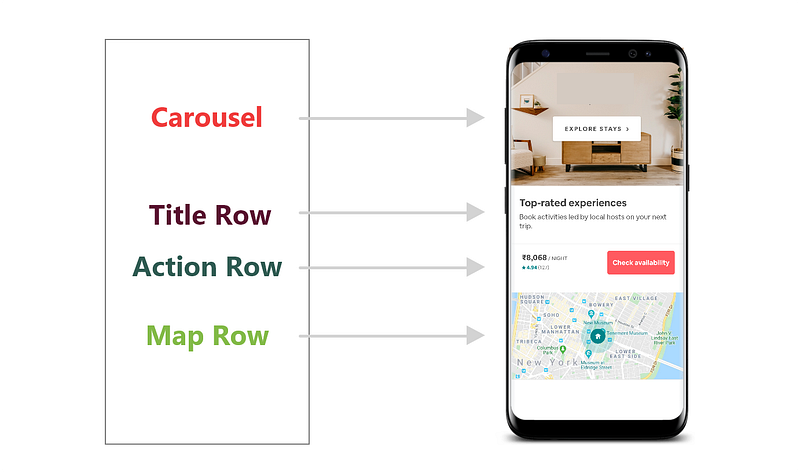
If we want to change the order in UI, like the actions row below the image and then the title, we just need to change the response:
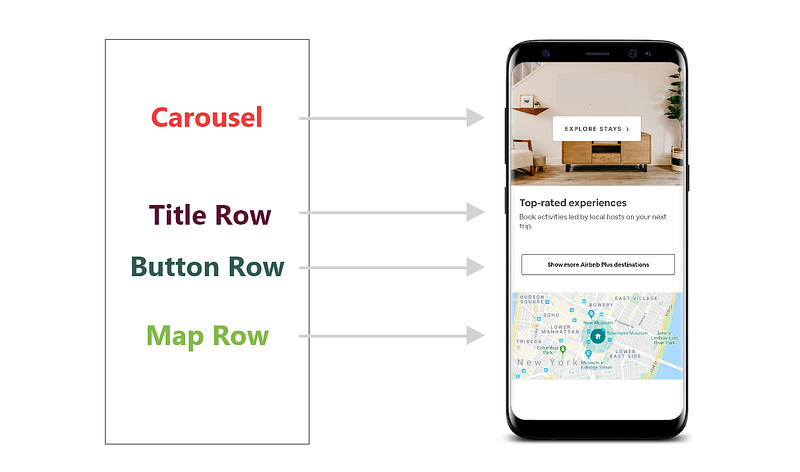
Similarly, if we want to include a totally different component (e.g. a full-length button below the title) and remove the action row, again we just have to change the response:
With this approach, we can change anything in the UI based on user location, subscription, or literally anything.
Advantages
- Businesses no longer need to depend on users to update the app to show specific UI or to change the order of the UI (at least for the most part).
- We can run tests on specific features on the fly.
- It’s easy to ship new features and create more reusable components.
- Native experience for users and reactive for companies.
I think it’s a win-win process.
A Deeper Look at SDUI
It’s impossible for individual developers to create an SDUI system, so I would like to use Lona (an SDUI library) by Airbnb to explain SDUI.
There are many libraries out there:
Back to the point, Airbnb uses a component-based UI, like Jetpack Compose. When a JSON format is received from the server, app developers inflate components based on the row types in the JSON.
JSON format
Let’s consider a very basic JSON to keep things simple. Have a look:
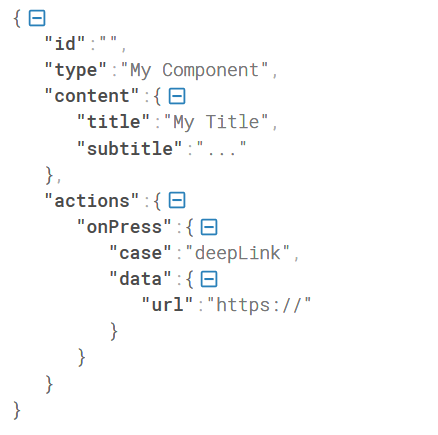
The node type defines which type of component should be inflated on the view, such as Title Row, Action Row, and more (as we see above). The Content node provides the contents to be shown in the inflated view. For example, if my component is Title Row, then the title and subtitle contain the contents to be shown in the title and subtitle fields. The Action node is used to inflate actionable components like click and content navigation should happen based on the onPress node.
Versioning Challenges With SDUI
Let’s say you’ve released your app recently with SDUI, and after a few days, you pushed an update to the Play Store and enabled new API changes that include new components to be inflated in the view. The problem here is that not all users update to the latest version, and some might even stay in very old versions.
When an old version of the app accesses new API responses, the consequences will be direct, so we should be very careful to ensure the API responses and client-side code should be backward-compatible.
Let’s see the solution provided by Airbnb for versioning problems. Below is the JSON format for the header component in Version 1 that was already published.

As we already published the app, we need a new version to make any changes. To integrate new changes, we need to include new variable minVersion enclosed with the version number. Under that variable, we can include any number of components and styles. Have a look:
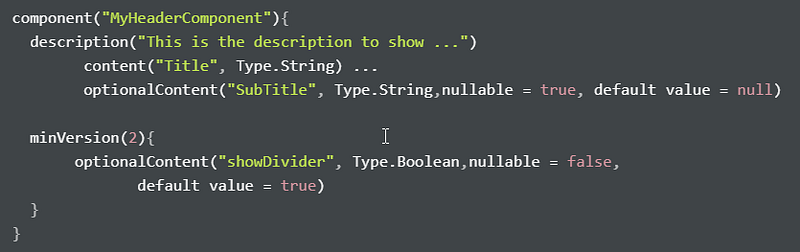
As we don’t access minVersion in the previous version of the app, there will be no problem.
Jetpack Compose With SDUI (Future)
Jetpack Compose is a new library from the Android team that is in its very early stages. It’s ultimately going to change how we design UI in Android.
JetPack Compose combines a reactive programming model with conciseness and simple coding using Kotlin programming language. Plus, it is fully declarative, meaning you describe your UI by calling a series of functions that transform data into a UI hierarchy, which is more convenient for building layouts with SDUI than using traditional XML formats.
Though we’ve advanced libraries like Litho, Epoxy, and more from big tech companies, having a native solution is more convenient. That’s the reason Jetpack Compose is going to shine in the near future.
To know more about JetPack Compose, read the following articles:
- Jetpack Compose — A New and Simple Way to Create Material-UI in Android
- Interesting Updates From Jetpack Compose
Conclusion
Before we wrap up, I would like to thank Laura Kelly and Nathanael Silverman. I’ve learned many of the concepts that I mentioned here from the talk that they gave at KotlinConfig 2019. If you’re interested, have a look:
Thank you for reading.


