avatarBY GIRL BOSS

Free AI web copilot to create summaries, insights and extended knowledge, download it at here

1958

Abstract

">You can now access these options under V6 bot upscale.</p><figure id="ce9f"><img src="https://cdn-images-1.readmedium.com/v2/resize:fit:800/1*XgJuFsKdf5f7t4y9cAchpw.png"><figcaption>Midjourney settings screenshot</figcaption></figure><h1 id="18ad">New Pan Feature (⬅️➡️⬆️⬇️)</h1><p id="6cfe">The old Pan used to boost resolution when panning sideways, but it often led to repeating concepts and a loss of coherence. It was mainly geared towards storyboarding.</p><p id="b0b7">Now, the new Pan is all about maintaining image quality and coherence, just like zooming in and out.</p><p id="5c41"><b>Here’s what’s different with the New Pan:</b></p><ul><li>It’s more like Zoom, offering better coherence and less concept repetition.</li><li>Pan now works seamlessly with upscale, vary, and remix features, but it won’t endlessly increase resolution anymore.</li><li>It ensures quality preservation and smooth scene reframing while panning.</li><li>It’s easier to use with simple left-right-up-down sliding without messing up the image’s integrity.</li><li>Users can also upscale after panning.</li></ul><figure id="084a"><img src="https://cdn-images-1.readmedium.com/v2/resize:fit:800/1*ugBMqDVc0ItvnIP94F9hYA.png"><figcaption>Made with Midjourney by the author and modify with Photoshop</figcaption></figure><p id="d86b">In general, this redesigned Pan strives to enhance user-friendliness significantly through intuitive functionality similar to Zoom.</p><figure id="5602"><img src="https://cdn-images-1.readmedium.com/v2/resize:fit:800/1*1j5afJBD6CAP0ZexYTzJxw.png"><figcaption>Made with Midjourney by the author</figcaption></figure><h1 id="ecd3">Alpha Midjourney Website Enhancement</h1><p id="50fa">Midjourney revamped the website to offer a friendlier and more inviting experience, especially for those new to the platform.</p><p id="20c3"><b>Here’s what’s new in the latest version:</b></p><ul><li>Simplified the Explore and Create pages to make navigat

Options

ion a breeze.</li></ul><p id="7393">Creation Page:</p><ul><li>It’s now ready for a wider release, complete with all the features, a unified design, and helpful user guides.</li></ul><p id="0943">Explore Page:</p><ul><li>Fine-tuned the algorithms to serve up a wider range of content that’s just right for the users.</li><li>Plus, they added more tabs like Random, Hot, Top, and Likes to help you find what you’re looking for faster.</li></ul><figure id="9e0c"><img src="https://cdn-images-1.readmedium.com/v2/resize:fit:800/1*mMb9bItweCh5R-X-MTH6Zw.png"><figcaption>Midjoruney website screenshot</figcaption></figure><h1 id="354e">Vídeo👀</h1><p id="3288">Midjourney currently hard at work on video generation!</p><p id="8ff2">The first batch of video features is almost ready to roll out in a basic form. Initially, they might be a bit restricted and could be linked to an image upscaler, giving users minimal control.</p><p id="fe53">There’s talk of making V6 the go-to option soon, and they’re also mulling over some extra updates or even a possible shift to V7 😱</p><p id="7018">Hi I’m Anastasia and I write about AI tips, tricks and tools, especially Midjourney ! If you find this article useful and would like to support me : -👏🏻 Give me a Clap to this article. -🎨Follow me for more interesting content.</p><figure id="6664"><img src="https://cdn-images-1.readmedium.com/v2/resize:fit:800/0*en9NcqjFlSCrIlTH.png"><figcaption></figcaption></figure><p id="0b36">This story is published on <a href="https://generativeai.pub/">Generative AI</a>. Connect with us on <a href="https://www.linkedin.com/company/generative-ai-publication">LinkedIn</a> and follow <a href="https://www.zeniteq.com/">Zeniteq</a> to stay in the loop with the latest AI stories. Let’s shape the future of AI together!</p><figure id="e7a8"><img src="https://cdn-images-1.readmedium.com/v2/resize:fit:800/0*cWuwt8bclku1REPV.png"><figcaption></figcaption></figure></article></body>

Exploring MidJourney V6: A Complete Guide to Inpainting and Outpainting with the New Pan Feature

In the exciting world of digital creation, staying ahead of the game is key.
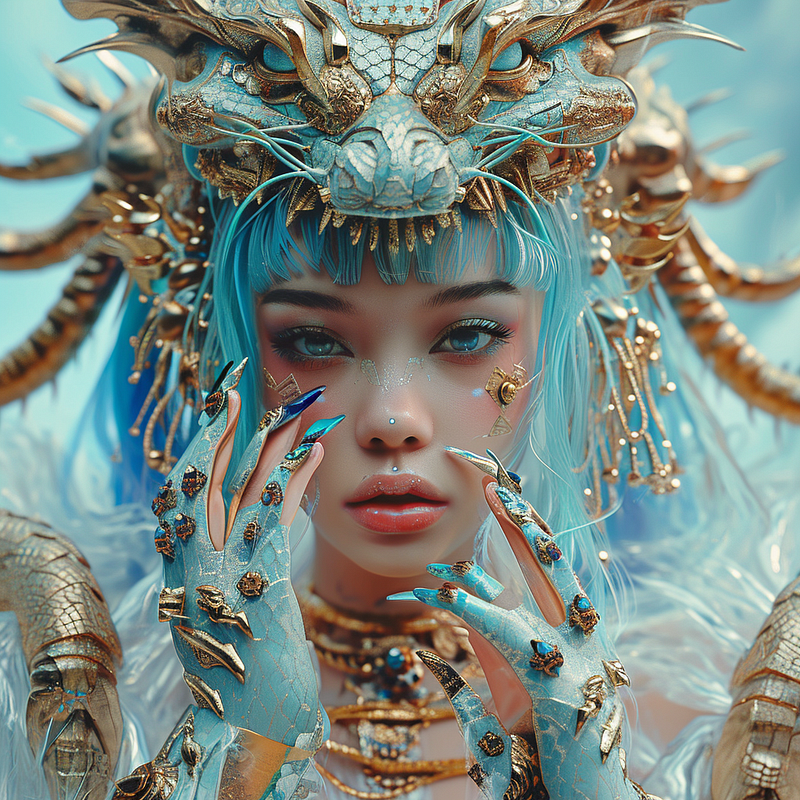
Made with Midjourney by the author

Artists and creators are always on the lookout for innovative tools to enhance their art, and the latest release, MidJourney V6, promises to revolutionize the art of inpainting and outpainting.

Inpainting, Zoom, and Pan have just been launched in Midjourney V.6. The newly upgraded pan feature is fantastic for maintaining image coherence!

And we’ve got more exciting news coming your way next week! Get ready for the much-anticipated “Niji 6 and Style Consistency”!

Let’s dive into the details!
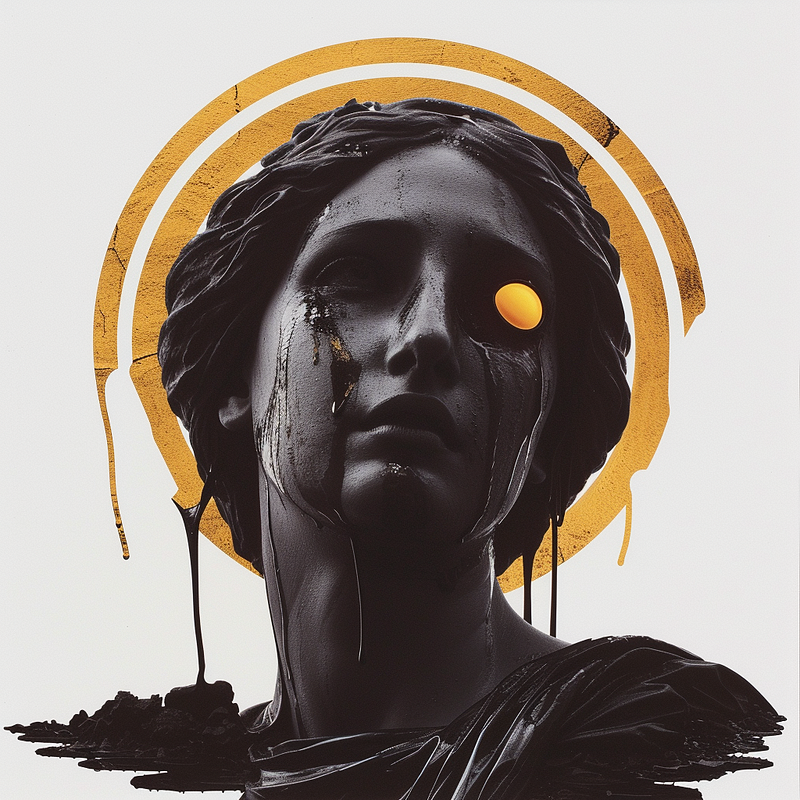
Made with Midjourney by the author

Midjourney V6 Alpha Upgrade

Following some fine-tuning, v6 is set to be the go-to Midjourney model by the end of this month. And guess what? The highly awaited features — Inpainting and Outpainting (Zoom and Pan) — are finally here!🤗

Inpainting and Outpainting, new Features!

At last, the features you’ve all been eagerly waiting for are here: inpainting, pan, and zoom-out!

Here’s what they can do for you:

  • Vary Region (Inpainting): Say goodbye to unwanted elements or tweak parts of your image.
  • Zoom Out: Get better control over cropping and perspective (choose from 1.5x, 2x, or customize it).
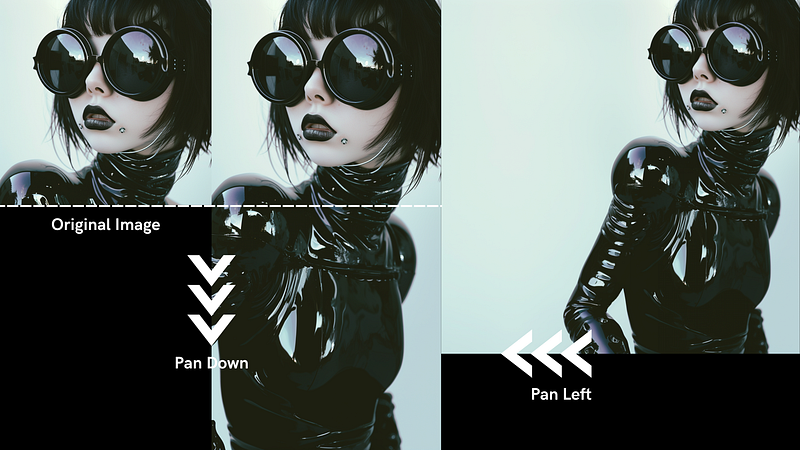
  • Pan: Stretch your image in four different directions.

You can now access these options under V6 bot upscale.
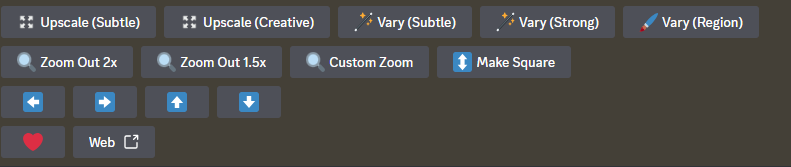
Midjourney settings screenshot

New Pan Feature (⬅️➡️⬆️⬇️)

The old Pan used to boost resolution when panning sideways, but it often led to repeating concepts and a loss of coherence. It was mainly geared towards storyboarding.

Now, the new Pan is all about maintaining image quality and coherence, just like zooming in and out.

Here’s what’s different with the New Pan:

  • It’s more like Zoom, offering better coherence and less concept repetition.
  • Pan now works seamlessly with upscale, vary, and remix features, but it won’t endlessly increase resolution anymore.
  • It ensures quality preservation and smooth scene reframing while panning.
  • It’s easier to use with simple left-right-up-down sliding without messing up the image’s integrity.
  • Users can also upscale after panning.
Made with Midjourney by the author and modify with Photoshop

In general, this redesigned Pan strives to enhance user-friendliness significantly through intuitive functionality similar to Zoom.
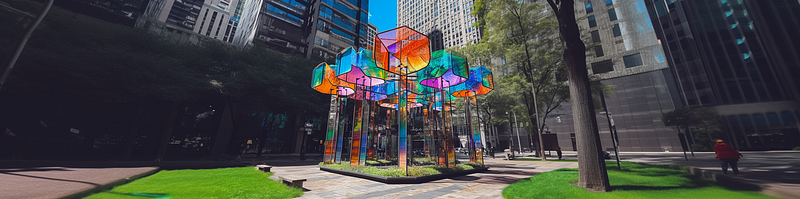
Made with Midjourney by the author

Alpha Midjourney Website Enhancement

Midjourney revamped the website to offer a friendlier and more inviting experience, especially for those new to the platform.

Here’s what’s new in the latest version:

  • Simplified the Explore and Create pages to make navigation a breeze.

Creation Page:

  • It’s now ready for a wider release, complete with all the features, a unified design, and helpful user guides.

Explore Page:

  • Fine-tuned the algorithms to serve up a wider range of content that’s just right for the users.
  • Plus, they added more tabs like Random, Hot, Top, and Likes to help you find what you’re looking for faster.

Midjoruney website screenshot

Vídeo👀

Midjourney currently hard at work on video generation!

The first batch of video features is almost ready to roll out in a basic form. Initially, they might be a bit restricted and could be linked to an image upscaler, giving users minimal control.

There’s talk of making V6 the go-to option soon, and they’re also mulling over some extra updates or even a possible shift to V7 😱

Hi I’m Anastasia and I write about AI tips, tricks and tools, especially Midjourney ! If you find this article useful and would like to support me : -👏🏻 Give me a Clap to this article. -🎨Follow me for more interesting content.

This story is published on Generative AI. Connect with us on LinkedIn and follow Zeniteq to stay in the loop with the latest AI stories. Let’s shape the future of AI together!

Midjourney
News
Generative Ai Tools
Generative Art
Recommended from ReadMedium