
Exploring Different Table Types in Snowflake Database

In today’s data-driven world, selecting the right table type is crucial to ensure optimal performance, scalability, and cost-efficiency. Snowflake Database, a cloud-based data warehouse, also offers a variety of table types to cater specific needs. This blog post will dive into each table type and explore its benefits.
Table Types in Snowflake Database:
Snowflake Database offers four main table types: regular, transient, temporary and external types. Each has unique features and advantages, depending on your requirements and use cases.
- Regular/Permanent Tables: Regular tables are the default table type in Snowflake Database. When you create a table without specifying the type, it becomes a regular table. They store data permanently and are suitable for most data warehousing scenarios.
A table in a snowflake can be considered a permanent table if that possesses the following properties.
- Time travel of 90 days (for Enterprise and above editions)
- Fail-safe (Non-configurable 7 days )
- Available until deleted explicitly
The syntax for creating a permanent table is as follows.
CREATE OR REPLACE TABLE
CREATE OR REPLACE TABLE PERMANENT_TBL (NAME VARCHAR(100))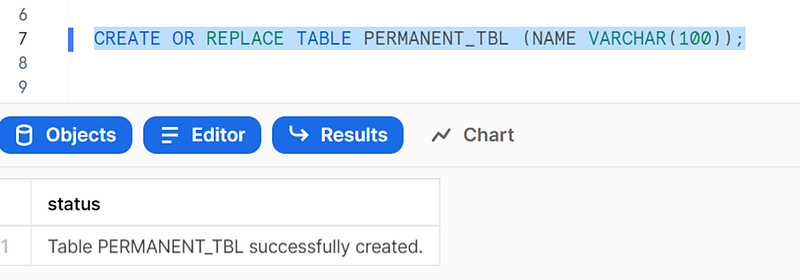
The retention period for Permanent_tbl will be set to default 1 day.
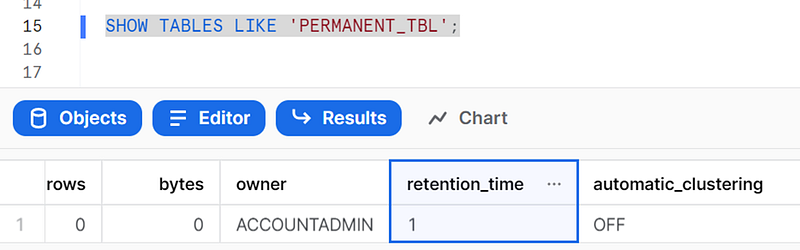
We can set this to any value within 90 days as follows.
ALTER TABLE TEST_TBL SET DATA_RETENTION_TIME_IN_DAYS = 60;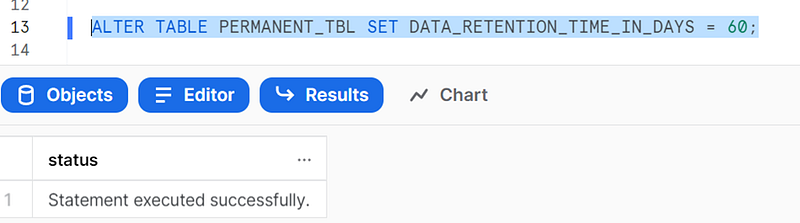
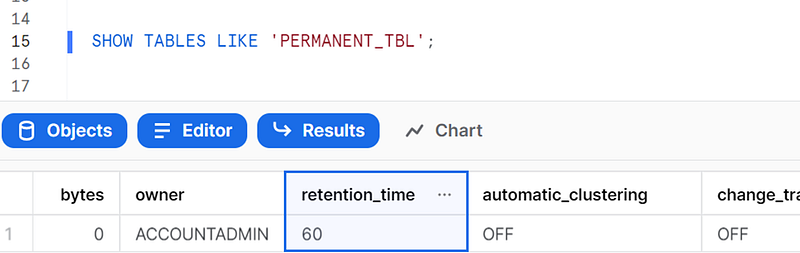
Now you can observe the retention period is changed to 60 days.
Pros:
- Data persistence: Regular tables store data indefinitely, ensuring your information is safe and available for future use.
- Suitable for most use cases: Regular tables work well for a wide range of data storage needs, from transactional data to analytical processing.
Cons:
- Storage costs: Since data is stored indefinitely, you may incur higher storage costs over time.
2. Transient Tables:
Transient tables are an alternative to regular tables, designed for scenarios where data persistence isn’t a top priority. They store data temporarily, which helps reduce storage costs.
A table is considered as the transient table in snowflake if it obeys the following properties.
- Time Travel of 1 day
- No fail-safe
- Available until explicitly deleted
The syntax for creating a transient table is as follows
CREATE OR REPLACE TRANSIENT TABLE
CREATE OR REPLACE TRANSIENT TABLE TRANSIENT_TABLE (NAME VARCHAR(100))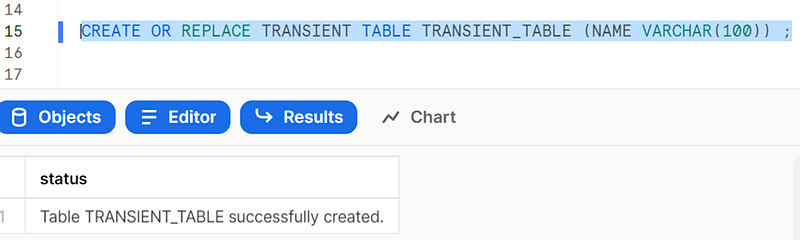
Pros:
- Reduced storage costs: Transient tables automatically purge old data, which helps minimize storage costs.
- Faster performance: With less data to manage, transient tables can deliver better performance for some use cases.
Cons:
- Limited data persistence: Transient tables don’t store data permanently, making them unsuitable for long-term data storage.
3. Temporary Tables:
Temporary tables in Snowflake Database are designed for short-lived, session-specific operations. They’re automatically dropped when the user session ends or after a specified time period.
A table is considered as a temporary table in snowflake if the scope of the table is limited to the particular session/worksheet and no time travel and fail safe are available for the table.
The following figure will illustrate the differences among the table types.
The syntax for creating a temporary table is as follows
CREATE OR REPLACE TEMPORARY TABLE
CREATE OR REPLACE TEMPORARY TABLE TEMP_TABLE (NAME VARCHAR(100));Pros:
- No storage costs: Temporary tables don’t incur storage costs since they’re automatically deleted after the session ends.
- Isolated to user session: Temporary tables are only visible to the user session that created them, ensuring data isolation.
Cons:
- Limited scope: Temporary tables are unsuitable for sharing data across user sessions or for long-term storage.
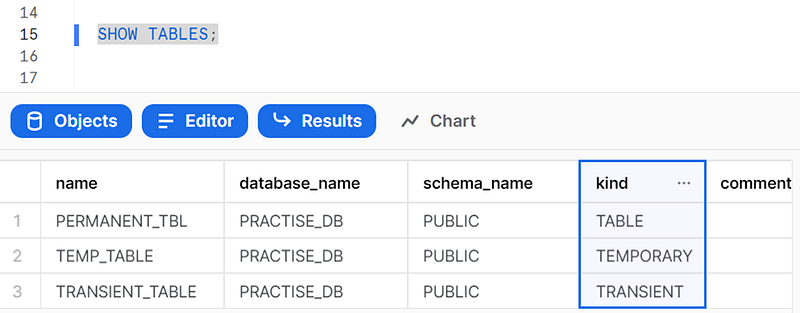
We have a command in snowflake called SHOW TABLES that can be run to observe the kind of table shown as follows.
4. External Table:
External tables in snowflake provide a unique way of accessing the files in the cloud storage (outside snowflake) without physically bringing them to snowflake. This can be beneficial when accessing and analysing data stored outside Snowflake.
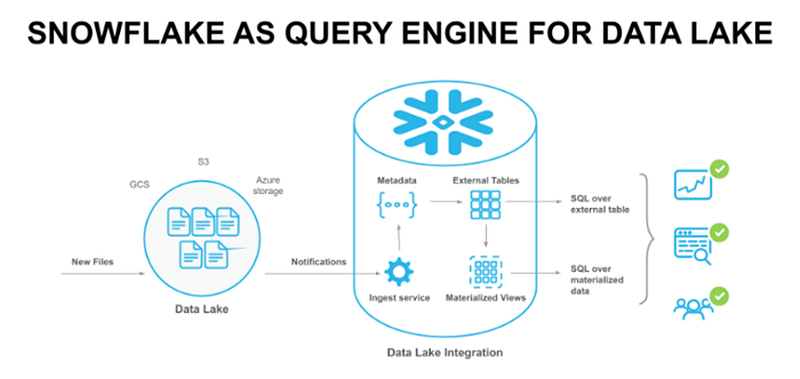
We can call snowflake a query engine since the data outside snowflake can be queried using external tables.
Setting up external tables:
step1: create an external using the following syntax.
CREATE OR REPLACE EXTERNAL TABLE <table_name> WITH LOCATION = @<external_stage_location> FILE_FORMAT =<file_format_name> AUTO_REFRESH=true | false;
Ex:
create or replace external table ext_customers with location = @EXT_STAGE/DW/customer_dim/ file_format =CSV_FORMAT;
Step 2: Execute the command ‘SHOW EXTERNAL TABLES’ and copy the channel arn
Step 3: Got to the s3 bucket and click on properties and then events
Step 4: Now click on add notifications
Step 5: Configure the event notification, select the ObjectCreate and ObjectRemoved options and then select SQS as the notification destination
Step 6: Now paste the arn that we have copied by executing show external tables
Step 7: Finally, click on the save button.
Manual refresh:
SQS event notification can automatically refresh the external files' metadata in case any new file arrives. But we can manually refresh the metadata if any file is not updated using the following syntax.
Syntax:
ALTER EXTERNAL TABLE <table_name> REFRESH;
Ex:
ALTER EXTERNAL TABLE EXT_CUSTOMERS REFRESH;
Now you can directly run a select query on the external table like a normal table.
select * from ext_customers;Pros:
- External tables enable you to query data directly from external storage, eliminating the need to duplicate data within Snowflake. This can help reduce storage costs within your Snowflake account.
- Flexibility: External tables can work with various data formats, including CSV, JSON, Avro, ORC, and Parquet, allowing you to query data stored in various file formats.
- Separation of storage and compute: External tables maintain the separation of storage and compute resources, allowing you to scale your Snowflake compute resources independently of your external storage.
Cons:
- Query performance: Querying data from external tables may have a slower performance compared to querying data stored within Snowflake, as the data must be read from the external storage and processed in Snowflake.
- Limited transaction support: External tables do not support transactions
- No time travel or fail-safe: External tables do not support Snowflake’s time travel or fail-safe features, as they rely on the external storage system’s data management capabilities.
How to Choose the Right Table Type:
When choosing a table type in Snowflake Database, consider the following factors:
1. Data Persistence: If your use case requires permanent data storage, go for regular tables. If you need temporary storage with reduced costs, consider transient tables. For short-lived, session-specific operations, temporary tables are ideal.
2. Performance: Transient tables can perform better in specific scenarios due to reduced data volume. However, regular tables might be the better option if your use case requires data sharing across user sessions.
3. Storage Costs: To minimize storage costs, transient and temporary tables are more cost-effective than regular tables.
I hope this post offers a clear understanding of regular, transient, temporary and external tables, helping you make the best decision for your data storage needs.
Thanks for reading. Feel free to contact me on my Linkedin account for further questions or comments.
Originally I posted this post on www.sqlskool.com