
Explore Oracle Autonomous Database
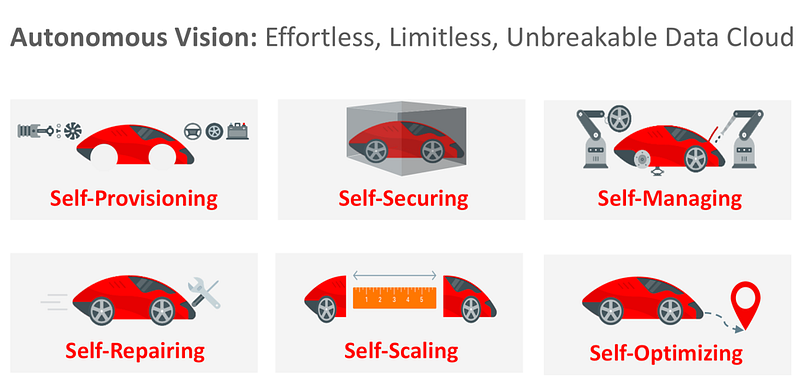
Oracle Autonomous Database is a cloud-based relational database management system (RDBMS) that uses artificial intelligence and machine learning to automate many of the routine tasks involved in managing a database. This includes tasks such as database provisioning, configuration, patching, backup and recovery, and performance tuning.
- Fully Automated: Oracle Autonomous Database uses machine learning algorithms to automate many of the routine database management tasks, freeing up DBAs to focus on more strategic activities.
- Self-Driving: Oracle Autonomous Database is designed to optimize database performance, security, and availability automatically, without any human intervention.
- Self-Securing: Oracle Autonomous Database includes a variety of built-in security features, such as automatic encryption of data at rest and in transit, user authentication and authorization, and security monitoring.
- Scalable: Oracle Autonomous Database can scale up or down to meet the needs of any workload, from small applications to large enterprise systems, without requiring any manual intervention.
- High Performance: Oracle Autonomous Database is optimized for high performance, with features such as in-memory processing, automatic indexing, and automatic SQL tuning.
- Cost-Effective: Oracle Autonomous Database is offered as a fully managed cloud service, which eliminates the need for expensive hardware and software licenses, as well as the need for dedicated DBAs to manage the database.
- Multi-Cloud: Oracle Autonomous Database can be deployed on multiple cloud providers, including Oracle Cloud, Amazon Web Services, and Microsoft Azure.
Oracle offers a free tier of Autonomous Database for users to try out the service. Here are the steps to sign up for and access the free Autonomous Database:
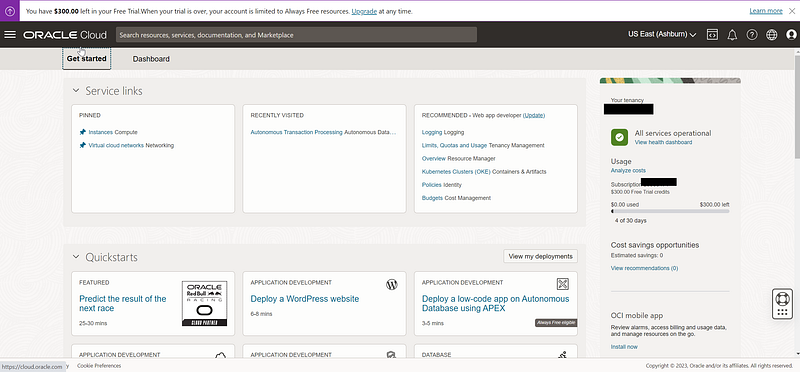
- Go to the Oracle Cloud website (https://www.oracle.com/cloud/free/) and sign up for an Oracle Cloud account.
- Once you have created your account, log in to the Oracle Cloud Console.
- Navigate to the Autonomous Transaction Processing or Autonomous Data Warehouse service page and click on the “Create Autonomous Database” button.
- Choose the “Transaction Processing” or “Data Warehouse” option and select the “Always Free” option.
- Choose a database name, select the workload type, and configure the database settings.
- Choose the number of OCPUs and storage capacity for your database. Note that the free tier includes 1 OCPU and 20 GB of storage.
- Choose a username and password for your database administrator account.
- Review and accept the terms of service, and click on the “Create Autonomous Database” button.
- Wait for the database to be provisioned. This can take a few minutes.
- Once the database is ready, you can access it using SQL Developer or any other SQL client. You will need to obtain the connection details from the Oracle Cloud Console.
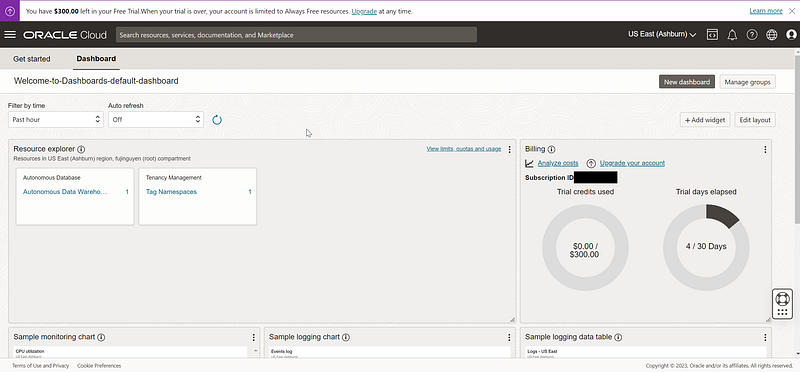
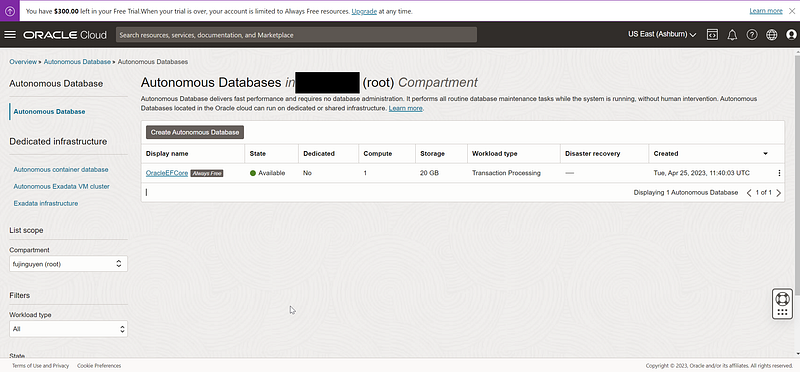
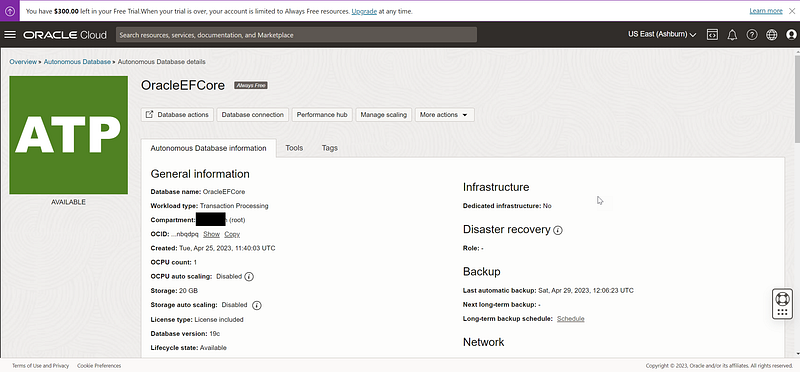
Note that the free tier of Autonomous Database has some limitations, such as a maximum of 20 GB of storage and limited performance. However, it provides a great opportunity to try out the service and learn more about its features and capabilities.
In summary, Oracle Autonomous Database is a next-generation cloud-based RDBMS that offers significant benefits in terms of automation, security, scalability, and performance, while reducing the total cost of ownership for organizations.


