
eWPTXv2 Review
Hello Guys, Anon Tuttu Venus here, today I will share my eWPTXv2(eLearnSecurity Web application Penetration Tester eXtreme) experience. I’m not planning for big writeup but still I will try to include most of the resources which helped me during the preparation and during the exam. The specific topic which I spent more time to learn are listed at the bottom of this post.
Exam Overview
Exam Cost: $400 (Inclusive of Tax) — This does not include courseware and practice labs, only the exam. Voucher Validity: 180 days from the day of Purchase Exam Duration: 7 Days for Exam + 7 Days for Reporting. (The Exam Environment won’t be accessible after 7 days from the exam start date.) Like every other eLearnSecurity exam, we can start eWPTX from eLearnSecurity portal. Once you start the exam you will get access to the Lab for the next 7 days and another 7 days to submit the exam. After the 1st 7 day period is over you will lose the Lab access , so if you are planning to write the report after the initial 7 days, make sure you have all the screenshots and commands ready.
Course Content
The course itself has a wide menu, follows: Module 1: Encoding and Filtering Module 2: Evasion Basic Module 3: Cross-Site Scripting Module 4: XSS Filter Evasion and WAF Bypassing Module 5: Cross-Site Request Forgery Module 6: HTML 5 Module 7: SQL Injections Module 8: SQLi Filter Evasion and WAF Bypassing Module 9: XML Attacks Module 10: Attacking Serialization Module 11: Server Side Attacks Module 12: Attacking Crypto Module 13: Attacking Authentication & SSO Module 14: Pentesting APIs & Cloud Applications Module 15: Attacking LDAP-based Implementations
You can expect most of the above listed bugs during the exam.
A Small Bash rick By default Bash keeps only 500 lines in the command history list. The HISTSIZE variable allows you to change this value. To set it to 10000 add the following line to your .bashrc or .zshrc
HISTSIZE=10000If you want to clear you terminal history before starting the exam you can enter the following command:
history -c [ this will clear all the history] history -a [ -a option allows you to save the current session history list to the .bash_history file]
Let me dive into the exam, I have started the exam on 14/04/2022 and submitted report on 21/04/2021. On 14th I have finished my office work and started the exam at 5PM. The exam have 3 objectives & we need to find all 3 of them, but only those won’t help you crack the exam.
Day 1, There are few domain listed & I have started with one of the domain and did maximum recon and enumeration of that domain. I have found many bugs on the initial day itself but couldn’t find any of the exam objective on the 1st day, till 11PM tried and, in between I took multiple break as well. My plan was to stick with one domain and grab the maximum vulnerabilities from it.
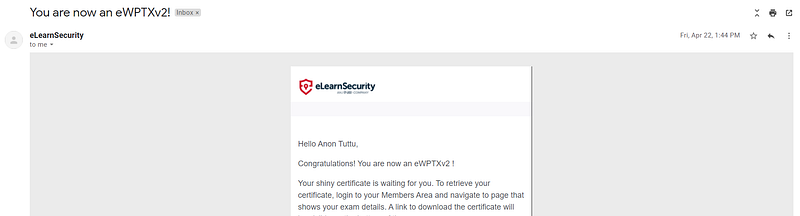
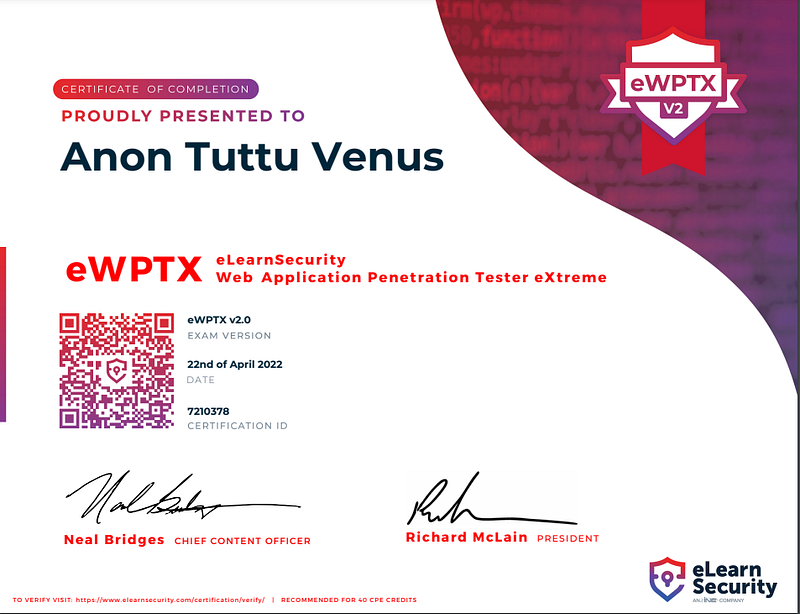
Day 2, I resumed my exam at 5:30am, it was slow start but still I was able to find one of the exam objective on second day and few other bugs as well. I took the other domain and did recon and enumeration on the same. I have rested lab environment 3 times on day 2. Day 3, I found one more exam objective but it was the only think I could find on that day other than few low issues. I’m not good at programming so it was a BIG GOOGLING DAY !! [ Don’t worry about programming, it’s actually a small script that we may need to write, since I don’t have much idea on this I spent more time ] Day 4, The enumeration and recon relay come into play on day 4. During enumeration I have got multiple hints and I was able to relate most of them on day 4. Chaining one vulnerability to another gave a big exposure to the exam lab. I found all of the exam objective and was super existed and started making report. Day 5, Started writing exam report on , it was long ride, while writing the report I feels like some screenshot is missing and I tried to exploit it again. But the exam lab was really unstable and even after 4 reset I was not able to exploit the same which I already exploited last day. I left it behind and wrote the remaining vulnerabilities. We can only reset 4 times in 24hour. I wrote everything apart from couple of vulnerability. Day 6,I started the day by resetting the lab and tried the old exploit itself without any modification and it worked. Day 7, I have reviewed the whole exam report and submitted it. In total I found around 17 different issue without including the Low severity ones. Few of the issue where repeating multiple times. Next day I got this email and a good looking certificate.
Tips and Tricks
- Take maximum screenshots with proof of the vulnerabilities. This is important for the report you will present at the end of the exam.
- You tried to exploit the “RANDOM” vulnerability during the exam, but it didn’t work, and if you’re sure about the payload , retry the same exploit after resetting the lab environment. The exam environment is not that stable.
- The time offered for this exam (7 days) is more than enough. So don’t stress about it.
- The exam is a simulated penetration test not a always keep that in mind. Even if you found a vulnerability , that doesn’t mean that vulnerability will not reoccur on the app again.
- Focus OWASP TOP 10 as you will see almost every vulnerability from OWASP Top-10.
- Lear basic of programming / scripting . (Python, PHP, shell script)
Resources:
- https://www.tutorialspoint.com/php/php_tutorial.pdf — PHP
- https://websitesetup.org/wp-content/uploads/2021/04/Python-cheat-sheet-April-2021.pdf — Python
- https://phoenixnap.com/kb/bash-for-loop -BASH
- https://www.sheffield.ac.uk/polopoly_fs/1.171628!/file/shellintro2.pdf — BASH
- https://portswigger.net/web-security
- https://www.hacksplaining.com/
- https://github.com/CyberSecurityUP/eWPTX-Preparation
- https://github.com/swisskyrepo/PayloadsAllTheThings
- https://cheatsheetseries.owasp.org/IndexTopTen.html
Insecure Deserialization:
- https://vickieli.dev/all-articles#insecure-deserialization
- https://thehackerish.com/insecure-deserialization-explained-with-examples/
- https://diablohorn.com/2017/09/09/understanding-practicing-java-deserialization-exploits/
- https://www.youtube.com/watch?v=jwzeJU_62IQ — Python
- https://www.youtube.com/watch?v=HaW15aMzBUM— PHP
- https://www.youtube.com/watch?v=VYdo3--SPjw — Java
- https://github.com/GrrrDog/Java-Deserialization-Cheat-Sheet
- https://book.hacktricks.xyz/pentesting-web/deserialization
- https://github.com/frohoff/ysoserial
XXE :
- https://www.youtube.com/watch?v=gjm6VHZa_8s
- https://web-in-security.blogspot.com/2016/03/xxe-cheat-sheet.html
- https://portswigger.net/web-security/xxe
- https://www.youtube.com/watch?v=71dZaGfOVqw&list=PL1GDzLoRwyVC_ZvAIbyUD2tv3OqCh8XZB
XXE Lab:
- https://portswigger.net/web-security/all-labs#xml-external-entity-xxe-injection
- https://github.com/jbarone/xxelab
- https://www.vulnhub.com/entry/xxe-lab-1%2C254/[ Solution: https://blog.csdn.net/yiiiing/article/details/108218681]
SSTI:
- https://secure-cookie.io/attacks/ssti/
- https://www.cobalt.io/blog/a-pentesters-guide-to-server-side-template-injection-ssti
- https://podalirius.net/en/publications/grehack-2021-optimizing-ssti-payloads-for-jinja2/GreHack_2021_-_Optimizing_Server_Side_Template_Injections_payloads_for_jinja2_slides.pdf
- https://www.blackhat.com/docs/us-15/materials/us-15-Kettle-Server-Side-Template-Injection-RCE-For-The-Modern-Web-App-wp.pdf
- https://www.wallarm.com/what/server-side-template-injection-ssti-vulnerability
- https://bowneconsultingcontent.com/pub/EH/proj/ED105.htm
- https://www.youtube.com/watch?v=QLqHMMcBXuQ
- https://kleiber.me/blog/2021/10/31/python-flask-jinja2-ssti-example/
- https://pequalsnp-team.github.io/cheatsheet/flask-jinja2-ssti
- https://book.hacktricks.xyz/pentesting-web/ssti-server-side-template-injection
SSTI Lab:
SSRF:
- https://vickieli.dev/ssrf/exploiting-ssrf/
- https://www.cobalt.io/blog/from-ssrf-to-port-scanner
- https://0xn3va.gitbook.io/cheat-sheets/web-application/server-side-request-forgery
- https://highon.coffee/blog/ssrf-cheat-sheet/
SSRF Lab:


