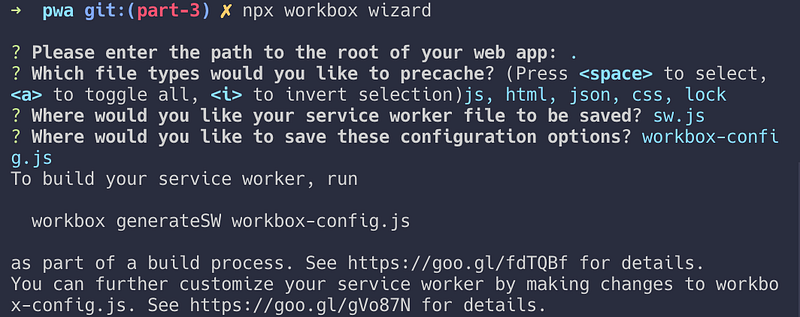
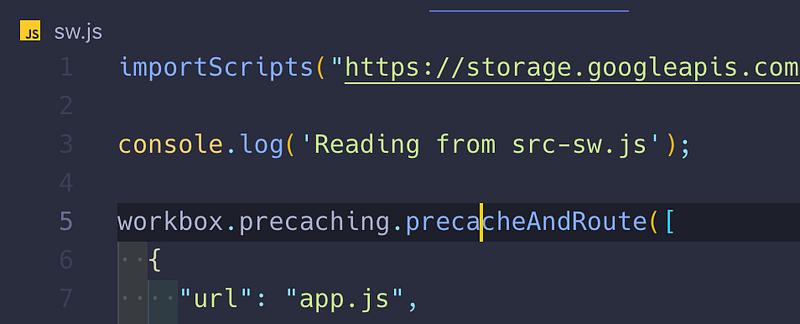
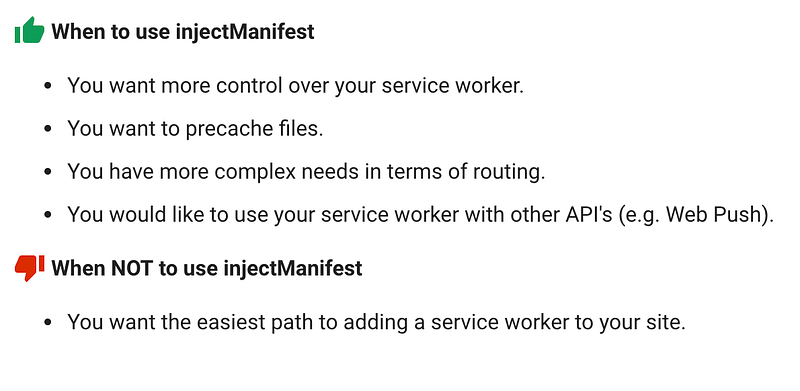
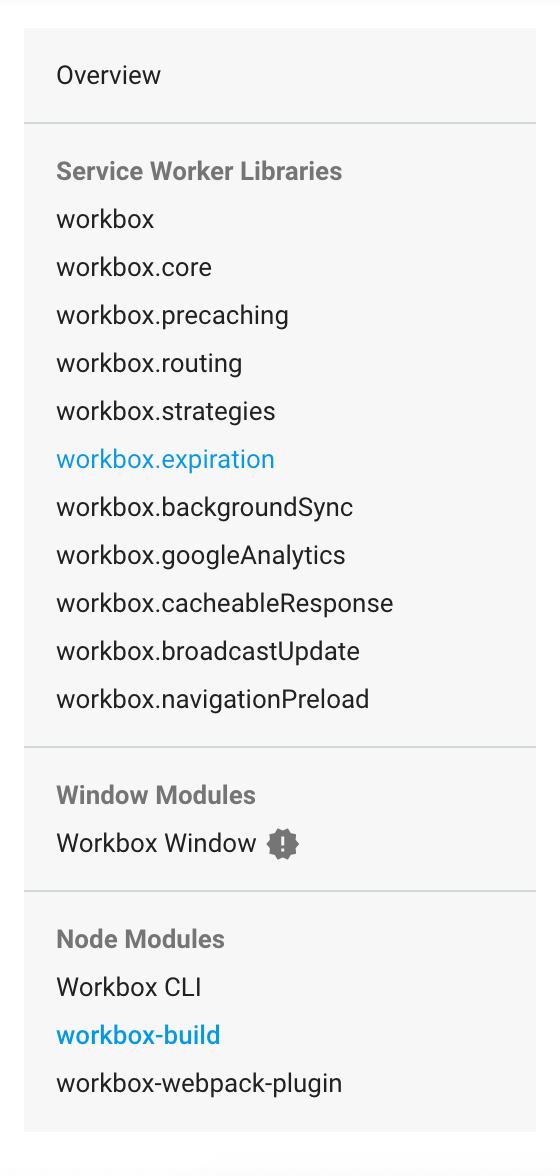
n-images-1.readmedium.com/v2/resize:fit:800/1*_ffgAD1CAj0jbRQQYqi-eA.png"><figcaption>generating service worker file</figcaption></figure><div id="991c"><pre>npx workbox generateSW workbox-config.js</pre></div><p id="35d0">You should see the<code>sw.js</code> file appear, which might look like something like this:</p>
<figure id="3be4">
<div>
<div>
<iframe class="gist-iframe" src="/gist/indreklasn/00720d3eddb20b599bb6410a7d04a8b5.js" allowfullscreen="" frameborder="0" height="undefined" width="undefined">
</div>
</div>
</figure></iframe></div></div></figure><p id="67fe">It’s a long file, but basically, it installs <code>workbox</code> and tells the browser which files to cache.</p><p id="7292">You can remove the <code>service-worker.js</code> file and register our new service worker — <code>sw.js</code>.</p>
<figure id="b64b">
<div>
<div>
<iframe class="gist-iframe" src="/gist/indreklasn/0718de3470383e38c5266637933ad1e1.js" allowfullscreen="" frameborder="0" height="undefined" width="undefined">
</div>
</div>
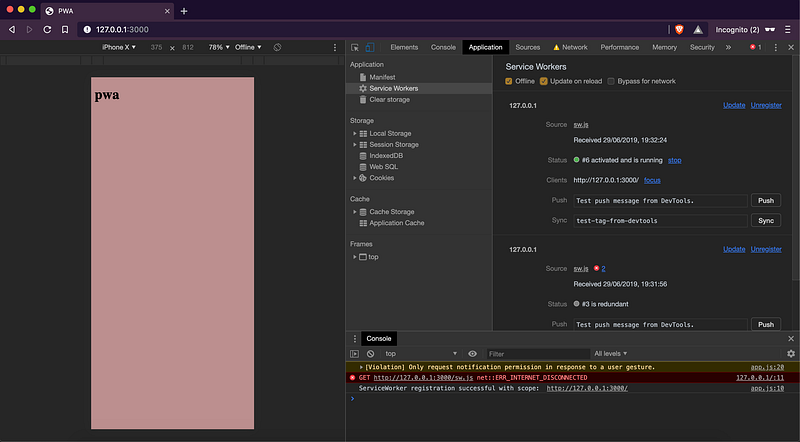
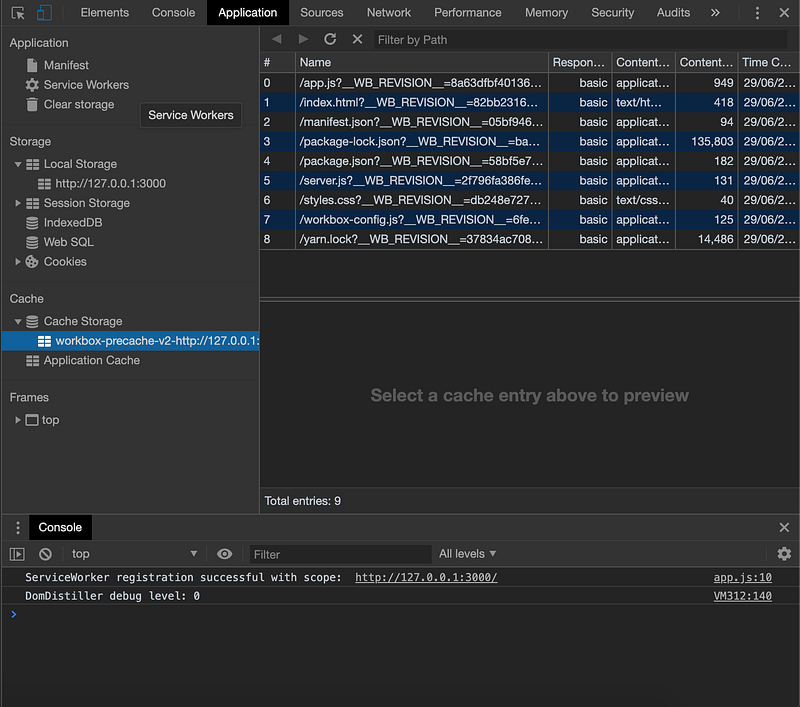
</figure></iframe></div></div></figure><p id="0c8f">If we relaunch and open our browser, we should have offline support, caching and fetching cached assets enabled now.</p><figure id="3678"><img src="https://cdn-images-1.readmedium.com/v2/resize:fit:800/1*mRADvmN56_HjSDe13Qcr7A.png"><figcaption>workbox PWA</figcaption></figure><p id="fe1d">Click on the offline box and try refreshing. If you check the <code>Cache Storage</code> tab, you should see everything stored in the cache.<i> </i>Magic<i>!</i></p><figure id="55c1"><img src="https://cdn-images-1.readmedium.com/v2/resize:fit:800/1*VFHd_DxcPDGl7k6dZBImpw.png"><figcaption>Workbox precache</figcaption></figure><p id="0d90">As of now, we can’t modify the generated file, because any change we make will be overwritten as soon as we re-generate the service worker file.</p><p id="4d8d">If you would like to modify the <code>sw.js</code>, here’s how you can do it:</p><p id="2552">Create a new file called <code>src-sw.js</code> with the following contents. The content of the <code>src-sw.js</code> file will be injected inside the <code>sw.js</code> file.</p>
<figure id="e036">
<div>
<div>
<iframe class="gist-iframe" src="/gist/indreklasn/fd78ccc904bcea59c79f6edc08ee968c.js" allowfullscreen="" frameborder="0" height="undefined" width="undefined">
</div>
</div>
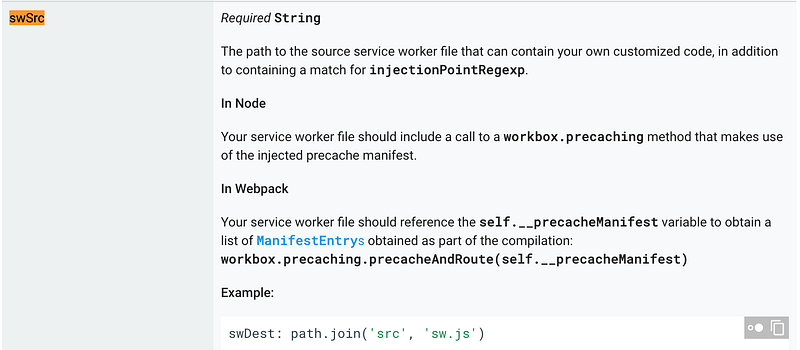
</figure></iframe></div></div></figure><p id="2d23">Tell the original <code>sw.js</code> file where the <code>src-sw.js</code> is located.</p>
<figure id="3c80">
<div>
<div>
<iframe class="gist-iframe" src="/gist/indreklasn/1a3ba82b171b03f6cbb1f373a8d52661.js" al
Options
lowfullscreen="" frameborder="0" height="undefined" width="undefined">
</div>
</div>
</figure></iframe></div></div></figure><figure id="6045"><img src="https://cdn-images-1.readmedium.com/v2/resize:fit:800/1*3tOf80NKQhOjHlU8umBMfg.png"><figcaption><b>swSrc</b> property</figcaption></figure><p id="34a4">Finally, run the command:</p><div id="6960"><pre><span class="hljs-attribute">npx workbox injectManifest</span></pre></div><figure id="6661"><img src="https://cdn-images-1.readmedium.com/v2/resize:fit:800/1*OBCeaPbQKTA0tIjPtxqq0w.png"><figcaption></figcaption></figure><p id="a46a">Now we should see the <code>console.log</code> show up in the <code>sw.js</code> file.</p><figure id="14b0"><img src="https://cdn-images-1.readmedium.com/v2/resize:fit:800/1*Ytu5AW5w0b3SdxoVvEgMqQ.png"><figcaption>Injecting options to sw.js file</figcaption></figure><figure id="0409"><img src="https://cdn-images-1.readmedium.com/v2/resize:fit:800/1*4rHKz7NKyr4jKhWbLu6Rug.png"><figcaption><b>When to use <a href="https://developers.google.com/web/tools/workbox/modules/workbox-build">injectManifest</a></b></figcaption></figure><p id="6aee">Workbox can do much, much more. Please read the documentation to try out different features.</p><figure id="7f79"><img src="https://cdn-images-1.readmedium.com/v2/resize:fit:800/1*T1cfrldw4R2MPWXsobjLag.png"><figcaption>Workbox full documentation — <a href="https://developers.google.com/web/tools/workbox/modules/workbox-sw">https://developers.google.com/web/tools/workbox/modules/workbox-sw</a></figcaption></figure><h1 id="8d30">Where to go from here?</h1><p id="dcb5">I highly recommend building stuff. Building stuff is by far the best way to get good at things, <a href="https://readmedium.com/the-secret-to-being-a-top-developer-is-building-things-heres-a-list-of-fun-apps-to-build-aac61ac0736c?source=---------2------------------">here’s a list of fun apps to build</a>.</p><p id="692d">If you want to learn about progressive web apps in-depth, I’d suggest reading through the “<a href="https://amzn.to/2Yz7NuX"><i>Building Progressive Web Apps: Bringing the Power of Native to the Browser</i></a>” book.</p><h1 id="fdcf">Source Code</h1><p id="df5d">Here’s the <a href="https://github.com/indreklasn/pwa-example/tree/part-3">source code</a> for this chapter.</p><div id="6893" class="link-block">
<a href="https://github.com/indreklasn/pwa-example/tree/part-3">
<div>
<div>
<h2>indreklasn/pwa-example</h2>
<div><h3>Contribute to indreklasn/pwa-example development by creating an account on GitHub.</h3></div>
<div><p>github.com</p></div>
</div>
<div>
<div style="background-image: url(https://miro.readmedium.com/v2/resize:fit:320/0*-Noj66C7xpRCYEnK)"></div>
</div>
</div>
</a>
</div><p id="5500">Thanks for reading!</p></article></body>
Everything You Need to Know About PWAs — Workbox
Workbox is a collection of flexible abstractions that let us do hard things more simply