
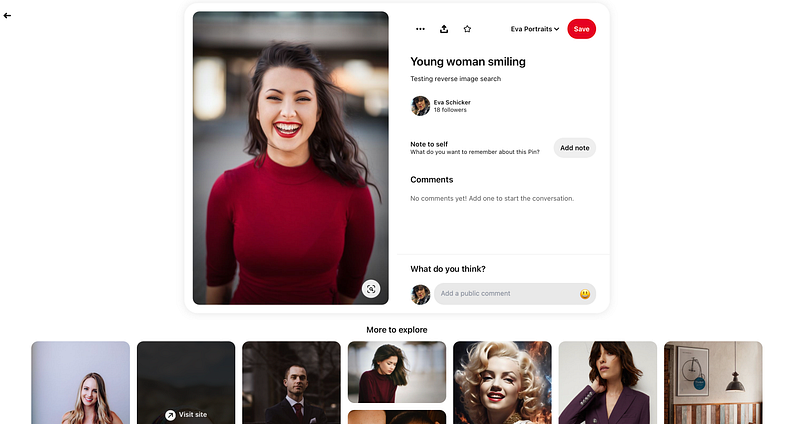
Every face tells a story in a reverse image search, but outcomes vary depending on the search engine
How do AI reverse image portrait searches hold up?
Reverse image searches are defined as, in essence, Searching for similar images. An image of choice is submitted to the AI search engine, which in turn scans the entire internet for either the same image and its source. The search engine also searches for similar images based on visual clues such as colors, subject, landscape or building landmarks, camera angle, light sources, depth of field, or even blurriness or out of focus areas.
AI reverse image search engines can produce impressive results. They reference not only dozens, if not hundreds of similar images, they can also source the location of the original image (if posted online as publicly-accessible image), availability of different image resolution, descriptions of the photo subject, and in some instance, references to location and maps.
Read more on What is a reverse image search? here.[1]
AI search results can get a bit trickier when we search for similar images of a person’s face. Contrary to first beliefs, popular reverse image search engines, such as Google’s, TinEye’s, or Pinterest’s, do not render facial recognition searches, and do not identify individuals.
When I did test runs with these three search engines, Google, TinEye, and Pinterest, I was keen to find out these three pieces of information:
1. Is the name of the photographer of the source image credited in the search?
2. Are similar artistic images showing up in the results?
3. How many commercial links are referenced in the results?
Google’s search engine
I’ve uploaded an immensely popular portrait of an exuberant young woman by Michael Dam, sourced on Unsplash, as free to use under the Unsplash License, to the Google reverse image search engine. I begin my reverse image search.
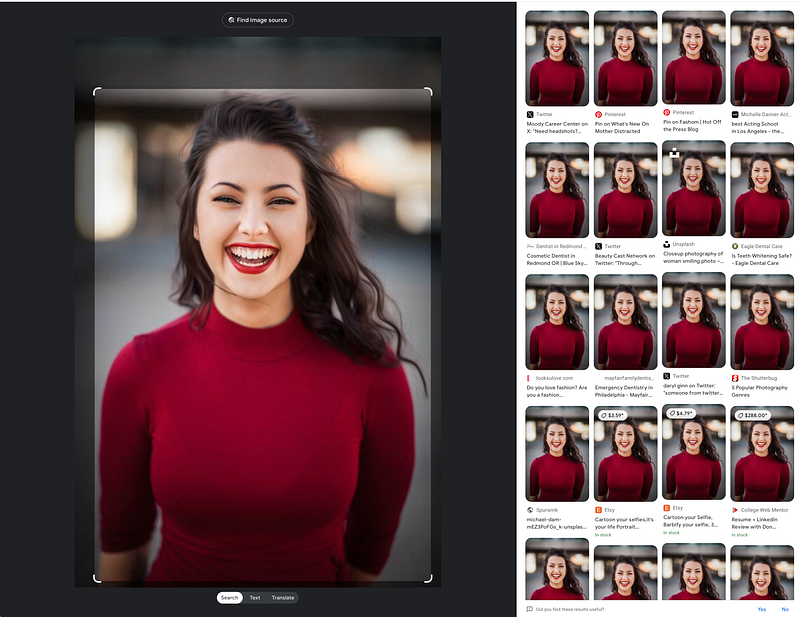
Not surprisingly, Google’s search engine returns dozens of links of where the image was used.
However, Google’s AI is not able to identify the location of the source original upload link, nor is the photographer’s name. That’s a shortcoming. I’ve sent feedback to Google.
Especially for free-of-use popular images, but also in general, photographers and creators of an image need to be credited in the search results upfront.
While most of Google’s results seem legit links to websites where the image is used, there are several click-bait links to sites that go nowhere. Several of them are to LinkedIn to random users, others link to a Facebook internal page that goes nowhere.
TinEye’s reverse search results
TinEye’s result page comes in differently. TinEye does not return visual replicas of the source image, but rather, it renders a display of a number of findings (2,279 results) and the photographer’s info and original source.[2]

TinEye’s search data is extremely valuable to the creator, as quick stats about the popularity of an image are returned. For a user, the reference to the photographer and the source link is valuable in case more information is needed on the image.
TinEye does not return similar images.
Pinterest reverse search results
Pinterest’s search engine engages with the first click on a Pinterest-sourced image automatically. As soon as an image is clicked, the page fills with versions of the source image, similar images, and a handful of ads geared towards the audience of the sourced image.
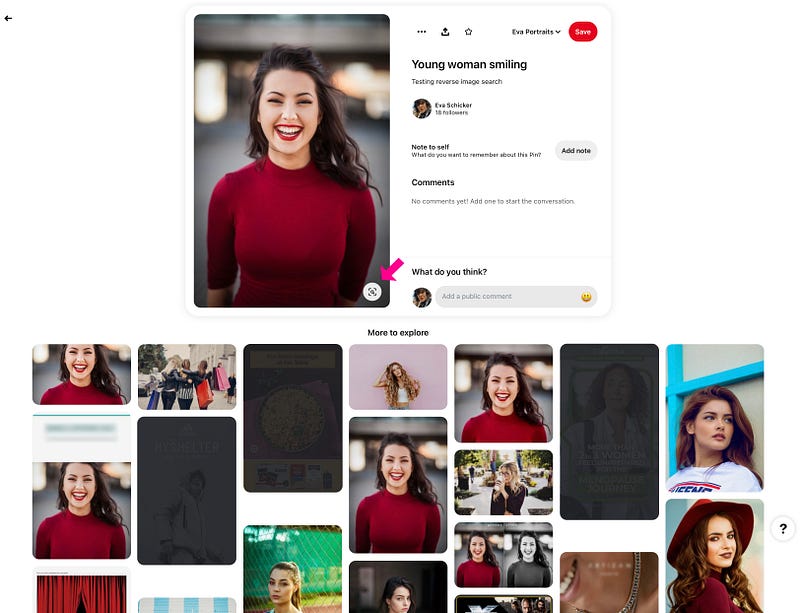
I like Pinterest’s results a lot, as they present a smorgasbord of visual clues, ads notwithstanding.
Only when activating the image’s reverse search button, see magenta arrow, does Pinterest engage in the search for this image.
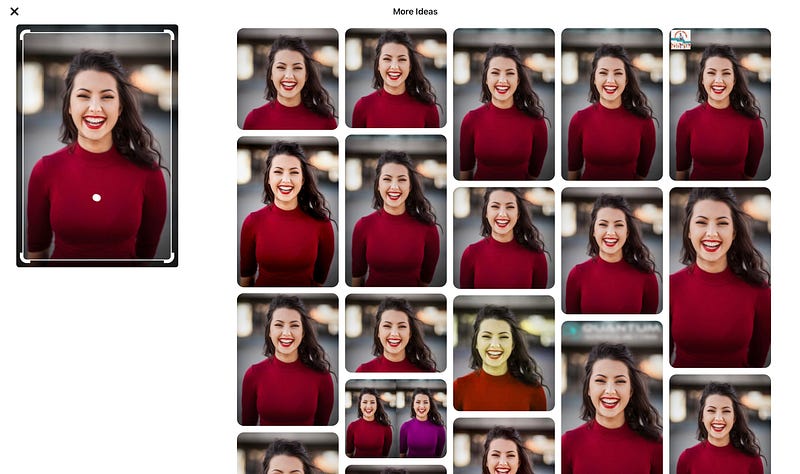
Because the image referenced is such a popular image used thousands of times, the same image shows up over and over again.
As in Google’s reverse image search, the photographer is not referenced, nor is the original source file. That’s really disappointing, and a shortfall of this search.
One search result even links back to another photographer on Unsplash, claiming authorship of the image as hers. If I were the creator of this image, it would be very upsetting to me.
Research findings on doing quick reverse image searches
Popular image search engines do not engage in facial recognition results, and do not identify the person.
Creators are, in most searches, not credited, nor is their original source upload.
For creators, uploading a beautiful and relevant image free of charge under the common license will also mean that control over the image is lost, even to the extent that other photographers claim it as theirs.
Why do an actual facial recognition search?
To conduct actual facial recognition searches means that the software in use is mapping a face based on biometric data points. The software then stores a faceprint of such mapping which is then used to compare other databases of faces, and presumably, the stats that come with them.
It’s still largely unknown how often facial-recognition technology is being used and where in the United States [3].
Facial recognition software is not fully accurate, and highly controversial.
Personally, I get a bit of knot in my stomach thinking of the possibility of my face indexed and mapped in a database somewhere. So, I think it probably to be best to be utterly cautious when uploading a portrait image of myself online.
The benefits of doing a similar image search of a person’s face
If we are ready to befriend someone on a social dating app, but not 100% sure about that person, we can do a reverse image search and see what pops up.
Some face reverse image searches don’t render many results. Most searches might focus on accessories, such as clothes or jewelry, and not on the face, to render results.
Searches based on personal uploaded photos which have not been already uploaded on the web, return mostly random shots, and nothing worthy of any real data.
What to look out for
For creators, doing reverse image searches from time to time might become crucial when looking for unauthorized usages of images.
Uploading one’s portrait pictures should always be done with caution. While social platform sites like IG or FB protect their content, others do not.
Facial searches come with a caveat for the average user. The results are most likely non-revelatory, meaning that the only data that can be transmitted is that of the creator’s original upload link, a reference to the creator, and a description of what an image is about.
And that’s a really good thing.
References/links:
[1] Read up about reverse image searches: https://evaschicker.medium.com/what-is-a-reverse-image-search-70c272fef087
[2] TinEye search-by-image engine: https://tineye.com/
[3] https://www.cnn.com/2022/08/05/tech/facial-recognition-bans-reversed/index.html
Thank you.




