
Enhancing UX with ChatGPT’s Latest Updates: Picture, Canvas, and Search Features
User experience (UX) is the cornerstone of modern design, and tools like ChatGPT are evolving to meet this demand. The latest updates to ChatGPT introduce three powerful features—Picture, Canvas, and Search—that promise to revolutionize how users interact with AI. Here’s how these updates can help elevate UX design.
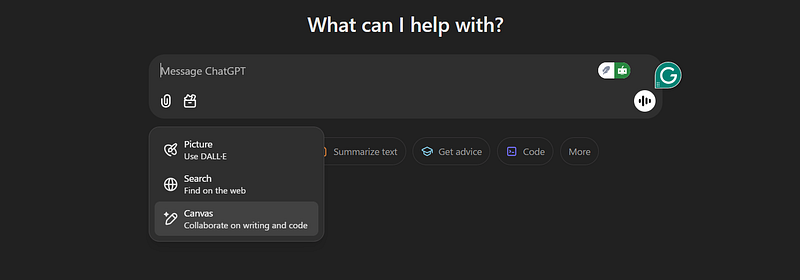
1. Picture: A Visual Leap for Interactive AI
The introduction of image input capabilities allows ChatGPT to interpret, analyze, and generate responses based on visual content.
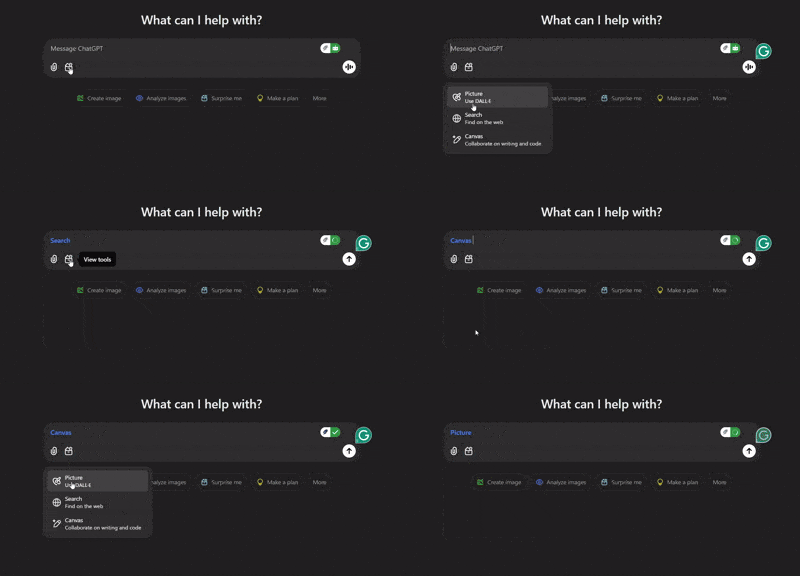
How It Helps in UX
- Visual Feedback: Designers can upload UI mockups, wireframes, or screenshots, and ChatGPT can provide actionable feedback, speeding up iteration cycles.
- Error Spotting: Detect inconsistencies in designs, such as misaligned elements or color contrasts, ensuring polished outputs.
- Idea Generation: Upload an image of a design element, and ChatGPT can suggest complementary ideas, themes, or improvements.
Example: Uploading a homepage design mockup lets ChatGPT suggest layout adjustments to improve user flow.
2. Canvas: A Space for Creativity
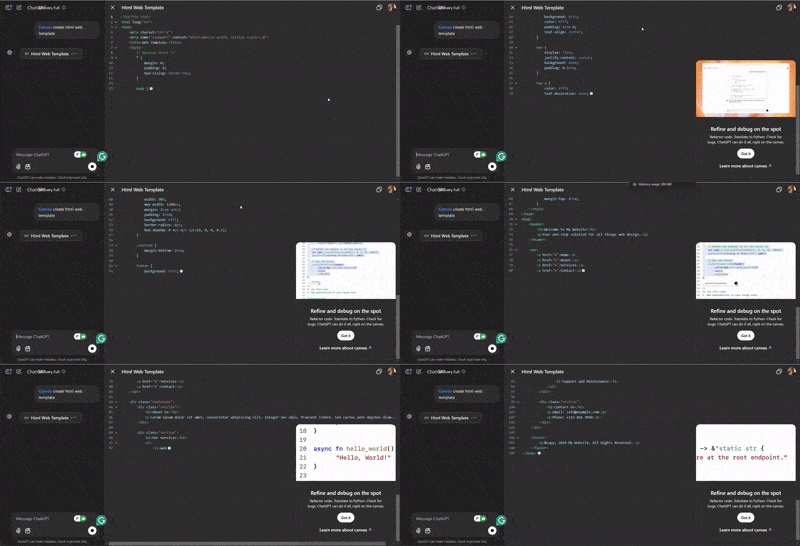
Canvas allows users to interact with ChatGPT in a more structured, visual workspace. It’s ideal for brainstorming, prototyping, and documenting ideas.
How It Helps in UX
- Interactive Prototyping: Designers can sketch ideas directly on the canvas and get AI-driven suggestions for layout improvements or user flows.
- Collaboration Hub: Teams can use the canvas as a shared space to ideate and refine concepts, making remote collaboration seamless.
- Documentation Aid: AI-generated annotations on the canvas ensure ideas are well-documented and easy to follow.
Example: Use the canvas to design a navigation bar and get live suggestions for enhancing its usability based on established UX principles.
3. Search: Context-Aware Insights
The new search functionality enables real-time information retrieval, ensuring ChatGPT provides accurate and up-to-date answers.
How It Helps in UX
- Trend Analysis: Stay ahead by accessing the latest UX design trends and best practices without leaving the chat interface.
- Competitor Research: Quickly gather insights about competitor design patterns and user preferences.
- Contextual Problem Solving: ChatGPT can pull relevant examples or case studies to inform design decisions.
Example: A UX designer can ask for examples of mobile app onboarding flows, and ChatGPT can retrieve real-world examples to inspire new designs.
Combining Features for Seamless UX Design
The true power of these updates lies in their synergy. A designer could upload a website wireframe (picture), refine it collaboratively on the canvas (canvas), and use search to find data-driven solutions or trends to back their decisions (search).
Future Implications for UX Professionals
These features empower designers, developers, and researchers to:
- Enhance Workflow Efficiency: Minimize the time spent on repetitive tasks by leveraging AI-driven insights.
- Foster Innovation: Use AI to think outside the box and explore unconventional solutions.
- Improve Accessibility: AI-driven suggestions can ensure designs are inclusive and user-friendly.
— — — — — — — — — — — — — — — — — — — — — — — — — — — — — — — — — — — — —
Audio Podcast: Enhancing UX with ChatGPT’s Latest Updates: Picture, Canvas, and Search Features
Final Thoughts
ChatGPT’s latest updates bridge the gap between AI and UX, making it a vital tool for professionals striving to deliver exceptional user experiences. These features set a new benchmark for what AI can achieve in design by integrating visual inputs, collaborative tools, and real-time data.
Ready to take your UX design to the next level? Dive into these features and let ChatGPT revolutionize your creative process!