The Hidden Math Behind Image Blur
How Simple Math Transforms Images from Crisp to Smooth
If you have ever edited a photo for Instagram or maybe “enhanced” your image for that perfect selfie, you definitely would have stumbled upon the blur filter or magic brush. Yeah, that magical tool, that helps smooth out your skin and erase any trace of reality. All thanks to social media, it has basically become everyone’s best friend nowadays.
But have you ever thought about what is actually happening behind the scenes? How does the blur filter “blurs” an image? Spoiler alert: it’s all math!
In this article, we will have a look at some of the mathematical operations that make that blurring effect possible. But first, let me share a quick personal story.
Gaussian Blur: From Quantum Mechanics to Image Processing
A while back, I was studying quantum mechanics and came across the Gaussian function. It came up in the context of wave functions and probability distributions. Looking at the diagrams, I remembered the Statistics chapter from my 12th class Math book. It was just called the Bell-shape curve or the normal curve in the junior classes.
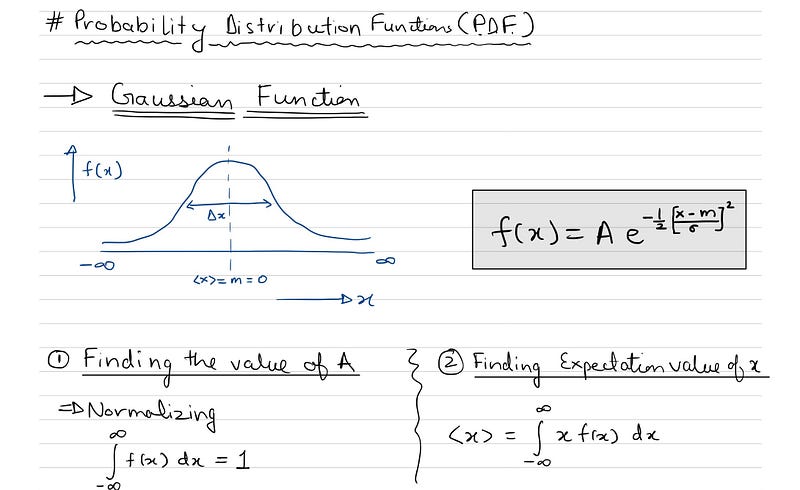
But then I thought, “Where else does this function show up in the real world? Can I apply it in some project of mine?” (As a software engineer, I always enjoy working on real-world applications)
Not long after this, I was working on an image processing project. I found myself staring at the very same Gaussian function again. It was one of those “aha!” moments. In this project, I had to implement Gaussian Blur and apply it to an image.
If there is one thing that we software engineers are best at, it is googling stuff on the internet! So I researched the whole night about the Gaussian function and its application in Image Processing. It was really fascinating to see how everything from probabilities in quantum mechanics to blurring images in image processing is linked with this simple function.
What Does “Blurring” Mean?
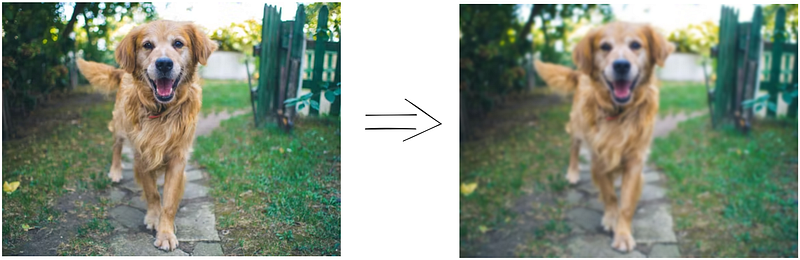
When you click and apply a blur filter over an image, what you are asking the program to do is to smooth the differences between the pixels by averaging out the colours and intensities to create a softer image. The image becomes less sharp but it still preserves the overall structure of the scene. In short, it's all about averaging the pixel values of the image.
The next question is “How does the software decide which pixels to blend together and in what way and by how much?”
The answer lies in something called convolution.
Convolution: The Core of the Blur Effect
Let’s first see what convolution is and then we will see how it blurs the image.
Convolution is a mathematical operation in which for each pixel, information (pixel value) is first gathered from its neighbouring pixels and then, that pixel is modified according to some formula that incorporates that neighbouring information.
I know it sounds complicated but it is really not! Below is an example on which we will apply convolution.
How does it work?
Imagine an image as a matrix. Each cell of the matrix represents a pixel and the number contained in it tells us about the intensity of that pixel. (For now, forget about the 3 RGB colour channels and assume that only 1 value is present in each cell.)
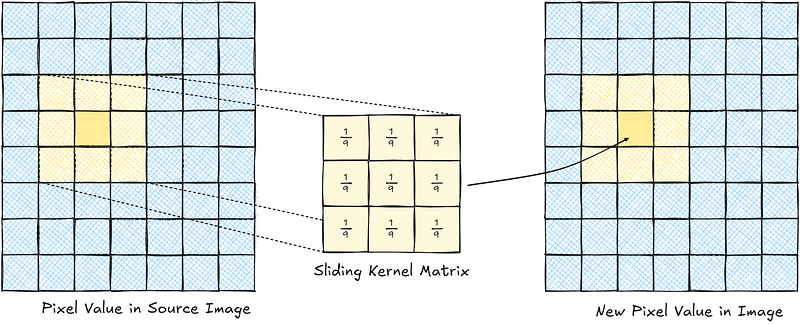
Now imagine the centre of a smaller matrix of 3 x 3 sliding over each pixel one by one. When it lands on a pixel, it reads the value of itself and its 8 neighbours. We sum up all the values and average them out by dividing by 9. This new value is then updated in a new image for that same pixel.
When this process is repeated for all the pixels of the image, you get an image that has all the pixels with an average value of all its immediate neighbours.
Congratulations! You have successfully blurred your image.
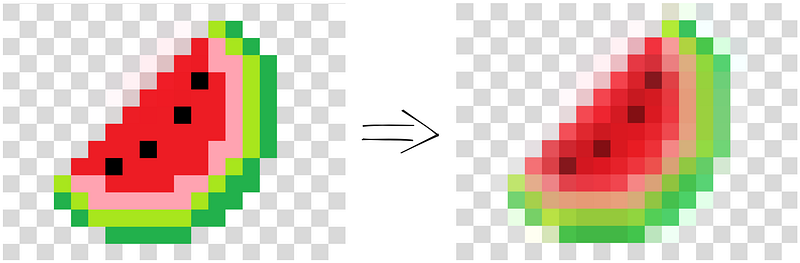
If you have understood this simple version, we can now move on to some keywords (just fancy names for the above terms) that are used in Image Processing.
Kernel (or Filter): The matrix used above is called Kernel. We used a small matrix of size 3x3. But you can use other size matrices also like 5x5, 7x7 or even larger, depending on how strong you want the blur to be. The value of each element of the matrix can be different.
Pixel Averaging: Each pixel in the image was replaced by the weighted sum of its neighbouring pixels, according to the values in the kernel. The kernel slides over the image, pixel by pixel, applying the same calculation at every point.
In our example above, we used a 3x3 kernel where every value was 1/9. Applying this kernel to every pixel meant replacing that pixel with the average value of itself and its eight neighbours. The larger the kernel, the more neighbours are considered, and the blurrier the result.
The Gaussian Blur: A Special Kind of Smoothing
One of the most commonly used blur filters is the Gaussian blur, which is based on the Gaussian function (that same bell curve I encountered in quantum mechanics). Instead of just averaging the neighbouring pixels equally, the Gaussian blur weights the pixels based on their distance from the center of the kernel, giving more importance to nearby pixels and less to the far ones.
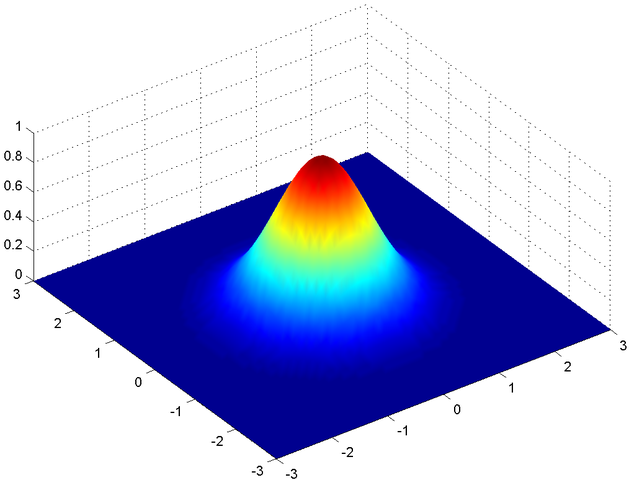
Mathematically, the Gaussian function looks like this:
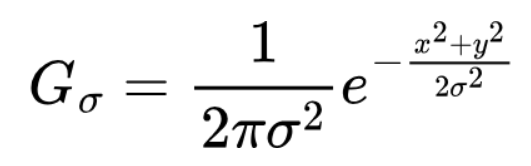
Where:
- x and y are the distances from the center pixel.
- σ controls the width of the bell curve. It controls how much blur is applied. Larger σ means stronger blur.
We can calculate the kernel values from the formula above. So, for a symmetric kernel of size x by x, the values for rows & columns go from -[(x-1)/2] to +[(x-1)/2].
So, for a kernel size of 5x5, both the row & column values are from -2 to +2. Calculating the Gaussian Kernel assuming σ = 1:
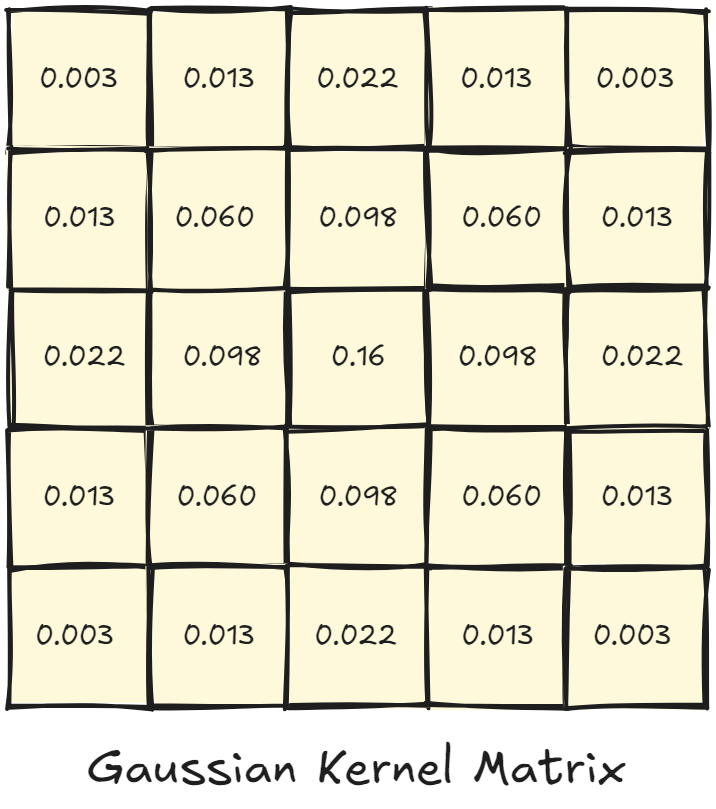
But you may ask, what is its advantage over equal averaging that we did earlier?
The Gaussian Blur provides a more natural looking blur and mimics how we actually perceive soft focus in real life. It smoothens the transition between sharp and blurred regions more accurately.
Other Applications
Now that we have seen the math behind the blur filter, let's see some other practical uses of this.
In photography, blurring helps draw focus to subjects by reducing distractions in the background.

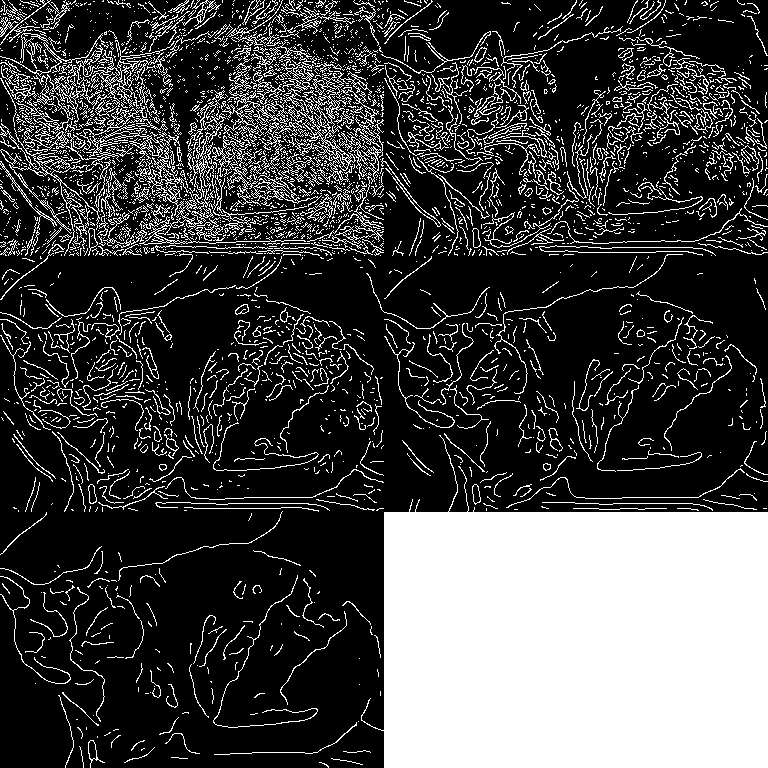
In computer vision, blur is used to smoothen the noise and prepare our images for further analysis like running an edge detection algorithm. By the way, edge detection algorithms also use a kernel matrix with some other values! So almost all these filters and algorithms effectively use convolution operation on the image to apply their respective effect.
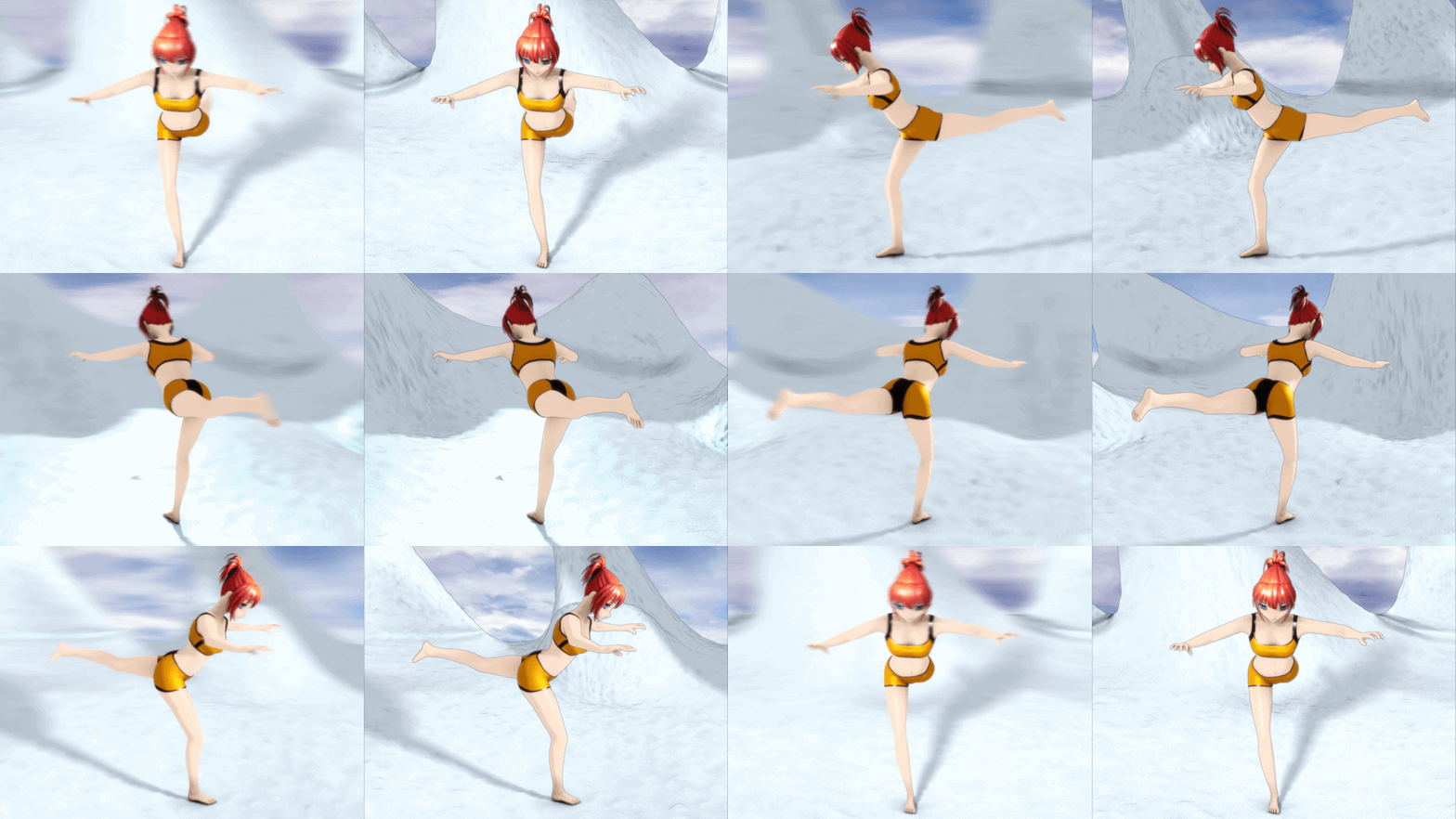
In video games and CGI, Gaussian blur is used to create depth-of-field effect which makes everything look more real. One common example would be the Motion-Blur setting that you will find in most modern PC games.
But what I found the most interesting, is that blurring is also used in fields like cryptography and data privacy. Techniques like differential privacy use mathematical noise (a form of blur) to obscure data and protect the privacy of users.
I hope after reading this article, you can appreciate how the artistic tools like the magic patch brush or the skin softener brush, that we use for our perfect selfies, are built on such solid math.
Thanks for reading!
Bonus: Can you find out some other kernel matrices, with their values, for some other visual effects? (like sharpening, embossing, edge detection etc)
If you found this useful, feel free to clap, comment, highlight, or follow me. We all go further when we help each other!
Cheers — RS !!
For more amazing math stories, you can view and save the following lists 👇. They get automatically updated with new puzzles and stories.


