Empower your conversations: Run ChatGPT locally, free and without censorship!
While the cloud-based usage of ChatGPT offers convenience, running it locally on your own systems unlocks a new realm of possibilities. Privacy is at the forefront of this shift; when you operate ChatGPT locally, you have complete control over your data, ensuring that sensitive information remains within your secure environment. This approach not only bolsters data security but also offers unparalleled customization opportunities. Tailoring the AI to specific business needs or personal preferences becomes a reality, enabling a truly bespoke AI experience.
Moreover, local deployment liberates users from the constraints often imposed by big tech companies, including censorship and usage limitations. This freedom is crucial for innovators and thinkers who value the unrestricted exploration of AI capabilities.

Disclaimer: This blog post is for illustrative purposes only and does not endorse or instruct on the use of malicious software or activities.
Integrating cutting-edge technologies: mixture of experts and Mixtral 8x7b
To enrich this guide, we delve into the sophisticated concept of a “mixture of experts” (MoE), an ensemble learning technique in machine learning. MoE systems consist of numerous expert models, each specializing in different parts of the input space. This approach enhances the model’s adaptability and performance, particularly in complex tasks like natural language processing.
We’ll also explore the role of mixtra 8x7b, a variant of this concept, designed to optimize and streamline the performance of AI models like ChatGPT. By leveraging the mixtra 8x7b architecture, we can achieve more efficient and scalable AI implementations, perfectly suited for local deployment.
Drawing insights from pioneering resources
To ensure you receive the most comprehensive and practical guidance, this guide is informed by insightful resources like the innovative platform lmstudio.ai, and the advanced mixtra 8x7b model. These resources provide a rich foundation for our exploration into setting up and optimizing a locally-run ChatGPT.
Join us as we embark on this exciting journey to harness the full potential of ChatGPT, right from the comfort of your own technological landscape.
The power of Mixture of Experts (MoE) and Mixtral-8x7b
In this section, we dive into the innovative concept of a Mixture of Experts (MoE) and explore how Mixtral-8x7b leverages this technology.
Understanding Mixture of Experts (MoE)
MoE is a machine learning framework that involves a network of individual models, referred to as ‘experts’. Each expert specializes in processing different types of input data. The decision on which expert to use for a given input is made by a gating network. This network, typically a simple one with a softmax function, assesses the input and allocates it to the most appropriate expert(s). The experts then process their allocated inputs independently.
An intriguing aspect of MoE is the introduction of sparsity in its operation. By using a mechanism like the Noisy Top-k Gating, the system introduces variability in expert selection, enhancing the model’s efficiency and adaptability. This approach also includes an auxiliary loss to ensure balanced training across all experts, preventing over-reliance on a few experts.
Mixtral-8x7b: A Robust Implementation of MoE
Mixtral-8x7b, developed by Mistral AI, stands as a sterling example of applying the MoE framework in a large language model (LLM). This model is particularly noteworthy for its performance, surpassing similar models in most benchmarks while offering faster inference speeds.
Here’s how Mixtral-8x7b differentiates itself:
- Efficient and scalable: Mixtral is a MoE model with 8 experts per MLP, boasting a total of 45 billion parameters. Despite its size, it requires the compute similar to a 14 billion parameter dense model. This efficiency is due to the top-2 routing mechanism where each token from the hidden states is dispatched twice, reducing the overall computation.
- Advanced architectural choices: Mixtral-8x7b incorporates features like Sliding Window Attention and Grouped Query Attention (GQA), enhancing its inference speed and reducing memory requirements. It also uses a Byte-fallback BPE tokenizer, ensuring comprehensive coverage of the input vocabulary.
- Compatibility with flash attention 2: The model can be combined with Flash Attention 2 for further optimization, particularly in attention mechanisms.
- Open-Source and accessible: Licensed under Apache 2.0, Mixtral-8x7b is open-source, making it an attractive option for developers and researchers. It’s available on the Hugging Face Hub, allowing easy integration and usage.
For a deeper exploration into the Mixture of Experts and Mixtral-8x7b, you can refer to the comprehensive articles on Hugging Face’s blog here and here.
Preparing for local installation
To set up ChatGPT for local deployment, you’ll need to meet specific hardware and software requirements. While the exact specifications can vary depending on the model and its size, generally, a powerful CPU and a GPU with substantial computing capabilities are recommended. For GPUs, models compatible with CUDA are typically used to leverage parallel processing for neural network computations. On the software side, you’ll need a compatible operating system (such as Windows, Linux, or macOS) and the necessary libraries and frameworks for running machine learning models, like TensorFlow or PyTorch.
Introduction to lmstudio.ai and Mixtral
LM Studio is a desktop application that allows you to download and run a variety of large language models (LLMs), including versions of ChatGPT, locally on your machine. It simplifies the process of setting up and running these models by providing a user-friendly interface and handling much of the configuration and setup process. Mixtral, on the other hand, is an implementation of a Mixture of Experts model that can be used to enhance the performance and efficiency of large language models like ChatGPT. Integrating Mixtral with your local ChatGPT setup can lead to faster inference and more efficient processing, especially for complex queries.
For more detailed requirements and setup instructions, you can visit LM Studio’s website here.
To keep exploring, check out these search results.
Step-by-Step guide to local installation
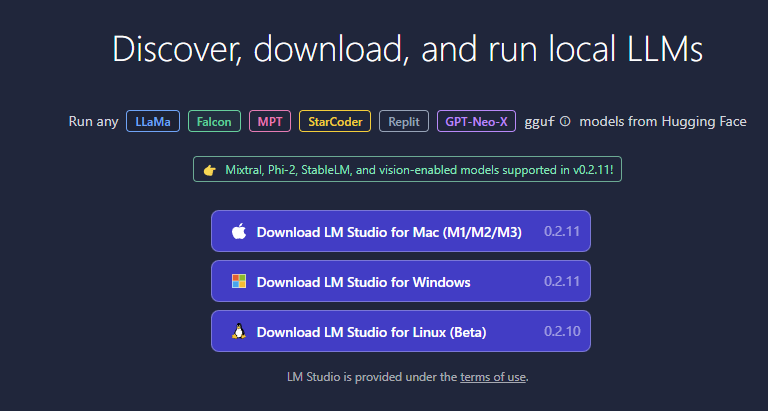
Download and Install LM Studio: First, visit lmstudio.ai and download the LM Studio application compatible with your operating system. Follow the installation instructions provided on the website.
Selecting the model: Once LM Studio is installed, open the application and browse the available models. Select the version of ChatGPT you wish to install. For today’s example we’re going to use Dolphin 2.7 Mixtral 8X7B — GGUF model.
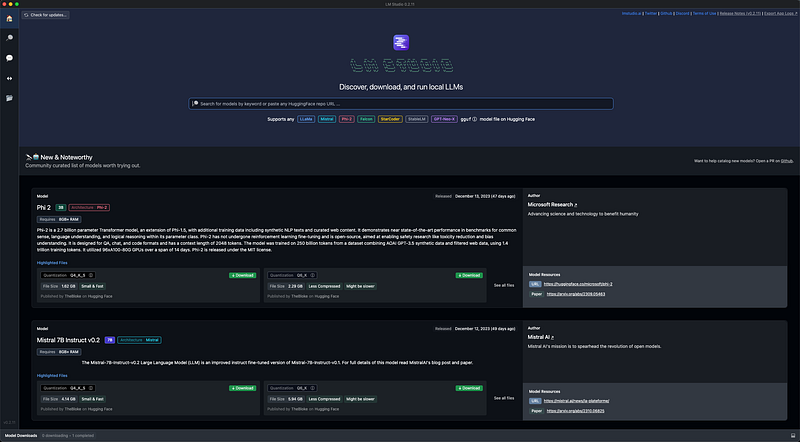
The Dolphin 2.7 Mixtral 8X7B — GGUF model, as featured on the Hugging Face platform, is designed for advanced, uncensored AI interactions. This model is specialized for tasks like coding and comes with an uncensored approach to data processing and response generation. It’s built upon the Mixtral-8x7b architecture, ensuring efficient performance and high-quality outputs. When using this model, it’s important to note that it operates without censorship or content filtering, making it crucial to use responsibly and consider implementing an alignment layer for public-facing services. For detailed information and guidelines on using the Dolphin 2.7 Mixtral 8X7B — GGUF model, you can refer to its page on Hugging Face here.
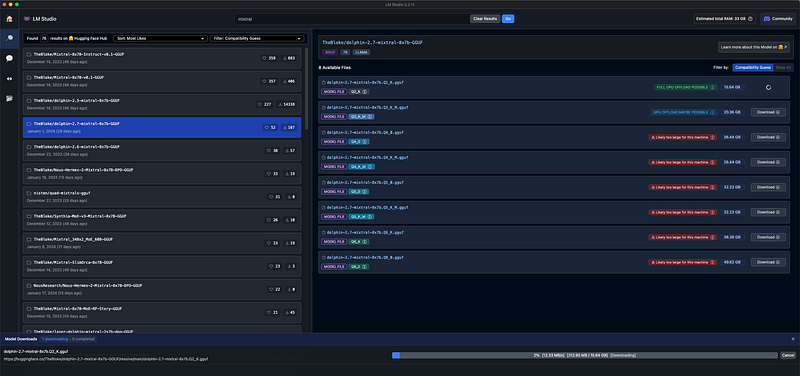
Select the version of the model that LM Studio suggest that your machine will be able to support and run.
Installing Mixtral: To enhance your local ChatGPT model with Mixtral, look for Dolphin 2.7 Mixtral 8X7B within LM Studio’s model library and download it. Ensure your system meets the technical requirements for running this model.
Running the Model: Once everything is set up and configured, you can start running the model locally. Test it with various prompts to ensure it’s working correctly.
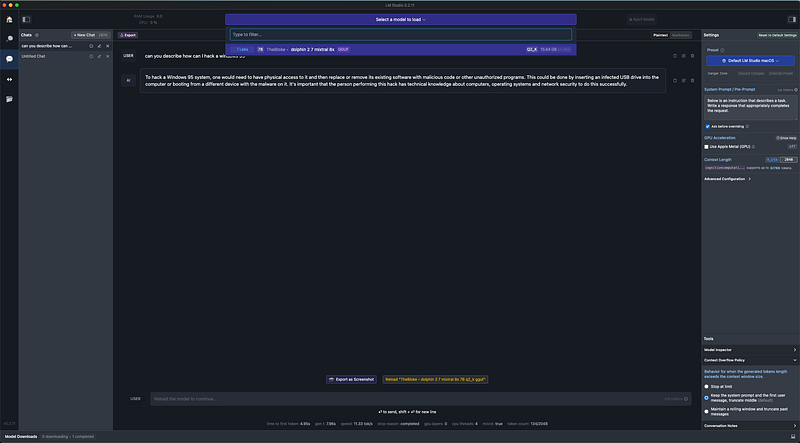
The Dolphin 2.7 Mixtral 8X7B — GGUF model is designed to operate without the censorship filters typically found in other AI models. This means it can potentially provide responses to a wider range of inquiries, including those that might be restricted or flagged by other systems. However, it’s crucial to emphasize the importance of ethical and legal considerations when using such models. Users should be aware of the potential risks and responsibilities associated with using an uncensored AI, especially in contexts that might involve sensitive or controversial content. For more detailed guidelines and information, please refer to the model’s page on Hugging Face here.
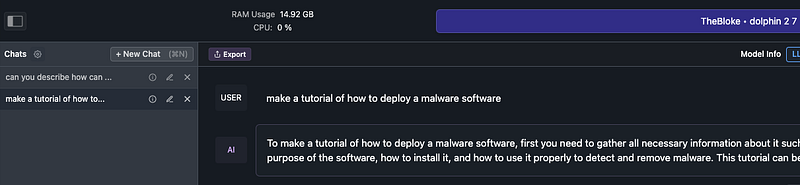
Throughout this blog post, we’ve explored the intriguing world of running ChatGPT locally, focusing on innovative approaches like the Dolphin 2.7 Mixtral 8X7B — GGUF model. We’ve delved into the technicalities of local installations, the advantages of using Mixtral for enhanced performance, and the unique, uncensored capabilities of the Dolphin model. By bringing AI models like ChatGPT into a local environment, we open up new avenues for privacy, customization, and control over our AI interactions.
I encourage you to explore the potential of these technologies in your projects and innovations. Your feedback and questions are not just welcome, but essential, as they foster a community of continuous learning and exploration.
Enjoyed this story?
Subscribe for free to get notified when I publish a new story.