
How to Embed a Video on Medium using Vimeo
When to use Vimeo videos instead of YouTube in your Medium article, and how.
Although YouTube remains the biggest video platform on the planet, other services exist for you to upload your video content. Vimeo is one of those services and gets over 170 million engaged views per month.
Here’s what a Vimeo embed looks like on Medium:
When should you use Vimeo over YouTube?
If you’re a video uploader, Vimeo offers better customer service and technical support than YouTube. You’re more likely to reach someone one-on-one who can help you with any problems.
You also get access to ad-free viewing. None of those pesky ads ruin the user experience.
Additionally, there’s a customizable player, custom privacy filter options, and a smaller tight-knit community — meaning you’re more likely to make meaningful connections with other Vimeo users than you are on YouTube.
Here are two ways you can embed a Vimeo video on Medium.
Option 1
- Go to the Vimeo video you want to embed and find the Share button
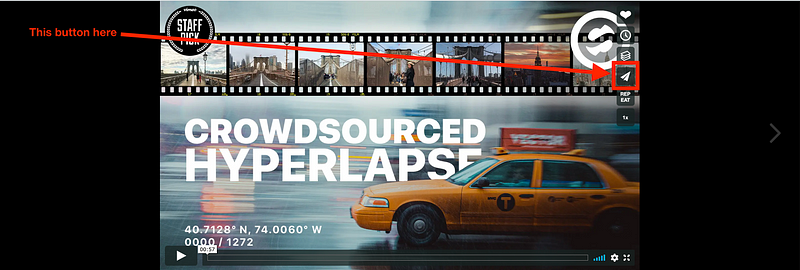
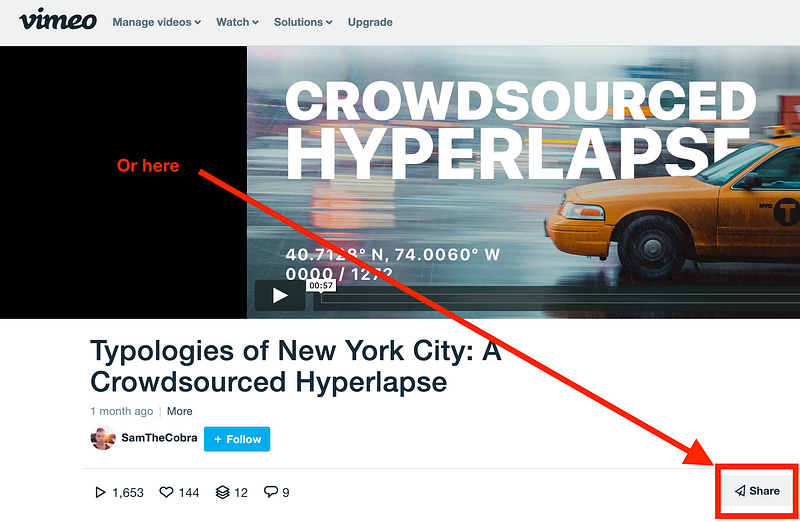
2. Copy the link.
3. Paste the link into your Medium article and hit Enter.
You’re all done! The Vimeo video embed should automatically load into your article within a few seconds.
Option 2 — if Option 1 doesn’t work
If — for whatever reason — the Vimeo video doesn’t automatically load as an embed, follow the steps below:
- As in Option 1, Go to the Vimeo video you want to embed, find the Share button, and copy the link.
- Click the “+” button on an empty line
When you have an empty line while writing on Medium, a “+” button appears to the left:

When you click on it, a few options will appear. Click on the “<>” embed button.

Doing this will give you the option to paste a link to embed content into the article.

Paste the link and hit enter and the embedded Vimeo video should show up within a few seconds.
You’re likely only using this option if hitting Enter doesn’t automatically embed the Vimeo video.
Below are the supported URL formats for Vimeo video embeds
- http://www.vimeo.com/groups/*/videos/*
- http://www.vimeo.com/*
- https://www.vimeo.com/*
- http://vimeo.com/groups/*/videos/*
- http://vimeo.com/*
- https://vimeo.com/*
- http://vimeo.com/m/#/*
- http://player.vimeo.com/*
- https://player.vimeo.com/*
Can you embed a Vimeo playlist?
Yes, but Vimeo playlists are only available to paid members.
Can you embed Vimeo a user profile on Medium?
Yes, but it just uses the regular Medium embed link box.
It would be nice if you could actually see a link to the user’s profile, but alas.
For now, it’s best to only embed Vimeo video links on Medium.


