
Email Form using Python and Streamlit — Sending emails with attachment using best practices
Introduction
Streamlit has got very much popular among data scientists and it is getting momentum among developers. In case you develop your Website with Streamlit, you may require that your users contact you via an email form. As such, in this tutorial, I would like to show how it is possible to develop an email Form using Python and Streamlit. In this post, I show how a utils folder can be useful for your project and can help in separating the development concerns. I show best practices in Python coding with the creation of a helper function and constants. Also, the creation of a .env file instead of hard coding the values is demonstrated.
I publish (bi)weekly technical articles in this channel and on my YouTube channel, so please follow me, and subscribe to my channel. Please check my other articles from my listings related to Spark and Scala, Streamlit, React, Django, AWS, Machine Learning, GIS, Startup, Cheatsheets and miscellaneous development topics.
please use this link to join medium. Thank you for your great support.

Preparation and Setup
For this tutorial, I will be using VSCODE as the IDE and for installing Streamlit, you can do so by typing “pip install streamlit”. In case you wonder how to create a virtual environment or install pip, you may have a look at part of this tutorial.
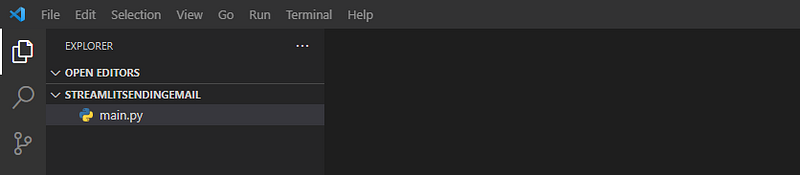
Now, I create a Python script called main.py as follows:
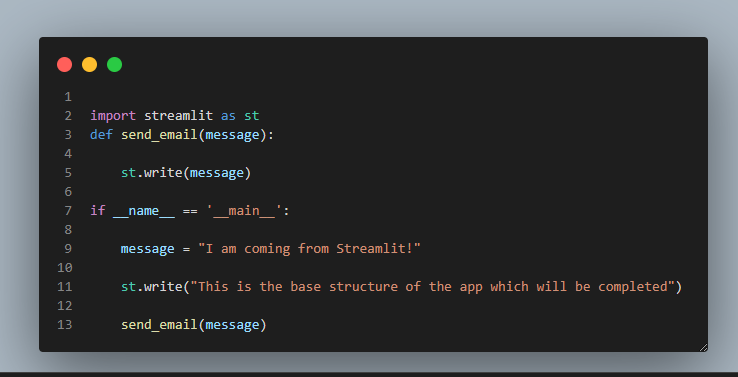
and fill it with following content:
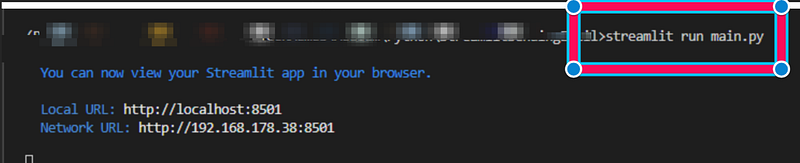
Let us now test if the App is working by typing “streamlit run main.py” in the console:
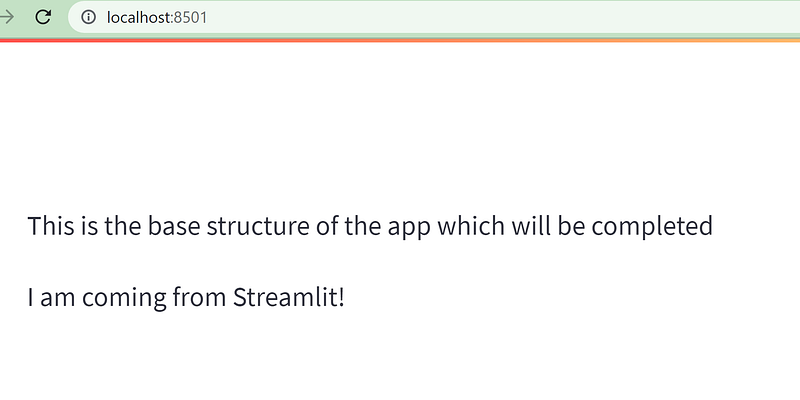
Now, a new window should pop up and you should see the following:
Creating the Email Form
Now, let us create a form that the user can enter his/her name, email address, text, upload an attachment. and can send the email. Below, you can find the updated main.py file:
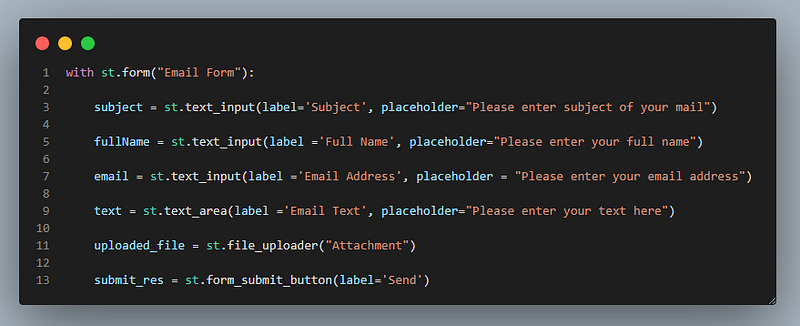
The above code uses st.form to create a form, st.text_input, st.text_area to get the input from the user, and the st.file_uploader for uploading a file and st.form_submit_button for sending an email.
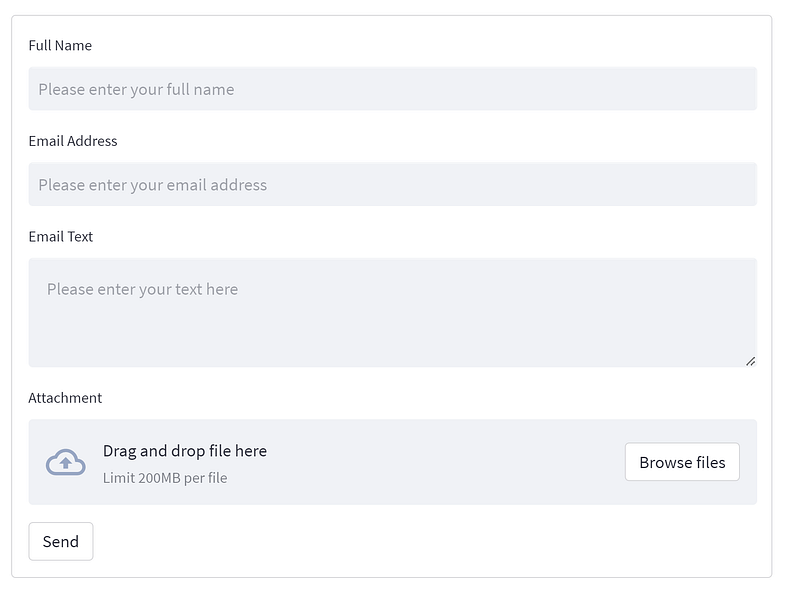
The created Form should like the following:
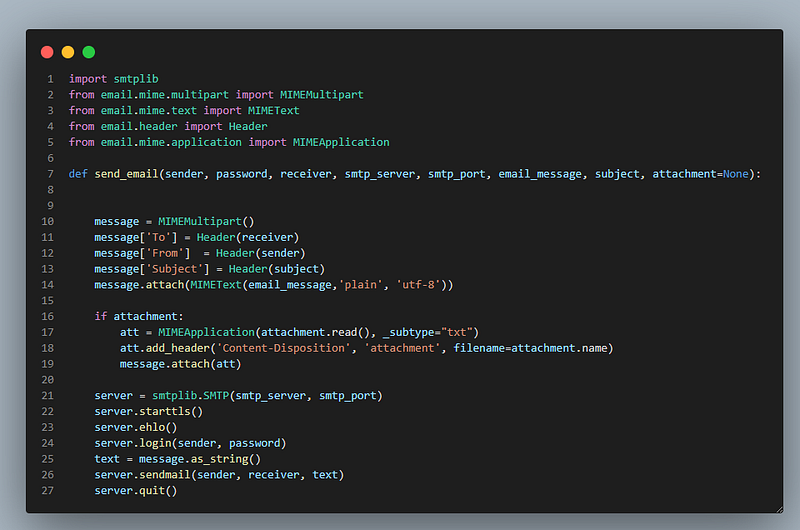
For sending the email, we need to write the send_email function, and you can find it in the following:
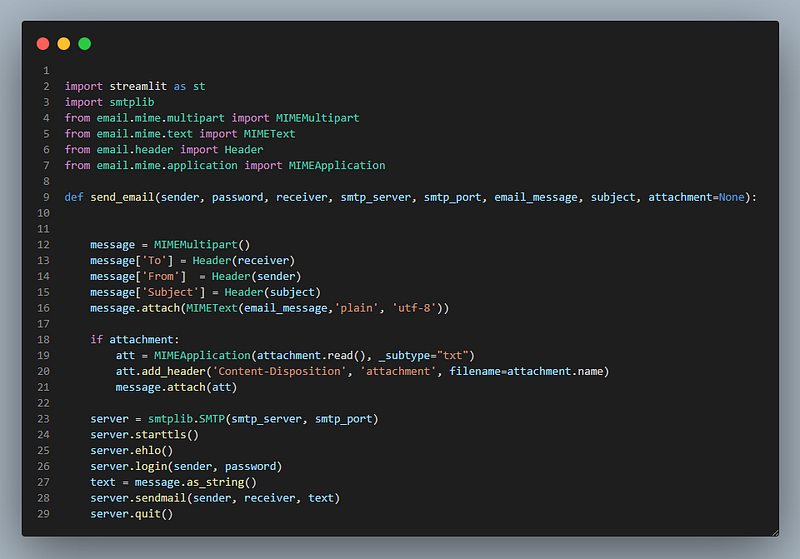
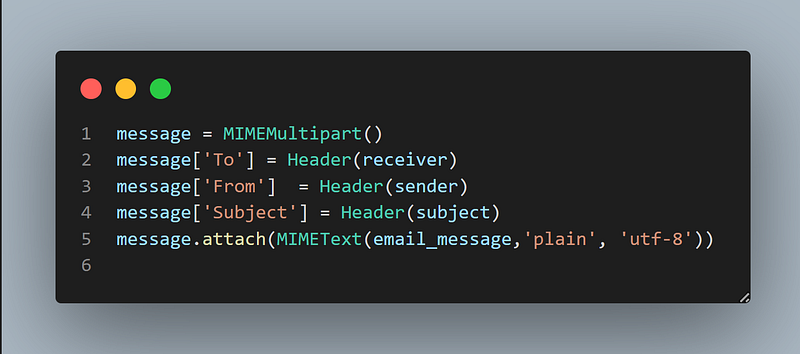
Let me break down the above code and explain its pieces. First, a MIMEMultipart object is defined and receiver, sender and subject of the email is added to the message dictionary. Next, we attach the email body through the attach function and MIMEText object.
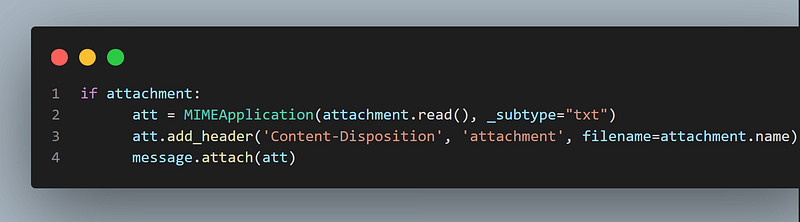
Afterwards, we check if there is an attachment and if so, we use MIMEApplication object and message.attach() function for adhering the attachment to the message. You can add a header to the attachment using add_header function:
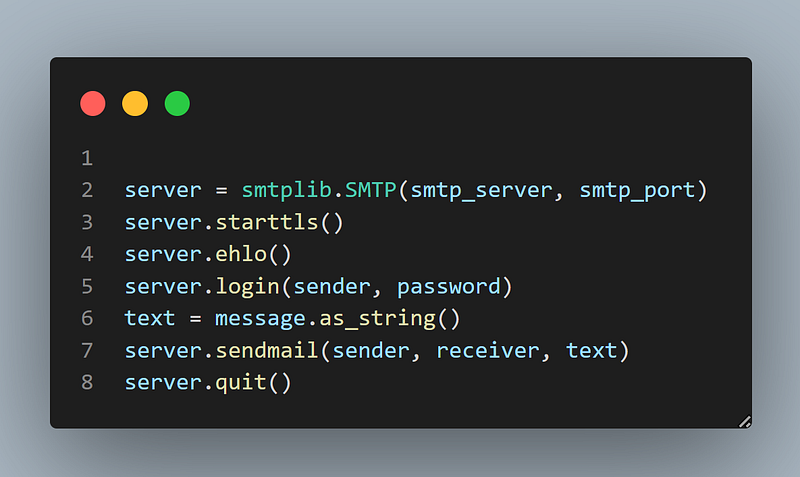
Now, we can use the smtplib.SMTP object which helps to send a a secure email by using the following code snippet:
Now, we can call the send_email function in the __name__ == ‘__main__’ section of our code:
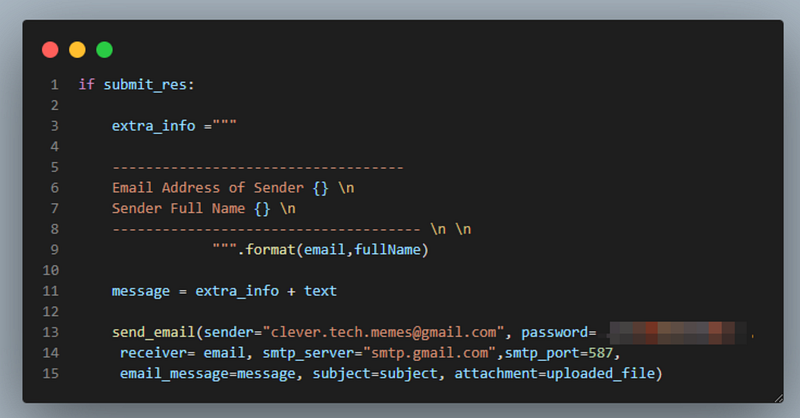
Note: Hard coding the values is not recommended, and we need to improve the code.
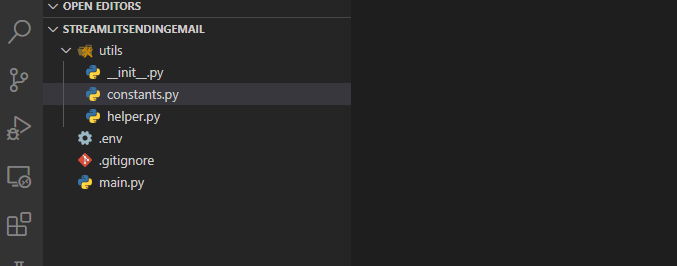
For improving the code, let us create a utils folder and I create three files inside it called helper.py, __init__.py and constants.py. I create __init__.py to make the utils a module, also I define constants.py which contains the constants. I also create a .env file for keeping the environmental variables and a .gitignore file in order to avoid pushing secrets to GitHub. So, the folder structure looks like the following:
Now, let us copy the following content which is basically the definition of send_email function with its corresponding imports in the helper.py file:
and let us fill the content of constants.py as follows:
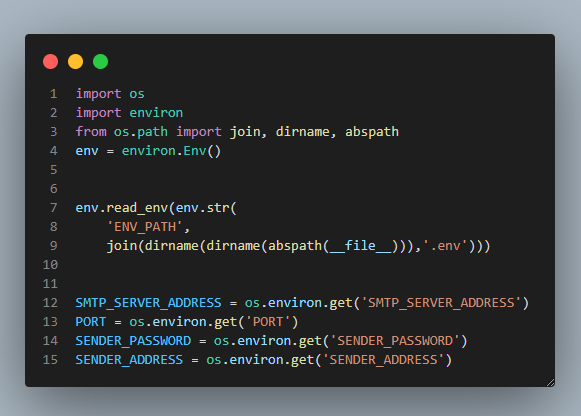
You need to make sure that you have installed “python-environ” using “pip install python-environ”. With the help of the above piece of code, you should be able to read the environment variables using env.read_env(). abs_path() specifies the absolute path of the file i.e., constants.py. dirname specifies the parent folder, so that we are able to fine the .env file. After reading the .env file, we should be able to use os.environ.get() to read the environment variables.
Content of .env file looks like the following:
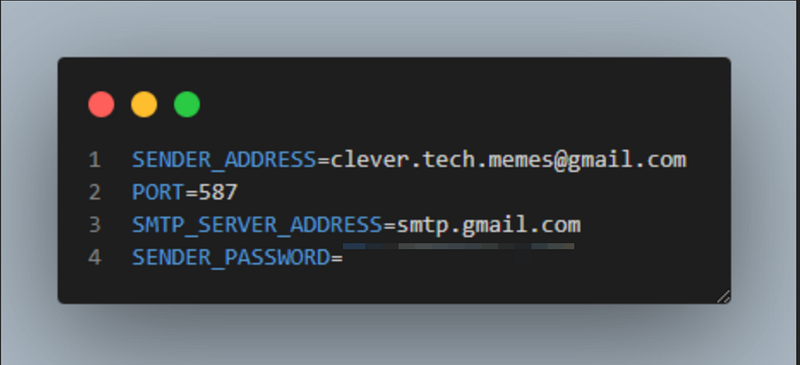
Note: Please note that you should not use your Gmail password in the .env file but your programmatic password can be created through this link https://myaccount.google.com/apppasswords.
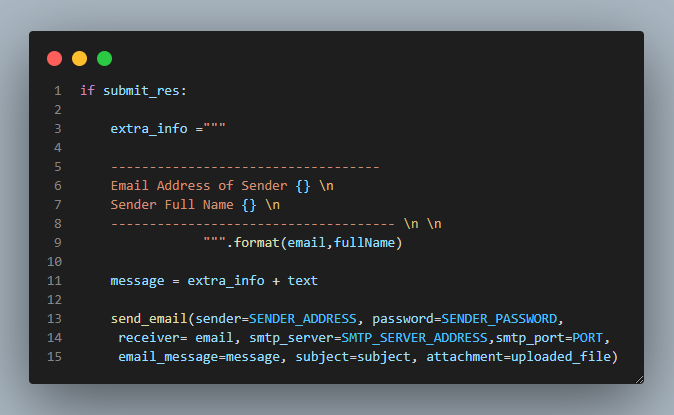
Now, we can import the required constants in the main.py and modify calling of the send_email function as indicated in the following:
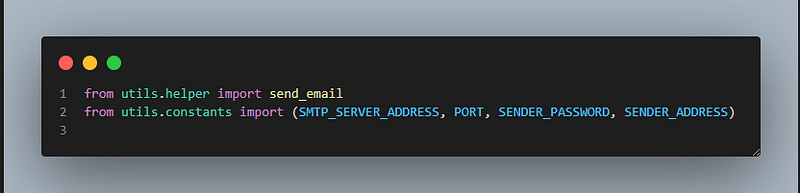
Now, we do not have hard coded arguments as indicated in the following code snippet:
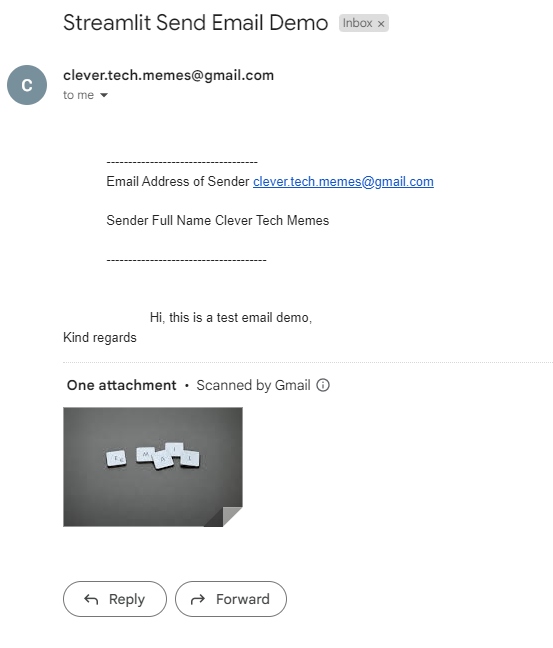
If we test the application, we should be able to receive an email like the following:
The most important code snippet in this post is the send_email function which I paste in the following block for your later use:
import smtplib
from email.mime.multipart import MIMEMultipart
from email.mime.text import MIMEText
from email.header import Header
from email.mime.application import MIMEApplication
def send_email(sender, password, receiver, smtp_server,
smtp_port, email_message, subject, attachment=None):
  message = MIMEMultipart()
  message['To'] = Header(receiver)
  message['From']  = Header(sender)
  message['Subject'] = Header(subject)
  message.attach(MIMEText(email_message,'plain', 'utf-8'))
  if attachment:
  att = MIMEApplication(attachment.read(), _subtype="txt")
  att.add_header('Content-Disposition', 'attachment', filename=attachment.name)
  message.attach(att)
  server = smtplib.SMTP(smtp_server, smtp_port)
  server.starttls()
  server.ehlo()
  server.login(sender, password)
  text = message.as_string()
  server.sendmail(sender, receiver, text)
  server.quit()
Note: Please be careful of the indentation in case of copying the above code block.
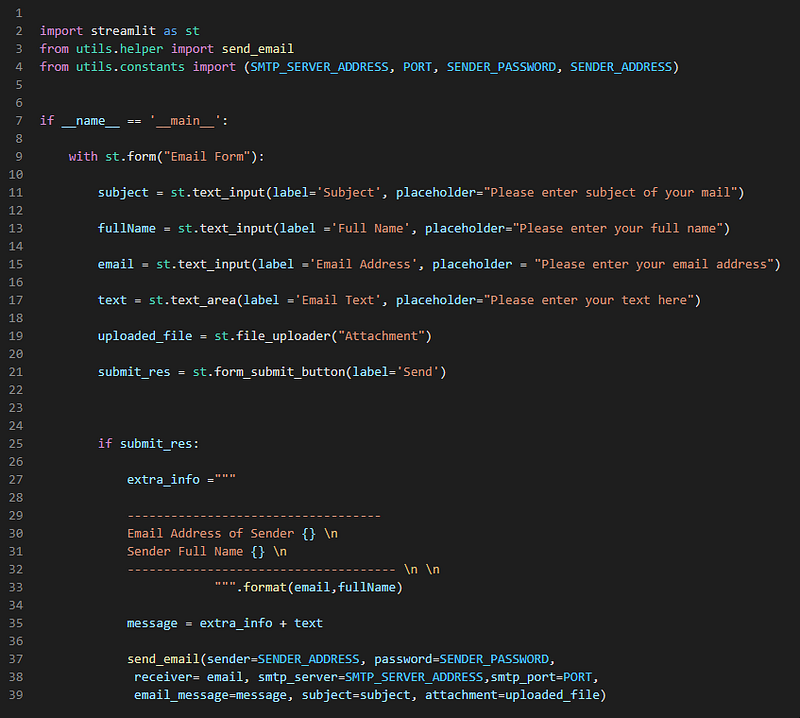
The final content of the main.py file is as follows:
Summary
In this tutorial, I show how to create an email Form in Streamlit and sending an email with attachment with the Python programming language. Creating email form can be useful for your Website or business. In this post, I have shown also best practices how to create a utils Module, define constants and helper functions and how to use .env for reading environment variables.
I publish (bi)weekly technical articles in this channel and on my YouTube channel, so please follow me, and subscribe to my channel. Please check my other articles from my listings related to Spark and Scala, Streamlit, React, Django, AWS, Machine Learning, GIS, Startup, Cheatsheets and miscellaneous development topics.
please use this link to join medium. Thank you for your great support.


