
ELK: Steps to Convert 3 Nodes into a Single Node Cluster
To convert your running 3-node Elasticsearch cluster into a single-node setup and transfer all the shards to the remaining node, you will need to follow a careful process.
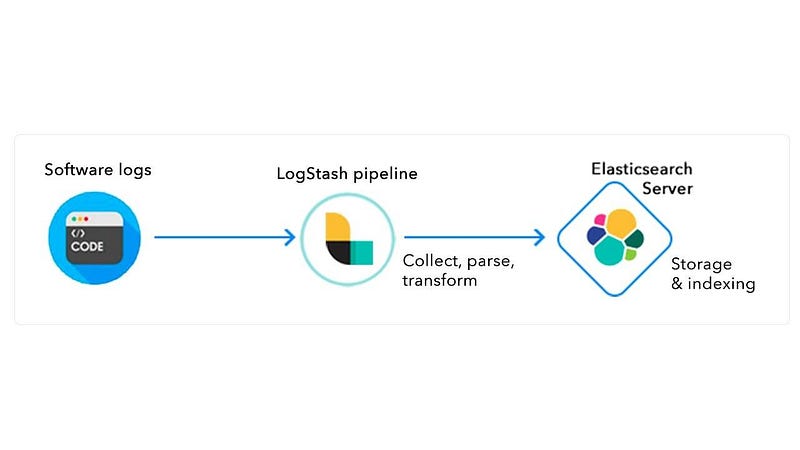
Below are the steps to achieve Convert 3 Nodes into a Single Node Clusterwhile ensuring data integrity and smooth transfer:
Summary of Steps:
- Set the number of replicas to 0.
- Use allocation filtering to move shards to
Node1. - Monitor shard relocation progress.
- Shut down and remove
Node2andNode3. - Update
elasticsearch.ymlto a single-node configuration. - Restart
Node1and verify the setup.
1. Determine the Node to Retain
First, identify which of the three nodes you want to keep as your single node. We will call this node Node1. The other two nodes, Node2 and Node3, will be decommissioned.
2. Check Cluster Health
Before you begin the process, ensure your cluster is in a healthy state.
Run the following command:
curl -X GET "http://localhost:9200/_cluster/health?pretty"The status should be green or yellow. If the status is red, address any issues first (e.g., missing shards).
3. Update the Cluster Settings to Remove Fault Tolerance
Since you are reducing the cluster to a single node, fault tolerance won’t be available. To make this work, you need to update the number of replicas to 0 (as replication will no longer be possible with a single node).
Run the following command to set the replicas to 0:
curl -X PUT "http://localhost:9200/_all/_settings" -H 'Content-Type: application/json' -d'
{
  "index": {
    "number_of_replicas": 0
  }
}'
This will remove all replica shards and allow only primary shards to be retained on the single node.
4. Migrate All Shards to Node1
To move all the shards to Node1, you can use the allocation filtering feature.
Edit the Elasticsearch settings to direct all shards to Node1. Run the following command to update shard allocation settings:
curl -X PUT "http://localhost:9200/_cluster/settings" -H 'Content-Type: application/json' -d'
{
  "transient": {
    "cluster.routing.allocation.exclude._name": "Node2,Node3"
  }
}'
This command tells Elasticsearch to exclude Node2 and Node3 from hosting any shards. The cluster will automatically start migrating all the shards to Node1.
5. Monitor Shard Relocation
You can monitor the progress of shard relocation by running:
curl -X GET "http://localhost:9200/_cat/shards?v"This will show the current distribution of shards. Wait until all the shards have been moved to Node1.
6. Shutdown and Remove Node2 and Node3
Once all shards have been successfully relocated to Node1, you can proceed to shut down Node2 and Node3.
On each of the nodes, stop the Elasticsearch service:
sudo systemctl stop elasticsearchAfter stopping Elasticsearch on Node2 and Node3, remove the node configurations from the cluster by running:
curl -X PUT "http://localhost:9200/_cluster/settings" -H 'Content-Type: application/json' -d'
{
  "persistent": {
    "cluster.routing.allocation.exclude._name": ""
  }
}'
This clears the cluster setting that excluded nodes Node2 and Node3 for future operations.
7. Update Configuration for Single Node
Now, configure Elasticsearch to recognize that it’s a single-node setup. Modify the following settings in elasticsearch.yml for Node1:
- Open the
elasticsearch.ymlfile onNode1:
sudo nano /etc/elasticsearch/elasticsearch.yml
- Update the following settings:
discovery.type: single-node
This tells Elasticsearch to function as a single-node cluster.
Restart Elasticsearch on Node1:
sudo systemctl restart elasticsearch
8. Verify Single-Node Cluster
Once the migration is complete and the two nodes are removed, verify that the cluster is now a single-node setup and all data is on Node1.
Run:
curl -X GET "http://localhost:9200/_cat/nodes?v"You should see only Node1 listed.
Check the health of your cluster one more time:
curl -X GET "http://localhost:9200/_cluster/health?pretty"If everything is working correctly, the cluster health should return green or yellow.
With this process, you can effectively convert your 3-node Elasticsearch cluster into a single-node setup while transferring all shards and maintaining data integrity.
✅✅feel free to connect with us.
LinkedIn: https://www.linkedin.com/in/karthick-dkk/
Follow my Medium Account (To get valuable information)
For more updates: subscribe to this medium account.
Follow for more: ✌️


