
Elevate Next.js 13 Security: Effortlessly Shield Your Website with Google reCAPTCHA v3 in Minutes
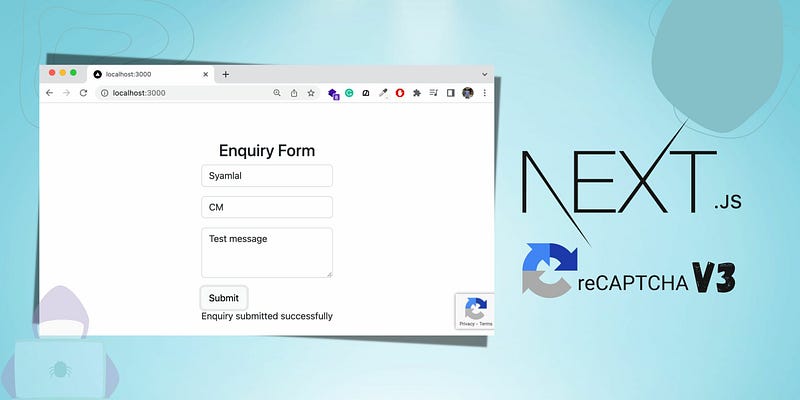
Welcome back, fellow developers! In our previous article, we explored the seamless integration of Google reCAPTCHA v2 with Next.js 13, enhancing the security of our web applications effortlessly.
Today, we take the next step in fortifying our websites against bots and spam with an exciting follow-up: integrating the advanced capabilities of Google reCAPTCHA v3.
This integration is extremely similar to that of reCAPTCHA v2 and Next.js 13, therefore I strongly recommend you to read my previous article beforehand:
Step 1
You will need to install only two dependencies, enter the following in a terminal where your current Next.js 13 project resides.
npm install react-google-recaptcha-v3
npm install axios
Step 2
Go to Google’s reCAPTCHA website.
- Once logged in to Google, set the ‘Label’ field to any name you want
- Set the reCAPTCHA type to v3
- For the domains, set the URL of your production website (if any) and the URL of your development server (localhost)
- Copy the site key and secret key into an .env file inside your Next.js project as follows…
RECAPTCHA_SITE_KEY=YOUR_SITE_KEY
RECAPTCHA_SECRET_KEY=YOUR_SECRET_KEY
Step 3
- Go into your next.config.js file, and enable Server Actions; this will make verification of your reCAPTCHA token much quicker than using API routes, drastically improving the performance of your site.
/** @type {import('next').NextConfig} */
const nextConfig = {
  experimental: {
    serverActions: true,
  },
}
module.exports = nextConfig- Next, create a file called Captcha.ts (or .js depending on your preference) and copy the following code:
"use server"

import axios from "axios"

export async function verifyCaptchaAction(token: string) {
  const res = await axios.post(
    `https://www.google.com/recaptcha/api/siteverify?secret=${process.env.RECAPTCHA_SECRET_KEY}&response=${token}`
  )
  if (res.data.score > 0.5) {
    return true
  } else {
    return false
  }
}
This code will be used to verify the score of a reCAPTCHA token via the POST request made by axios; we will be using this within our form component that we will create shortly.
Step 4
You will need to wrap your entire application with the GoogleReCaptchaProvider component so Google can calculate a score based on a user’s interaction with the whole website.
Create a providers.tsx file as follows:
"use client"

import { GoogleReCaptchaProvider } from "react-google-recaptcha-v3"

export function Providers({ children })

  return
      <GoogleReCaptchaProvider reCaptchaKey="your-site-key">
        {children}
      </GoogleReCaptchaProvider>
  )
}
Now wrap your Root Layout children with this new Providers function:
import { Provider } from "@/components/providers"

export default function RootLayout({children}) {
  return (
    <html>
      <body>
        <Providers>
          {children}
        </Providers>
      </body>
    </html>
  )
}
Step 5
Go into a page.tsx (or .jsx) file of your choice where you want the reCAPTCHA verification to occur. Now copy the following code:
"use client"

import { useState } from "react"

import { useGoogleReCaptcha } from "react-google-recaptcha-v3"
import { verifyCaptchaAction } from "@/app/_actions/Captcha"


const ContactForm = () => {
  // initialises the powerful hook that is in charge of executing the
  // reCAPTCHA behind the scenes.
  const { executeRecaptcha } = useGoogleReCaptcha()

  async function onSubmit() {
    // if the component is not mounted yet
    if (!executeRecaptcha) {
      return
    }
    // receive a token
    const token = await executeRecaptcha("onSubmit")
    // validate the token via the server action we've created previously
    const verified = await verifyCaptchaAction(token)

    if (verified) {
      // Here you would send the input data to a database, and
      // reset the form UI, display success message logic etc.
    }
    // here you would give an error message or just ignore
    // the form submission
  }
  return (
    <form>Form logic here...</form>
  )
}

export default ContactForm
Keep in mind this a basic example and should be used as a template. If you need help with HTML form logic I would suggest for you to check out this article.
All in all, you now have the latest and safest version of reCAPTCHA v3 protecting your Next.js 13 website 24/7.
Since reCAPTCHA v3 wraps your entire application, you can seamlessly integrate it in unlimited forms throughout your entire website by instantiating the powerful useGoogleReCaptcha() hook.