
Drag to Reorder RecyclerView Items with Kotlin | Full Android Guide
Hey there! In this tutorial, we’ll be implementing drag and drop functionality for RecyclerView items in an Android Kotlin app.
Introduction
Picture this: you’re building a to-do list app. Users have their tasks lined up, and they can just tap, hold, and move items around as they please. Sounds cool, right? Let’s see how we can achive this!
Setting up the RecyclerView
I assume this isn’t anything new so I’ll get over it quickly.
Step 1: Define a data class for your item.
Step 2: Create the item layout.
Step 3: Add the RecyclerView element.
Step 4: Create a class for your RecyclerViewAdapter.
Step 5: Add some items to your RecyclerView.
Nice work! Before moving further, run the app and check if the items are being displayed.
Implementing Drag and Drop Reorder with ItemTouchHelper
Here comes the fun part!
To implement drag to reorder functionality in our RecyclerView, we’re going to use the ItemTouchHelper.Callback class, which simplifies the whole process. Here’s how:
Don’t freak out, I’ll explain in detail what happens here:
override fun isLongPressDragEnabled(): Boolean
- This function returns a boolean indicating whether long press on an item should initiate dragging. By returning
true, you allow users to start dragging an item by pressing and holding on it.
override fun isItemViewSwipeEnabled(): Boolean
- This function returns a boolean indicating whether swipe actions are enabled on items (eg. for “swipe to delete” functionality). We don't need that so we return
false.
override fun onSwiped(viewHolder: RecyclerView.ViewHolder, i: Int)
- This function is called when an item is swiped (again, we don’t need it).
override fun getMovementFlags(...)
- This function determines the movement flags for dragging and swiping an item. In this case,
ItemTouchHelper.UP or ItemTouchHelper.DOWNspecifies that items can be dragged vertically.
override fun onMove(...)
- This function is called when an item is being moved (dragged) from its original position to a new position. Here, we call
adapter.onRowMoved(...)to inform the adapter about the movement.
override fun clearView(...)
- This function is called when the ViewHolder’s animations are completed after an item drag. Here we call
adapter.onRowClear(...)so we know when the user has finished dragging.
interface ItemTouchHelperContract
- This is an interface nested within the
ItemMoveCallbackwhich defines methods that need to be implemented in our RecyclerViewAdapter to handle the drag-and-drop callbacks.
Got it? Alright, we’re almost done!
As I said, we need to implement onRowMoved in the RecyclerViewAdapter to actually reorder the itemList and notify the adapter about it.
We also override onRowClear because this is the right place to update the database once the user has finished reordering the list.
One more thing. Attach the ItemTouchHelper to your RecyclerView like this:
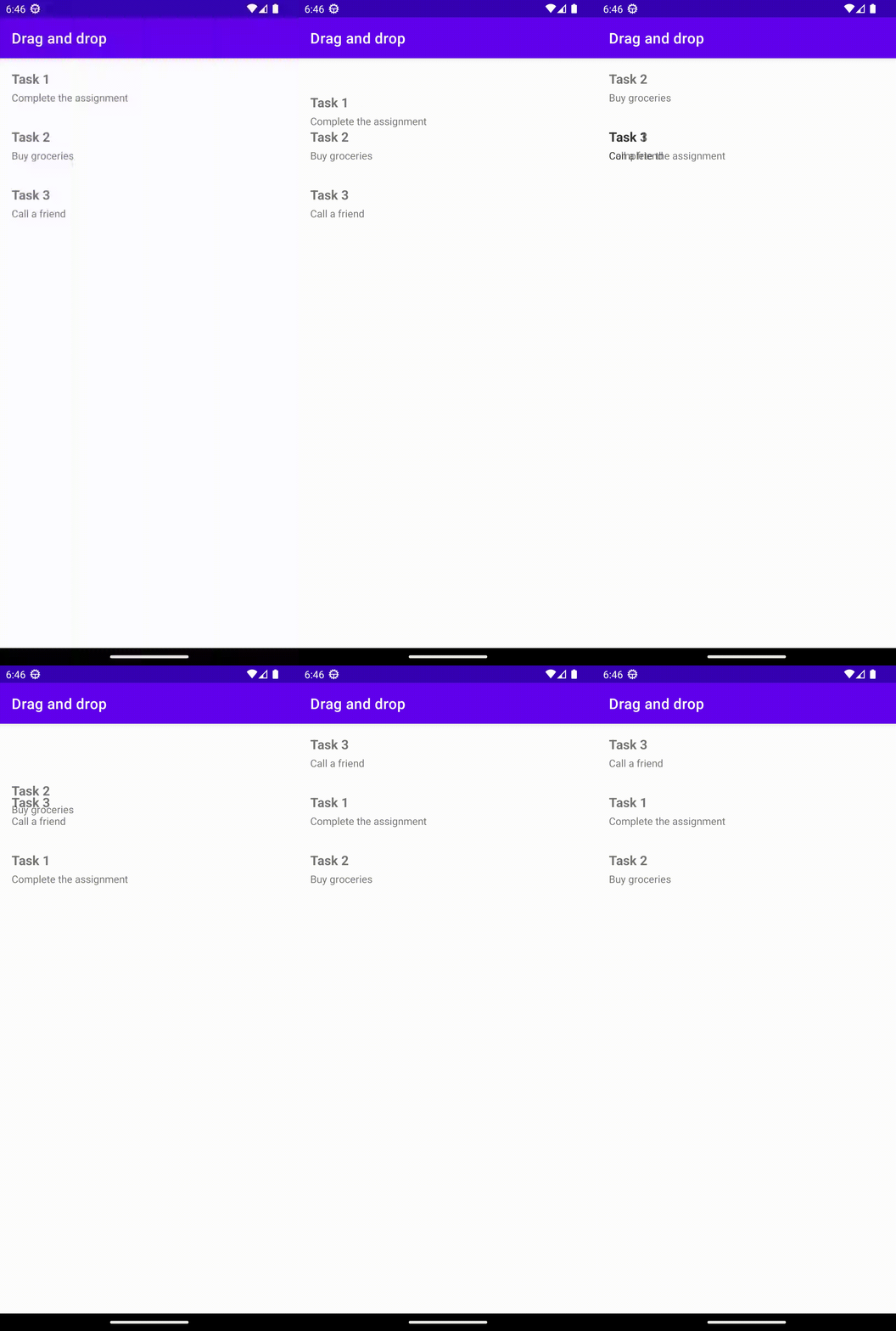
And there you have it! Your RecyclerView’s items can now be effortlessly dragged around. Here’s a sneak peek:
Thank you for reading! If this article was of some help, don’t forget to share it and follow me :)
Here’s the full code on GitHub, I’m sure you were looking for it.
By the way, what would you like to see in the next post? Let me know in the comments!


