
Download All of These (Free) Apps Before Your Next Trip
Here’s every app on my phone when I travel

Screw your passport — your phone is the most valuable thing you own when you travel. It’s a camera, map, audiobook, entertainment center, travel agent, and research tool that fits in your pocket. And you always have a flashlight in case the power goes out.
Heck, you can book your entire trip — from flights and car rentals to accommodation and trip insurance—from your phone without breaking a sweat.
But your phone is only useful if you’ve got the right apps. I’ve been traveling around the world for the past nine months, and I’ve used my phone for just about everything.
Here are my favorite travel apps for navigation, weather, trip planning, booking and reservations, and having some fun on the road.
Clear off some space on your phone and get downloading because you’re going to want these apps for your next trip.
Travel Essentials
Google Translate (FREE)
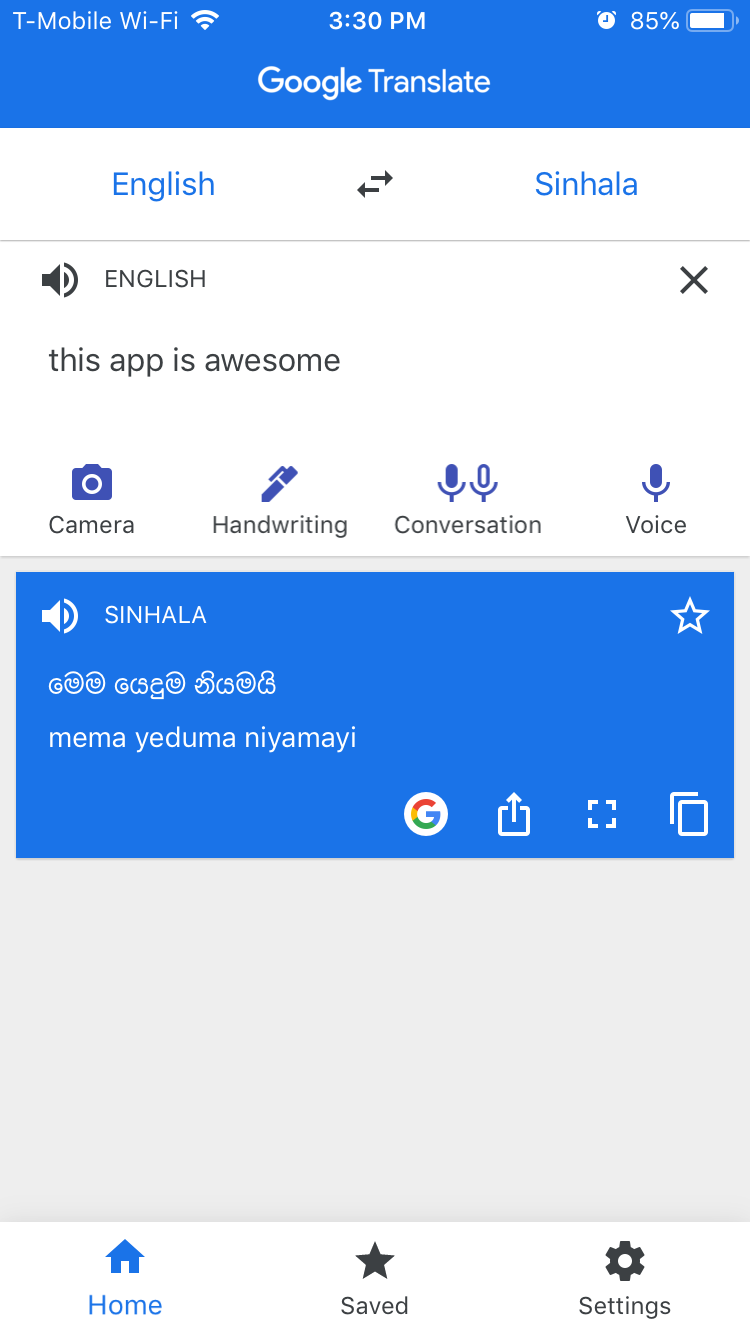
You need Google Translate if you’re traveling abroad. It’s spooky how good Google Translate is getting. I’ve used this app hundreds of times to communicate with homestay hosts and locals all over the world. It’s great for learning a few key phrases, but the text to speech function is what makes this an essential travel app.
And the best part is that you can download an entire language library to your phone for offline use. Leave the bulky phrase book at home and embrace the eerie ability to “speak” any language with your phone. Heck, you can even point the camera at signs or menus and translate text in real-time.
WhatsApp (FREE)
Everyone outside of the U.S. uses WhatsApp for just about everything. It’s how I communicate with hosts for my hotel bookings. It’s how I get ahold of new friends. It’s how I chat with my family while traveling.
I deleted my Facebook account a year or two ago, so WhatsApp is one of the few ways I stay in touch with people while traveling. But even if you have all the sosh meeds, you’re gonna need a reliable way to “text” or call people when you’re abroad. Download WhatsApp and use as needed.
Google Photos (FREE)
Automatically backup all of your photos and videos from your trip. It’s free with unlimited cloud storage. Sure, the quality of the files isn’t incredible, but you will have a complete backup of your trip if you drop your phone in the ocean or accidentally lose it while salsa dancing in Colombia.
Totally not based on a true story.
Also, this works on Apple and Android devices. All you need is a Gmail account.
Currency & Budgeting
XE (FREE)
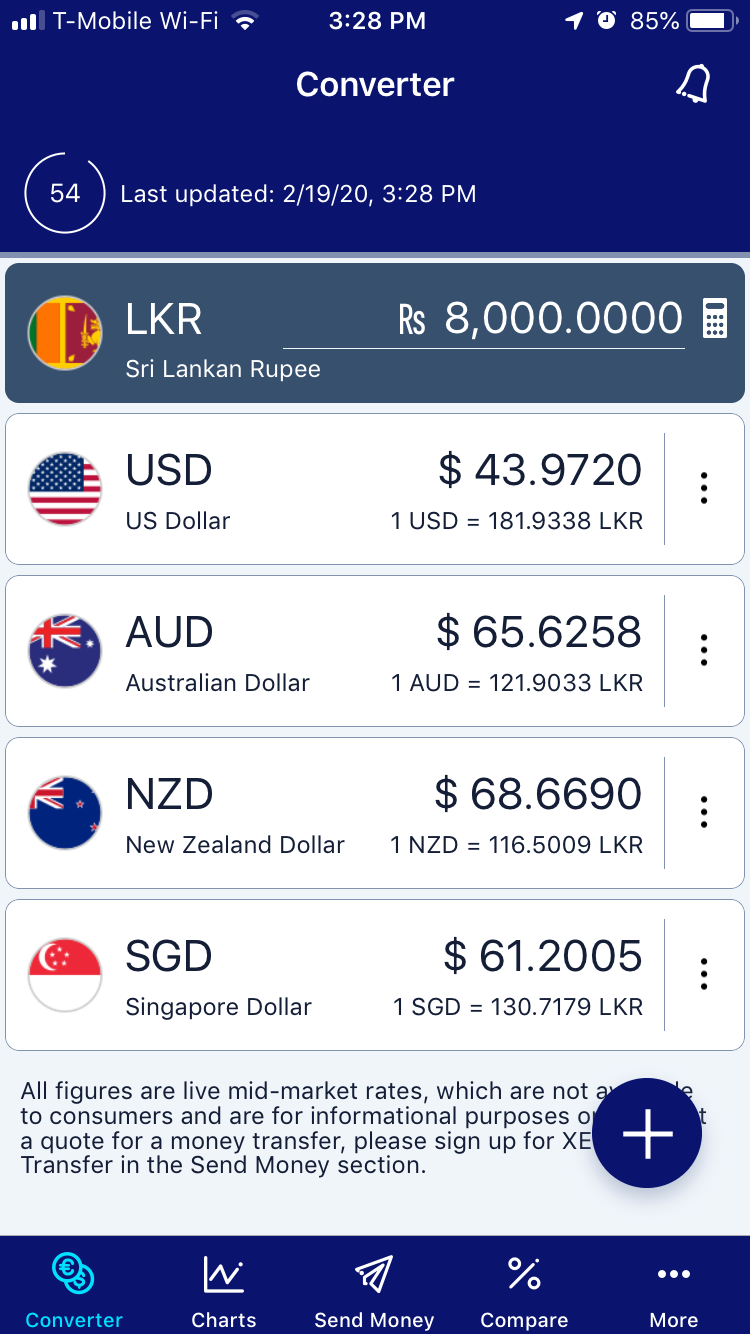
The XE app does exactly one thing—show you real-time currency conversion rates for just about every country. And it does it perfectly.
Add and compare as many currencies as you need, and drag them around to see the conversion rates all over the globe. The data also refresh every 60 seconds so you always have the latest rate.
Never guess how much something costs while traveling. Super useful when you’re paying in cash for something you booked online, the XE app is indispensable for managing your travel finances.
TrailWallet ($4.99)
Ok. TrailWallet is the only app on this list that’s not “free.” But I’ve been using TrailWallet to track my daily spending and stay on my travel budget and I can’t say enough good things about it.
The interface is incredibly simple—just enter an expense, choose a category from the dropdown menu (or make your own) and tada, you have a record of your expenses.
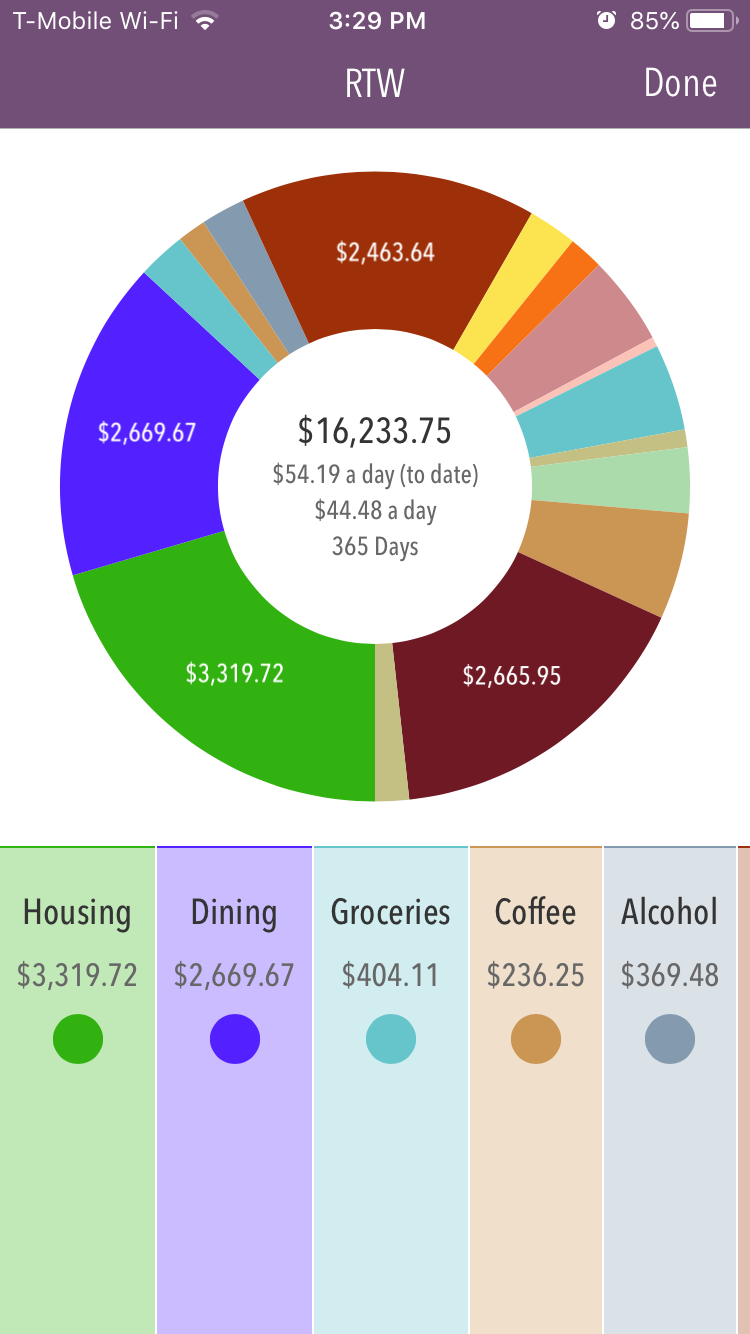
You can add as many currencies as you like to keep track of your spending in different countries, but my favorite feature is the per day breakdown of your expenses in each category over time. It shows you if your accommodation costs more than your dining habits or if you’re spending too much for a rental car vs taking a cab. Super useful information.
If you’re a long-term traveler on a budget or just like tracking your expenses to see how much you’re trip costs per day, this is a great app.
Note: TrailWallet is “free” to download but costs $4.99 if you enter more than 25 expenses (which you obviously will). Don’t worry, it’s worth $5.
Maps & Navigation
Google Maps (FREE)
Easily the most capable online map that works just about everywhere. Is Google Maps perfect? Of course not. Is it useful as heck? You betcha.
I like to use Google Maps as a trip planning tool. Whenever I find a place that piques my interest—especially a particular site or attraction—I look it up in Maps and either favorite it or star it for later. That way it pops up again when I’m navigating around that country. It’s like the feeling of finding $10 in your pocket after you do laundry.
Not exactly enough to retire on, but still pretty sweet.
Also, if you’re not aware, you can download Google maps so you can use them offline. It’s honestly a great way to save your roaming data. To download offline maps just:
- Open Google Maps
- Tap the “≣ Menu” (or your profile picture, they just updated it!)
- Select “Offline maps”
- Then pinch and zoom to set the size of the map you want to download
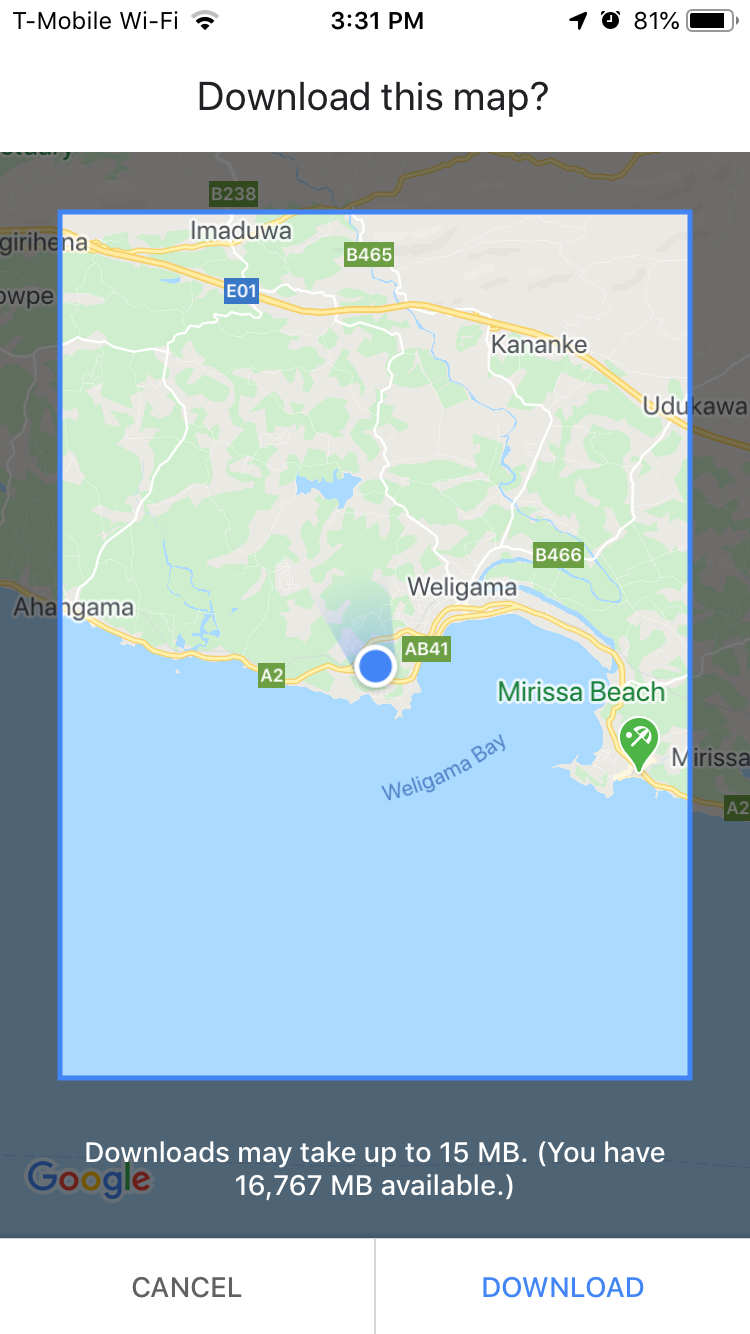
You can download an entire country or just a few miles—it’s up to you. Obviously larger areas will take longer to download (and eat up more space on your phone), but most maps are less than a few hundred MBs, so you should be fine.
Citymapper (FREE)
Citymapper is the best map app you can get for navigating a city—especially if you plan to use public transport. The only problem is that it only works in cities, and it’s only in about 41 cities right now.
With up to the minute real-time info about trams, trains, shuttles, and busses, Citymapper can give you reliable directions to anywhere in their service areas. I used this for every trip I took during my visits to Singapore, and it was spooky good.
If you’re planning to visit any of these cities, download Citymapper.
Rome2rio (FREE)
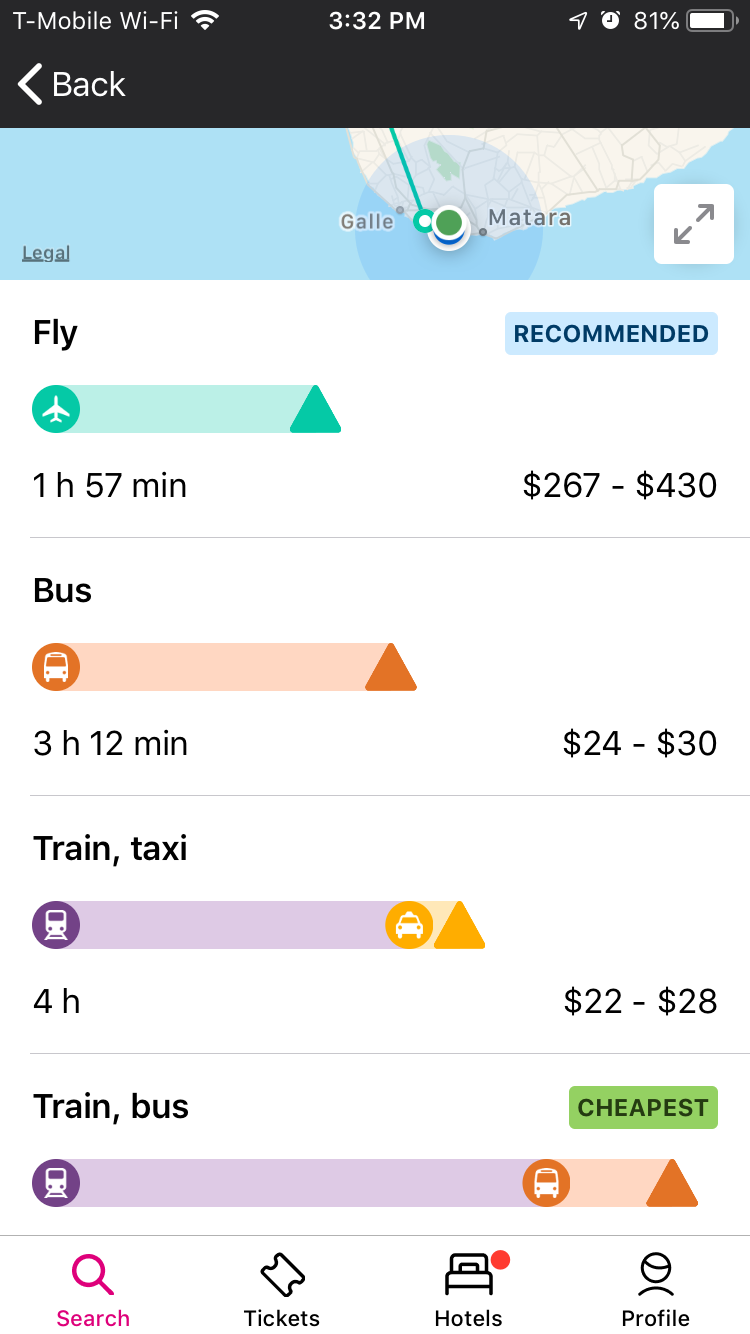
If you haven’t used Rome2rio, it’s basically a freeform trip planning app that lets you plot a course from A to B—even if you don’t know how you’re going to get there.
I use this to plan travel within a country as it usually shows me the driving directions, public transit options, and even flight, boat, and train prices and timing. If you’re winging it on your next trip, open up Rome2Rio to see if you should take a bus to your next destinations or just pay the extra money for a flight. It’s a super useful tool.
Maps.Me (FREE)
A great offline alternative to Google Maps. It’s not always quite as accurate as Google, but I really enjoy Maps.me when I’m driving in strange places and my connection isn’t always super strong.
Worth a download to have as a backup if you’re going off the grid.
Flights & Airport Lounges
Priority Pass (FREE app / Membership $99)
My Priority Pass membership is quite simply the greatest thing in my bag. Seriously.
I was never an airport lounge kind of guy. It seemed unnecessary. Then I signed up for the Chase Sapphire Reserve rewards credit card and got a free Priority Pass membership. Now, I’m one of those douchey asses sipping free scotch in the airport lounge. And I love it.
Priority Pass gives you access to over 1,300 free premium lounges—just swipe your card (or use the app) and you get free entry to lounges with fast wifi, free gourmet food, and all the espresso, juice, and booze you can drink. Plus some comfy recliners and a massage chair if you’re lucky.
The downside is that most of these lounges are overseas, but if you’re traveling around the world or spending some time in European or SE Asian airports, get a Priority Pass membership.
My membership was free because I pay a fee for the Chase Sapphire Reserve credit card, but I’ve more than made back the (hypothetical) $99 membership on delicious meals, free drinks, and hours of relaxing productive work at the airport instead of squabbling for a seat next to a screaming baby while I scarf down another overpriced chicken ceasar wrap.
Get Priority Pass if you travel internationally. It’s unbelievably worth it.
Service (FREE)
This next app honestly seemed too good to be true, but Service has actually made me money. And not just a few bucks. I’ve received several hundred dollars in settlement payments from airlines solely because of the Service app.
Here’s how Service works.
You have rights as a traveler. But it’s hard to know exactly which laws in which state apply to your delayed or canceled flight. Luckily, Service will file a claim for you. And you don’t even have to do anything.
You can download the app, and it will automatically track your flight statuses if you connect your Gmail app. Then, if you’re ever delayed or rerouted, etc. Service will file a claim on your behalf. And you will receive a settlement from the airline if the claim is successful.
It’s not a guarantee, and you have to pay 30% of your claim to Service (on the free plan), but when it works, it’s kind of awesome to get a check from an airline for wasting your time. Download it and give it a whirl. You literally have nothing to lose.
Transportation
Grab (FREE)
Grab is the default ridesharing app in Southeast Asia. Get on board with Grab and you can save some money riding on the back of a scooter in a lot places. It’s faster, super fun, half the price, and not as dangerous as you think!
I couldn’t add my credit card in any of the places we used Grab, but you can still create an account and pay for your rides with cash, which is sweet.
Accommodation
Agoda (FREE)
Agoda is a great budget alternative to Airbnb, especially in Southeast Asia. They offer “rewards” points and cashback bonuses if you create an account and make a few bookings with them, so if you’re going to be traveling for a while commit to one booking site and save a few bucks in the process.
Booking (FREE)
Booking.com has slowly become my favorite accommodation app over the past year of around the world travel. It’s easy to use, offers generous bonuses and discounts for “genius” users (basically after you’ve made a few bookings you get a better rate). But it’s also one of the best mobile experiences I’ve had in a while.
You can enable a few quick filters (price, AC, guest rating, etc) and sift your results according to price or reviews. It’s super flexible which can help you find exactly what you’re looking for in your budget.
I also like the map view since a lot of time you don’t really know what you’re looking for until you zoom around town to see the locations.
Bottom line: Booking is almost always a better price than Airbnb because they don’t add a ton of taxes and cleaning fees. Plus, you sometimes get free breakfast. I’m a big fan, and I’ve been using it to find day-of accommodation all over Sri Lanka for the past month with zero hassles.
Best Travel Entertainment Apps
Podcast (FREE)
Podcasts are my go-to travel entertainment, especially for long bus, train, or boat rides. The right podcast can be a great way to zone out and enjoy the scenery as it whips past. Don’t bury your face in a video. Embrace the power of audio when you travel.
My favorite podcasts include:
- My Brother, My Brother, and Me — Always a good listen
- The Adventure Zone—DnD podcast for nerds and normies alike
- Welcome to Nightvale—Perfect for late-night travel or falling asleep
- Stuff You Should Know — An oldie but a goodie, learn about everything with Josh and Chuck
Libby (FREE)
Libby is a library app that lets you “check out” digital books and audiobooks directly to your phone. All you need is a library card, and you’re good to go.
Libby has a surprising amount of good books from current and classic authors, and the sheer volume of audiobooks has kept me up to my ears in great stories.
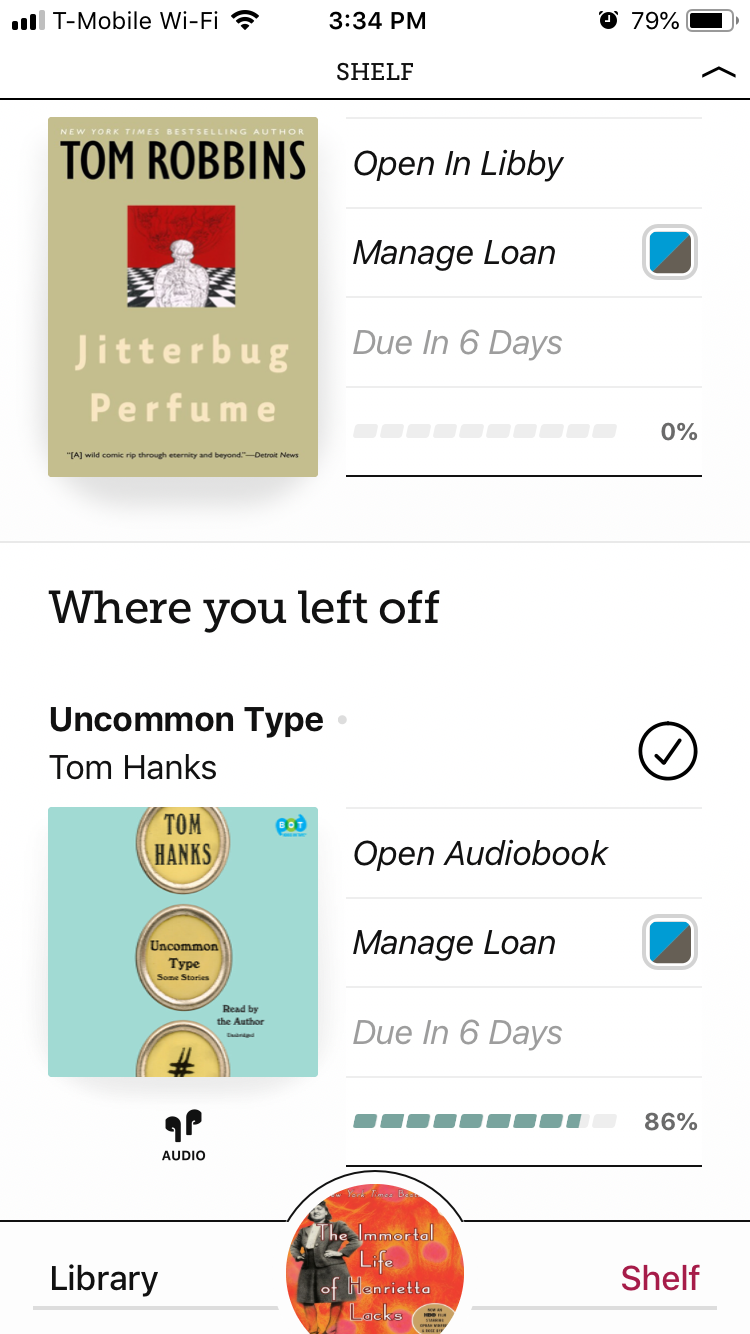
You can check out up to 12 books at a time, but the coolest part is that these books don’t just live on your phone. You have to return them in 14 days. Which means you’ll actually read them instead of hoping that someday you become a reader.
Seriously, get this app ASAP. It’s the best.
GuitarTuna (FREE)
A great way to tune up any crappy guitar, bass, or even ukulele you find on your next adventure. Rock that hostel common room like the guitar hero you are with this handy, accurate tuner.
New York Times Crossword (FREE w/ in-app purchases)
My girlfriend friggin loves the NYT Crossword puzzle. And while it’s nice to have a physical copy with you, you can’t always get a good English crossword puzzle when you’re abroad.
Download the NYT Crossword Puzzle and feel like a smartypants anywhere in the world. And just try not to do a little dance when you finish a puzzle and hear that little jingle. I dare you.
Best Travel Weather Apps
Magic Seaweed (FREE)
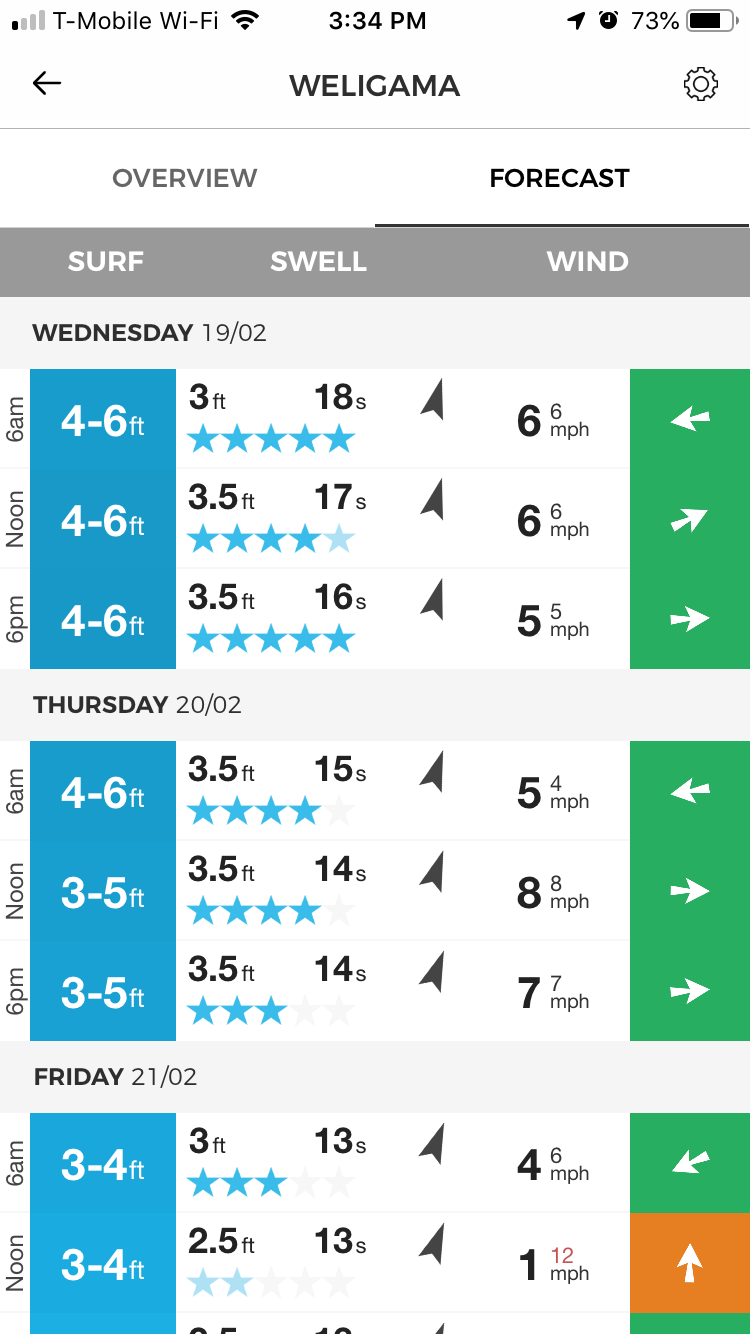
Magic Seaweed is my go-to surf forecast app. The free account gives you access to reports from literally thousands of spots around the world, including up to minute forecasts.
I like that I can search on the map and read quick bios about the direction, swells, and types of waves at all sorts of spots. Great for improvers to expert surfers, and a must if you’re trying to chase summer around the world.
Weather Underground (FREE)
I’ve never been thrilled with any weather app, but “Wunderground” works just fine for me. You can customize your dashboard with things you care about like sunrise/sunset times and air quality index, as well as other alerts like when it’s too rainy to bike.
Again, no weather app is perfect, but Wunderground is good, free, and pretty darn reliable.
Travel & Trip Planning
Culture Trip (FREE)
Culture Trip publishes some really great content about packing lists and what to do in some of the more popular and off the beaten track destinations. You can save articles to read offline (which is nice when you’re trying to find a place and you can’t get a signal), but I mostly use it as a trip planning or research tool when I have some downtime.
Well worth a look. You can even create a destination-specific list of your favorite articles to reference later.
All the Apps on My Phone
And that’s about it.
I like to keep my phone pretty tight when I travel so I stay in the moment as much as possible. In fact, I have exactly 53 apps on my iPhone 6s right now. Kicking it old school.
Download just what you need to stay nimble and informed on your next trip, and when in doubt, ask someone for help. Spoiler alert: people are sometimes almost as useful as apps.
I know. Crazy, right?
Have fun out there.
Want more helpful travel stuff like this? Sign up for my weekly newsletter at Aroundist.com.