
Dots And Circles In Python Turtle
The Olympic Rings revisited
In this article we look at the difference between the dot command and the circle command.
A dot is a filled circle. One of the differences between dots and circles is that a circle requires you to input a radius and a dot requires a diameter. When you create a circle the turtle starts on the circumference and moves around until it is back where it started. When you create a dot the turtle does not move it simply expands outward from its current position. The default size of a dot is 4 pixels.
What’s a pixel?
A pixel is a combination word, a portmanteau composed of picture and element. Your computer screen is composed of tiny picture elements called pixels. There are 96 pixels per inch. When you draw a line on the screen with turtle it is composed of pixels. The following code:
import turtle as T
T.forward (100)
Will draw a line 1 pixel in width and just over 1 inch in length.
import turtle as T
T.dot (200)
Will draw a filled circle with a diameters of 200 pixels or radius of 100 pixels centered at 0,0.
As we saw in a previous lesson you can create an unfilled circle centered at 0,0 with the following code.
import turtle as T
T.penup ()
T.forward (100)
T.left (90)
T.pendown()
T.circle (100)
You can produce A similar result with the following code
import turtle as T
T.dot (200)
T.color ("white")
T.dot (198)
Although they look the same when you are looking at individual circles. The difference appears when they overlap. Here are the Olympic rings made with the circle command.
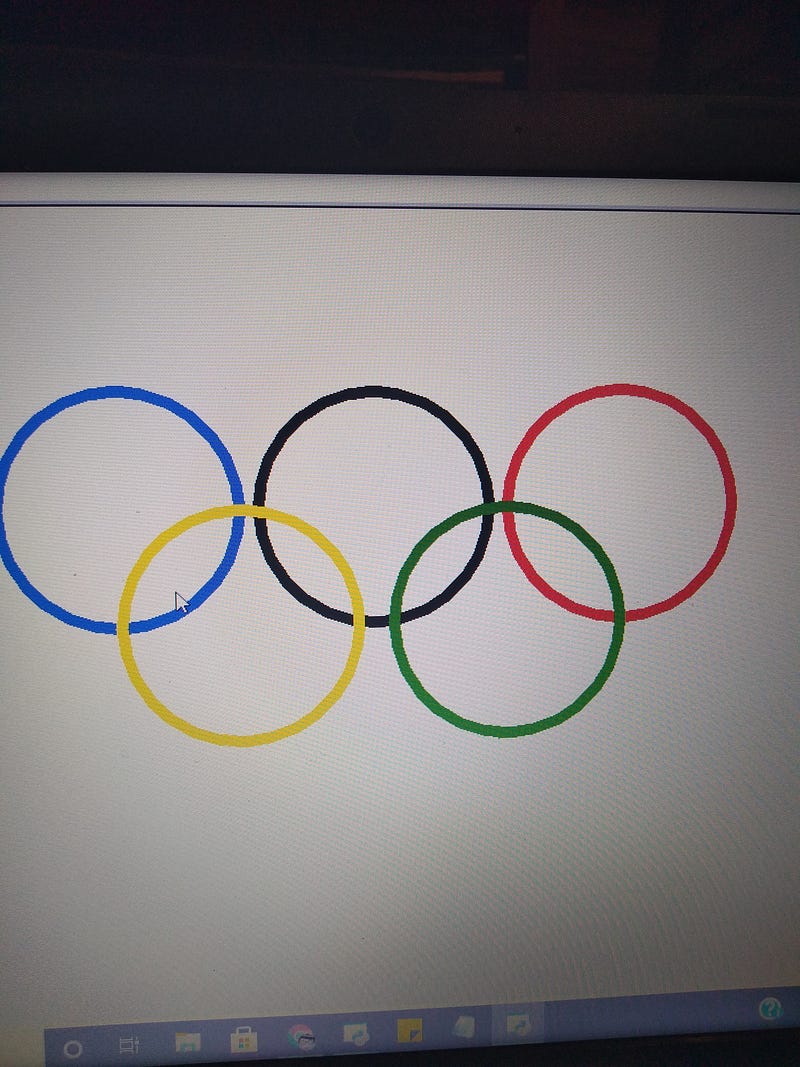
Using code from a previous lesson:
import turtle as T
T.width (10)T.circle (100) # A black circle set above center.T.penup()T.goto (-215,0) # we factor in the thickness of line and space
T.pendown() between circles.
T.color ("blue")
T.circle (100)T.penup()T.goto (215,0)
T.pendown()
T.color ("red")
T.circle (100)T.penup()T.goto (-115,-100)
T.pendown()
T.color ("yellow")
T.circle (100)T.penup()T.goto (115,-100)
T.pendown()
T.color ("green")
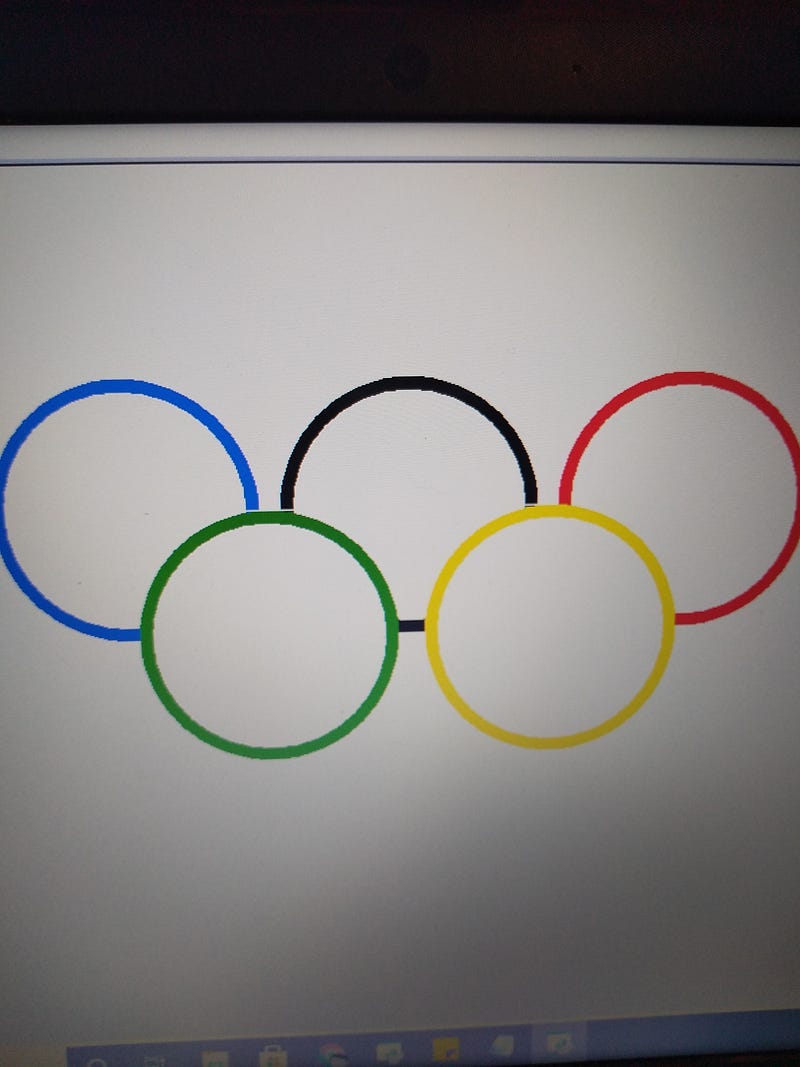
T.circle (100)Here’s an attempt to recreated the same thing with dots.
import turtle as TT.penup()
T.goto (0,100)
T.dot (200)
T.color ("white")
T.dot (180)T.penup ()
T.goto (-215,100)
T.pendown()
T.color ("blue"
T.dot (200)
T.color ("white")
T.dot (180)T.penup ()
T.goto (215,100)
T.pendown()
T.color ("red")
T.dot (200)
T.color ("white")
T.dot (180)T.penup()
T.goto (110,0)
T.pendown()
T.color ("yellow")
T.dot (200)
T.color ("white")
T.dot (180)T.penup()
T.goto (-110,0)
T.pendown()
T.color ("green")
T.dot (200)
T.color ("white")
T.dot (180)
Jim McAulay🍁 says: “The difference between a well dressed boy on a tricycle and a poorly dressed boy on a bicycle is a tire”
57–56
25–25