avatarCoding In depth

Free AI web copilot to create summaries, insights and extended knowledge, download it at here

1724

Abstract

er option is to use vanilla javascript and create an environment variables file. It is one of the best options but the only cons is dirty code. We have to write import code in all the JS files where we want to access the environment variables. We also need to take care of the loading sequence of modules.</p><p id="79b3"><b>3) dotenv file: </b>Using dotenv is one of the best ways to manage environment variables in a Node application. No need to make all files dirty, just access it in the entry point of the project and it will be available in all modules and files.</p><p id="174f"><b>How to use dotenv: </b>Use below lines of code to install using yarn or npm.</p><div id="21fb"><pre># <span class="hljs-keyword">with</span> npm</pre></div><div id="5777"><pre>npm <span class="hljs-keyword">install</span> dotenv</pre></div><div id="2125"><pre># or <span class="hljs-keyword">with</span> Yarn</pre></div><div id="9e4d"><pre>yarn <span class="hljs-built_in">add</span> dotenv</pre></div><p id="875e">Double-check package.json that dotenv is installed or not.</p><figure id="d3e6"><img src="https://cdn-images-1.readmedium.com/v2/resize:fit:800/1*bCivHWG6SCOLXV_RQ8VsLg.png"><figcaption></figcaption></figure><p id="82ee"><b>Creating File: </b>Now create a dotenv file, Caution — do not give any name to this file. It should be extension env that is <b>.env</b></p><figure id="d583"><img src="https://cdn-images-1.readmedium.com/v2/resize:fit:800/1*LTgkIrd-LlkJC4Krurg67w.png"><figcaption></figcaption></figure><p id="e6f4">Now define the variables in .env file. i.e. Here I am using my AWS S3 bucket configuration.</p><figure id="e84e"><img src="https://cdn-images-1.readmedium.com/v2/resize:fit:800/1*reN9TaEP7uzj2LVGPDx

Options

B6A.png"><figcaption></figcaption></figure><p id="7d1a">Now load dotenv file in app.js</p><div id="1d03"><pre><span class="hljs-comment">//in app.js</span></pre></div><div id="0dd2"><pre><span class="hljs-function"><span class="hljs-title">require</span><span class="hljs-params">(<span class="hljs-string">'dotenv'</span>)</span></span><span class="hljs-selector-class">.config</span>()</pre></div><figure id="9ca6"><img src="https://cdn-images-1.readmedium.com/v2/resize:fit:800/1*H7wSTziUKdYGrZv3BlvJVQ.png"><figcaption></figcaption></figure><p id="ab96">Now once the application is running. All the above variables defined in the dotenv file are available across the modules and files. Just need to access process.env.s3Bucket and process.env.s3BucketFOLDER.</p><p id="628b"><b>Last but not the least: </b>Now add .env file in git ignore file. Do command + P on mac and open command pallet. Type <code>gitignore</code> and add <code>.env</code> file. This will prevent other developers to override it.</p><figure id="27bb"><img src="https://cdn-images-1.readmedium.com/v2/resize:fit:800/1*6m7IvtQP7LYmWGSllPAXJw.png"><figcaption></figcaption></figure><p id="cf54"><b>Conclusion: </b>We have seen the pros and cons of using the command line and vanilla javascript environment module. dotenv works as charm in many cases. One thing that needs to take care is when teams are distributed. i.e. If the deployment team is different and the development team is different. Especially when CI/CD(Continuous integration and continuous development) and development teams are different. Just make a contract between the teams so that No environment variable should be overridden.</p><p id="0be7">Happy learning!!</p></article></body>

dotenv for managing environment variables in NodeJS
Why environment variable: Environment variables are a very important part of Node application. There are many ways to manage environment variables in NodeJS. In my application I am using the following way to manage environment variables in NodeJS:

  1. Command Line
  2. Creating environment variable module in vanilla javascript
  3. Using dotenv file
  4. Command Line: Command line is one of the oldest and easiest way to pass the environment variables in a Node application. The pros of using a command line is no need to import any module in other JS files. Just access process.env. and you can get the value. But one of the cons is when variables grow it’s very difficult to manage, especially the edit part.
#with yarn
MONGO=”mongodb://localhost:27017/demodotenv” s3Bucket ="e-project-dev" s3Bucket ="e-project-dev" s3BucketFOLDER='Attachments' NODE_ENV=”LOCAL” yarn dev

Now passing the above environmental variable is easy but think of if it is more than then. It is very difficult to edit as well.

2) Creating an environment variable module in vanilla javascript: The other option is to use vanilla javascript and create an environment variables file. It is one of the best options but the only cons is dirty code. We have to write import code in all the JS files where we want to access the environment variables. We also need to take care of the loading sequence of modules.

3) dotenv file: Using dotenv is one of the best ways to manage environment variables in a Node application. No need to make all files dirty, just access it in the entry point of the project and it will be available in all modules and files.

How to use dotenv: Use below lines of code to install using yarn or npm.

# with npm
npm install dotenv
# or with Yarn
yarn add dotenv

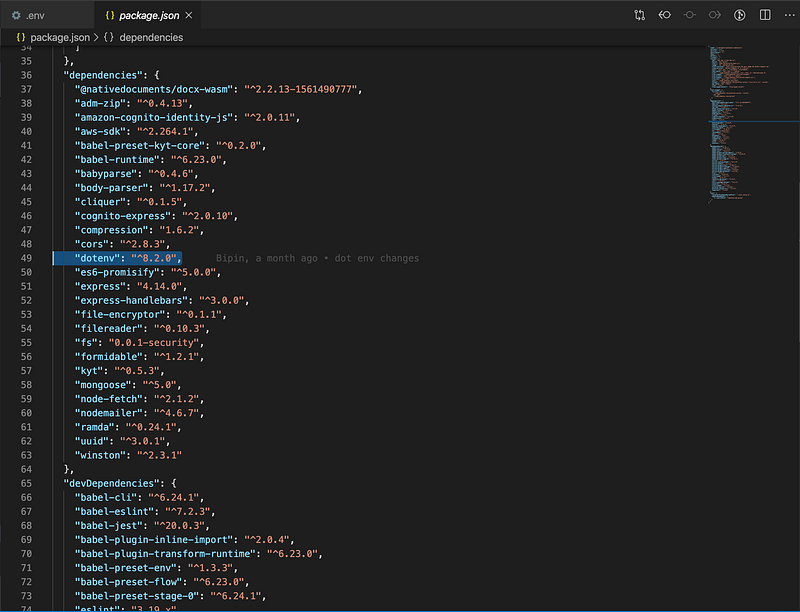
Double-check package.json that dotenv is installed or not.
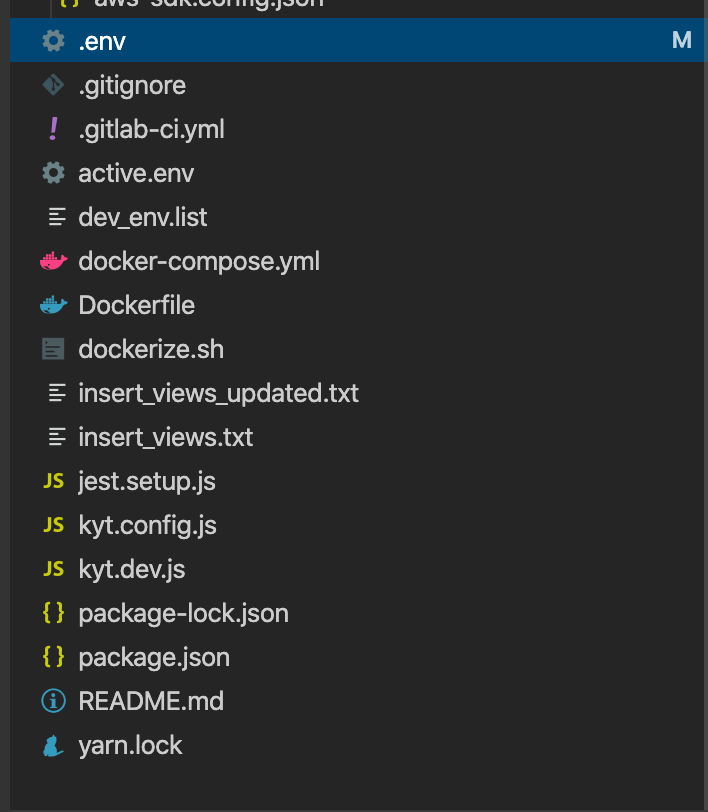
Creating File: Now create a dotenv file, Caution — do not give any name to this file. It should be extension env that is .env
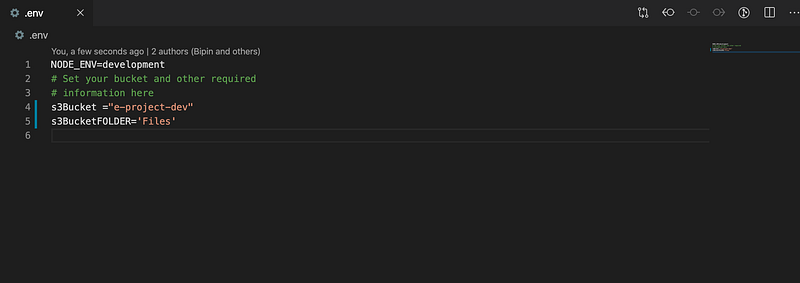
Now define the variables in .env file. i.e. Here I am using my AWS S3 bucket configuration.
Now load dotenv file in app.js

//in app.js
require('dotenv').config()

Now once the application is running. All the above variables defined in the dotenv file are available across the modules and files. Just need to access process.env.s3Bucket and process.env.s3BucketFOLDER.

Last but not the least: Now add .env file in git ignore file. Do command + P on mac and open command pallet. Type gitignore and add .env file. This will prevent other developers to override it.
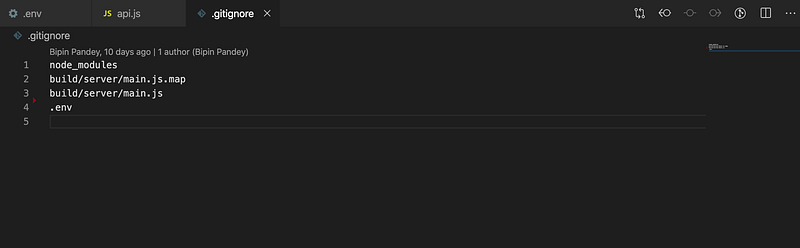
Conclusion: We have seen the pros and cons of using the command line and vanilla javascript environment module. dotenv works as charm in many cases. One thing that needs to take care is when teams are distributed. i.e. If the deployment team is different and the development team is different. Especially when CI/CD(Continuous integration and continuous development) and development teams are different. Just make a contract between the teams so that No environment variable should be overridden.

Happy learning!!

Dotenv
Nodejs
Environment Variables
Microservices
Recommended from ReadMedium
