
Dot notation vs Bracket notation
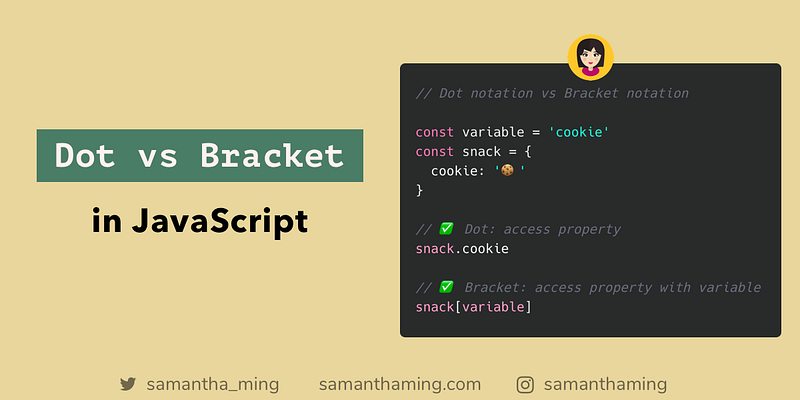
Both notations can access object properties. But the question is often which one should I use 🤔. Wonder no more, just follow Airbnb’s style guide. Always use Dot. And when you want to access object property with a variable, use Bracket 👍
// Dot notation vs Bracket notationconst variable = 'cookie';const snack = {
cookie: '🍪'
};// ✅ Dot: access property
snack.cookie;// ✅ Bracket: access property with variable
snack[variable];Accessing Object Properties
There are 2 ways to access object properties. Dot and Bracket.
const obj = {
  name: 'value'
};
// Dot Notation
obj.name; // 'value'// Bracket Notation
obj['name']; // 'value'Dot Notation for the win
I remember when I was first learning this. Understanding the 2 different ways was simple. Nothing too complicated. But my concern was never about the different notations. My biggest dilemma was, WHICH SHOULD I USE?? 🤯
If you were like me! Here’s the breakdown. They both do the same. So here is the simple rule. By default, just use the Dot notation.
✅ Dot Notation 🏆
- It’s a lot easier to read
- It’s way faster to type.
Dot Notation’s Limitation
With any rule, there are always exceptions 😂. So let’s look at some of the limitations.
a. Issue working with Identifiers b. Issue working with Variables
a. Working with Identifiers
One of the major limits of using the Dot notations is that it only works with valid identifiers. First, let’ me define what is an identifier
An identifier is a sequence of characters in the code that identifies a variable, function, or property.
The identifier has the following rules:
- case sensitive
- can contain Unicode letters
$,-, are allowed- Digits (0–9) are okay BUT may not start with a digit
So let’s sample some of these examples and see what happens when we use the Dot notation.
const obj = {
  123: 'digit',
  123name: 'start with digit',
  name123: 'does not start with digit',
  $name: '$ sign',
  name-123: 'hyphen',
  NAME: 'upper case',
  name: 'lower case'
};
Note:
You may notice some property names I had to include quotes. Example: 123name. I had to do that otherwise the object would be considered invalid and it would throw a Syntax Error.
Dot Notation
obj.123;      // ❌ SyntaxError
obj.123name;  // ❌ SyntaxError
obj.name123;  // ✅ 'does not start with digit'
obj.$name; // ✅ '$ sign'obj.name-123; // ❌ SyntaxError
obj.'name-123';// ❌ SyntaxErrorobj.NAME; // ✅ 'upper case'
obj.name; // ✅ 'lower case'See how I tried to be clever and use quotes in the obj.'name-123' example. Well, don't, cause it still won't work 😂.
Bracket Notation
But none of this is a problem for the Bracket Notation.
obj['123'];     // ✅ 'digit'
obj['123name']; // ✅ 'start with digit'
obj['name123']; // ✅ 'does not start with digit'
obj['$name']; // ✅ '$ sign'obj['name-123']; // ✅ 'does not start with digit'obj['NAME']; // ✅ 'upper case'
obj['name']; // ✅ 'lower case'Verdict
If you think you have an invalid JavaScript identifier as your property key, use the Bracket Notation 👍
b. Accessing Property with Variables
Another limitation of the Dot notation is working with variables. You definitely should use the Bracket Notation. Note! When you’re referencing a variable in the Bracket Notation, you need to skip the quote. That’s kinda how you know you’re dealing with a variable instead of accessing the property key.
const variable = 'name';const obj = {
name: 'value'
};// Bracket Notation
obj[variable]; // ✅ 'value'// Dot Notation
obj.variable; // undefinedUndefined Property
One very important thing I want to point out. You will notice that if I try to use the Dot notation on the variable, it returns undefined. This is because when you try to access a property that doesn’t exist, it will return undefined.
const emptyObj = {};obj.name; // undefined
obj['name']; // undefinedSo here’s the watch-out part. Let’s return to our variable object example previously. If you used the Dot notation, it will just assume you’re trying to access the property with a valid JavaScript identifier. Because it’s returning something, you might think everything is working fine. Under the hood, yes it is. But if your intention is to use the variable, it might throw you off. This definitely can be a source of a debugging headache. So watch out for that!!
const variable = 'name';const obj = {
name: 'value',
variable: '👻'
};// Bracket Notation
obj[variable]; // ✅ 'value'// Dot Notation
obj.variable; // '👻'Verdict
Never use the Dot Notation when using a Variable
Conclusion
Knowing the limitations of Dot Notation, let’s update our rule.
Use the Dot Notation. But if you’re dealing with invalid identifier or variables, use the Bracket notation.
Resources
- Stack Overflow: dot notation vs. brackets
- Airbnb’s JavaScript Style Guide: Properties
- codeburst.io: Dot Notation vs Bracket notation
- MDN Web Docs: Identifier
- Property Dot Notation / Bracket Notation
Share
- Like this on Twitter
- Like this on Instagram
- Originally published at www.samanthaming.com
Thanks for reading ❤
Say Hello! Instagram | Facebook | Twitter | SamanthaMing.com | Blog


