avatarLiu Zuo Lin

Free AI web copilot to create summaries, insights and extended knowledge, download it at here

2262

Abstract

s="hljs-params">self, key</span>): <span class="hljs-keyword">return</span> key

dog = Dog()

<span class="hljs-built_in">print</span>(dog[<span class="hljs-number">1</span>]) <span class="hljs-comment"># 1</span> <span class="hljs-built_in">print</span>(dog[<span class="hljs-number">2</span>]) <span class="hljs-comment"># 2</span> <span class="hljs-built_in">print</span>(dog[::]) <span class="hljs-comment"># slice(None, None, None)</span></pre></div><p id="402a">^ without changing any code in the Dog class, notice what happens when we try <code>dog[::]</code> — we get <code>slice(None, None, None)</code></p><p id="6ef9">When we slice anything eg. list, string etc using <code>lis[2:0:5]</code>, we are actually passing in a slice object ie. <code>lis[slice(2,0,5)]</code>. So when we do <code>dog[::]</code>, we are actualy doing <code>dog[slice(None,None,None)]</code></p><h1 id="a592">getitem with multiple arguments</h1><div id="f613"><pre><span class="hljs-keyword">class</span> <span class="hljs-title class_">Dog</span>: <span class="hljs-keyword">def</span> <span class="hljs-title function_">getitem</span>(<span class="hljs-params">self, key</span>): <span class="hljs-keyword">return</span> key

dog = Dog()

<span class="hljs-built_in">print</span>(dog[<span class="hljs-number">1</span>]) <span class="hljs-comment"># (1,)</span> <span class="hljs-built_in">print</span>(dog[<span class="hljs-number">1</span>,<span class="hljs-number">2</span>]) <span class="hljs-comment"># (1, 2)</span> <span class="hljs-built_in">print</span>(dog[<span class="hljs-number">1</span>,<span class="hljs-number">2</span>,<span class="hljs-number">3</span>,<span class="hljs-number">4</span>,<span class="hljs-number">5</span>]) <span class="hljs-comment"># (1, 2,3 , 4, 5)</span></pre></div><p id="0be8">By default, if we do <code>dog[1, 2, 3]</code>, the tuple <code>(1, 2, 3)</code> is passed to the <code>getitem</code> magic method.</p><h1 id="0886">dog[::, ::, ::]</h1><div id="574b"><pre>dog[::, ::, ::]</pre></div><p id="d968">is the same as:</p><div id="d780"><pre>dog[<span class="hljs-built_in">slice</span>(<span class="hljs-literal">None</span>, <span class="hljs-literal">None</s

Options

pan>, <span class="hljs-literal">None</span>), <span class="hljs-built_in">slice</span>(<span class="hljs-literal">None</span>, <span class="hljs-literal">None</span>, <span class="hljs-literal">None</span>), <span class="hljs-built_in">slice</span>(<span class="hljs-literal">None</span>, <span class="hljs-literal">None</span>, <span class="hljs-literal">None</span>)]</pre></div><h1 id="7229">And so</h1><div id="a695"><pre><span class="hljs-keyword">class</span> <span class="hljs-title class_">Dog</span>: <span class="hljs-keyword">def</span> <span class="hljs-title function_">getitem</span>(<span class="hljs-params">self, key</span>): <span class="hljs-keyword">return</span> key

dog = Dog()

<span class="hljs-built_in">print</span>(dog[::,::,::])

<span class="hljs-comment"># (slice(None, None, None), slice(None, None, None), slice(None, None, None))</span></pre></div><h1 id="15d6">Conclusion</h1><p id="3992">Ignoring this dumb dog example, you can now customize your classes and objects to take in more complex slices</p><h1 id="52bf">If You Wish To Support Me As A Creator</h1><ol><li><i>Clap 50 times for this story</i></li><li><i>Leave a comment telling me your thoughts</i></li><li><i>Highlight your favourite part of the story</i></li></ol><p id="2ec5"><i>Thank you! These tiny actions go a long way, and I really appreciate it!</i></p><p id="a186"><b>YouTube: <a href="https://www.youtube.com/@zlliu246">https://www.youtube.com/@zlliu246</a></b></p><p id="8491"><b>LinkedIn: <a href="https://www.linkedin.com/in/zlliu/">https://www.linkedin.com/in/zlliu/</a></b></p><div id="fc0b" class="link-block"> <a href="https://zlliu.medium.com/subscribe"> <div> <div> <h2>Get an email whenever Liu Zuo Lin publishes.</h2> <div><h3>Get an email whenever Liu Zuo Lin publishes. By signing up, you will create a Medium account if you don't already have…</h3></div> <div><p>zlliu.medium.com</p></div> </div> <div> <div style="background-image: url(https://miro.readmedium.com/v2/resize:fit:320/0*NIC3UexCdeR6e3Gw)"></div> </div> </div> </a> </div></article></body>

dog[::,::,::] in Python And How This Is Possible
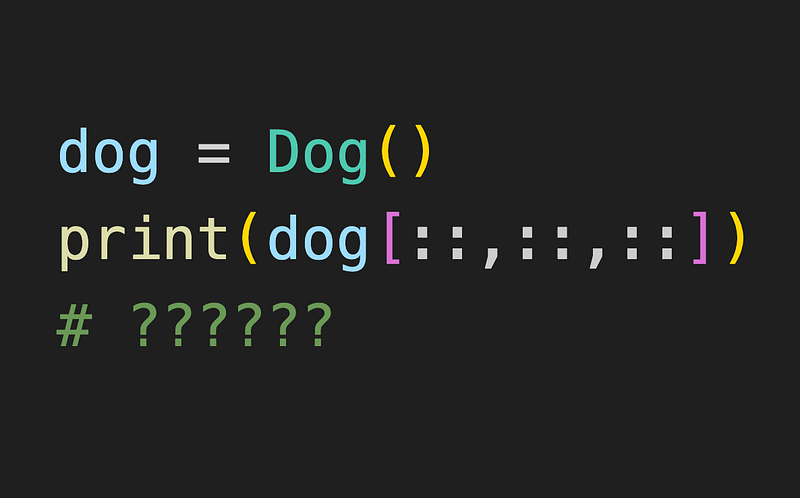
The closest thing you might have seen to this might be in pandas

# df is some pandas DataFrame

df.iloc[:, :3]

^ selecting some rows and some columns using pandas

Default dog[::,::,::] behaviour

class Dog:
  pass

dog = Dog()
print(dog[::,::,::])    # ERROR

^ by default, we get an error

Defining __getitem__

class Dog:
  def __getitem__(self, key):
    return key

dog = Dog()

print(dog[1])        # 1
print(dog[2])        # 2
print(dog['apple'])  # apple

when we define the __getitem__ magic method, we are actually defining our Dog object’s behaviour if we try to dog[key]

Here, we define __getitem__ to return key itself. Which means that if we do dog[1] we will simply get 1, and if we do dog['apple'] we will simply get 'apple'

dog[::]

class Dog:
  def __getitem__(self, key):
    return key

dog = Dog()

print(dog[1])        # 1
print(dog[2])        # 2
print(dog[::])       # slice(None, None, None)

^ without changing any code in the Dog class, notice what happens when we try dog[::] — we get slice(None, None, None)

When we slice anything eg. list, string etc using lis[2:0:5], we are actually passing in a slice object ie. lis[slice(2,0,5)]. So when we do dog[::], we are actualy doing dog[slice(None,None,None)]

__getitem__ with multiple arguments

class Dog:
    def __getitem__(self, key):
        return key

dog = Dog()

print(dog[1])          # (1,)
print(dog[1,2])        # (1, 2)
print(dog[1,2,3,4,5])  # (1, 2,3 , 4, 5)

By default, if we do dog[1, 2, 3], the tuple (1, 2, 3) is passed to the __getitem__ magic method.

dog[::, ::, ::]

dog[::, ::, ::]

is the same as:

dog[slice(None, None, None), slice(None, None, None), slice(None, None, None)]

And so

class Dog:
    def __getitem__(self, key):
        return key

dog = Dog()

print(dog[::,::,::])

# (slice(None, None, None), slice(None, None, None), slice(None, None, None))

Conclusion

Ignoring this dumb dog example, you can now customize your classes and objects to take in more complex slices

If You Wish To Support Me As A Creator

  1. Clap 50 times for this story
  2. Leave a comment telling me your thoughts
  3. Highlight your favourite part of the story

Thank you! These tiny actions go a long way, and I really appreciate it!

YouTube: https://www.youtube.com/@zlliu246

LinkedIn: https://www.linkedin.com/in/zlliu/

Python
Python Programming
Programming
Python3
Coding
Recommended from ReadMedium