
Dockerizing Angular App With NodeJS Backend
Learn How to Dockerize and make it a deployable image

Docker is an enterprise-ready container platform that enables organizations to seamlessly build, share and run any application, anywhere. Almost every company is containerizing its applications for faster production workloads so that they can deploy anytime and sometimes several times a day. There are so many ways we can build an Angular App. One way is to dockerize the Angular app with nodejs backend and create a docker image so that we can deploy that image any time or sometimes several times a day.
In this post, we look at the example project and see the step by step guide on how we can dockerizing the Angular app with nodejs as a server.
- Introduction
- Example Project
- Dockerizing the App
- Running The App on Docker
- Summary
- Conclusion
Introduction
Nowadays, it’s very common to dockerize and deploy the Docker image in the production with the help of container orchestration engines such as Docker Swarn or Kubernetes. We are going to Dockerize the app and create an image and run it on Docker on our local machine. We could also push that Image in to Docker hub and pull it whenever and wherever we need it.
Here is the complete guide on how to develop an Angular app with nodejs as a backend server. If you are not familiar with the process or you want to know before studying this guide, I would recommend you going through it.
Prerequisite
As a prerequisite, you have to install Docker for Desktop (whatever your OS is). Please follow this link to install Docker on your laptop. Once installed you can check the Docker info or version with the following commands.
docker info
docker --version
Example Project
This is a simple example project with the Angular and nodejs server. You can create users. As you create users, the count can be updated on the right side and retrieve all the users with the button.
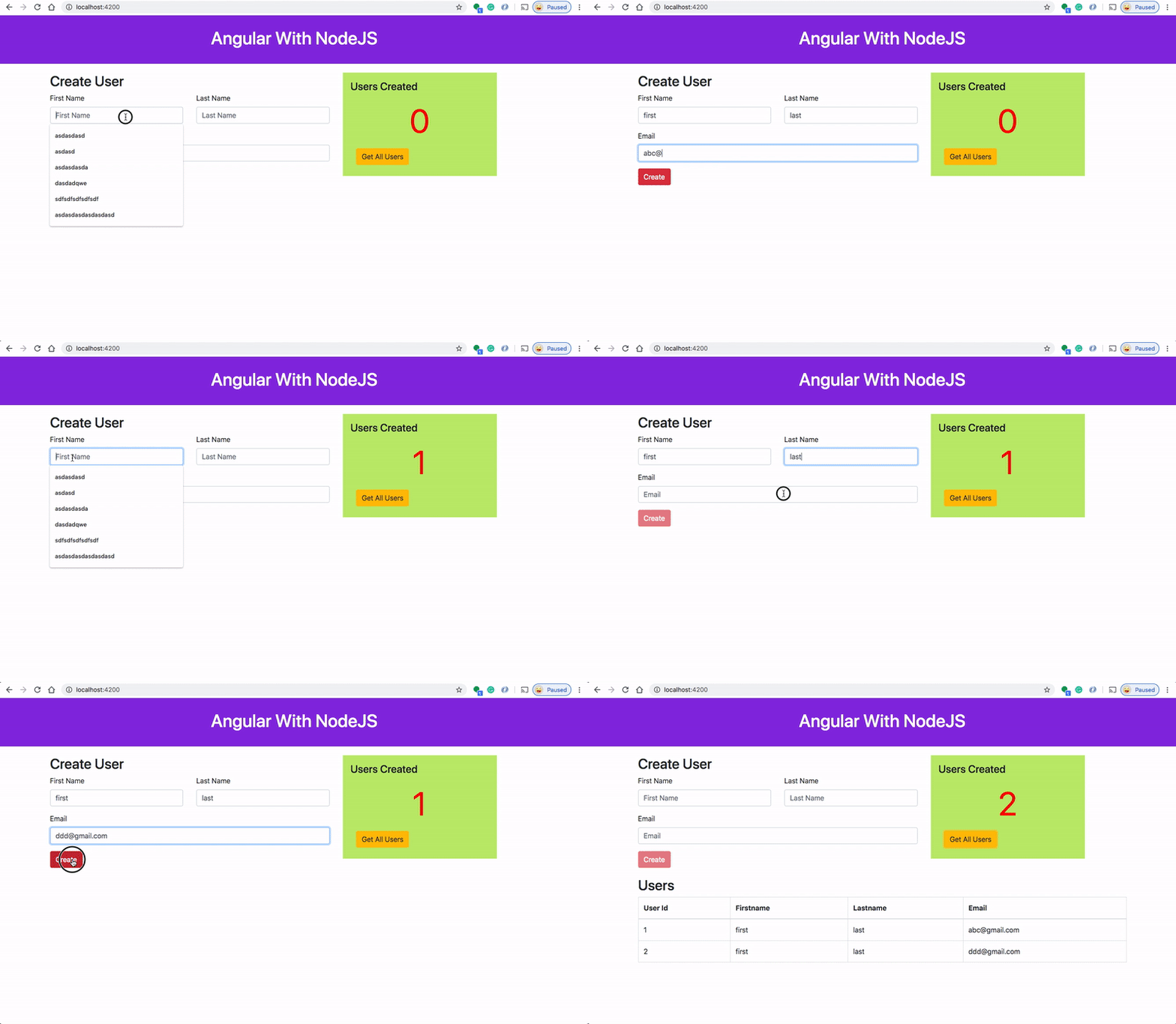
Here is a Github Link for this example project that you can on your local machine.
// clone the project
https://github.com/bbachi/angular-nodejs-example.git
// install and start the project
npm install
npm startIf you want to create a Docker image and run it on the local Docker, here are the steps.
// create an image
docker build -t angular-node-image .
// running on Image
docker run -it -p 3080:3080 --name ang-node-ui angular-node-imageDockerizing the App
We use the multi-stage builds for efficient docker images. Building efficient Docker images are very important for faster downloads and lesser surface attacks. In this multi-stage build, building an Angular project and put those static assets in the dist folder is the first step. The second step involves taking those static build files and serve those with node server.
Let’s build an image with the Dockerfile. Here are the things we need for building an image.
Stage 1
- Start from the base image
node:10 - There are two package.json files: one is for nodejs server and another is for Angular UI. We need to copy these into the Docker file system and install all the dependencies.
- We need this step first to build images faster in case there is a change in the source later. We don’t want to repeat installing dependencies every time we change any source files.
- Copy all the source files.
- Angular uses Angular/CLI to build the app. So, install CLI and install all the dependencies.
- Run
npm run buildto build the Angular App and all the assets will be created underdista folder within a my-app folder.
Stage 2
- Start from the base image
node:10 - Take the build from stage 1 and copy all the files into ./my-app/dist folder.
- Copy the nodejs package.json
- Install all the dependencies
- Finally, copy the server.js
- Have this command
node server.jswith the CMD. This automatically runs when we run the image.
Here is the complete Dockerfile
Let’s build the image with the following command.
// build the image
docker build -t angular-node-image .
// check the images
docker imagesRunning The App on Docker
Once the Docker image is built. You can run the image with the following command.
// run the image
docker run -d -p  3080:3080 --name ang-node-ui angular-node-image
// check the container
docker ps
You can access the application on the web at this address http://localhost:3080.
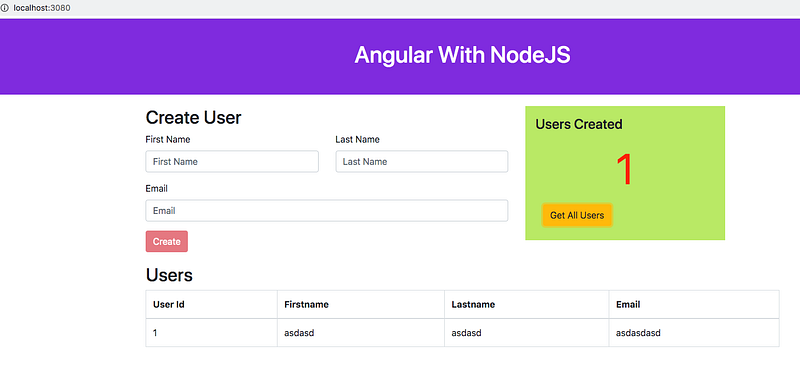
Exec into a running container
You can exec into the running container with this command and explore the file system.
docker exec -it ang-node-ui /bin/sh
Summary
- Nowadays, it’s very common to dockerize and deploy the Docker image in the production with the help of container orchestration engines such as Docker Swarn or Kubernetes.
- We use the multi-stage builds for efficient docker images.
- Building efficient Docker images are very important for faster downloads and lesser surface attacks.
Conclusion
Always use multi-stage builds with this type of architecture. It makes Docker images smaller and less prone to attacks.


