Docker Image Optimization: from 1.16GB to 22.4MB

Docker is a platform for software developers and sysadmins to build, run, and share applications with containers. A container is a process that runs in an isolated environment, on its own filesystem; that filesystem is built using a docker image. Images include everything you need to run an application (compiled code, dependencies, libraries, etc.). Images are defined using a file called Dockerfile.
The terms dockerization or containerization are often used to define the process of creating a Docker container.
Containers are popular because they are:
- Flexible: Even the most complex applications can be containerized.
- Lightweight: Containers share the host kernel, making them much more efficient than virtual machines.
- Portable: Can be compiled locally and run anywhere.
- Loosely coupled: Containers are encapsulated, allowing one to be replaced or upgraded without interrupting the others.
- Secure: Containers apply aggressive restrictions and isolations to processes without requiring any configuration on the part of the user.
In this post I’m going to focus on optimizing Docker images to be lightweight.
Let’s start with an example in which we build a React application and we want to dockerize it. After running the npx command and creating the Dockerfile, we have a file structure like the one in Picture 1.
npx create-react-app app --template typescript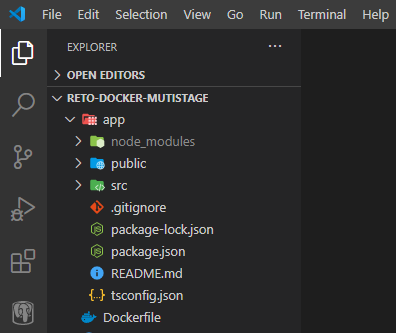
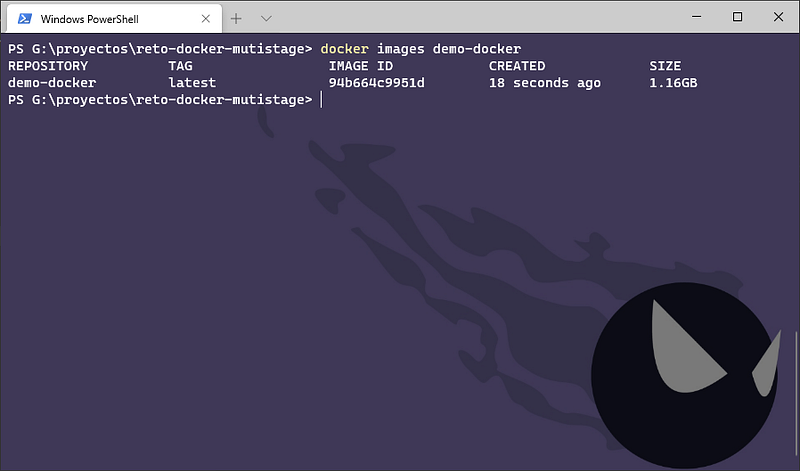
If we build a basic Dockerfile, like the following, we end up with an image that weighs 1.16 GB:
First Optimization: use a light base image
In Docker Hub (the public Docker repository) there are several images available for download, each with different characteristics and sizes.
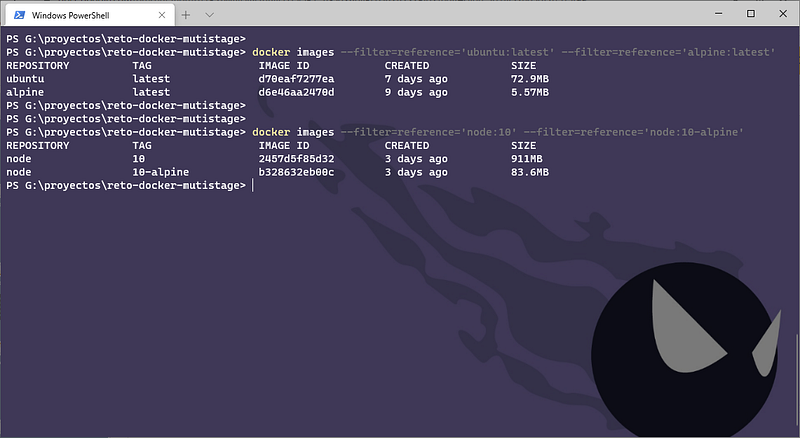
Normally, images based on Alpine or BusyBox are extremely small in size compared to those based on other Linux distributions, such as Ubuntu. This is because Alpine and those other images have been optimized to include the minimum and must-have packages. In the following image you can see a comparison between the sizes of Ubuntu, Alpine, Node and Node based on the alpine.
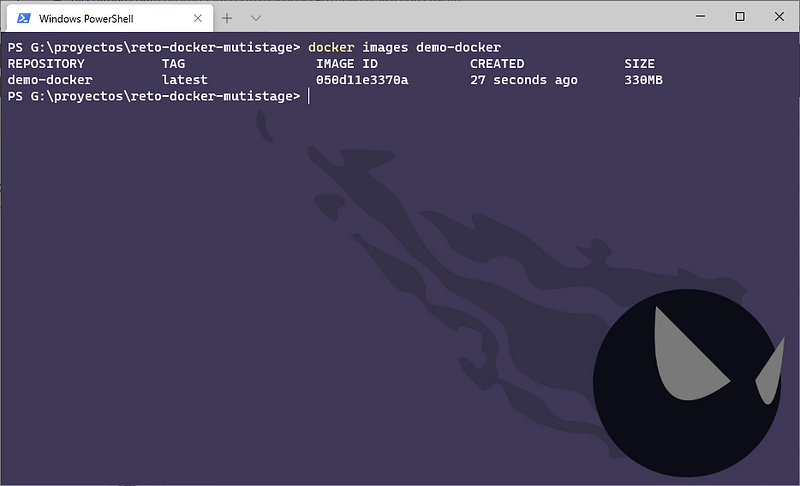
By modifying the Dockerfile and using Alpine as a base, the final size of our image is 330MB:
Second Optimization: Multi-stage build
With multi-stage build, we can use multiple base images in the Dockerfile and copy artifacts, configuration files, etc. from one stage to another, so that we can discard what we don’t need.
In this example, what we need to deploy the React application is the compiled code; we don’t need the source files, nor the node_modules directory, nor the package.json, etc.
By changing the Dockerfile to the following one, the final size of our image is 91.5 MB. Keep in mind that the image from the previous stage (lines 1–4) is not automatically deleted, Docker keeps it in cache to run faster if we use the same stage in another build, so it has to be deleted manually .
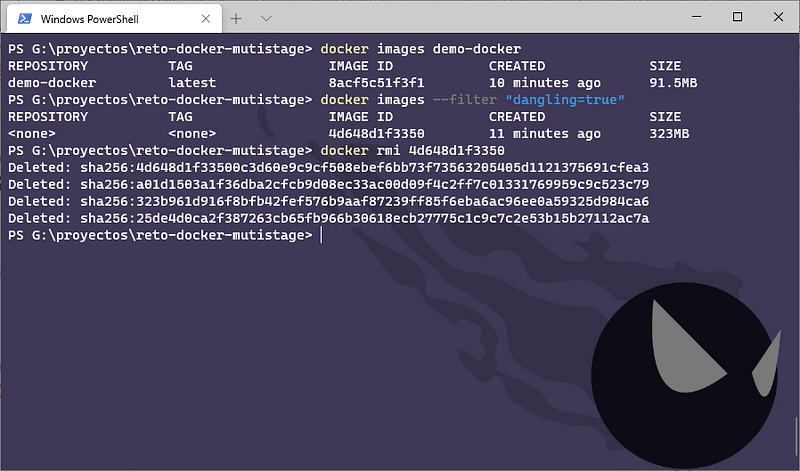
Now we have a Dockerfile with two stages: in the first one we compile the project and in the second one we deploy the application on the web server. However, a Node container is not the best option to serve web pages (HTML, CSS and JavaScript files, images, etc.), the best option would be to use a server like Nginx or Apache. In this case I will use Nginx.
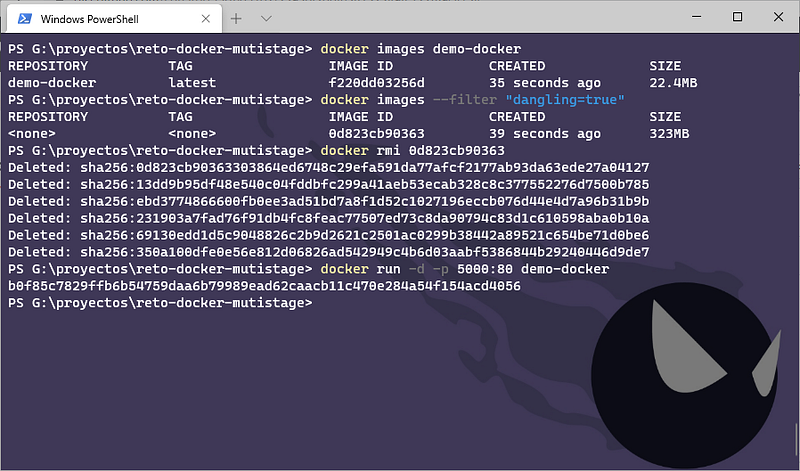
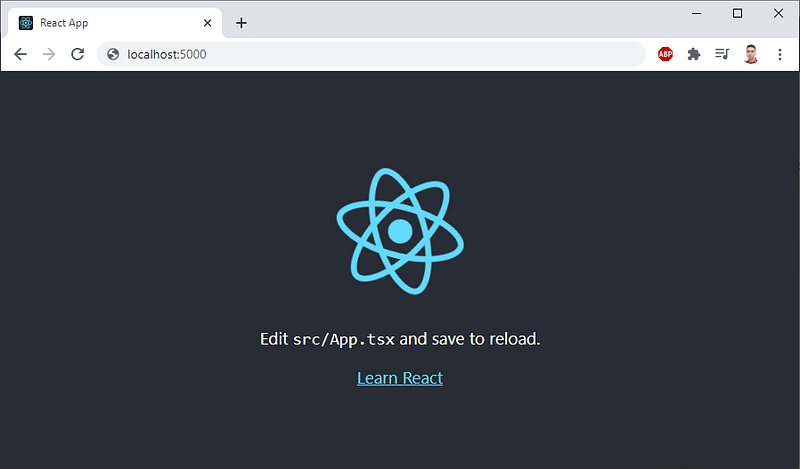
By changing the Dockerfile to the following one, the final size of our image is 22.4 MB. If we run the container, we can see that the web works without problems (Picture 7).