
Docker For the Modern Data Scientists: 6 Concepts You Can’t Ignore in 2023
An illustrated guide to the cool, essential tool

This is by far one of the funniest memes I’ve ever seen:
It touches on one of the most painful problems not just in data science and ML but in all of programming — sharing applications/scripts and making the darn things work on others’ machines as well.
While Microsoft, Apple, and Linus Torvalds meant well when they released different operating systems, they inadvertently created the never-ending struggle for software compatibility.
Linux, Windows, macOS — each has its own quirks and idiosyncrasies. And let’s not forget the variations in Python versions, library versions, and the unpredictable landscapes of GPU drivers in machine learning.
Enter containers. While they have been around for a while to address this problem, it was with the release of Docker in 2013 that they gained immense popularity. Since then, Docker and its containers have become the go-to tools for sharing anything that runs with code.
So, this tutorial will highlight the six most important concepts to help you navigate the complex world of Docker as a data scientist or an ML engineer.
A little note
Like many other great software, interacting with Docker is very intuitive and easy. You just have to read the docs a couple times to know the commands required to make the most out of the tool.
That’s why we are more concerned with the theory behind each command — those are harder to understand, and almost always, the documentation does a poor job of explaining them.
So, throughout the tutorial, I will be focusing more on the concepts rather than code but will sprinkle in a few relevant pages whenever needed to learn more about certain items.
Let’s get started!
0. Why not ZIP files?
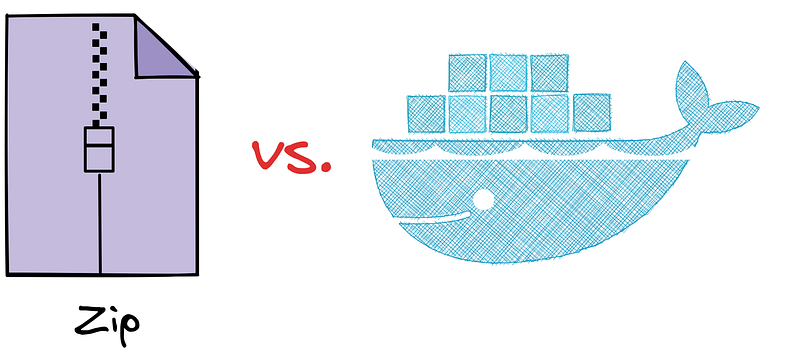
Why learn a totally new tool when you can simply put all the code and datasets for your model into a zip file and share that? Well, that would be the equivalent of sending a box of Lego bricks via mail to build a car instead of just driving the ready car to your friend’s house.
There are several excellent reasons to consider Docker over zip files or other methods:
- Dependency and compatibility chaos: Zip files don’t care about the host system. They are like globetrotting tourists who expect every machine to speak their language. But different operating systems have different architectures, which can become a massive issue when dealing with various libraries and dependencies and their versions.
- Reproducibility woes: Imagine things break when someone tries to run your zip file. Is it due to a bug in the code or an environment-related problem? This can lead to hours of frustrating debugging, causing even the most patient person to scream-swear.
- Isolation illusion: With a zipfile, you don’t really know the contents beforehand, and unpacking it is like releasing a bunch of mischievous mice into your operating system. You have no control over where they will run and potentially wreak havoc. Malicious individuals can take advantage of this chaos, leading to security attacks.
- Deployment dilemmas: Deploying models from zip files often involves tedious manual configuration, environment setup, and managing dependencies. It’s like building a house from scratch every time you move to a new city.
In short, while zip files may appear to be the easiest way to share applications, they can’t match the power and advantages of Docker containers.
But what is a container, you ask? Let’s answer that next.
1. Docker Container
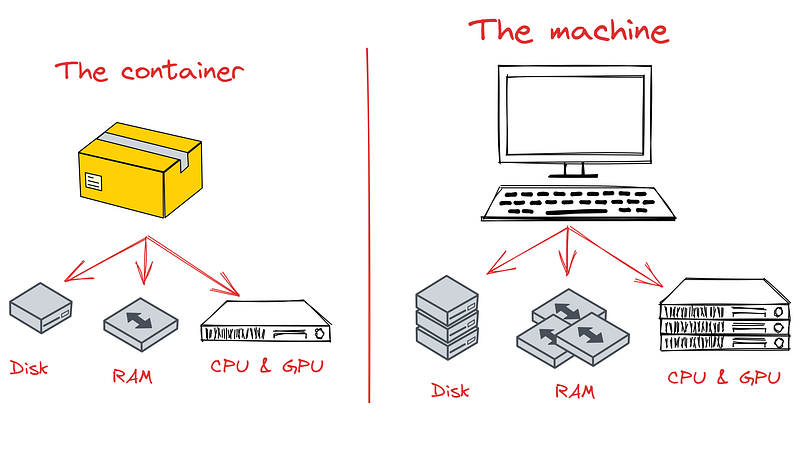
Containers are like mini-operating systems on your machine, isolated from other processes and applications such as Spotify, Chrome, Photoshop, games, and more. They have direct access to your machine’s resources, including RAM, CPU, Disk, and sometimes even GPUs, enabling them to run any software with custom configurations.
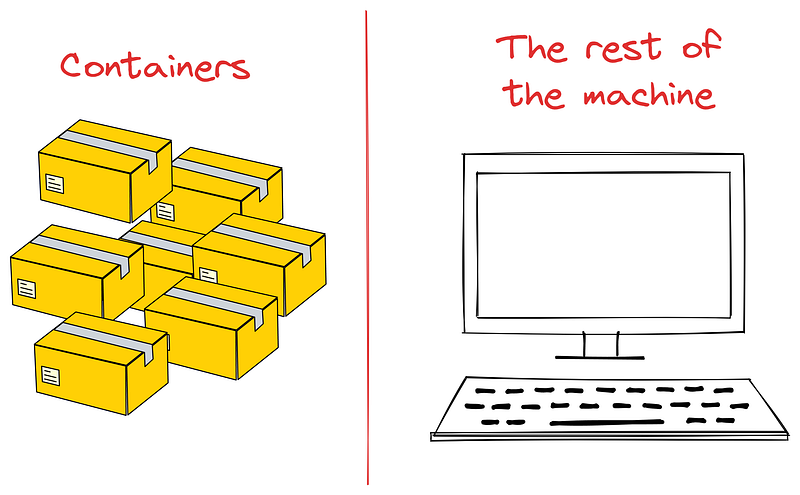
These lightweight and portable computing environments are designed to provide everything a machine learning model needs to run in isolation without interfering with the processes on the host machine. They use only a fraction of the available resources, ensuring that the rest of your machine remains unaffected.
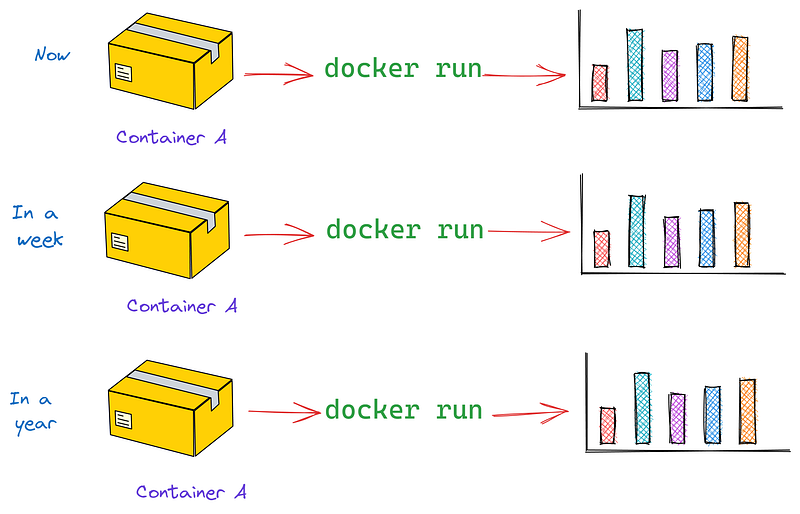
Another significant advantage is that containers guarantee consistent results over time. Regardless of whether it’s been a day, a month, or a year, the outputs will remain the same for the same inputs. But it doesn’t stop there — containers also ensure consistency anywhere. They run identically on various environments, be it your personal laptop, your neighbor’s rusty Windows machine, or even in the clouds (AWS, Azure, GCP).
Another notable benefit of containers is their high level of security and isolation. Even if you make a mess inside a container, rest assured that the mess won’t leak out to the rest of your machine or impact other containers. Everything is nicely contained within the container.
Moreover, containers are lightweight and require minimal resources compared to alternatives like virtual machines (VMs). This efficiency enables you to run entire operating systems, such as Ubuntu, Debian, and CentOS Linux processes, on top of your existing operating system.
While there are many tools available for working with containers, Docker stands out as the best. It is an open-source project with a vast user base, serving as the go-to tool for creating, managing, and running any application as a container.
2. Virtualization
The secret behind the impressive capabilities of containers without overwhelming their host lies in virtualization technology.
Virtualization creates isolated environments within the host operating system, enabling multiple containers to run independently and efficiently.
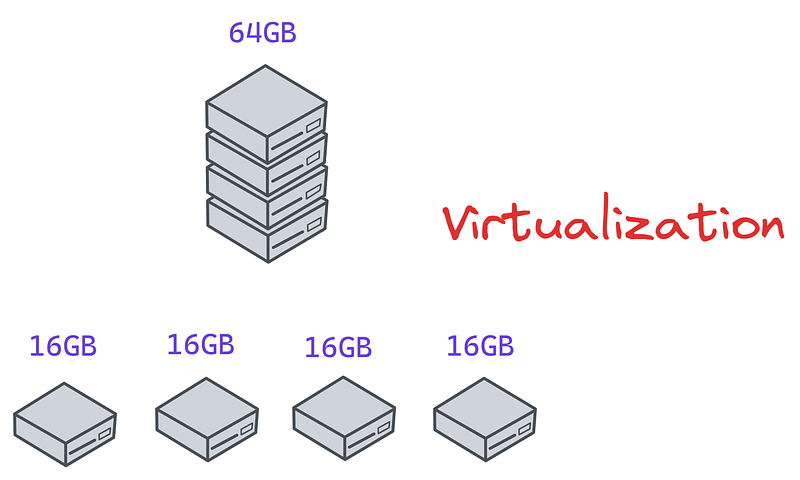
Virtualization divides the host resources, such as CPU, RAM, and Disk, and presents each piece as a separate resource to the software utilizing them. For instance, a 64GB RAM can be virtualized to appear as four individual 16GB RAMs.
Unlike virtual machines (VMs) that achieve similar goals and perform virtualization down to the hardware level, containers virtualize at the software level. They leverage the host operating system’s kernel and share the underlying OS resources.
This approach allows for lightweight and efficient virtualization, enabling multiple containers to coexist on a single host. The process of starting and stopping containers incurs minimal overhead, resulting in faster updates and distribution.
3. Docker Image
When working with Docker, you may often encounter the terms “image” and “container” used interchangeably, but there are distinct differences between them.
A Docker image is similar to a food recipe that contains meticulous instructions and steps for running an application. On the other hand, a Docker container is like a prepared dish that brings the recipe to life — a fully functional instance.
While a single image can have multiple running instances as containers, these containers operate independently of each other and remain unaware of one another’s existence.
For personal projects, you typically build your own images. However, for many tasks, there are already many pre-built images available from the community.
For instance, Docker Hub is the largest registry hosting over a million images, all a couple of terminal commands’ away, once you have Docker installed on your machine.
This registry includes official images for various operating systems (Ubuntu, CentOS, Debian), software stacks and programming languages (Node.js, Python, MySQL, Nginx), databases, pre-packaged and pre-configured ML frameworks (TensorFlow, PyTorch with GPU support, Sklearn), and much more.
To illustrate, let’s say you want to download the official release candidate for Python 3.12 and start using it on your machine. You can accomplish this with just two simple commands:
$ docker pull python:3.12-rc-bullseye
$ docker run -it python:3.12-rc-bullseye
The second command with the -it flag will initiate an interactive terminal within a container created from the python:3.12-rc-bullseye image. This running container instance will resemble a mini-operating system solely equipped with Python 3.12, with nothing else installed.
However, like any Ubuntu distribution, you can install additional tools like Git or Conda within the container and perform almost any task you would typically do in Ubuntu, although without a graphical user interface (GUI).
4. Dockerfile
When we call docker pull and docker run python, how does the container know where to get the binaries for Python 3.12, all its dependencies and install them?
The solution lies in Dockerfiles. These text files are blueprints or recipes for building custom images that encapsulate our Python scripts or machine learning models, along with their dependencies and configurations.
You will use Dockerfiles extensively when creating your images (one Dockerfile for one directory/project). Although Dockerfiles can become lengthy for complex projects, they generally include the following commands for Python projects:
# Use an official Python runtime as the base image
FROM python:3.9-slim

# Set the working directory inside the container
WORKDIR /app

# Copy the requirements file to the container
COPY requirements.txt .

# Install the required Python packages
RUN pip install --no-cache-dir -r requirements.txt

# Copy the rest of the application code to the container
COPY . .

# Define the command to run when the container starts
CMD ["python", "train.py"]
Above is a sample Dockerfile for containerizing a train.py script located in our current working directory. Here is an overview of the commands:
FROM- a keyword to specify a base image. Base images are pre-built images on Docker Hub you can use in your custom images without having to reinvent the wheel. Above, we are using Python 3.9 base image so that we don't have to install Python manually withapt-get.WORKDIR- This command sets the working directory inside the container to/app, where the application files (train.pyandrequirements.txt) will be copied.RUN- Following this keyword, you can include any valid terminal command, such aspip installor run bash scripts to execute specific tasks during the container build process.CMD- This command specifies the default command to run when the container starts usingdocker start. In this case, it trains a new model by executingpython train.py.
To build a new image using this Dockerfile, you simply run
docker build -t my_image .
It's as simple as that!
As you’ve observed, Dockerfile syntax is not entirely unfamiliar to those who have experience with YAML files or working in the terminal.
Check out this page of the Docker documentation to learn more about building images and writing Dockerfiles for Python applications.
5. Image layers
A layer is a bit of a weird concept of Docker images.
Each instruction/command in a Dockerfile contributes to creating a new, read-only, immutable layer in the resulting image. Layers are stacked on top of each other, forming a layered file system that represents the final image.
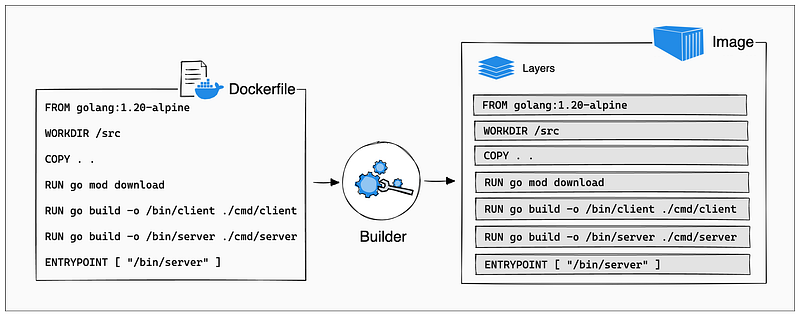
There are many benefits to using a layered structure, such as caching. Since building images is an incremental process with many updates to the contents within, caching makes repeated calls of docker build much faster.
Heavy commands such as FROM or RUN will take only a fraction of a second if Docker detects that these layers weren't changed in the current build.
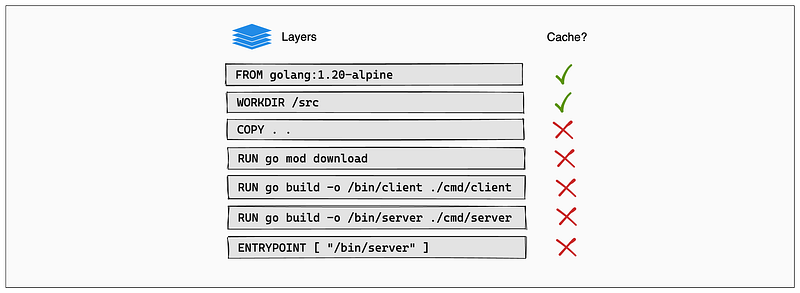
Apart from caching, layers allow efficient storage utilization, version control (image history, easy rollbacks) and lightweight distribution.
Learn more about layers, multi-stage builds and cache from this page.
6. Docker engine
A single host can have dozens of built images and running containers. How does the host machine distribute resources across all of them without going up in smoke? Enter the Docker Engine.
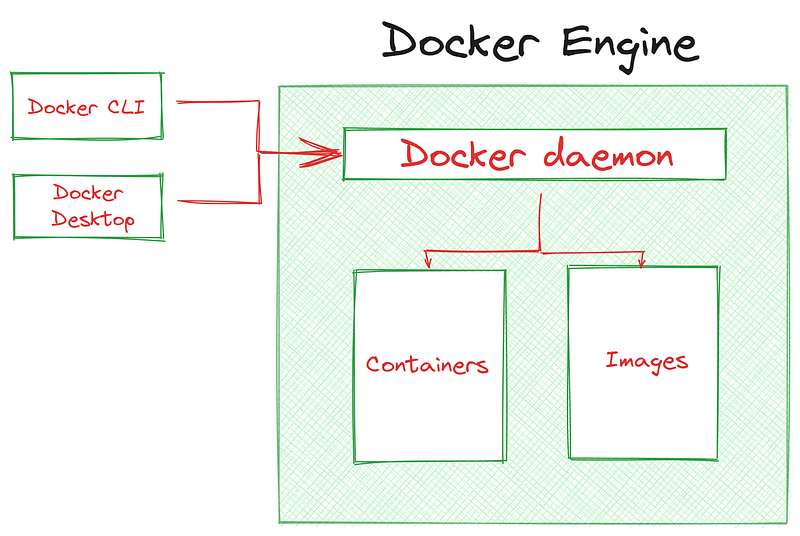
Docker Engine is responsible for all the magical Docker jiu-jitsu that takes care of creating, running and maintaining images and containers. It has many components, but here are the three most important ones:
- Docker Daemon or
dockerd- a background process on the host machine that manages the lifecycle of containers. It is responsible for virtualization and allocation of resources. - Docker Client — a software that allows users to interact with Docker Engine. Primarily, it is the Docker command-line interface (
docker CLI) but there is also platform-agnostic Docker Desktop for people who prefer a graphical user interface (GUI). - Docker API — a set of interfaces and protocols that allows Docker clients or other external tools to interact with Docker Daemon. An internal language for Docker, if you will.
99% of your time will be spent working through a Docker client but it is important to understand other components as they play such a crucial role in how containers operate.
Conclusion
Because of all the benefits I mentioned (and didn’t mention) here, Docker is extremely popular in the community. As such, many awesome projects have been built upon to extend the default functionality.
For example, Kubernetes, often abbreviated as K8s, is a powerful container orchestration platform that automates the deployment, scaling, and management of containerized applications. It can manage and schedule Docker containers across a cluster of nodes, providing features like automatic scaling, load balancing, and self-healing capabilities.
There is also Docker Compose, which allows you to spin up multiple containers, define their relationships, and manage their configurations as a single application stack.
And specific to us, Kubeflow is an open-source platform designed to simplify the deployment, management, and scaling of machine learning (ML) workloads on Kubernetes. It aims to provide a seamless and integrated experience for running ML workflows, making it easier for data scientists and engineers to build, train, and deploy machine learning models at scale.
Each of these technologies are worth spending your time on as they will greatly enhance the quality of your life when doing MLOps.
Thank you for reading!
Loved this article and, let’s face it, its bizarre writing style? Imagine having access to dozens more just like it, all written by a brilliant, charming, witty author (that’s me, by the way :).
For only 4.99$ membership, you will get access to not just my stories, but a treasure trove of knowledge from the best and brightest minds on Medium. And if you use my referral link, you will earn my supernova of gratitude and a virtual high-five for supporting my work.