
Docker for dummies… 🐳 🧠💡
🚀 Dockerize a hello-world node app with me, in 15 mins.
This is the first article of the “Docker for dummies… 🐳 🧠💡” series, in which I will explain docker’s what, why, and how in simpler steps. By end of reading this series, you would be able to know what docker is, why you need to dockerize your projects and how you can do that!
Each article is structured in a stand-alone intuitive way, so that you can read just this article only, to find what you might be looking for.
Understanding the problemo 🚩 first!
You read it right! I call it problemo not problem 😁…
Let’s take a step back to understand why we even need docker and what is the problem that it is trying to solve. Say you are a web developer and have built an app, that you have to
a. Test on your PC at your home.
b. Share with a colleague, that he has to run on his own PC.
c. Deploy on the production server, where quite a few other apps are already up and running.
Well… you better know, before being able to run your node app anywhere, you have to set up the Environment on the host first.
For that you have to make sure, you have the right packages and node version, you need, to smoothly run your app on a host. But here is a potential issue…
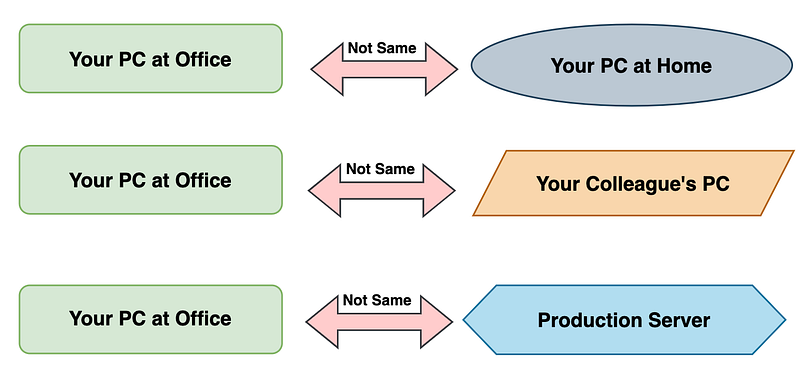
The development environment of your PC is different from the one you got at home. Say it has node v12 and your app needs v14. You can’t upgrade to v14, you got other projects on your home PC using v12… 😕
Your colleague’s PC has no capacity to install new packages your app needs..😕
The production server has other apps running on it, and your app’s dependencies are clashing with other apps running there too…😕
I think… by now, you got the problem. The development environment tends to vary greatly from system to system, and this apparently easy task of shipping your build apps to other systems is not that easy after all! We don't want a whole mess of uninstallation and installation every time we have to deploy our app anywhere!
No worries…. Docker🐳 to the rescue!🦸
What is Docker🐳 ?
Now is a good time to ask, what is docker?
It will help you solve the problem of varying development environments for app shipping and deployment.
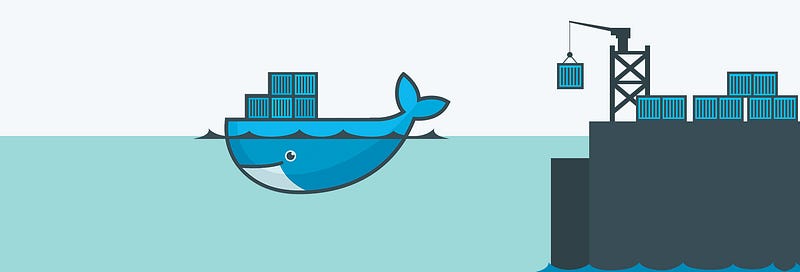
Docker🐳 is a technology to create and manage containers.
Wait… what?
A container is nothing but a software unit, i.e. your node app's code, and its dependencies. Containers allow execution of your app in isolation, anywhere in the world, by anyone, without you worrying about the environment set-up….. Ain’t that just awesome!🤩
How does Docker🐳 do the magic?
Docker🐳 is a container management framework, it allows you to create, share and manage images and containers. But what are containers and images in the first place and how do they allow us to solve the problem of varying development environments?
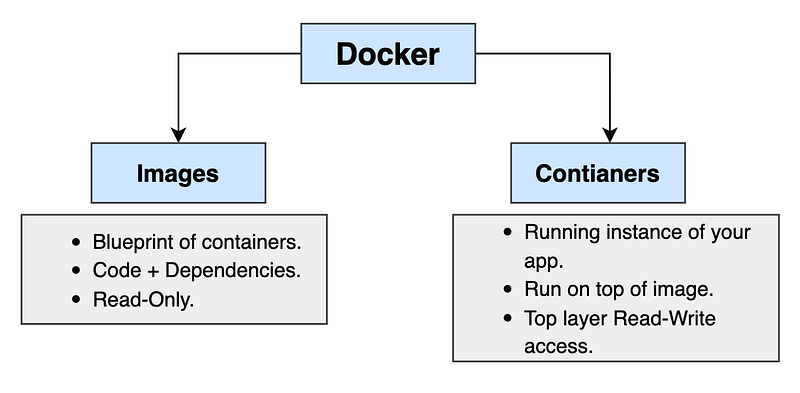
Images 🖼️
Of course, images are not framed pictures 😁… Just remember three things:
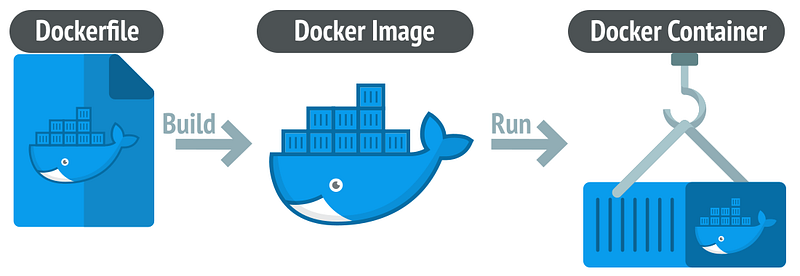
a. Images are blueprints/templates for a container.
b. It contains your code and its dependencies.
c. You can run a container on top of an image, to run your application.
Containers 📦
You see docker’s logo in the image up there. It has a whale carrying “Containers” across the sea from one country to another. That is exactly what a container is….
It creates an isolated environment for running your application at the host machine using information (code + dependencies) from the image. It’s a running unit of your application.
With containers and images, you won’t have to worry about installing and uninstalling dependencies on a host, before running your application there. You simply create an image (snapshot of your running app i.e. code+depedencies) and share it with person X. Mr. X can now simply spin up a container on top of that image and can run your app, without having to worry about anything!🧡
Docker 🐳 SetUp ⚒️
Enough with the theory, we will set up docker on our systems and dockerize a simple hello-world node app to see it in action, and to understand it better.
If you are on mac… it is pretty straightforward to set docker up. You just need to go to download the Docker desktop from its official site, install it, and start it. If you see a cute little whale icon at top of your toolbar and click on it says it’s running…. you are all set!
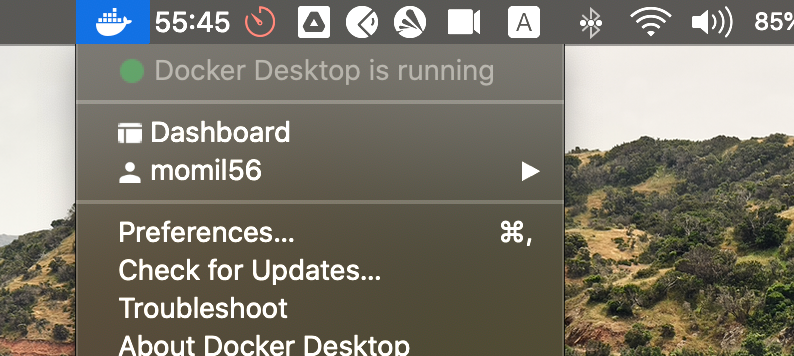
For a detailed setup walkthrough, you can refer to the following resources:
☑️ Windows Installation 🏠
☑️ Linux Installation 🐧
☑ ️MacOS Installation 🍎
🚀 ️Let’s Dockerize!
To dockerize an app, you need to follow the following simple steps.
- Write an image
- Build the image
- Run container based on build image
- Share the image with anyone you want to show your app.
For following these steps we will dockerize a dummy hello-world node application. You don’t need to know node or JS to follow along, just focus on the dockerization.
Dummy Hello-World Node app
This dummy node app comprises of following files. The main NodeApp folder, with server.js and package.json files in it.
-- NodeApp
  | server.js
| package.jsonServer.js is a simple hello world app, that prints a message, when you visit localhost:3000, as the app is listening on that port.
package.json comprises a list of the dependencies you need to run this app. We can see we need a specific version of express to run this app.
Dockerizing our app
To dockerize this app we need to follow the steps mentioned below:
a. Write an Image
To build the image for our app, we need to create an empty text file with the name “Dockerfile” in the app’s working directory. And write the following script in it.
Let’s quickly analyze what is happening in this file. As mentioned earlier, an image is a blueprint of a container, and it contains code and dependencies for our app. Well this Dockerfile, is giving instructions on how to create that image. It is a precise set of steps we need to follow to create the environment anywhere in the world, where the app needs to run!
Layer 1 — FROM : imports from the base image Node, which is an image of NodeJS runtime, publicly available on Docker hub, where all such images are hosted. Node app needs node to run, if it were a python app, you would import FROM python.
Layer 2 — WORKDIR : Creates a working directory /app in the local file system of the container, here all our code for the app would be copied.
Layer 3 — COPY: Here we are copying package.json flie into the local file system of our container.
Layer 4 — RUN: We need to install all dependencies listed in package.json before being able to run a node app, that is exactly what this line is doing. Run npm install would run this command in the container, once the image is built and will install all these required packages in our container’s isolated environment.
Layer 4— COPY . /app: This line is copying all our app’s code, server.js and package.json file into the /app directory of containers’ local file system.
Layer 5— EXPOSE: Since node apps need to be exposed on a certain port, we have exposed the same port on our container as well.
Layer 6— CMD : The difference between a run and CMD is that RUN executes when we built our image and CMD executes when we run our container. You put environment setup instructions in the RUN part, and CMD includes instructions to run your app, like python app.py or for node apps, it’s node server.js
And that’s that!
Lets’ see this image in action now!
b. Build the image
Now we need to build this image file we just created. You can do that using docker’s CLI commands. Make sure that you start the docker desktop app before running these commands though.
Open a new terminal in the app’s workdir and type the command:
docker build .
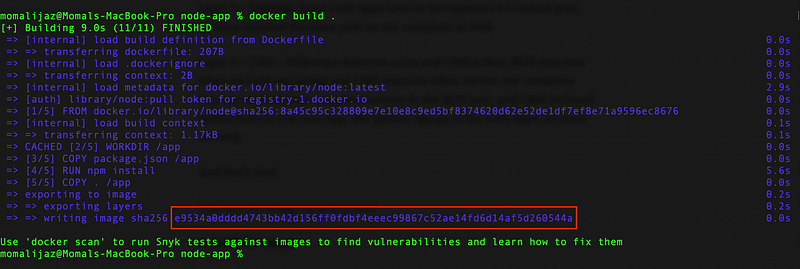
This command builds your image and you get to see a long id in the end, that is id of the image you just built… save it.
c. Run a container
Now that our image is ready we just need to run a container on top of that image and we would be able to run this app, even though we never installed node or express on our system, in the process so far.
docker run -p 80:3000 -d e9534We run this command in the same folder, -p flag is used for exposing the local host’s port 80 to docker’s 3000 port. Something you need for node apps. e9534, are a few initial letters from the image’s id, which we built in the previous step.
- d allows running your container in detached mode so that your terminal is not stuck after your start running the container.
d. Let’s check!
Now all you need to do is go to localhost:80 and see a functional web app like this one.
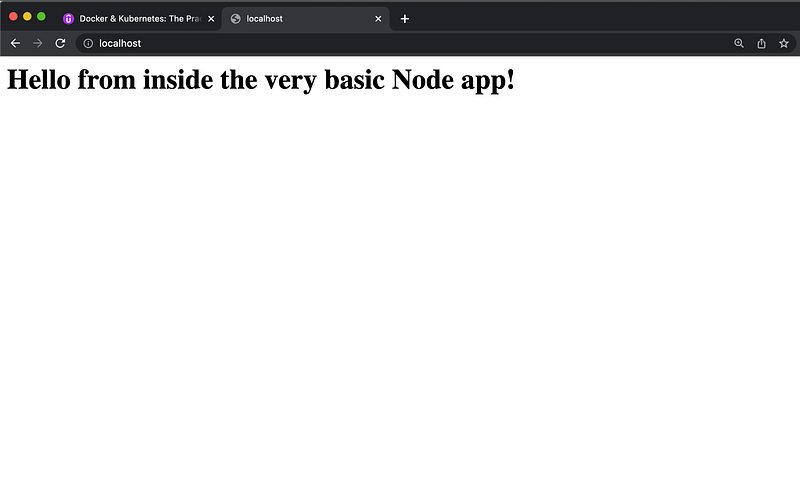
If you want to share your app with others, all you need to do is share the built image by hosting it on the docker hub or share the DockerFile and your code repo, for them to build the image locally.
All the host machine needs is a running docker desktop and a CLI, once they get the image, they will just spring up a new container on the image you shared using docker run and they can see your app running at their system without worrying about all dependencies and env setup chaos!
Wanna dive deeper into how to share your images privately and publicly using Docker hub and share data across containers…? Stay tuned for the next article
Happy Learning! 💖