
DMARC — Required By February — It’s boring but you have to do it!
New Email Settings Required By February

I know this is boring, but if you send any email in bulk, and by bulk, I mean anything via an email service provider, you need to have certain things in place by February, or you could be in trouble.
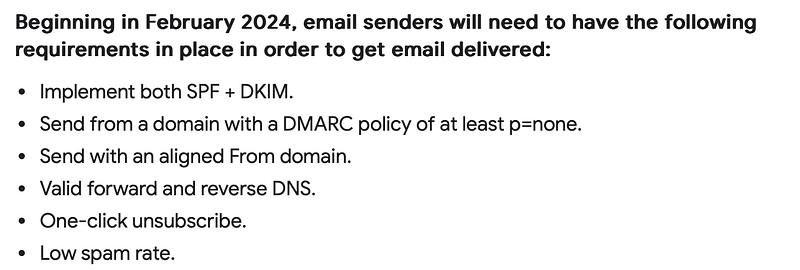
I’ve just spent the last couple of weeks trying to get all the DKIM, SPF and DMARC stuff working on my email account, and it’s been a grind.
The problem is everything needs to be aligned… which means if you send from ABC.com, then all three records must reflect that.
That can actually be an issue because your Email Service Provider may make it look like emails come from ABC.com but they are actually coming from one of their addresses.
This will result in DMARC failing
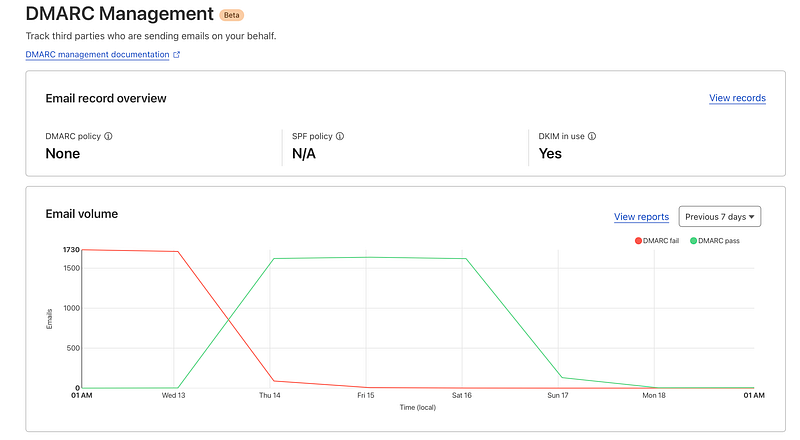
That graph shows that until I finally got everything in place and aligned (Wednesday 13th) I had a 100% fail rate.
This was problematic, especially as I had followed my Email service provider's instructions!
How to set up DMARC, SPF & DKIM
This is how I finally set everything up and got it working, My email provider is convertkit.
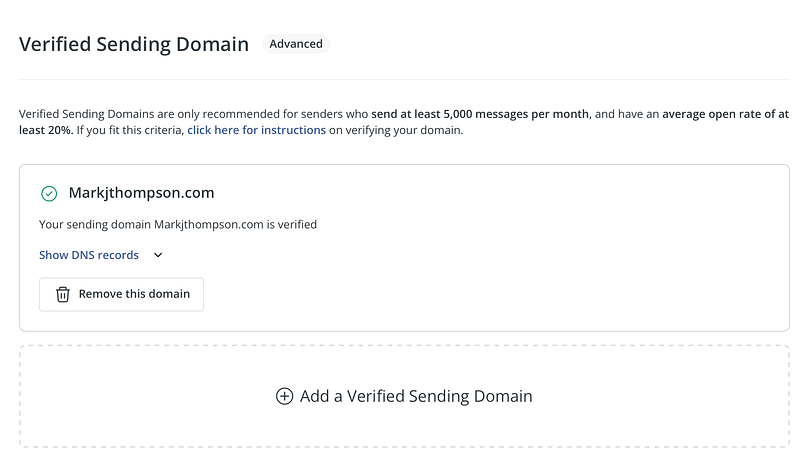
Step 1: Verified Sender Domain
Convertkit doesn’t make having a verified sender domain set up a priority. They give you warnings that your delivery rate may go down.
Ignore the warnings and set it up. You’ll find it under domains in the settings.
Step 2: Configure your DNS
It's time to get techy you’ll need to add settings to your DNS for all 3 settings: DMARC, SPF & DKIM.
I STRONGLY recommend you use a free Cloudflare account and set things up there. They have added a DMARC tool and will configure your settings for you.
Take the SPF and Dkim settings from convertkit. They are included with the Verified Sending domain, where it says to show DNS records.
Now, add them to your DNS settings.
For DMARC I recommend using Cloudflare’s Dmarc management tool to create your DMARC settings
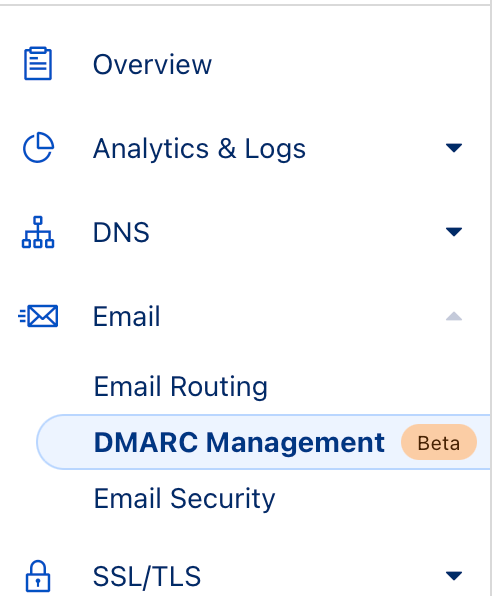
This will give you everything you need; if you are using your ESP’s SPF & DKIM settings, ignore the ones cloudflare give you and just use their DMarc settings.
After doing all this (and removing the Cloudflare spy/dkim settings I originally added) everything worked fine for me.
Final Tweak
You should set up a folder in your email for DMARC failures. I was getting hundreds of these a day originally, but it’s calmed down now, and it does help indicate if you have issues.
If you are having issues, reach out, and I’ll see if I can help you. You can also get advice and general online marketing help in my Free Community — The Launchpad (don’t be scared .. we are friendly!)


