
Django: Use migrations to populate data to the server or Docker
A simple way to create default data
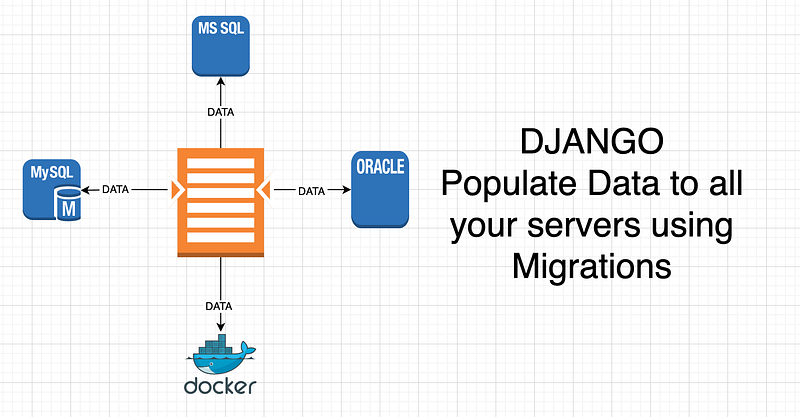
In almost all projects, you need to populate the database with some default data. You may also have a table with some constants that should be up to date and should be absolutely the same on all your servers, including localhost and docker.
For this, you may create migrations. Surprised? Stay tuned!
What are migrations?
Say, you have set your models up, and now you need to create the corresponding schema in your database: create tables, create columns etc. This will be your initial database setup.
What do you do? You create migrations:
python manage.py makemigrationsWhat happens next? A special file with the name 0001_initial.py is created. This is a Python code that connects to your database and creates new Tables and Fields in these tables. To execute this code, you run:
python manage.py migrateThen you push this file to your git repository, pull it to the server, and run the “migrate” command again. The migration file is already there and the command will run to create the same tables and fields.
What’s next? You add a new model, change fields, create indices, etc. To reflect these changes into your database you need to run “makemigrations” again to create a new file that will make these changes in the database, and then run the “migrate” command to execute it.
The best part here is that Django writes the migrations that have already been executed into your database, so the next time you “migrate”, it only executes the new migration files and ignores the old ones.
In this article, we see how to use migrations to populate data, not only the DB Schema.
Creating empty migrations
So we need to create a migration that will be used for data creation. And we do not create a file in the “migrations” folder manually. Instead, we run this command (substitute “app” with any of your applications inside your project):
python manage.py makemigrations --empty appYou should see something like this:
Migrations for 'app':
  app/migrations/0014_auto_20210904_1000.py
Great! Now you have a migration that has nothing to do with your database schema! And, sure, it will be executed if you run the “migrate” command.
What do we have inside? Let’s have a look:
# Generated by Django 3.2 on 2021-09-04 10:00

from django.db import migrations
from app.models import Word

class Migration(migrations.Migration):

    dependencies = [
        ('app', '0013_auto_20210903_0936'),
    ]

    operations = [

    ]
It has already specified the dependency. This means that in this case, the migration will only be applied if 0013_auto_20210903_0936 is successfully executed.
Adding a custom function into the empty migration
That empty migration has no operations inside. Let’s implement a function that we want to run and include it into the “operations” list. Say, we want to add an instance of a Word model:
from django.db import migrations
from app.models import Word


def create_a_word(apps, schema_editor):
    word = Word()
    word.word = "Migration"
    word.save()


class Migration(migrations.Migration):

    dependencies = [
        ('app', '0013_auto_20210903_0936'),
    ]

    operations = [
        migrations.RunPython(create_a_word, migrations.RunPython.noop)
    ]
The code does not need any comments. Except for the one thing: RunPython.noop. What is that?
The RunPython function needs two arguments: what to do when you "migrate", and what to do when you "revert" the migration. In this case, we have specified that we don't want to do anything if the operation is reversed. But we may as well delete the instance that we have created here. Let's see how.
from django.db import migrations
from app.models import Word


def create_a_word(apps, schema_editor):
    word = Word()
    word.word = "Migration"
    word.save()


def delete_the_word(apps, schema_editor):
    Word.objects.get(word="Migration").delete()


class Migration(migrations.Migration):

    dependencies = [
        ('app', '0013_auto_20210903_0936'),
    ]

    operations = [
        migrations.RunPython(create_a_word, delete_the_word)
    ]
Now, how does one reverse a migration? You need to run the “migrate” command by specifying the last migration you want to be applied. So, in this case, it would be the migration 0013:
python manage.py migrate app 0013And you get this message:
Unapplying app.0014_auto_20210904_1000... OKIf you now run the server and have a look at the table, you may notice that the row is deleted.
Why is it better than a Django Command?
Yes, many developers use Django custom commands for this. The problem with that is being sure it was executed only once for each database.
Say, you need to be sure that some data is populated with Docker being started. You add something like this to your docker:
command: bash -c "python manage.py migrate && python.manage.py create_a_word && python manage.py runserver 0.0.0.0:8000"But then you need to check if the rows are not there yet, otherwise, you may get a new row every time your docker is started. Unless you want to count how many times your docker was started, I don’t think you need this.
Make sure to subscribe to my blog if you liked this article. I have other useful articles on Python, go have a look!
Thanks for reading!


