
DIY Website Designers Are Quietly Killing Their Success. Don’t Be Like Them.
Here’s everything the self-taught website designer gets wrong and how to fix it.
I know you can't afford to have a professionally designed website. That doesn’t mean you’re failing, by the way. It’s a reflection on the current state of doing business.
You could say I know this predicament better than most.
I used to be one of those website designers charging thousands of dollars for an online presence that doesn't guarantee you’ll make a single cent the day you publish.
It's been hard to watch many business owners fail because they've had to invest so much money in a website.
Though it's not the website designer's responsibility to gain new traffic and make sales, it can feel that way when you invest all that money.
I don't blame you for looking for a DIY option or for considering a website design platform like WIX.com.
Actually, it’s how I became a website designer in the first place. I became proficient in the DIY program, and people wanted my help to finish or edit their designs.
Having worked as a website designer for nearly ten years (now retired), I have much experience with DIY designers like yourself.
I understand the problems that you're facing right now.
I appreciate the mistakes you're making, even the ones you don't know about yet.
I'm about to relaunch the website, and I've been thinking a lot about people's mistakes when they're in my position.
I don't want you to end up as a DIY failure.
Let's discuss the most common mistakes in website design when you’ve designed it yourself. And, at the end, I give you my tips on not letting these mistakes be your downfall.
Head in the sand
DIY website designers often fall into the trap of becoming too emotionally attached to their design.
I appreciate how hard it is to put a website together. If you’re not trained to do it, figuring out how to add text to a blank website is a monumental feat.
You should be celebrating.
But when someone (a friend, family member, or disgruntled customer) offers advice about changing the design or bettering the functionality, DIY designer users tend to avoid listening.
Even if the person is making a valid point.
Here’s the thing about their feedback: it’s not a personal attack on you.
- They’re not giving you this feedback to hurt you (most of the time). They’re pointing out problems to help you.
- Imagine a situation without the feedback. If you want to make money, you need to hear the feedback. If parts of your website don’t work, wouldn't you rather know?
- Every website needs improvement. Your website is no different from anybody else's. It's part of being a business owner with a website.
- Becoming emotionally detached from your website will help you see the areas that need improvement. You'll eventually learn to see the errors yourself rather than needing feedback from people.
The more you bury your head, the worse the situation becomes, and so does your website, too.
Stay out of the sand.
A Relationship With SEO
I've met many DIY designers who don't think SEO applies to them. They think it's something that the website program should take care of for that. Someone else handles it for them.

I've never understood who this magical other person is or how they know your SEO needs handling. But apparently, according to many DIY designers, they exist.
Well, the SEO of your website is on you. I won't get into the specifics of search engine optimisation or how to apply it to a website. But I will say it's incredibly necessary if you want to:
- Get discovered by your ideal customer
- Rank highly on Google
- Make sales through your website with organic traffic
- Have any hope of competing with other businesses like yours
This might be a section of marketing your business that you don't know how to do. Like everything else, you need to take to the books and learn it. Or if you can't do that, you need to hire someone to do it for you.
You can hire professionals to edit your website to include the necessary SEO details you're missing. You can also have marking professionals help you with paid marketing strategies to improve your search engine ranking.
In short, though, ignore this side of your website at your peril.
Functionality? Huh?
Most DIY website designers think building a website is all about being creative. They assume:
- You need to be good at matching colours and fonts together
- You need to be good at picking pictures or taking photographs suitable for your audience
- You need to be a graphic designer or someone who can produce cool effects on our website
Designing a website is a 50-50 exercise. Half of it is about the creative and aesthetic side of a design. The other forgotten and ignored half is functionality.
Boring old functionality.
On a website, functionality means:
- How will people use your site? Are they using it to seek information about the business? Are they using it to make purchases directly through you? Are they using it to book an event?
- How will they get from A to B? How will a user on your website go from the homepage to find information about your opening hours? Or how long it takes for a product to be delivered? How will a user go from the homepage all the way through to the confirmation page on a booking website?
- How will you make it easy for the user? What buttons, links, or menus will you implement to make navigating your website straightforward?
- What will prevent them from using the site? What are the likely problems associated with using your website, and how can you offer solutions in advance?
You can see how important these things are. Become just as fixated on these areas as anything else.
Social link problems
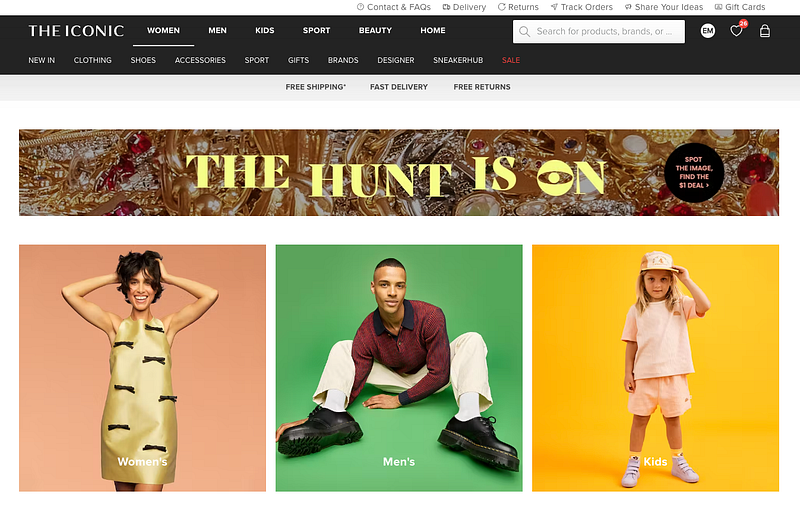
Whilst on the subject of testing links, many DIY designers forget to include important links to their social media accounts or other important external content.
Customers visit your website to find this information; leaving it behind is a huge oversight. If this is something you’re specifically concerned about, I suggest:
- Following checklists online about what essentials you need on your website (I’ve compiled some for you here)
- Researching the essentials of a business website
Education will get you out of this situation. You’re not expected to know before you start, but it’s irresponsible to push forward without closing the gap in your knowledge.
It’s free, right?
Many of my former clients complained about paying for the website design platform they were using. They believe their hard work entitled them to a discount because they designed the website from scratch.
I compare these DIY website design platforms to a supermarket. It's free to walk around and look at all the products they sell, and it's free to build a trolley full of things that you want.
But if you want to take that trolley out of the supermarket, you must pay.
What you're paying for is the program to host your website for you. You're paying for your slice of the Internet.
Even though social media websites allow you to have a little free slice of the net, you don't own it. With a website, you have complete ownership and pay for that luxury.
I'm not making any money from any company by saying that. It's not some big conspiracy theory designed to catch you out and get more of your money.
It's just the way it works. Don’t try to change it; you can’t.

Paying for website design help? No.
My time as a website designer has given me insight into what people are willing to pay for help with their websites.
That number is very small.
I have had people tell me that they shouldn’t have to pay more than $100 for a professionally designed five-page website.
Here's the thing about being a DIY website designer for your business. You will likely need help at some stage, and that help is never free.
Every website designer you work with is either self-employed or works for an independent design company. They don't work for the platform on which you've designed your website.
And if they happen to work for Wix, WordPress, or Squarespace, they will still charge you for the help.
What mobile design?
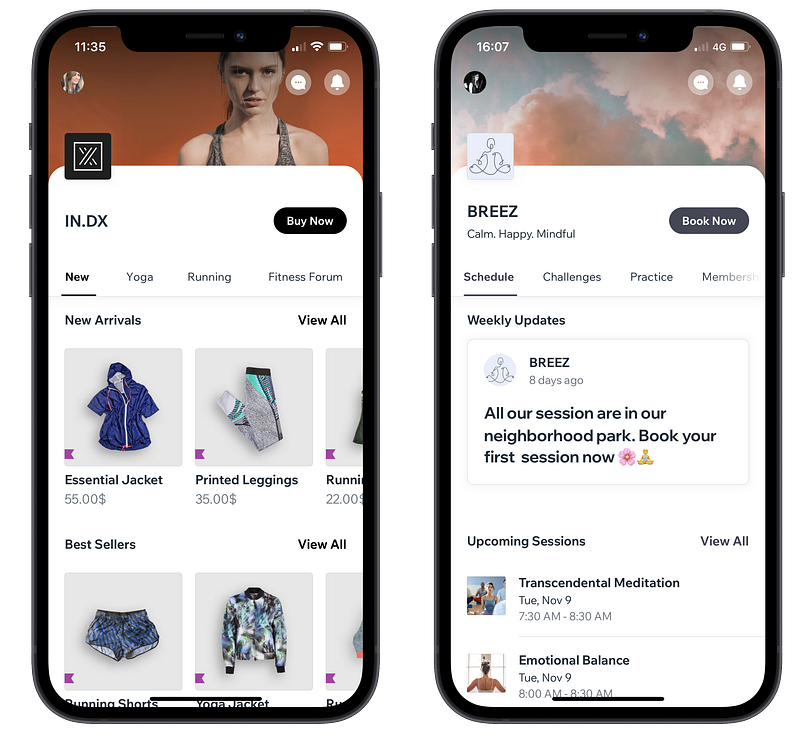
It's probably the thing on this list that bugs me the most — the mobile website design is often the most overlooked area for DIYers.
I understand that without website design training, you won't know that a mobile site is separate from the main website. What I mean by that is your website design normally requires separate modifications to fit a mobile screen.
Some programs will automatically size to a mobile or tablet screen. But a lot will size it incorrectly and will require you to quality control those changes.
It's a dead giveaway when an amateur designs a website. One look at the website on the mobile phone version, and you know a professional hasn't created this website.
It is not that a website has to be designed by a professional for it to be successful. But if you want your customers to take you seriously, the more professional you can appear, the better.
Testing problems
Testing is a vital part of the website design process. During testing, you pretend to be a customer on your website and use every single section.
And when I say everything, I mean:
- You click every button and check where it goes
- You pretend to make a purchase, going through each step right to the end
- You submit a query through the online forms
- You make a fake booking on your website
- You enter search terms into the search bar and see what comes up
- You open blog articles and see how they load
- You go onto the mobile website and see how all of that functionality works on the mobile version
- You open every image and see how it loads
- You click play on every single video and see how it loads
Many self-designers don't even consider testing their websites. They assume that because they've created it, everything will work as they set out.
Even if you've done everything correctly from the start, glitches happen, and things don't work as you thought they would.
You wouldn't release a product to the public without testing it first.
Your website is just another product of your business.
Attention to the wrong details
You become very particular about what you're creating when you're the designer. I get it. It's taken you a long time to dream up the vision of your website and then get it onto the page.
You want everything to be perfect.
DIY designers tend to take this perfection to another level.
In my experience, they become bogged down in small intricacies, usually of their design. They care more about:
- The shape of a button
- The colour of the heading of the website
- The style of the footer menu
- The specific image used on a contact page
- The gap between two pictures being completely even
Rather than caring about:
- Whether the website does exactly what you've promised that it does
- Whether the functionality is seamless for a user
- Whether the website conveys the right message to a customer
- Whether the website actually appeals to the right customer
- Whether the website converts potential customers into paying ones
As you can tell, it's small-picture problems versus big-picture problems. Always focus on the bigger picture.
Blame Game
I spent a lot of my time as a website designer defending design programs. In reality, I should've been paid by them because I felt like their defence lawyer or PR person.
I would see the program getting blamed for anything and everything that went wrong with the design process.
There are many user errors in the design process. These are mistakes that the “designer” has made and that have nothing to do with the design program they’re using.
These could be things like:
- Blaming the program for a blurry image when you uploaded a low-quality picture
- Blaming spelling mistakes on the program when you've typed in the wrong text
- Becoming infuriated at the hosting program for deactivating your website when you hadn’t paid your bill
- Assuming the website is broken because a customer can't check out when, in reality, you forgot to load inventory into the online store. Or the customer doesn't know how to use its online store and then blames your website for being “too difficult to use”
The blame game will derail your success as a website owner. The website platform doesn't know you from a bar of soap. They're not out to get you or sabotage your progress.
What's happened will likely have nothing to do with their involvement on your website.
The call to action?
Over everything else on your website, your call to action is the most important.
A CTA (call to action) is the text/copy/phrase/direction that tells your visitors to take action on your site. It tells your visitors what you want them to do.
On a website, it’s things like:
- “Subscribe to our newsletter for exclusive updates and offers!”
- “Start your free trial today and experience the difference!”
- “Join our community and connect with fellow enthusiasts!”
- “Shop now and discover your next favourite product!”
- “Book your appointment now to secure your spot!”
- “Follow us on social media for daily inspiration and news!”
- “Download our eBook to unlock expert tips and insights!”
- “Request a quote, and let us tailor a solution just for you!”
- “Sign up for our loyalty program and enjoy rewards with every purchase!”
- “Contact us for personalized assistance and support!”
When you're using a DIY website program, there won’t be a warning before you hit publish on your design, stating, “You don’t have a call to action”.
It doesn't have the capability to read the subtleties of your design and check whether you've hit this milestone. Only a human can do that.

Basic Editing
Owning and designing a website comes with huge quality control responsibilities. You have to check everything, even the smallest detail, before your customer inevitably finds it.
DIY designers tend to forget this role in the design process.
I’m not talking about the roundness of a button like I mentioned before. I’m referring to issues like:
- Spelling and grammar — Is your text error-free? Basic mistakes like spelling and grammar do happen, but for the few moments it takes to run your work through a spellchecker or have someone else read it for you, it makes all the difference to your end result.
- Self-auditing the content — What do you need on the website, and what is a gigantic waste of space? Is your website too big? Or is undercooked and missing information?
- Poor-quality images—How good do the pictures look? By the way, this isn’t a case of good being good enough. Pictures need to be high-quality to go onto a website. There’s no negotiating this fact, but you have to make your images adhere to this requirement.
- Correct details — Are the contact hours on your website actually your contact hours? Is the phone number right? Is the address right? Is the sizing chart right? Are you stock quantities right?
Remember how competitive the website world is now. Anyone can own a website, and you are competing with ever-shortening attention spans.
Don’t make it hard to keep your visitors' attention with silly quality control mistakes.
High expectations
I thought my first site was the bee's knees. I thought I would be at the top of Google in a day, that I could get 100,000 visitors in my first month, and everyone would be talking about my site.
Why did I think this? Why do so many DIY designers/business owners think the same thing?
We could debate the reason all day (I have my theories, by the way), but it doesn't change the fact expectations are the enemy. The higher they are, the harder you fall.
Success with your website depends on three elements:
- How hard you’ve worked to promote your website, or how much you’ve invested in website traffic
- How much you prioritised SEO, and how you’ve implemented your SEO strategy
- How much time had elapsed since launching
As you can tell, these are ‘how long is a piece of string’ variables. They differ for every website and each specific business.
I always hated giving my clients the reality check, having to tell them their success would take time and that the real work had only just begun. But it’s no different to anything else in our business.
Solving your DIY troubles
This list contains many issues. By the way, thank you for sticking with it.
There is no one-size-fits-all approach to avoiding these mistakes. Yet, there are some general design rules and principles that, if you follow, will eliminate the biggest mistakes and unravel your success.
I promise the following rules will put you on the right path with your website.
- Create a website based on what your customers want and need — If you give them what they want, you can’t go wrong. This will also prevent you from making decisions that appease what you like rather than what your customer wants.
- Test your design at every single step — If you’re not testing more than you’re designing, you’re doing it wrong. Continually check each part of your website works as you need it to. Work to a plan which should help you map your website before you start. Use this same plan every time you update your website, too.
- Allow others to test the design and take their feedback seriously — Your website is for your customers, for other people to love and use. Ensure other people understand what you’re trying to achieve while ensuring your website appeals to the right customers. If they don’t understand it, even if you do, back to the drawing board.
- Act like a marketer — If you’re unsure what photo to include on your home page or what order your menu should be in, think like a marketer. Ask yourself, what will sell better? What will make me more money?
- Get help — If you don’t know how to create, manage or market your website, seek help. Use the experts who know website design inside out to your advantage.
If you want to see more real-life, real-time stories of building a business, I share my professional rollercoaster on TikTok: https://www.tiktok.com/@ellenjellymcrae


