
Disabling AirDrop and on MacOS
Continuing on in my saga to reduce network noise on a Mac
~~~~~~~~~~~~~~~~~~~~~~~~~~~~~~~~~~~~~~~~~~~~~~~~~~~~~
⚙️ Check out my series on Automating Cybersecurity Metrics | Code.
🔒 Related Stories: OS and IoT Security | Network Security | Apple Mac Security
💻 Free Content on Jobs in Cybersecurity | ✉️ Sign up for the Email List
~~~~~~~~~~~~~~~~~~~~~~~~~~~~~~~~~~~~~~~~~~~~~~~~~~~~~
Still trying to eliminate traffic blocked on my network on my Mac.
In the last post I disabled Bonjour but was still seeing traffic on port 5353.
In this post I went seeking information on how to disable AirDrop as that is definitely not something I need or want on this particular computer.
Once again I found this information on the Tenable website. Their tool scans for such things. I’m not paid to say that or promoting it just letting you know what Tenable is if you’re not familiar. Their blog posts have been handy.
sudo -u <username> defaults write com.apple.NetworkBrowser DisableAirDrop -bool trueWhat is interesting is that I ran this command:
lsof -i And I see a bunch of sharingd services running:
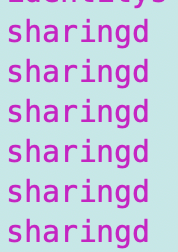
I read those were related to air drop and thought once I disabled it they would go away, but upon restart they are still there.
Let’s try a complete reboot. Nope still there.
Next I try this command:
lsof | grep sharingI’m still seeing airdrop related things here:
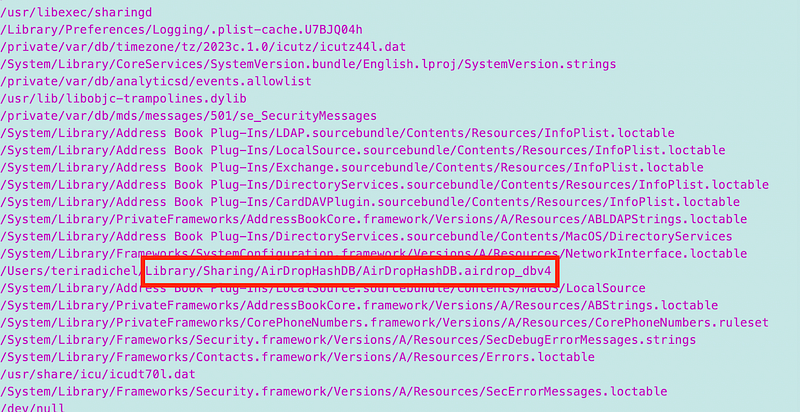
Well, I also found this post randomly:
That says you can disable being discovered using this command:
defaults write com.apple.sharingd DiscoverableMode "Off"I added that to my start up script as well.
This is an interesting command you can use to see everything that’s loaded:
ls -al /System/Library/LaunchDaemons/Well I disabled a few things but more research to do on this point.
Unfortunately still seeing multicast traffic blocked on 5353 and that weird LLDP traffic.
At first I was only seeing the above on when I connected to the Ubiquiti UDM Pro but now I’m seeing on another network as well. Trying to figure out what is going on there still in between other things I’d much rather be doing.
I used to be an expert at every single thing running on my Windows system and I knew exactly what was and was not supposed to be there. I can’t say that I’m at the same level with my Macs — yet.
Stay tuned if you’re interested in this topic.
Follow for updates.
Teri Radichel | © 2nd Sight Lab 2023
About Teri Radichel:
~~~~~~~~~~~~~~~~~~~~
⭐️ Author: Cybersecurity Books
⭐️ Presentations: Presentations by Teri Radichel
⭐️ Recognition: SANS Award, AWS Security Hero, IANS Faculty
⭐️ Certifications: SANS ~ GSE 240
⭐️ Education: BA Business, Master of Software Engineering, Master of Infosec
⭐️ Company: Penetration Tests, Assessments, Phone Consulting ~ 2nd Sight Lab
Need Help With Cybersecurity, Cloud, or Application Security?
~~~~~~~~~~~~~~~~~~~~~~~~~~~~~~~~~~~~~~~~~~~~~~~~~~~~~~~~~~~~~
🔒 Request a penetration test or security assessment
🔒 Schedule a consulting call
🔒 Cybersecurity Speaker for PresentationFollow for more stories like this:
~~~~~~~~~~~~~~~~~~~~~~~~~~~~~~~~~~~~~~~~~~~~~~~~~~~~~~~~~~~~~
❤️ Sign Up my Medium Email List
❤️ Twitter: @teriradichel
❤️ LinkedIn: https://www.linkedin.com/in/teriradichel
❤️ Mastodon: @teriradichel@infosec.exchange
❤️ Facebook: 2nd Sight Lab
❤️ YouTube: @2ndsightlab


