
Did You Know — We Can Easily Deal With Multi-Nested Folders In Python
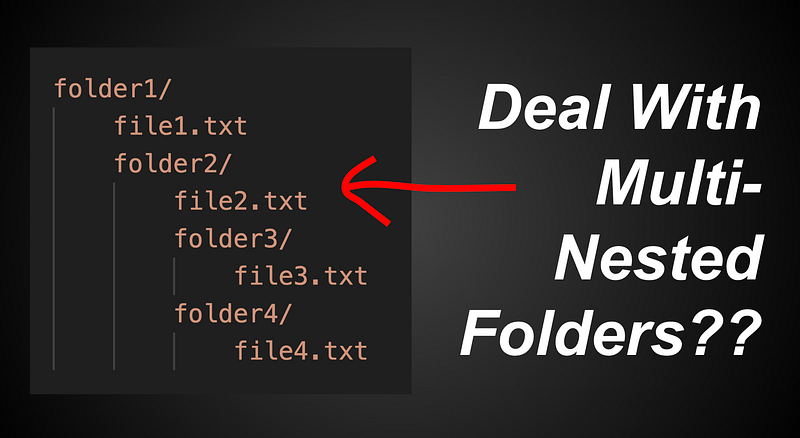
Sooner or later, you’ll probably need to read a bunch of files using Python. This is pretty simple if they are nicely put in one folder.
folder1/
  file1.txt
  file2.txt
  file3.txt
  file3.txt
^ here, we can simply use os.listdir to do the job
import os

for filename in os.listdir('folder1'):
  filepath = 'folder1/' + filename
  print(filepath)

# folder1/file1.txt
# folder1/file2.txt
# folder1/file3.txt
# folder1/file4.txt
And here, we can use with open(filepath) as f to actually read the stuff inside the file paths.
But what if we have a messy nested folder of stuff?
Dealing with nested folders
folder1/
    file1.txt
    folder2/
        file2.txt
        folder3/
            file3.txt
        folder4/
            file4.txt
^ here we have a multiple nested folder, and if we use os.listdir('folder1'), we get ['file1.txt', 'folder2']
Notice that we do not automatically expand folder2 to find the other nested files and folders inside. Which is a problem, as do we really wanna write out the logic to parse every file inside?
technically we can, but there’s a much simpler way
Introducing os.walk
folder1/
    file1.txt
    folder2/
        file2.txt
        folder3/
            file3.txt
        folder4/
            file4.txt
^ our nested folder
import os

for root, subfolders, filenames in os.walk('folder1'):
  print(root, subfolders, filenames)

# folder1 ['folder2'] ['file1.txt']
# folder1/folder2 ['folder3', 'folder4'] ['file2.txt']
# folder1/folder2/folder3 [] ['file3.txt']
# folder1/folder2/folder4 [] ['file4.txt']
^ and here, notice that we have managed to recursively list out all nested files and folders inside folder1 using os.walk
import os

for root, subfolders, filenames in os.walk('folder1'):
  for filename in filenames:
    filepath = root + '/' + filename
    print(filepath)

# folder1/file1.txt
# folder1/folder2/file2.txt
# folder1/folder2/folder3/file3.txt
# folder1/folder2/folder4/file4.txt
^ and if we tweak our code a bit, we can list out every single nested file (and its file path).
And at this point, if we wish to read their contents, we can simply use with open(filepath) as f to do so.
Conclusion
And thus with os.walk, we can now easily parse through messy convoluted nested folders of stuff. Hope this was helpful in some way!
If You Wish To Support Me As A Creator
- Clap 50 times
- Leave a comment
- Highlight your favourite part of the story
Thank you! These tiny actions go a long way, and I really appreciate it!
YouTube: https://www.youtube.com/@zlliu246
LinkedIn: https://www.linkedin.com/in/zlliu/
My Ebooks: https://zlliu.co/ebooks