
Dictation as an Alternative to Typing — and Helpful Apps
It can save both time and effort, and it benefits those with health issues
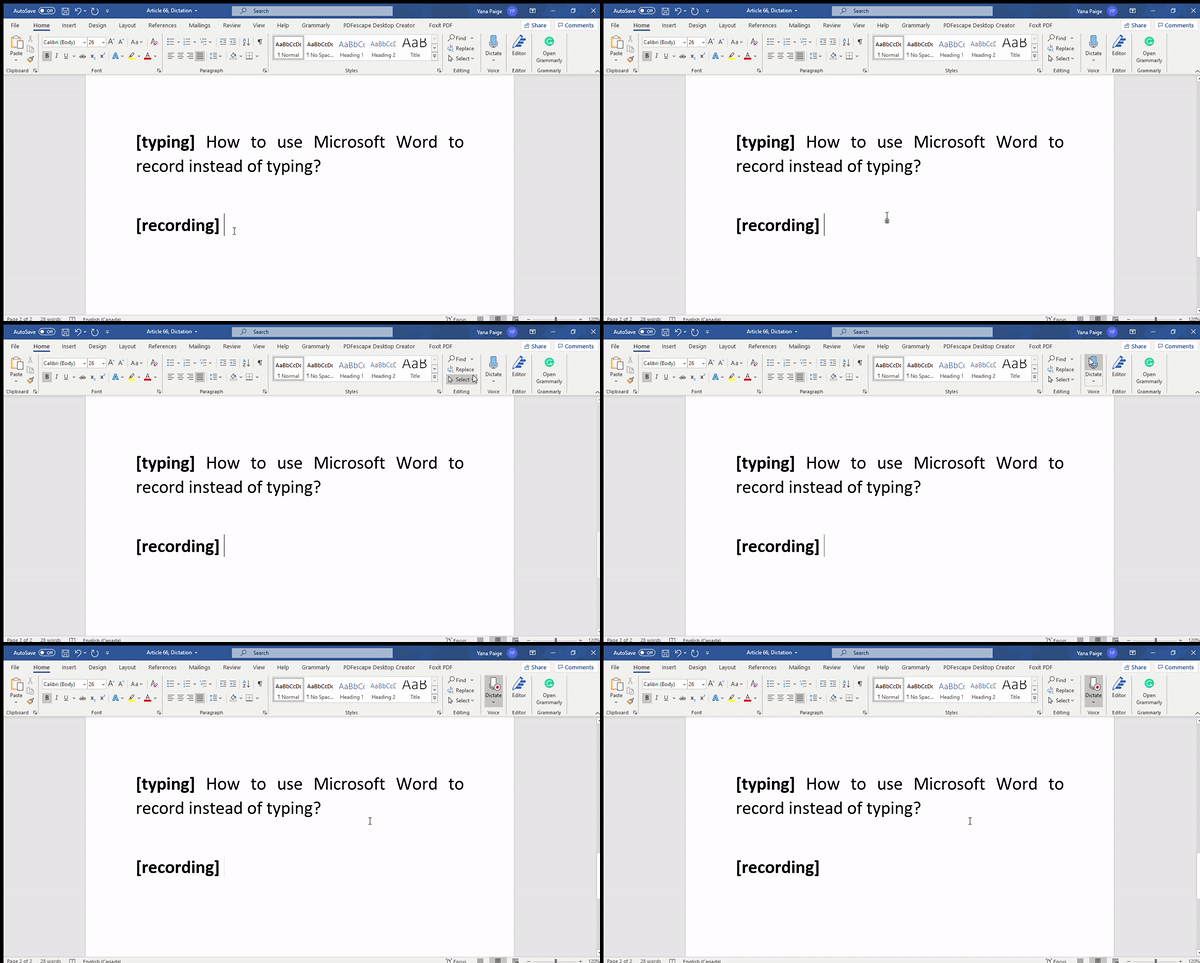
Writing is my passion. I suppose a lot of Medium members can relate to that, as we have a lot of writers, journalists and authors. We all work very hard, expressing our creative ideas and looking for new artistic venues.
Writing requires a lot of time and effort. There is also some physical work involved: after writing for an extended period, you start experiencing fatigue, or even a little bit of pain. Unfortunately, some of us have certain health issues, which can affect our writing capabilities. I, for example, have carpal tunnel symptoms, which developed at one of my previous jobs. Typing can be a struggle, especially when you type a lot. Due to that, I’ve always been on the lookout for ways to make my life easier and reduce the pain.
Technology has benefited me a great deal. Today, I would like to tell you about the life-changing feature of dictation.
What is dictation?
According to the Merrian-Webster dictionary, dictation is “the act or manner of uttering words to be transcribed. technological progress allows us to use this feature in our daily lives, particularly on our phones and computers.”
Quite recently, we received the opportunity to dictate text and messages on our phones, as opposed to typing them out. The same option is available on our personal computers — for example, by using Microsoft Word. Instead of typing a ton of text, all you do is click on the “Dictate” button — and everything you’re saying transforms into text.
The benefits of dictation
As mentioned above, the primary benefit of utilizing the dictation software is health benefits. You may think you will never experience those, but quite a few office workers report having wrist-related complications, such as a carpal tunnel. Even if you’re young, you might be at risk. Make sure to talk to your doctor if you start experiencing any pain, numbness or discomfort.
Another major benefit is time-saving. You might be the world’s fastest typist, but the dictation app still saves you a lot of time. The downside is having to correct the typos, but dictation software is still a convenient way to produce articles, papers, essays and other written products.
Convenience, of course, is a plus as well. You can go for a jog and dictate a Medium article while running around the park. You might be taking a walk outside, and dictating the text on your phone allows you the luxury of multi-tasking.
There are numerous upsides to taking advantage of the dictation software. The technological progress presented us with many tools, which make our lives easier. Why not use them?
Which applications offer dictation?
There are numerous applications which offer the dictation feature. The simplest ones are Microsoft Word on your desktop or laptop, and Siri on your iPhone — you can simply use Notes. However, those apps are not perfect, and you may end up correcting a lot of text.
Here is an excellent example of how flawed Word is:
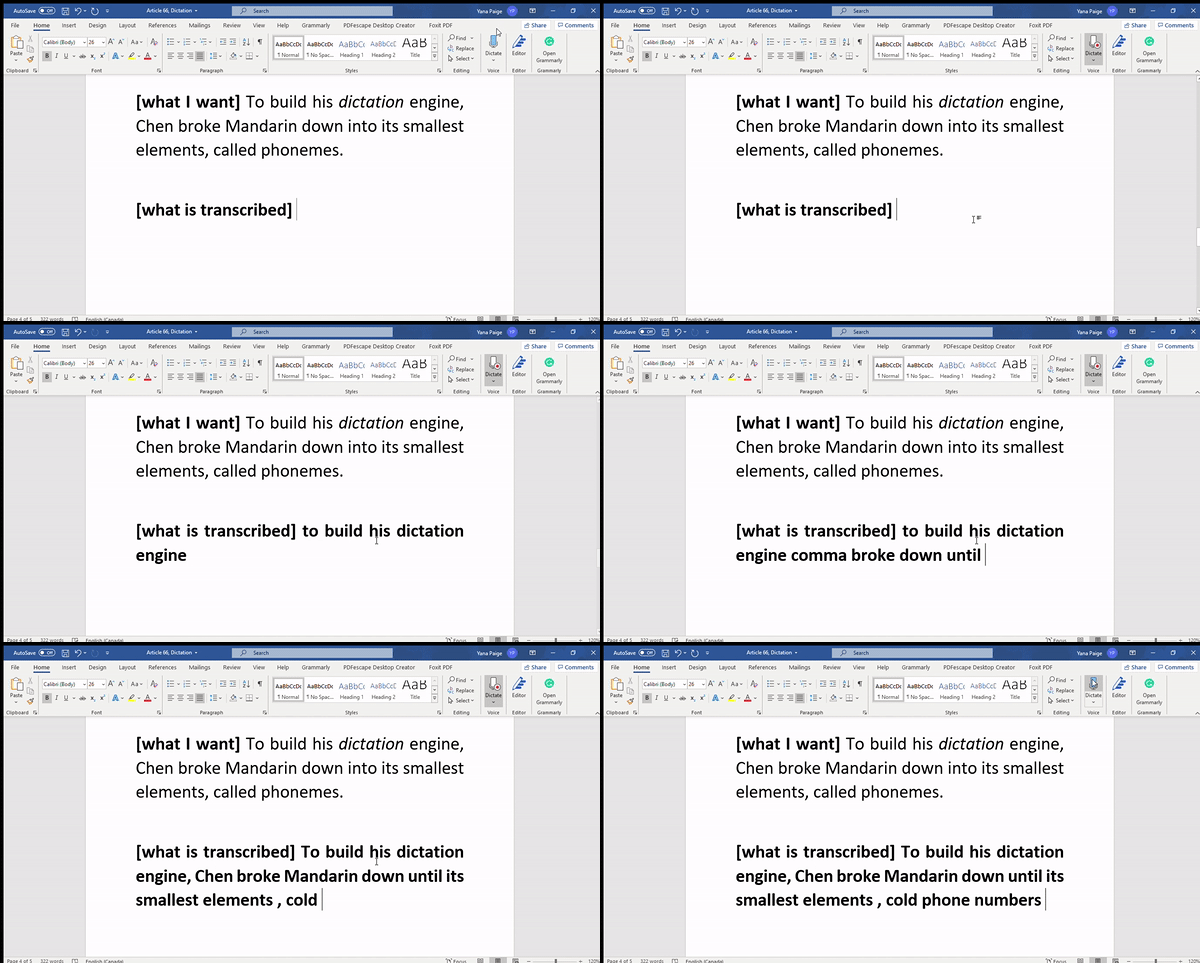
“Called phonemes” and “cold phone numbers” are not the same things.
See the recommendations below for a few quality applications you can use without paying a fee, as well as several useful articles related to the dictation software.
Google Docs voice typing (Web)
The chances are, most of us use programs offered by Google, such as Gmail and Google docs. The last one serves as an excellent software to explore dictation technology. In order to understand how it works, read the following instructions. After that, you are welcome to try it for yourself. Note: you need to use Google Chrome to make it work.
Google Speech Recognition (Web)
Another marvelous software Google created. You will also require Chrome to utilize this service, and all you have to do is save this web page to your bookmarks. Every time you need to transcribe speech into text — simply open it up and dictate away.
Dictation — Speech to Text (Apple users)
This free application is available only to Apple users, and it has an average rating of 4.2 on the Apple store, with over 600 reviews. You can find many other Apple applications by merely searching “dictation” in the store. Some of them are going to offer you premium options, such as Dragon, but it’s up to you if you wish to pay.
Gboard (Android users)
Gboard is a popular dictation software available to Android customers. It has over 5 million active users, with an average rating of 4.5 on the Android store. You may also wish to check out these 7 apps offered to Android clients.
The downsides to using dictation
There are definite downsides to using the dictation feature. On top of that, it may prove ineffective for particular groups of people to utilize these tools properly. Here are a few examples of people who might experience complications with dictation software:
- People who have speech pathology, or simply stutter. Unless a person is able to adequately articulate, technology can be useless.
- Individuals with accents. Depending on the software sophistication, it may or may not account for hundreds, if not thousands of accents around the world.
- Young children whose speech is flawed.
- Elderly who struggle with speaking at a late age.
- Anyone and everyone, because despite the tech progress, these applications are not perfect.
Hopefully, the software will be improving each year to accommodate those with special needs.
Dictation is not for everyone
Not every single people is going to be happy with dictation software. Some writers strive to be as authentic as possible, and such a prospect may seem like a betrayal to them. The technology offers us convenience; however, it takes away the authenticity of the craft. Certain writers had a hard time switching from the manual typing machine to the computer when Charles Babbage gifted us his invention. Certain individuals will refuse to take advantage of dictation.
Not to mention, even if the dictation feature offers benefits, it may feel unusual to people. Similarly to how some students prefer to study online, others can’t bear that option and choose to attend physical classes. The dictation requires trial and error, and by the end of the day, there will be fans and haters.
Try it — and decide if it suits you
You don’t have to give up typing and switch to dictation unless you want to. Checking out new inventions is an exciting idea, as they can surprise you. After a few attempts, you will probably know if it’s for you or not.
I would not suggest refusing it right away without giving it a try. It’s a useful tool, and it deserves a chance.