
Determine whether an image is a horse or a human using a CNN made with Flax
I have found that one step beyond the multilevel perceptron, which I have written about in previous posts is the convolutional neural network (CNN). the CNN is a regularised type of feed-forward neural network that learns feature engineering by itself via filters (or kernel) optimization.
CNNs were inspired by biological processes in that the connectivity pattern between neurons resembles the organisation of the animal visual cortex. Individual cortical neurons respond to stimuli only in a restricted region of the visual field known as the receptive field. The receptive fields of different neurons partially overlap such that they cover the entire visual field.
CNNs use relatively little pre-processing compared to other image classification algorithms. This means that the network learns to optimise the filters (or kernels) through automated learning, whereas in traditional algorithms these filters are hand-engineered. This independence from prior knowledge and human intervention in feature extraction is a major advantage.
A convolutional neural network consists of an input layer, hidden layers and an output layer. In a convolutional neural network, the hidden layers include one or more layers that perform convolutions:-
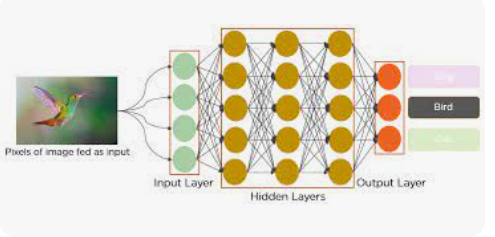
CNN’s have applications in:-
- Image and video recognition,
- Recommender systems,
- Image classification,
- Image segmentation,
- Medical image analysis,
- Natural language processing,
- brain — computer interfaces, and
- Financial time series
In this particular blog post, however, I intend to focus on classifying images to determine if they are humans or horses. The dataset for this post can be found in the Kaggle website:- https://www.kaggle.com/datasets/sanikamal/horses-or-humans-dataset
I have created the program in Kaggle’s free online Jupyter Notebook and stored it in my account for that software company.
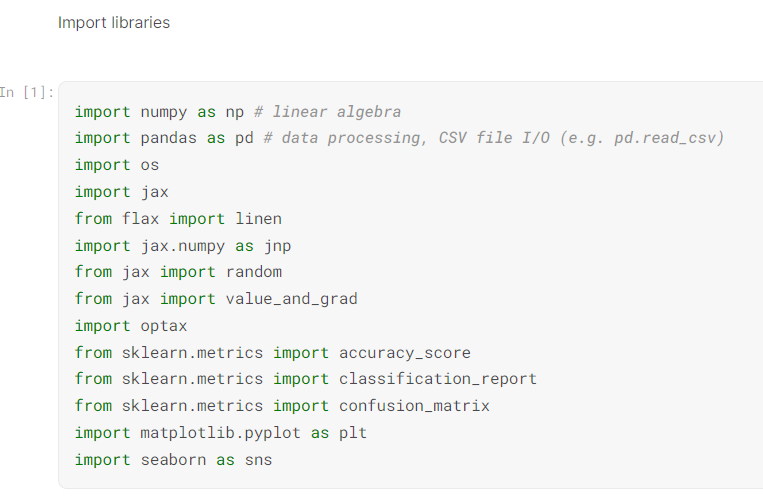
Once the Jupyter Notebook has been created, I imported the libraries that would be needed to execute the program, being:-
- Numpy to create numpy arrays and carry out mathematical computations,
- Pandas to create dataframes and process data,
- Os to go into the operating system and retrieve relevant files,
- Pathlab to create a path for the images,
- PIL to carry out image processing,
- Cv2 to convert the images to a numerical array,
- Jax to create jax arrays and carry out numerical computations,
- Flax to create the CNN,
- Optax to define the optimizer in the neural network,
- Sklearn to provide machine learning functionality,
- Matplotlib to visualise the data, and
- Seaborn to statistically visualise the data.
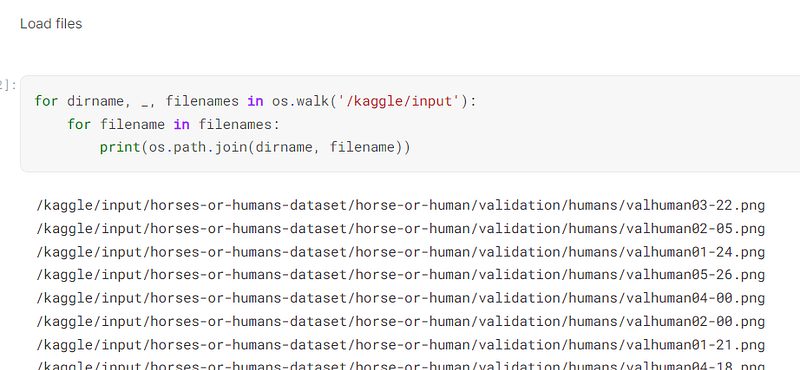
I used the os library to load all of the image files used in the program:-
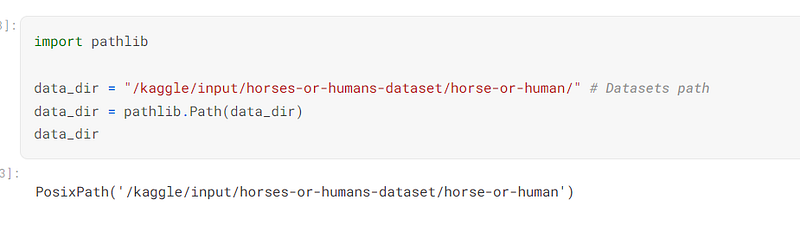
I then used pathlib to define the directory and path that the images would be placed in:-
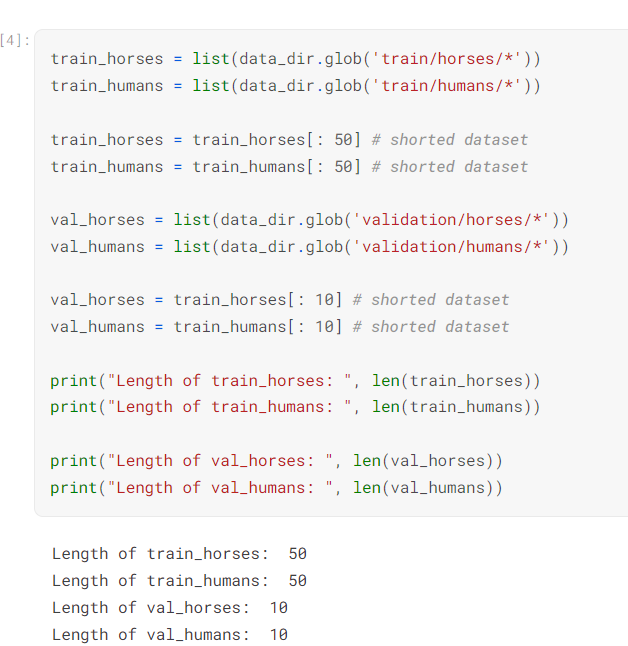
I defined the paths that the horses and humans would be placed in. I reduced the size of the train and validation sets to keep the computer program from crashing:-
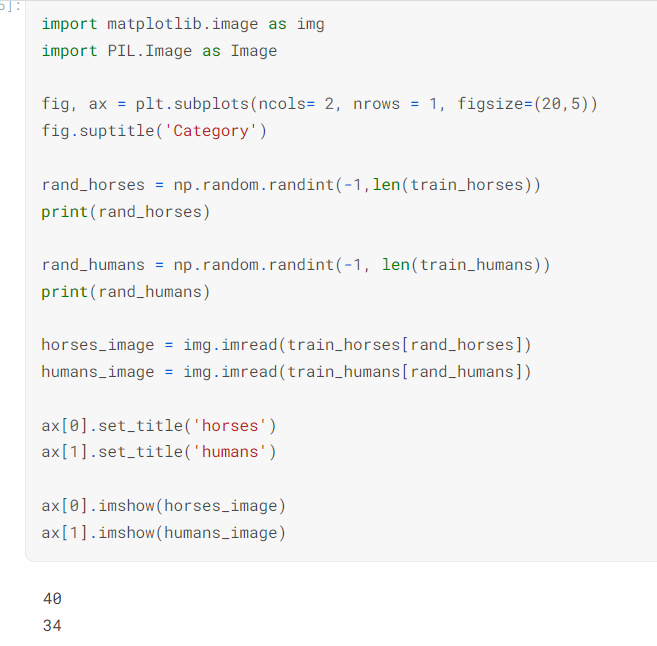
I then set up random numbers that will randomly select a horse and a human:-
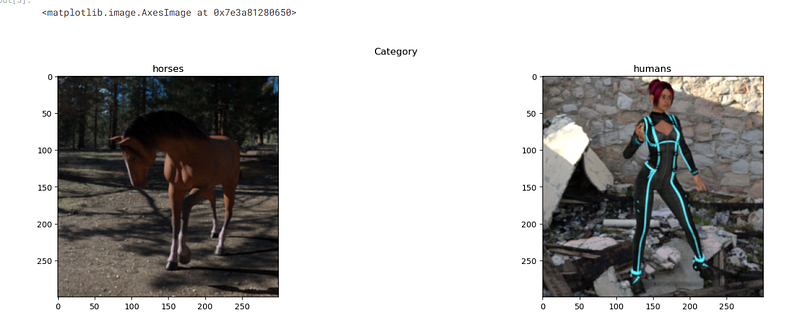
I used the random numbers that were generated to display an image of a horse and a human:-
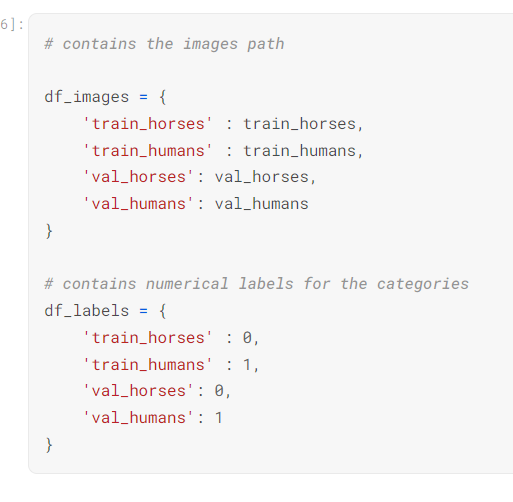
I defined a dictionary that contains images of horses and humans and a dictionary that contains the corresponding labels, being 0 for horses and 1 for humans:-
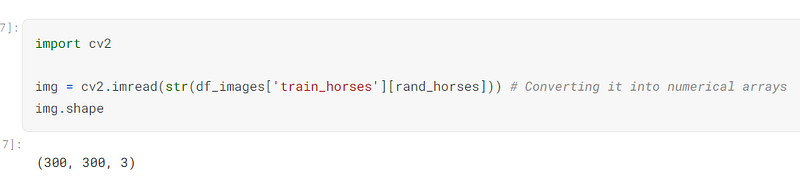
I used cv2 to convert the image to a numerical array:-
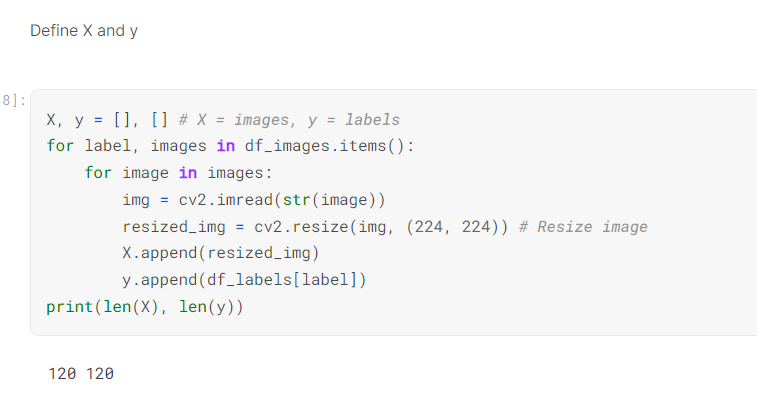
I defined the X and y variables and reshaped the images. Both the images and labels were appended to the X and y variables respectively:-
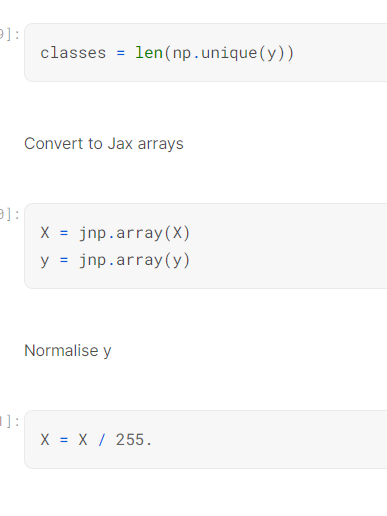
I defined the variable, classes, as the number of classes in the y variable.
I converted the X and y variables into jax arrays.
I then normalised the X variable by dividing in by 255:-
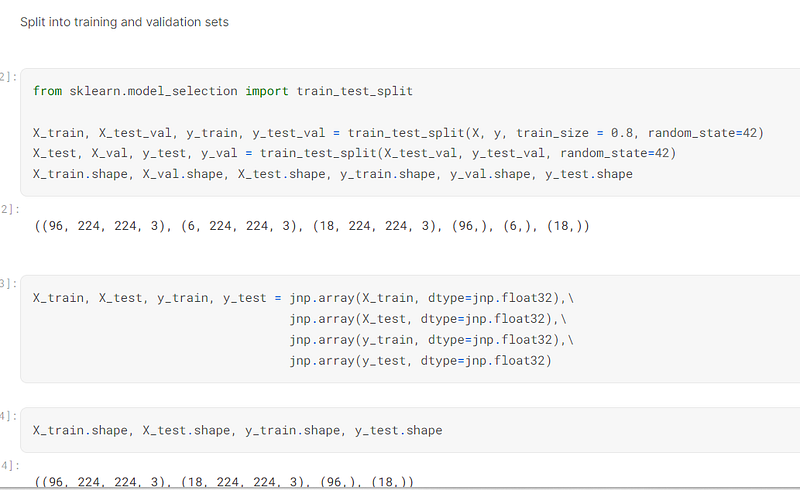
I used sklearn to split the X and y variable into training and testing sets.
I then converted the training and testing sets to jax arrays so they will work with the CNN that would be created:-
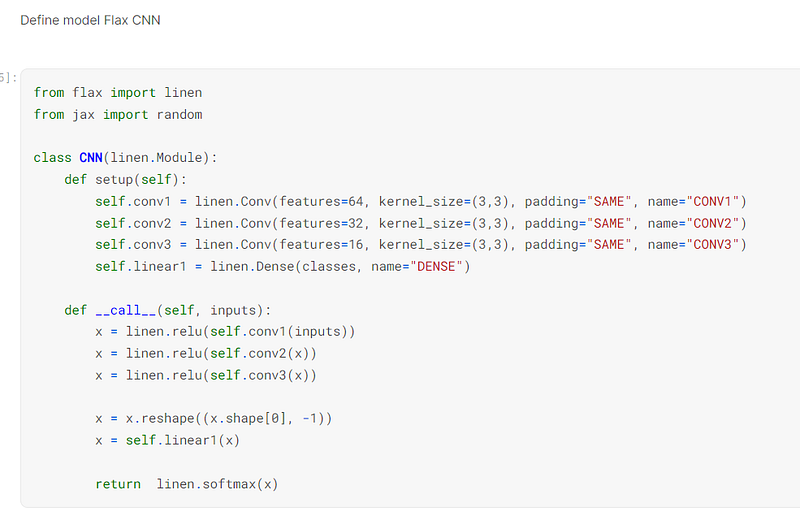
Once the data was prepared, I used Flax to create the CNN. Even though this is a binary classification problem, I have read that CNNs use the softmax activation function regardless of how many classes are in the y variable:-
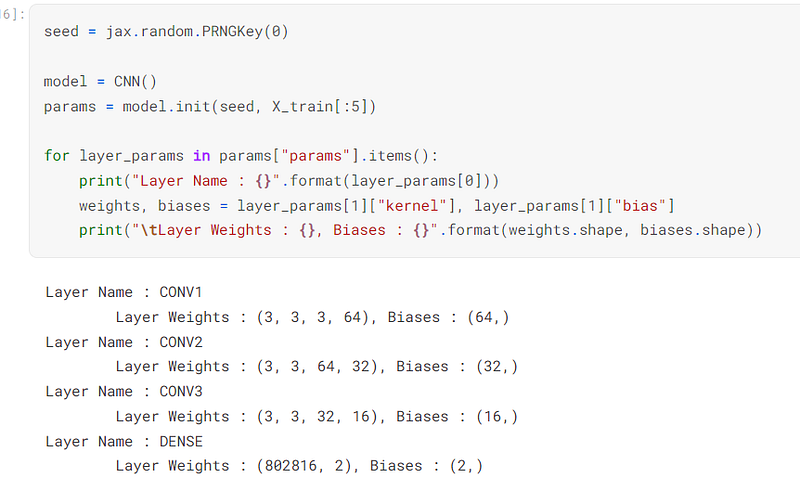
I then defined the model as being the CNN and set the params as the seed that was randomly generated:-
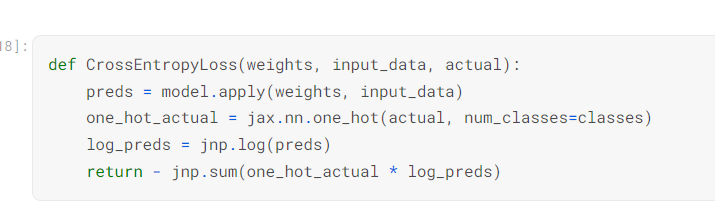
I defined the function that would determine the loss when the data is trained into the model. The actual y value is one hot encoded to comply with the softmax activation function in the activation model:-
I defined the function that would train the image data and labels into the model:-
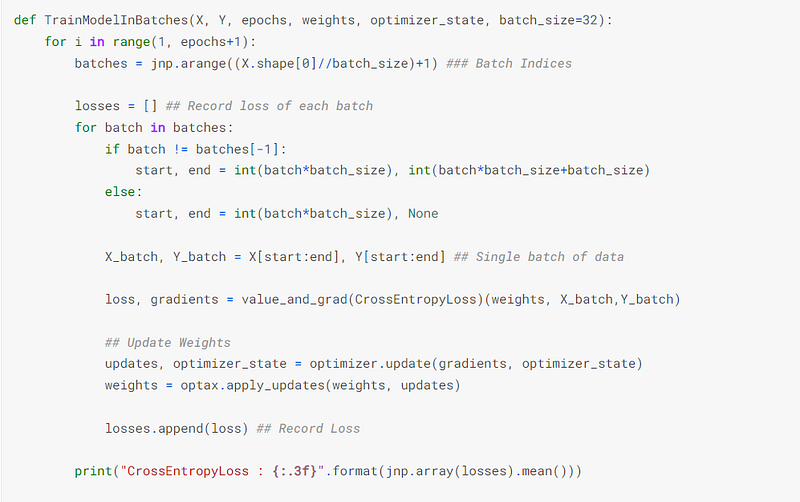
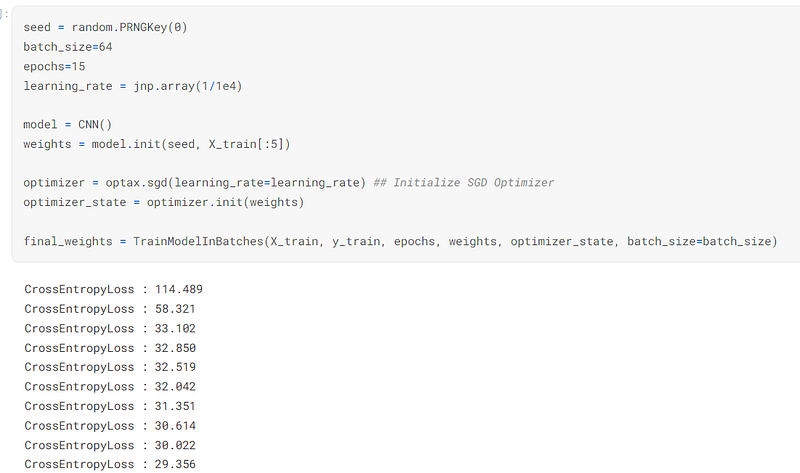
I then trained the image data and labels into the model, using optax’s sgd optimizer. I noted that the noise has decreased with every epoch that was trained through the system:-
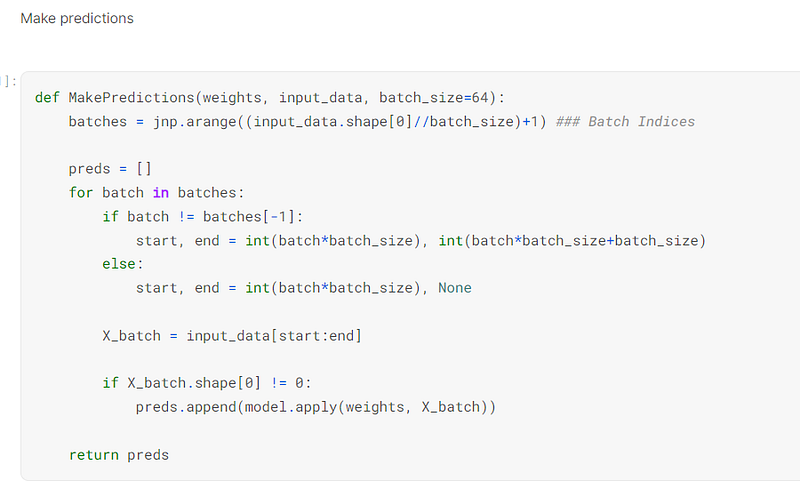
I defined the functions that would make predictions on the testing data:-
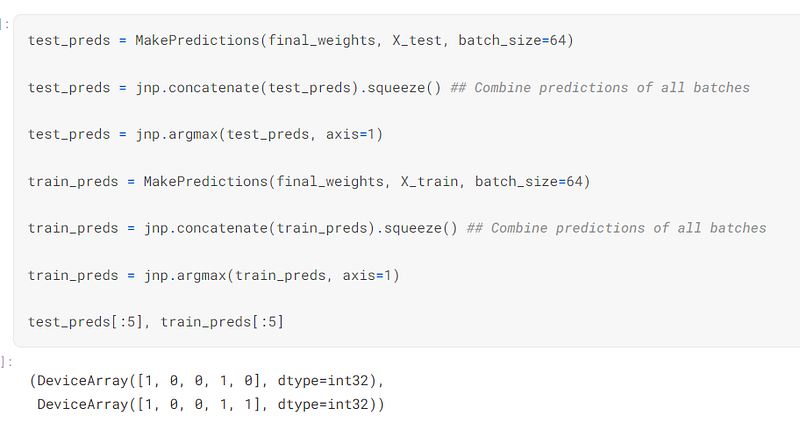
I then made predictions on the test data by selecting the column of data for each example that had the highest value, using jax’s argmax function:-
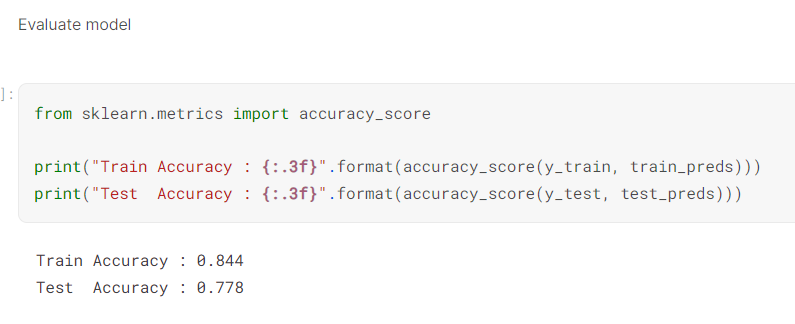
I then evaluated the model by testing its accuracy. The test set had an accuracy, which is not too bad, but obviously could be improved:-
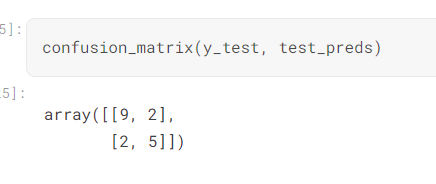
I used sklearn’s confusion matrix to determine the true positives, false positives, true negatives, and false negatives of the model:-
In summary, I selected a dataset from Kaggle rather than use a dataset from Tensorflow or Pytorch because I wanted an individual to be able to use the model in a real world situation. I also wrote the program so a data loader from Tensorflow or Pytorch is not necessary.
Obviously, the accuracy of the model can be improved, which can be achieved my experimenting with different image sizes, batch sizes, layers in the CNN, and optimizers.
I have created a code review to accompany this blog post and it can be viewed here:- https://youtu.be/UNYoGAVQWPo


