avatarSunit Kumar Sharma

Free AI web copilot to create summaries, insights and extended knowledge, download it at here

2735

Abstract

, what we like won’t necessary appeal to the next person. Giving suggestions to make changes in color patterns might not seem fair, but there is no negating a fact that colors liven up the apps, it adds pizzazz and vibrancy too. Minimalistic color designs always seem to work out well for some, but this depends on the design vertical you depend on. For example, if you are working on a project that is meant for kids, use colors that will appeal to them. For a fashion brand like Super Dry, use colors that are in contrast or that represents the color patterns of the brand, as it will resonate the brand more.</p><figure id="1c88"><img src="https://cdn-images-1.readmedium.com/v2/resize:fit:800/1*RmUsh4JIcrhGywQ7seqgWw.png"><figcaption></figcaption></figure><figure id="05e8"><img src="https://cdn-images-1.readmedium.com/v2/resize:fit:800/1*uDb8dS5MqAhAl4lAfww1Yg.png"><figcaption></figcaption></figure><p id="8a65"><b>4. Simple — Cut the Clutter</b></p><p id="f783">We can’t help being carried away sometimes: we want to add as many features as we can, we want to add all graphic elements possible as we want our product to stand out. But sometimes, the vision gets lost when so many of these features are added. The product not only looks cluttered and gaudy but also, the finesse that each product should have also gets lost. So, it is always advisable to restrict yourself a little and let the simplistic designs radiate their beauty.</p><figure id="d806"><img src="https://cdn-images-1.readmedium.com/v2/resize:fit:800/1*uiIH7uPsRoCqo3An8NajMQ.png"><figcaption>Cleartrip is a very good example of what I am talking about…</figcaption></figure><p id="beb6"><b>5. A Clear Focal Point</b></p><p id="bdf6">Focus point is the first thing the user sees notices when they first see the interface; the users are more likely to follow a visual hierarchy and they want get done with the task as soon as possible. As we live in the times where the attention span of people is minuscule, you cannot deter your focus point.</p><figure id="924e"><img src="https://cdn-images-1.readmedium.com/v2/resize:fit:800/1*b1KF4YIPR3jfyuKKmUTH_A.png"><figcaption><i>Very good example of UXpin’s website</i></figcaption></figure><p id="bca6"><b>6. Overall Consistency is the Key</b></p><p id="f830">Multiple pages, numerous styles just haphazardly laden in the product does not radiate class; by doing this, you lose the consistency that is vital for any Design to look great. What works great for every Designer is to make a list of page types, buttons, and text types and make sure you sprightly follow. It will make your product design consistent on various platform and overall, your product will look more complete and finished.</p><figure id="5da7

Options

"><img src="https://cdn-images-1.readmedium.com/v2/resize:fit:800/1*1rh0uQBJ1Av9poQL_pigAQ.jpeg"><figcaption></figcaption></figure><p id="ab28"><b>7. Don’t Forget the Goal</b></p><p id="5a22">While we cannot let you restrict your creativity, and it is always advisable to let your thoughts flow in whichever way they want to, it has to be kept in mind that the vision you started with cannot take the back seat. Every project you take up will have a certain role to fulfil, and it is vital to achieve it.</p><figure id="f336"><img src="https://cdn-images-1.readmedium.com/v2/resize:fit:800/1*c6prXpTP0BRssuTYLdR6qQ.png"><figcaption></figcaption></figure><figure id="5706"><img src="https://cdn-images-1.readmedium.com/v2/resize:fit:800/1*_GXI4ayfgkN2k7kfv-prDg.png"><figcaption>Above example shows increase in sales conversion after re-design.</figcaption></figure><p id="6fd9"><b>8. Balance the Features</b></p><p id="66f8">When you start working on a product, it is always hard to figure out from where to begin. To make this process easier, work out a profile of the users who will be using this product; figure out what features they would need, what animations they would find appealing and start by working on that. Product management and product ideating experiences will impart with you the knowledge of balancing the user’s expectations and the creative justification you owe yourself.</p><p id="88f4"><b>9. Meaningful Animations</b></p><p id="6a88">Numerous times we have encountered that Designers use lot of animations while designing mobile apps and frankly, overdoing something will not only kill your experience but also, the user will not find it appealing either. Users, while dabbling on the apps are generally busy with another talk too, like on the commute or talking to someone or even eating. So use meaningful, fast and delightful animations that blend well with your product. Animations are used for getting users focus while doing some critical task in the product and they should be used for that purpose only.</p> <figure id="3b43"> <div> <div> <img class="ratio" src="http://placehold.it/16x9"> <iframe class="" src="https://cdn.embedly.com/widgets/media.html?src=https%3A%2F%2Fwww.youtube.com%2Fembed%2FQ8TXgCzxEnw%3Ffeature%3Doembed&amp;display_name=YouTube&amp;url=https%3A%2F%2Fwww.youtube.com%2Fwatch%3Fv%3DQ8TXgCzxEnw&amp;image=https%3A%2F%2Fi.ytimg.com%2Fvi%2FQ8TXgCzxEnw%2Fhqdefault.jpg&amp;key=a19fcc184b9711e1b4764040d3dc5c07&amp;type=text%2Fhtml&amp;schema=youtube" allowfullscreen="" frameborder="0" height="480" width="854"> </div> </div> </figure></iframe></div></div></figure></article></body>

Design = Jalebi (Indian Dessert)
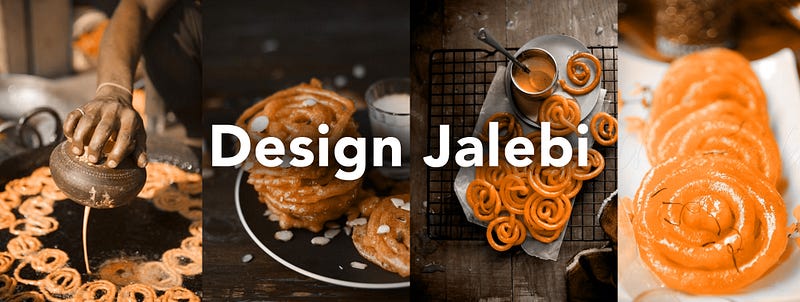
Who doesn’t know what a Jalebi is? Its round and luscious pattern, dripping with appetizing sugar keeps us dreaming about it; it’s a dessert that no one can say no to. While it may seem peculiar to hear design and jalebi in the same phrase, it will get clear soon that creating a Design is just as grueling, and just as interesting as making (or in our case, eating) a Jalebi. A Designs structure is just as complicated as a Jalebi’s structure, there are no common patterns and straight jacketed molds for either. They both flow in whichever way we want them to, wherever our creativity leads us.

“The thought is to make designs more usable, rather than beautiful!”

So here are the 9 key ingredients that will make your designs infinity times better:

  1. Alignments

It’s not only about look and feel, but how your potential users interact with the product. So, while designing there is no feature that you can give amiss, you have to check, and then check again if anything needs to be refurbished. And more often than not, alignments is something that is overlooked. But these smaller aspects is something that can make or break your Design, and that’s the reason you have to keep them on point.
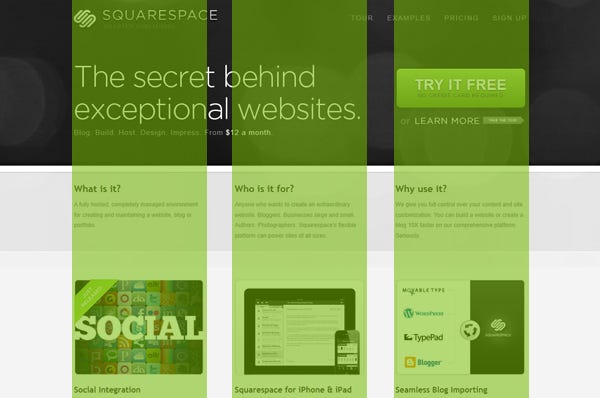
Check above SQUARESPACE Design which is aligned well.

2. Typography (fonts)

When something is designed to work beautifully, it tends to look that way too. That is the reason you have to spend good time figuring out the font that will work well for your product. The content not only has to be good, but readable too and believe me, it will take good skills to come up with a meaningful reading experience. For doing this right, you need to make a right reading and visual typo hierarchy.
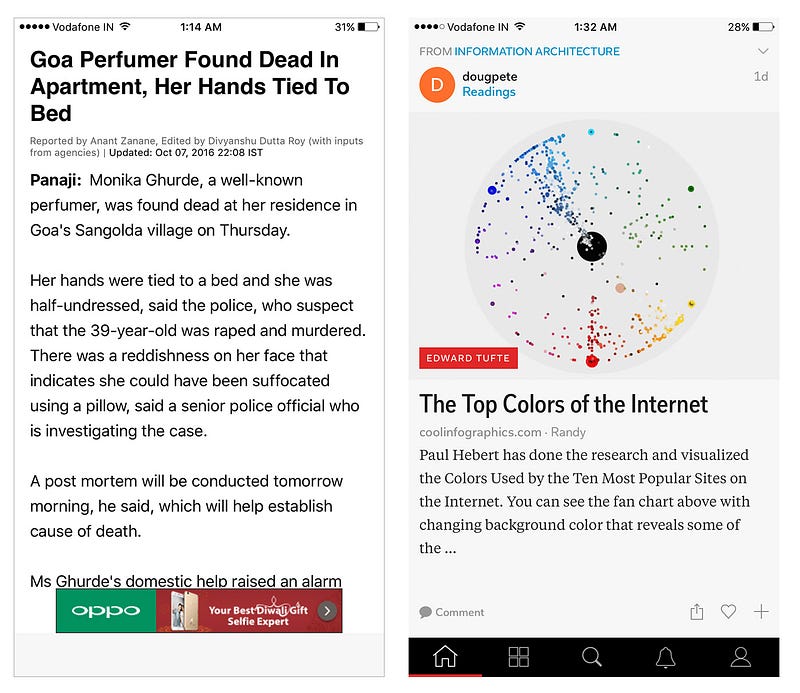
Above examples are of apps with the same domain and you can judge which one is looking better.
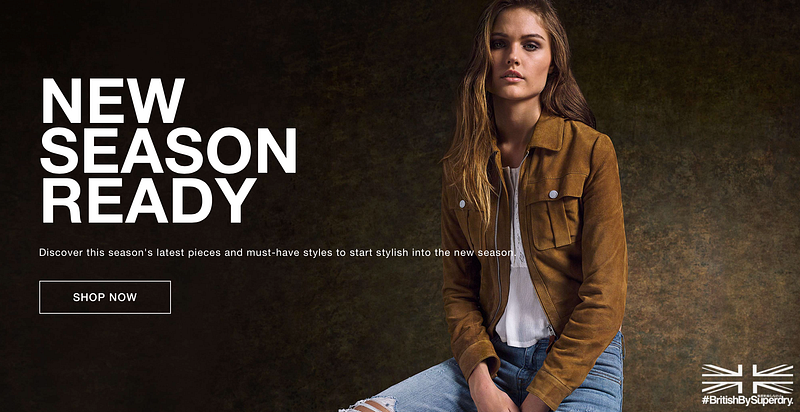
A good example visual typo hierarchy in the above graphic (Source: SuperDry)

3. Usage of Colors

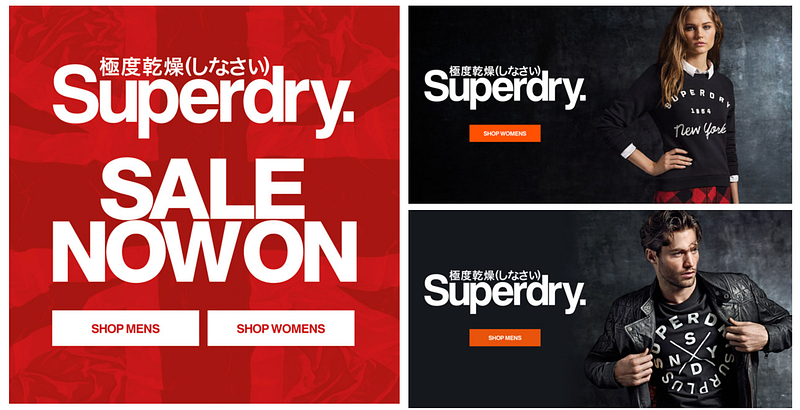
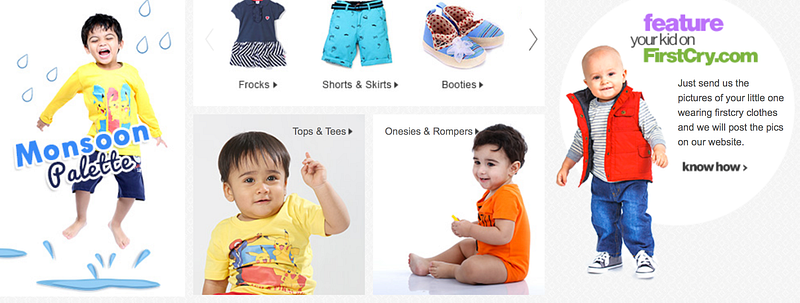
Contrast and colors are subjective, what we like won’t necessary appeal to the next person. Giving suggestions to make changes in color patterns might not seem fair, but there is no negating a fact that colors liven up the apps, it adds pizzazz and vibrancy too. Minimalistic color designs always seem to work out well for some, but this depends on the design vertical you depend on. For example, if you are working on a project that is meant for kids, use colors that will appeal to them. For a fashion brand like Super Dry, use colors that are in contrast or that represents the color patterns of the brand, as it will resonate the brand more.
4. Simple — Cut the Clutter

We can’t help being carried away sometimes: we want to add as many features as we can, we want to add all graphic elements possible as we want our product to stand out. But sometimes, the vision gets lost when so many of these features are added. The product not only looks cluttered and gaudy but also, the finesse that each product should have also gets lost. So, it is always advisable to restrict yourself a little and let the simplistic designs radiate their beauty.
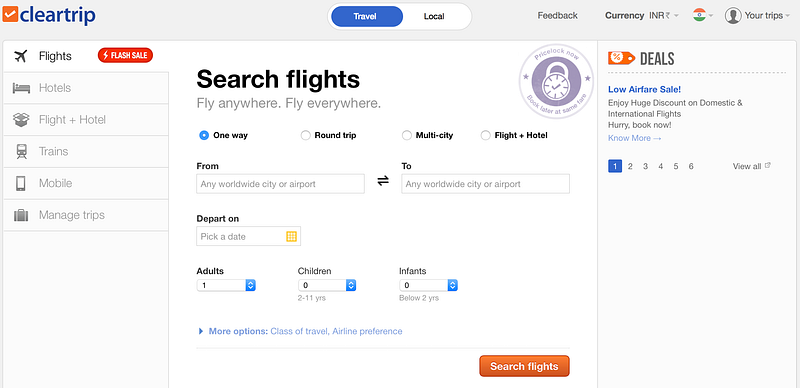
Cleartrip is a very good example of what I am talking about…

5. A Clear Focal Point

Focus point is the first thing the user sees notices when they first see the interface; the users are more likely to follow a visual hierarchy and they want get done with the task as soon as possible. As we live in the times where the attention span of people is minuscule, you cannot deter your focus point.
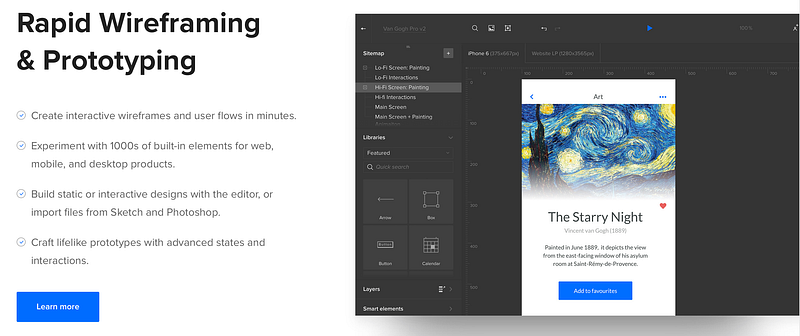
Very good example of UXpin’s website

6. Overall Consistency is the Key

Multiple pages, numerous styles just haphazardly laden in the product does not radiate class; by doing this, you lose the consistency that is vital for any Design to look great. What works great for every Designer is to make a list of page types, buttons, and text types and make sure you sprightly follow. It will make your product design consistent on various platform and overall, your product will look more complete and finished.
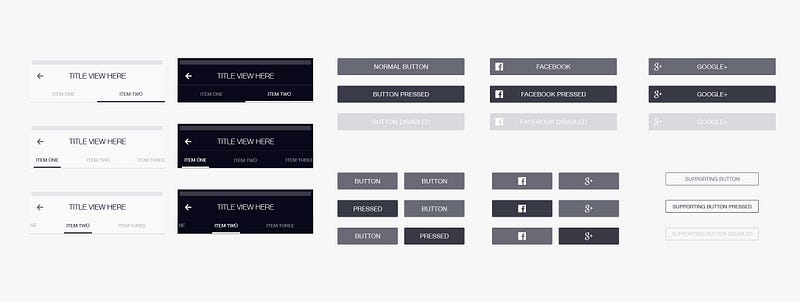
7. Don’t Forget the Goal

While we cannot let you restrict your creativity, and it is always advisable to let your thoughts flow in whichever way they want to, it has to be kept in mind that the vision you started with cannot take the back seat. Every project you take up will have a certain role to fulfil, and it is vital to achieve it.


Above example shows increase in sales conversion after re-design.

8. Balance the Features

When you start working on a product, it is always hard to figure out from where to begin. To make this process easier, work out a profile of the users who will be using this product; figure out what features they would need, what animations they would find appealing and start by working on that. Product management and product ideating experiences will impart with you the knowledge of balancing the user’s expectations and the creative justification you owe yourself.

9. Meaningful Animations

Numerous times we have encountered that Designers use lot of animations while designing mobile apps and frankly, overdoing something will not only kill your experience but also, the user will not find it appealing either. Users, while dabbling on the apps are generally busy with another talk too, like on the commute or talking to someone or even eating. So use meaningful, fast and delightful animations that blend well with your product. Animations are used for getting users focus while doing some critical task in the product and they should be used for that purpose only.

Design
UX
User Experience
UI
Mobile
Recommended from ReadMedium