
Malewicz Designs
Designers vs shortcuts
How FOMO backfires and downgrades your skills.

There’s this saying that to truly master something you need 10,000 hours of practice and some degree of talent.
Most professional piano players will agree with that (or even double that number)
It’s the same with athletes, writers and pretty much every creative field.
Design much?
Of course to get your first job as a designer you don’t need to be a full-on master-senior-empathy-strategist or anything like that. What I mean is you don’t need 10,000 hours to do that.
But you also won’t do it in 30 days.
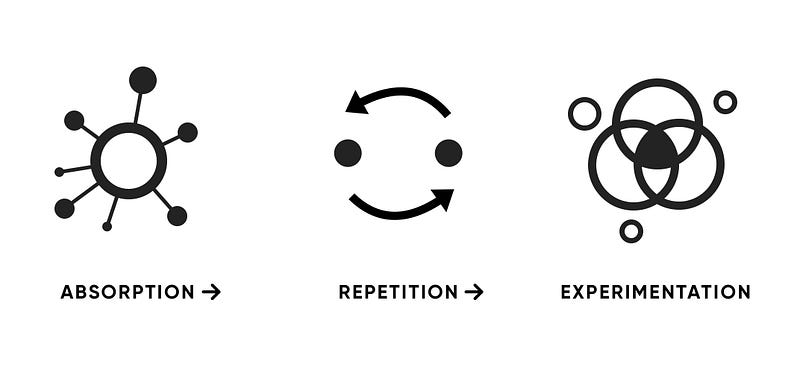
How learning (design) works
There are multiple books on that topic, including one that bears that exact title, but for the sake of simplicty let’s go ultra-high-level.
When learning design you have three distinct phases.
- Absorption — that’s when you read or watch about a specific portion of design and try to understand and memorise it.
- The second stage is Repetition — this is where you start to either recall the information at will, or practice by applying some of these practices.
- And then comes Experimentation where you mix and merge multiple rules into things that are completely your own.
That experimentation stage is where most of the actual magic happens.
Sure you need to have a great source of knowledge to absorb from and a proper environment for repetition.
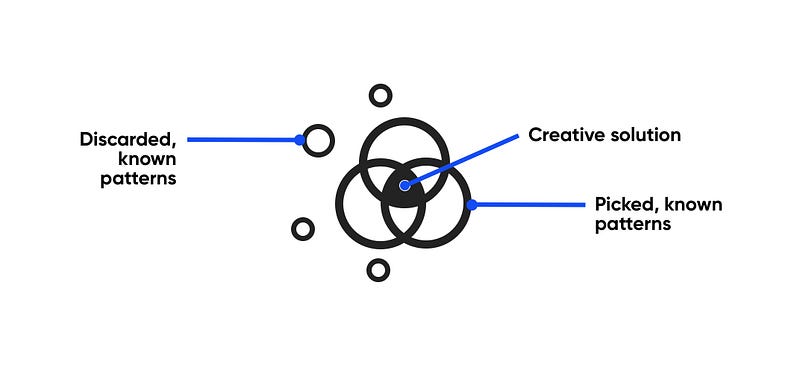
Where the magic happens
To me the experimentation part is the most vital. This is where your brain makes connections between those absorbed parts and using logic creates new structures.
If we used a piano analogy here, this is when you start composing. You still need to follow most of the rules of music (or, in our case — design) so it doesn’t fall apart but it starts to get yours.
In case of design this matters because it’s rarely a needed skill to just recreate something (albeit it’s sadly becoming a thing lately).
No, in most cases the task of a designer is to solve a new problem. That means you need to use the brain patterns you acquired but combine them in a creative, new way.
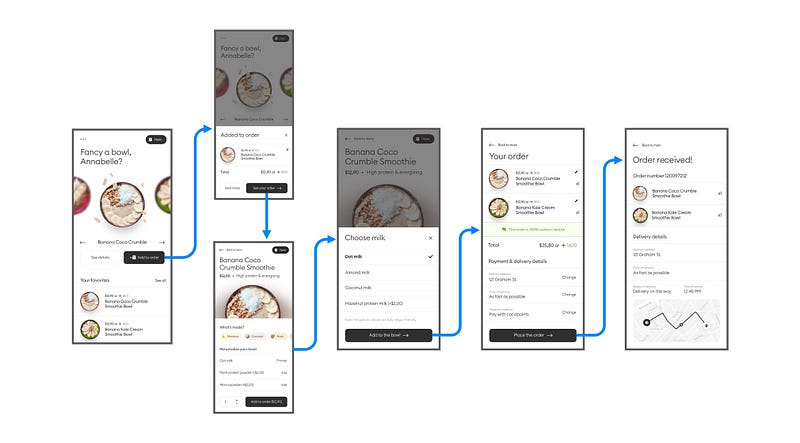
Where does experimentation come from?
With UX design it’s mostly about breaking down flows and understanding how other products work. You can then mix and match parts of other solutions to create something that uniquely solves your problem.
With UI it works in a similar way, but the tricky part is understanding how various component types work together as groups and groups within groups.
Most of UI design is arrangement of groups inside other groups.

A great starting point is the hierarchy strips method that I created and initally used for stakeholder meetings.
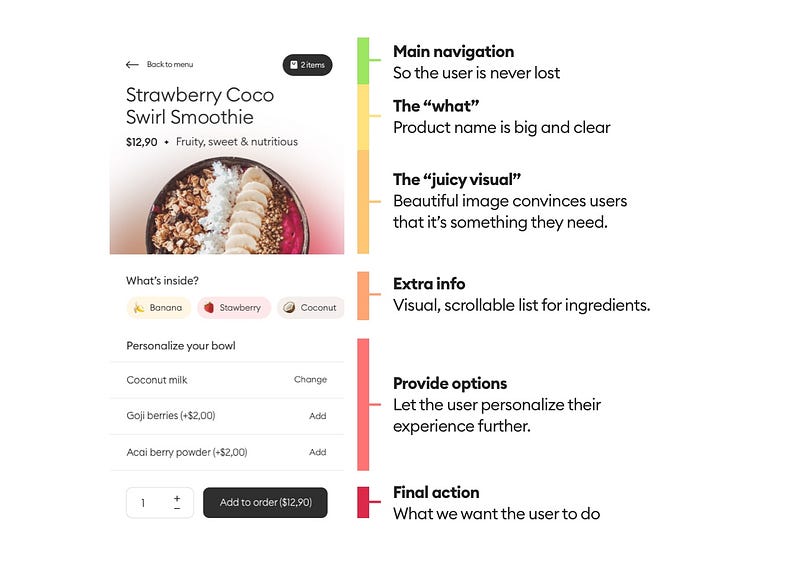
Assembly practice
I believe that the only way to truly learn how different UI elements work together is through practice. A few years ago that usually meant designers trying to replicate dribbble shots and ending up with unrealistic and often useless (but pretty) artworks.
That era has transformed recently by short, vertical video based animation tutorials that also don’t serve any value besides “looking cool”.
Many juniors confuse either of these with practice.
Practice makes…
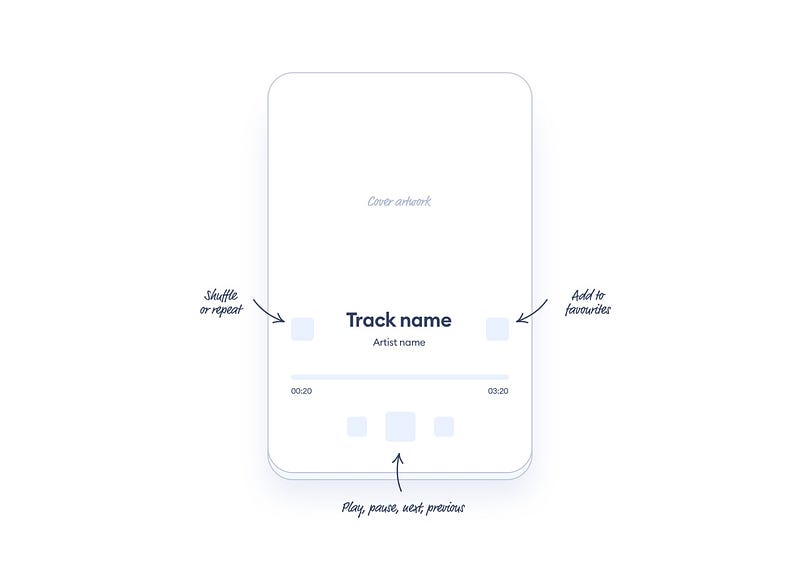
The best way to practice is by recreating common UI patterns, starting from the simplest ones and then progressively increasing difficulty.
This can get overwhelming very fast.
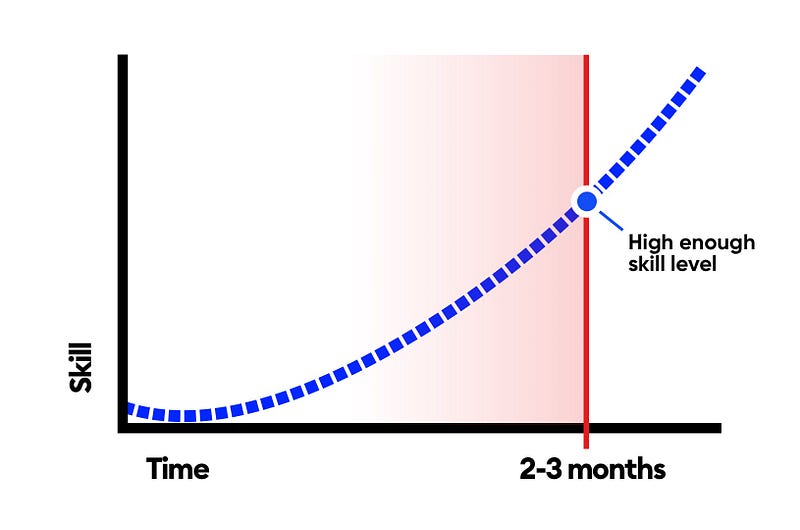
What I found out works the best is doing one UI challenge every single day for 2–3 months. That’s enough time and commitment to truly see progress at the end.
Another thing is time commitment.
If you treat design like a daily thing, it becomes a part of your life and it rewires your brain to be more design oriented.
The more you do it, the easier it is to absorb and re-absorb new knowledge.
In simple words: you learn to learn better and faster.
The traits for success
I have a firsthand view of almost 10,000 designers doing this and have come to a couple of conclusions.
In a study of over 36,000 daily UI designs we found out that between the first and the last five projects (in this case 1–5 and 85–90) there is always a visible quality improvement.
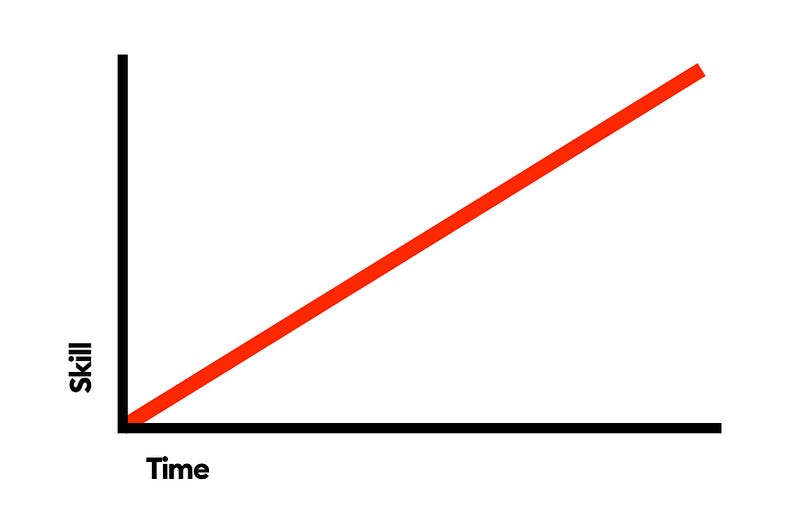
That improvement doesn’t grow in a linear fashion. Here’s how most designers imagine it will go and it’s really not the case.
How it works
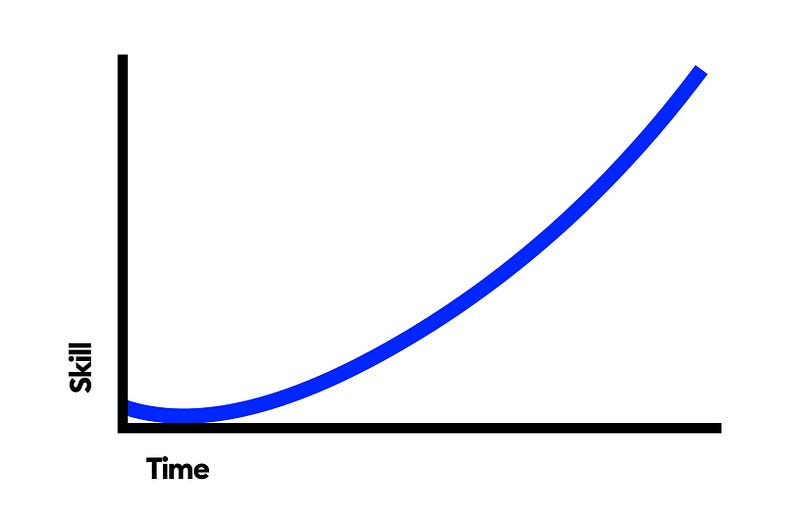
Instead that growth is a more exponential one with an interesting twist.
The quality actually decreases for the first few days as this new daily task becomes more ingrained in people. But then it picks up and the growth is a curve.
That initial decrease might also mean a little bit of mental fatigue because the brain is not yet used to visual design thinking every single day. That’s normal and if you notice it don’t worry.
Example
We discovered that an easily discernable growth happens in about 80% of users. For the remaining 20% there is still progress, but it’s slower and requires more attention to process that progress.
Here’s an example from day 2 and day 89 from one of the challengers chosen at random from the 80% group.
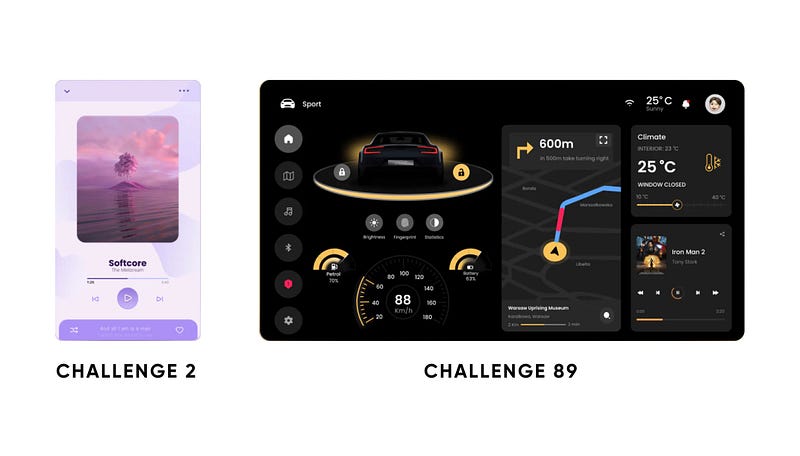
As you can see there is a huge increase in complexity with further challenges (89) compared to the initial ones (2) but the actual change in design quality is unmistakable.
Even looking at font progression, contrast and spacing the difference is striking and it shows the designer has made incredible progress with the effort of practicing the skill every single day for 90+ days.
What’s the conclusion?
I believe that daily practice should be done by every “aspiring” designer out there. It not only builds up design skill, but also character and perserverance. These traits are just as important in the current job market.
It’s important to be able to look back and see you were commited to something for three months and didn’t skip a single day.
Part of the success of those who completed the challenge also comes from that confidence that feat has gave them.
The study is based on The Daily UI challenge we created on our platform and which has been taken by nearly 9000 designers from all over the world.
You can join this challenge completely free ($0), or pick an inexpensive ($5) guided option to progress even faster. In any case it still requires full commitment and a lot of work but the results speak for themselves.
I will also be sharing my learnings from an increasing number of challenges and designers and how it affects learning in the future.


