
Deploying the best model in a few minutes with BentoML and MLFlow
Simplifying your MLOps stack with MLFlow and BentoML

Developing machine learning models takes time. In Algorithimia’s 2021 Enterprise Trends In Machine Learning report, they observed that 64% of these organizations took at least a month to deploy their models.¹ Shrinking time to at least 50% will empower data scientists to make space for them, so they can create cleaner, better features for their models. Better features lead to a higher accuracy model.
Yet, figuring out what tools to use for deployment is a problem too. So many tools can do different things and the space itself is quite a mess. Fortunately for us, we can install MLFlow and BentoML to cover the machine learning operations (MLOps) tasks.
MLFlow is great for experimentation with different models and training e.g. hyperparameter tuning that helps identify the best model. Adding BentoML will enable model serving and deployment in production by:
- Importing the best model from MLFlow registry
- Building an API service with BentoML
- Creating Bento and containerizing for deployment
Adding BentoML to the MLFlow pipeline results in a historical view of your training and deploying process. While the model trains, MLFlow saves the runs and their parameters in MLFlow’s registry. This registry is designed for model comparison and selection in an experimentation workflow. BentoML saves this training context in the BentoML registry for future reference. The BentoML registry manages deployable artifacts (Bentos) and simplifies the model inference process. MLFlow runs natively on a BentoML’s runner, so you can take advantage of BentoML’s features like input validation, adaptive batching, and parallelism. The BentoML registry encourages reproducible models across development, testing, and production environments. We can now visualize the training and deployment process from the Bento registry across the machine learning lifecycle.
In this article, you will learn how to:
- Use MLFlow to run experiments and find the best model
- Use BentoML to deploy the best model in a few seconds
Setup
MLflow is an open-source framework for managing the end-to-end machine learning lifecycle by logging parameters, code versions, metrics, and output files. The best part? It takes one extra line of code, allowing data scientists to get an accurate model.
To install the library with the specific version I used:
pip install mlflow==1.26.1To set up a testable MLFlow UI:
mlflow uiBentoML is a Python, open-source framework that allows us to quickly deploy and serve machine learning models at scale.
pip install bentoml==1.0.0To understand how BentoML and MLFlow work, we will train a model that predicts house prices based on their characteristics.
The full code is accessible via Github.
Preprocessors needed for training
First, we will download the House Sales in King County, USA dataset from Kaggle.²
Fortunately for us, most of the data is clean, but we still need to filter null values when prediction requests come in. While training, we added a df.dropna(). Because we need to preprocess the data the same from training to predicting, we will need to add this step in a callable function.
There are two ways in which we could drop null values. The first would be adding the df.dropna() in the actual service endpoint. We could easily do that in this instance since df.dropna() is not heavyweight.
However, the other way allows me to scale the transformation and the model separately. This can be useful when I need to scale heavyweight transformations and all I needed to do was to add another Runnable easily with the @bentoml.Runnable.method decorator.
Hyperparameter tuning with MLFlow
After setting up the MLFlow UI, we can train the model and tune its hyperparameters.
To record each experiment, all we have to add is one line to our code before running any experiments:
mlflow.sklearn.autolog()Every MLFlow run will now automatically record data and save it in the local metric repository. The UI can read this data from the repository.
We will now predict the housing prices with these features:
- the number of bedrooms
- the number of bathrooms
- the area of the living room and lot
- the number of floors
- a waterfront view
- an index from 0 to 4 of how good the view of the property was
- condition of the house
- level of construction and design (grade),
- the area of the interior housing space that is above ground level and below ground level
- the year it was built and renovated,
- location (zipcode, latitude, longitude)
- the square footage of interior housing living space and lot for the nearest 15 neighbors
See this kaggle discussion for full column explanations.
I will train a RandomForestRegressor model with the above features and the following parameter grid
{
'n_estimators': [100, 200],
'max_features': [1.0],
'max_depth': [4, 6, 8],
'criterion': ['squared_error']
}
to get the best model and the lowest squared_error.
After running all experiments, the MLFlow UI will pull the metrics from the local repository that it set up and organize them neatly via http://127.0.0.1:5000/. This is what you will see when you set up your UI:
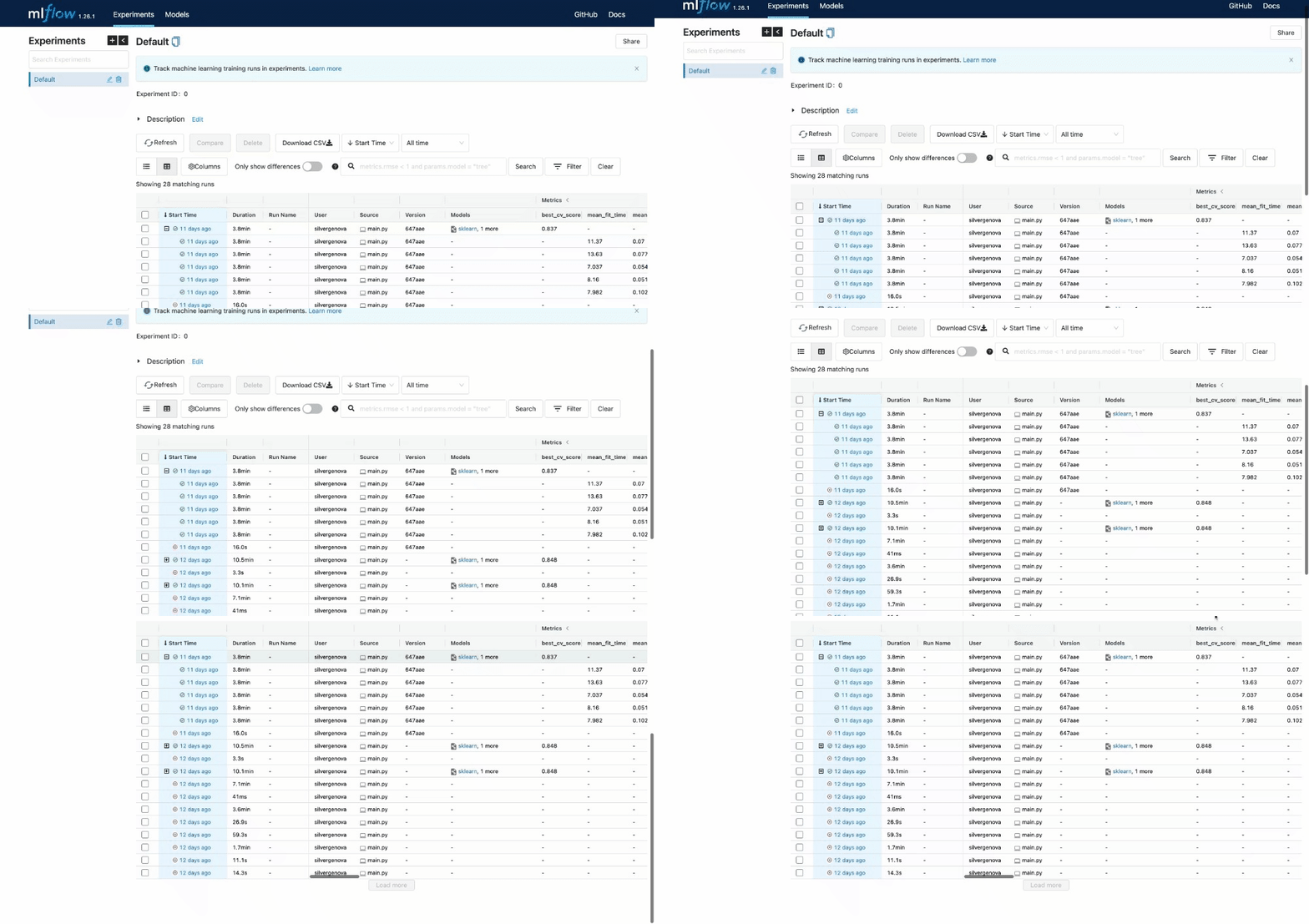
You can see the extent of all the characteristics listed in the UI.
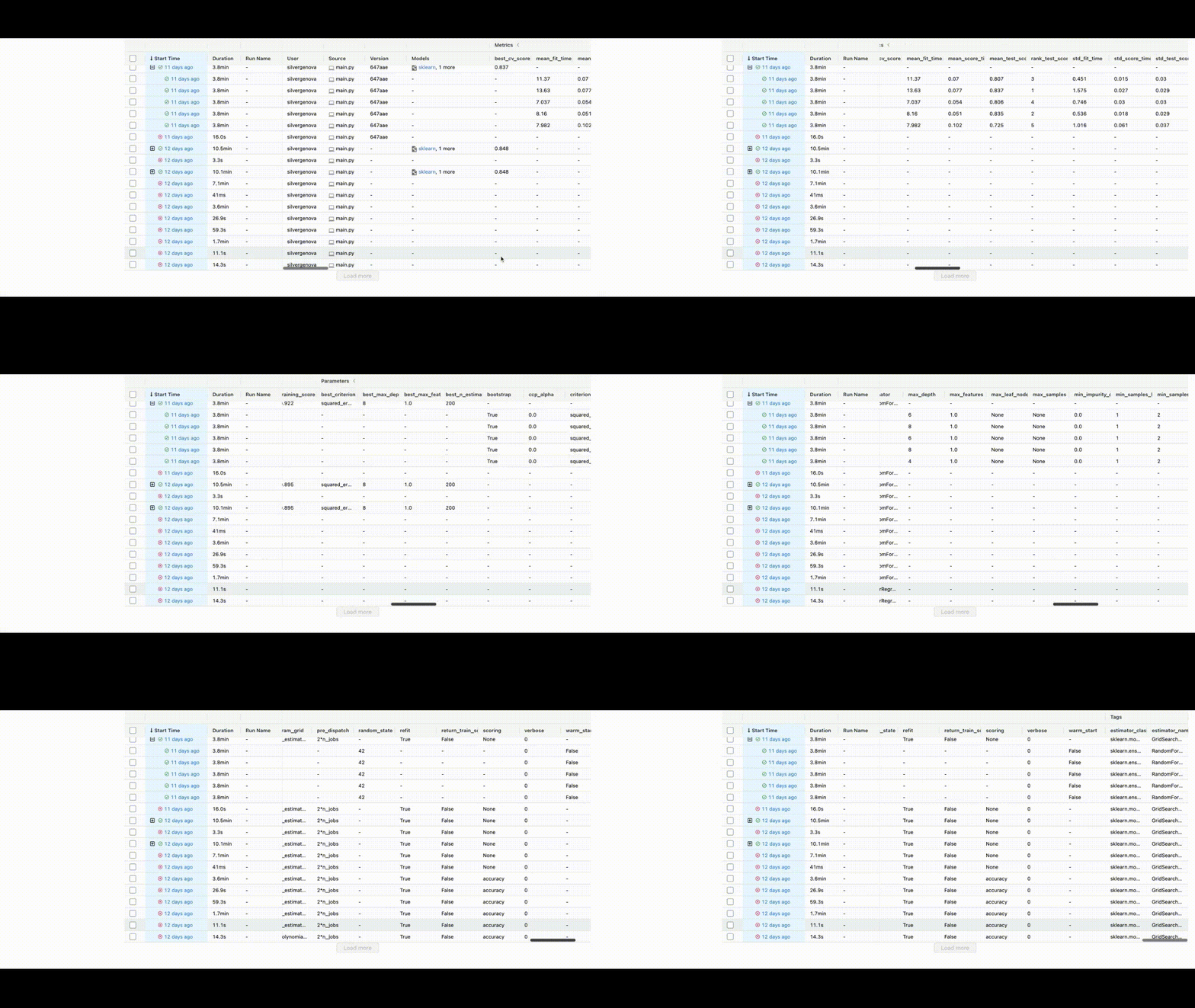
We have trained the model and can now save the id of the best model to the BentoML repository.
bento_model = bentoml.mlflow.import_model("sklearn_house_data", model_uri)This model_uri is made up of a run_id, an identifier to the run of the MLFlow job, and the artifact_path.
You can find this run_id by saving the last run_id, or it can be located in the top left corner of the UI.
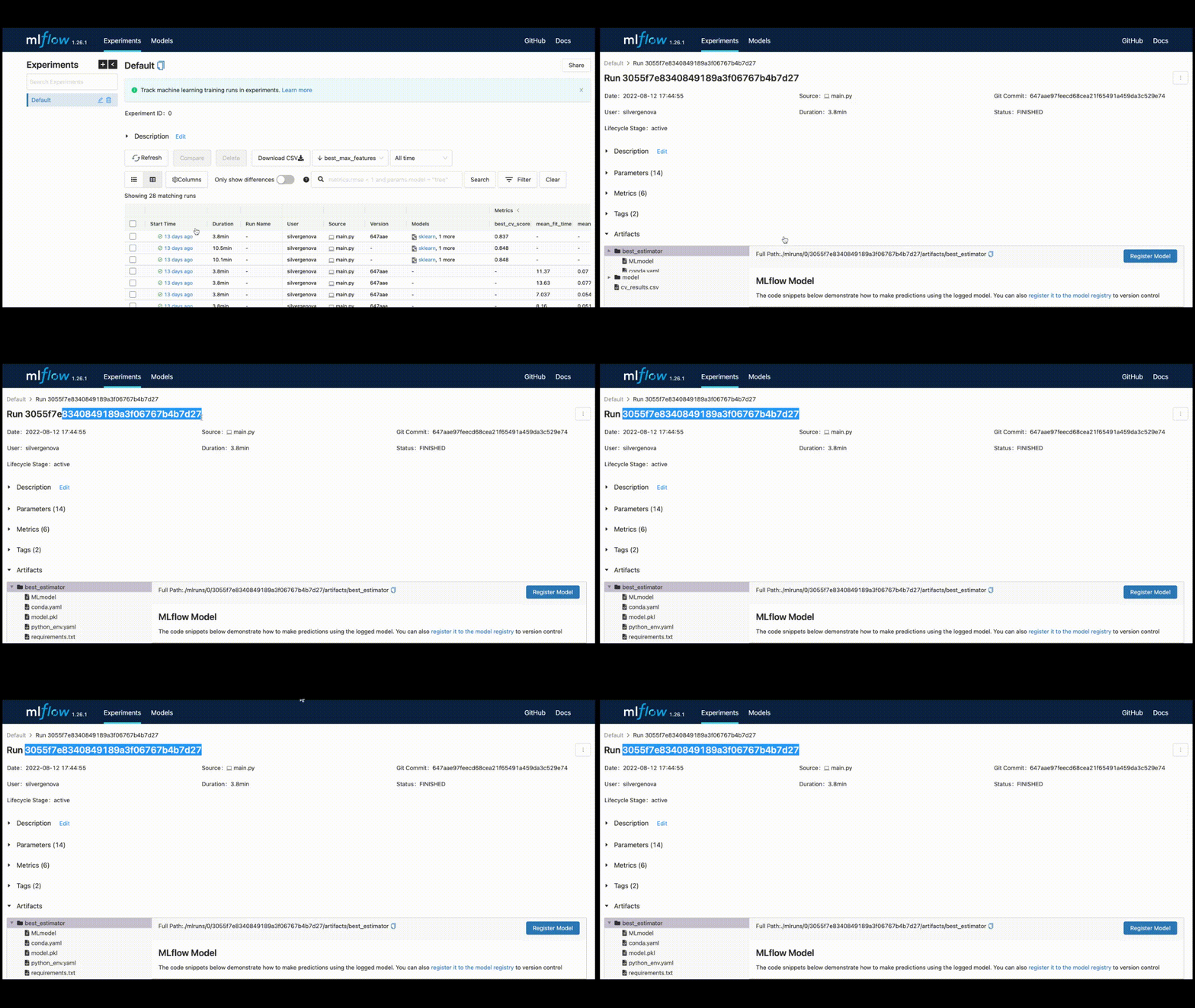
Once you have that id and use “best_estimator” for the artifact_path, the model_uri will be
model_uri = "runs:/3055f7e8340849189a3f06767b4b7d27/best_estimator"And that is the last piece we needed to save the model on the Bentoml Server.
bento_model = bentoml.mlflow.import_model("sklearn_house_data", model_uri,
      labels=run.data.tags,
    metadata={
        "metrics": run.data.metrics,
        "params": run.data.params,
    })
Notice that I added the MLFlow information to BentoML so that I can see those in the BentoML registry.
The full code is accessible via Github.
Serving with BentoML
Predictions can be done from a file or sent in data.
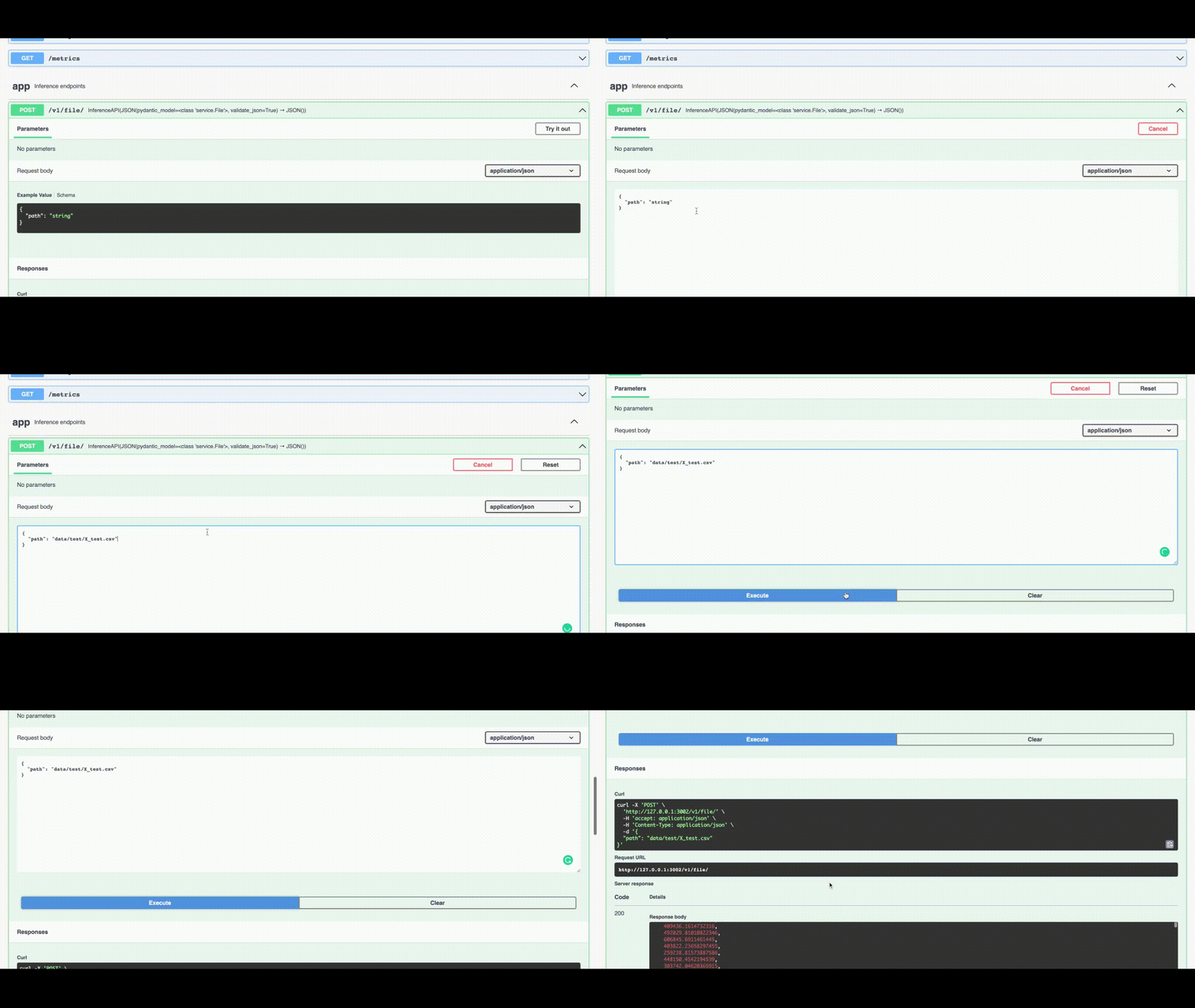
Sending in a file path is convenient for testing. The decorator @service.api declares that the function predict is an API, whose input is a file_path string and the output returns a JSON with the predictions. The File class makes sure that the input, the file_path, is actually a string.
In the Swagger UI, we can see an example value.
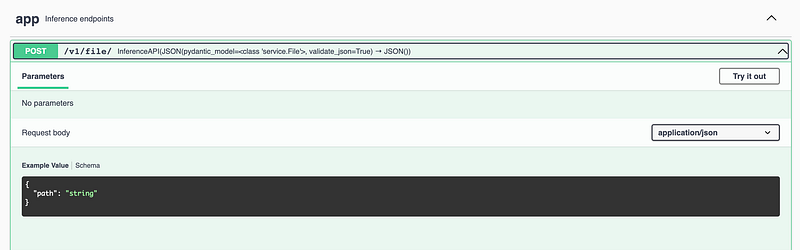
Now, I implement a sample value of data/test/X_test.csv, resulting in a wonderful list of predictions.
However, sending in a file path is not practical in production. The decorator @service.api declares that the function predict is an API, whose input is a list of data and the output returns a JSON with the predictions.
In the Swagger UI, let’s send the following example to the API.
[[4,2.25,2070,8893,2,0,0,4,8,2070,0,1986,0,98058,47.4388,-122.162,2390.0,7700],[2,2.25,2000,8893,2,0,0,4,8,2030,0,1986,0,98058,43.4388,-122.162,2390.0,7700]]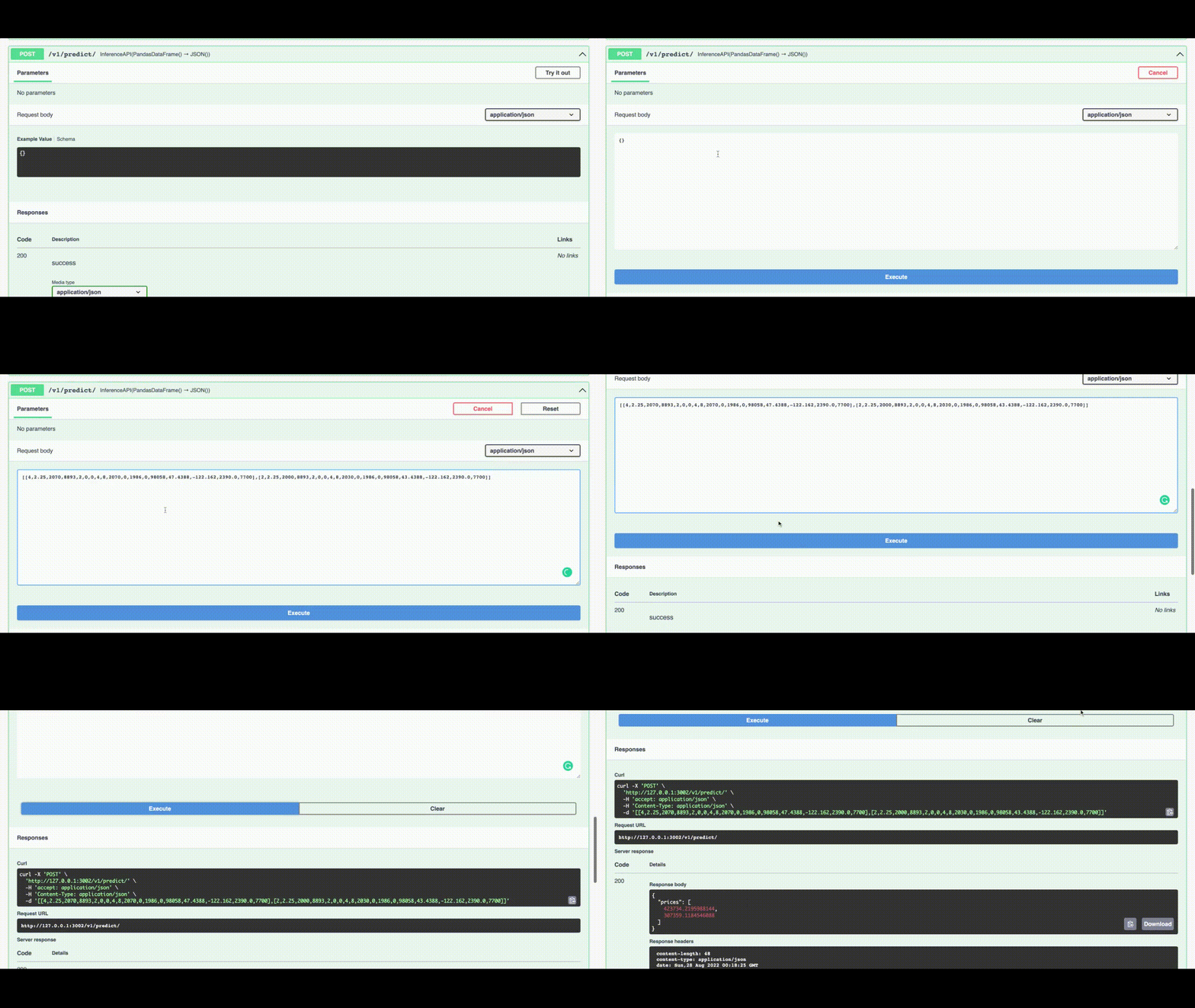
And the predictions have returned!
{
  "prices": [
    423734.2195988144,
    307359.1184546088
  ]
}
The full code is accessible via Github.
Conclusion
In this article, I found the best model using MLFlow to predict house prices. This best model was then deployed using BentoML in mere seconds. BentoML and MLFlow help to deploy machine learning models faster and make the data team more effective.
Reference
- Algorithmia. 2020. 2021 enterprise trends in machine learning. Retrieved 2022–08–25 from https://info.algorithmia.com/hubfs/2020/Reports/2021-Trends-in-ML/Algorithmia_2021_enterprise_ML_trends.pdf
- harlfoxem. 2016. House Sales in King County, USA. CC0: Public Domain. Retrieved 2022–08–25 from https://www.kaggle.com/datasets/harlfoxem/housesalesprediction/


