Deploying Static Websites To AWS S3 + CloudFront + Route53 Using The TypeScript AWS CDK
In today’s post, we’re going to walk through a step-by-step deployment of a static website to an S3 bucket that has CloudFront setup as the global CDN.
The post is written using the AWS TypeScript CDK.
This example is used as a deployment for a static export of a NextJS 10 website. Find the blog post on how to do that here. That being said, this post is aimed at pushing any HTML to S3 to use a static website. I simply use the NextJS content to demo the final product and changes in steps required to get it done.
Getting Started
We need to set up a new npm project and install the prerequisites. We’ll also create a stacks directory to house our S3 stack and update it to take some custom.
Updating cdk.json
Add the following the the cdk.json file:
Setting up context
Add the following the the cdk.json file:
A guide to getting your account ID can be found on the AWS website, but if you are familiar with the AWS CLI then you can use the following.
Ensure that you set the account to be a string with the number returned.
For more information on context, see the AWS docs.
Updating the TypeScript Configuration File
In tsconfig.json, add the following:
This is a basic TypeScript configuration for the CDK to compile the TypeScript configuration to JavaScript.
Handling the static site stack
Open up stacks/s3-static-site-with-cloudfront/index.ts and add the following:
The above was adjusted from the AWS CDK Example to convert things to run as a stack as opposed to a construct.
To explain what is happening here:
- We have an interface StaticSiteProps which allows up to pass an object of arguments
domainNameandsiteSubDomainwhich will allow us to demo an example. If I were to pushdomainNameas dennisokeeffe.com andsiteSubDomainas s3-cdk-deployment-example then you would expect the website to be available at s3-cdk-deployment-example.dennisokeeffe.com. This is assigned as the variablesiteDomainwithin the class. - An ARN certificate
certificateArnis created to enable us to usehttps. - A new CloudFront distribution is created and assigned to
distribution. ThecertificateArnis used to configure the ACM Certificate Reference, and thesiteDomainis used here as the name. - A new Alias Record is created for our
siteDomainvalue and has the target set to be the new CloudFront Distribution. - Finally, we deploy assets from a source
./site-contentswhich expects you to have your code source in that folder relative to the stacks folder. In our case, this will not be what we want and that value will be changed. The deployment also invalidates the objects on the CDN. This may or may not be what you want depending on how your cache-busting mechanisms work. If you have hashed assets andno-cacheormax-age=0for yourindex.htmlfile (which you should) then you can switch this off. Invalidation costs money.
In my case, I am going to adjust the code above to import path and change the s3deploy.Source.asset('./site-contents') value to become s3deploy.Source.asset(path.resolve(__dirname, '../../../next-10-static-export/out')) (which points to my output directory with the static HTML build assets). This relates to my corresponding blog post on exporting NextJS 10 static websites directly. Note that you will need to add import path = require('path') to the top and install @types/node.
Using the StaticSite Stack
Back at the root directory in index.ts, let's import the stack and put it to use.
In the above, we simply import the stack, create a new app with the cdk API, then pass that app to the new instance of the StaticSite.
If you recall, the constructor for the StaticSite reads constructor(parent: Construct, name: string, props: StaticSiteProps) and so it expects three arguments.
- The CDK app.
- The “name” or identifier for the stack.
- Props that adhere to our
StaticSiteProps, so in our case an object that passes thedomainNameandsiteSubDomain.
Updating package.json
Before deployment, let’s adjust package.json for some scripts to help with the deployment.
Now we are ready to roll.
Deploying our site
Note: you must have your static folder from another project ready for this to work. Please refer to my post on a static site export of NextJS 10 if you would like to follow what I am doing here.
To deploy our site, we need to transpile the TypeScript to JavaScript, then run the CDK synth and deploy commands.
Note: you’ll need to make sure that your AWS credentials are configured for this to work. I personally use aws-vault.
You’ll need to accept the new resources template generated before the deployment will commence.
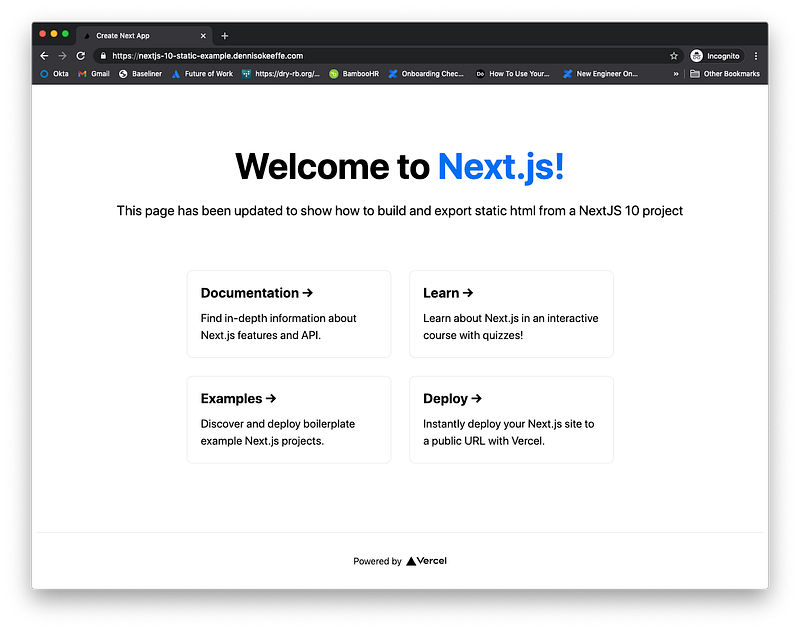
In my particular case, I used the NextJS static site example given from my post on Exporting Static NextJS 10 Websites
You can see the final, live deploy at https://nextjs-10-static-example.dennisokeeffe.com.
Resources
- AWS CDK Static Site Example — GitHub
- Exporting Static NextJS 10 Websites
- AWS Vault — GitHub
- AWS Runtime Context
- Getting Your Account ID
- Final, live website deployment
- Final code
Image credit: Ignat Kushanrev
Originally posted on my blog.


