
Deploy your Flask app on the Google Cloud Platform
From localhost to the world wide web with GCP

Assuming you have successfully converted your Python project into a Flask app under localhost.
if __name__ == "__main__":
    app.run()
In five simple steps, we will deploy this app (main.py in this example) to the Google Cloud Platform. This will make your Flask app accessible from anywhere in the world over the Internet.
Solution
One approach to deploying the Flask (localhost) app on the Google Cloud Platform (GCP) is to use Google App Engine (GAE).
- Create a GCP project: If you don’t already have a GCP account, create one and create a new project.
- Set up the Cloud SDK: Install the Cloud SDK on your local machine if you haven’t already.
- Set up the app.yaml file: Create an app.yaml file in the root directory of your project. This file is used to configure your GAE environment. Here’s an example:
runtime: python39
entrypoint: gunicorn -b :$PORT main:app

handlers:
- url: /.*
  script: auto
This example specifies the Python 3.9 runtime and uses Gunicorn as the server. The entrypoint line specifies the command to start the server. The handlers section specifies how to handle requests. The script: auto line tells GAE to look for a main.py file with a app object.
4. Install dependencies: Make sure your dependencies are listed in a requirements.txt file in the root directory of your project. You can generate this file by running pip freeze > requirements.txt in your virtual environment.
Also, make sure you have gunicorn installed:
pip install gunicorn
Even if you don’t need it if you run your Flask app locally.
5. Deploy the app: Use the gcloud command-line tool to deploy the app to GAE:
gcloud app deploy
This command will deploy several services:
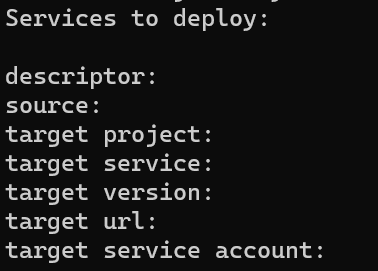
Once the code and dependencies are uploaded to GCP the application will launch. You should be able to access the app at the URL provided by GAE.
In case you receive this error message:
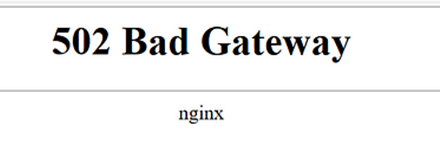
.. just wait a few more seconds and refresh this page.
Summary
Besides GAE, there are other more advanced options available, such as using Google Kubernetes Engine (GKE) or Compute Engine. But for a simple web app, GAE is a good option to start with.
Many thanks for reading! I hope this article is helpful for you. Feel free to connect with me on LinkedIn, Twitter or Workrooms.


