Defining WebSocket API Gateway Endpoints in a SAM Template
In a previous post I walked through creating a WebSocket based API Gateway Endpoint. At that time I had not quite figured out how to fully define the endpoint in a SAM Template. Well here you go.
In this example we are setting up a WebSocket API Gateway endpoint that has a route called test and I included a Request Authorizer Lambda because it was a bit tricky to get that all set up and working. If you do not need an authorizer simply remove it from the template.yaml.
Here is a link to the full code in github. https://github.com/dsandor/example-ws-gateway-sam
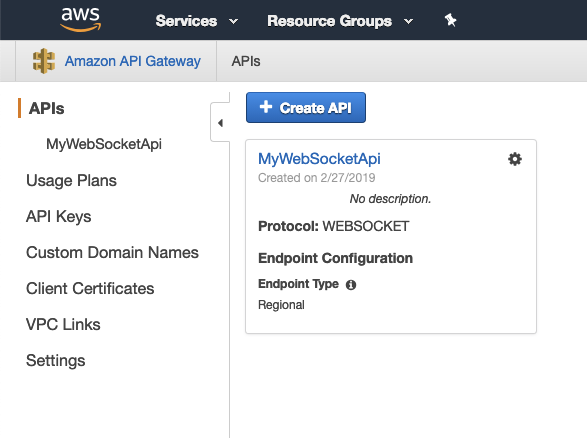
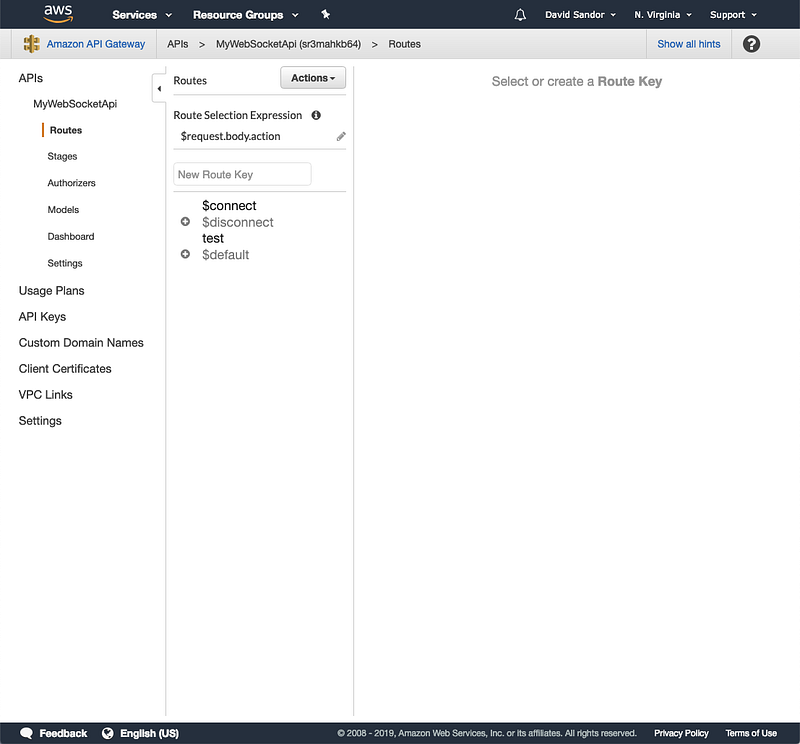
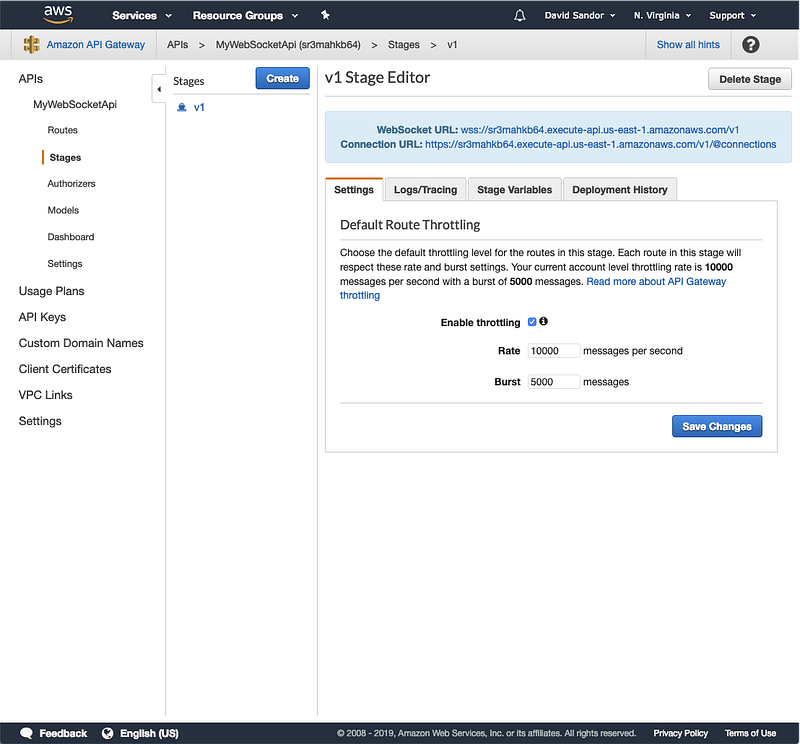
Above is what you will end up with after the SAM template is deployed. Take a look at the full template.yaml file here: https://github.com/dsandor/example-ws-gateway-sam/blob/master/template.yaml
There are two Lambda Functions defined in this template.
- MyLambdaRouteHandlerFunction
- LambdaRequestAuthFunction
The MyLambdaRouteHandlerFunction is a really simple function that just returns back a simple message.
module.exports.handler = async (event) => {
  console.log(JSON.stringify(event, 2));
const { send } = getSocketContext(event);
await send(JSON.stringify({ message: 'This response was pushed from my Lambda.' }));return {
isBase64Encoded: false,
statusCode: 200,
body: ""
};
};The SAM Template defines this resource like the following:
MyLambdaRouteHandlerFunction:
    Type: AWS::Serverless::Function
    Properties:
      Handler: index.handler
      Timeout: 30
      Runtime: nodejs8.10
      CodeUri: ./
      Policies:
        - AWSLambdaFullAccess
        - CloudWatchLogsFullAccess
        - AmazonAPIGatewayInvokeFullAccess
        - AmazonAPIGatewayAdministrator
For illustration purposes I also included a REQUEST Authorizer Lambda for the websocket. This Lambda fires when a user connect to the websocket. The purpose of this lambda is to perform some sort of custom authorization work. This function will return an Accept or Deny to the user ,
exports.handler = function(event, context, callback) {
  // See this AWS Document for this example Authorizer Function
  // https://docs.aws.amazon.com/apigateway/latest/developerguide/apigateway-use-lambda-authorizer.html#api-gateway-lambda-authorizer-lambda-function-create
// Retrieve request parameters from the Lambda function input:
const headers = event.headers;// Parse the input for the parameter values
const tmp = event.methodArn.split(':');
const apiGatewayArnTmp = tmp[5].split('/');
const awsAccountId = tmp[4];
const region = tmp[3];
const [restApiId, stage, method ] = apiGatewayArnTmp;let resource = '/'; // root resource
if (apiGatewayArnTmp[3]) {
resource += apiGatewayArnTmp[3];
}console.log('Request details: ', { restApiId, stage, method, region, awsAccountId, resource });// We are just going to reply with an allow in this example.
callback(null, generateAllow('me', event.methodArn));
}The Authorizer Lambda is defined in the template with the following yaml:
LambdaRequestAuthFunction:
    Type: AWS::Serverless::Function
    Properties:
      Handler: authorizer.handler
      Timeout: 30
      Runtime: nodejs8.10
      CodeUri: ./
      Policies:
        - AWSLambdaFullAccess
        - CloudWatchLogsFullAccess
We defined the actual WebSocket API Gateway with this yaml:
MyWebSocketApi:
    Type: AWS::ApiGatewayV2::Api
    Properties:
      Name: MyWebSocketApi
      ProtocolType: WEBSOCKET
      RouteSelectionExpression: "$request.body.action"
Here we are giving the name, setting it as a WebSocket based endpoint and also configuring the Route Selection Expression.
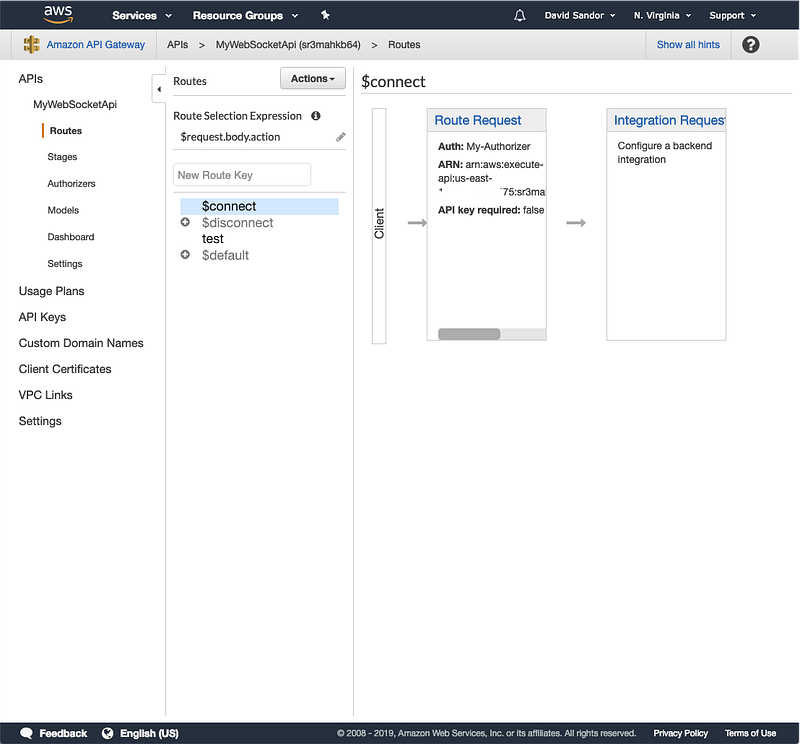
Next, we need to tell the API Gateway about the Authorizer.
Auth:
    Type: "AWS::ApiGatewayV2::Authorizer"
    Properties:
      Name: My-Authorizer
      ApiId: !Ref MyWebSocketApi
      AuthorizerType: REQUEST
      AuthorizerUri:
        Fn::Sub:
          arn:aws:apigateway:${AWS::Region}:lambda:path/2015-03-31/functions/${LambdaRequestAuthFunction.Arn}/invocations
      IdentitySource:
        - "route.request.header.x-some-header-to-auth-from"
The Authorizer object defines what kind of Authorizer this is, links that to the WebSocket API (MyWebSocketApi) and what Lambda will handle the authorization requests. Finally, we define what Identity Sources we want to send to the Authorizer Lambda. You can push multiple identity sources to the Lambda. Note that for WebSocket based API Gateway’s the only supported AuthorizerType is REQUEST.
In order to hook up the Authorizer to the WebSocket API you have to wire it up to the $connect route.
ConnectRoute:
    Type: AWS::ApiGatewayV2::Route
    Properties:
      ApiId: !Ref MyWebSocketApi
      RouteKey: "$connect"
      AuthorizationType: CUSTOM
      OperationName: ConnectRoute
      AuthorizerId: !Ref Auth
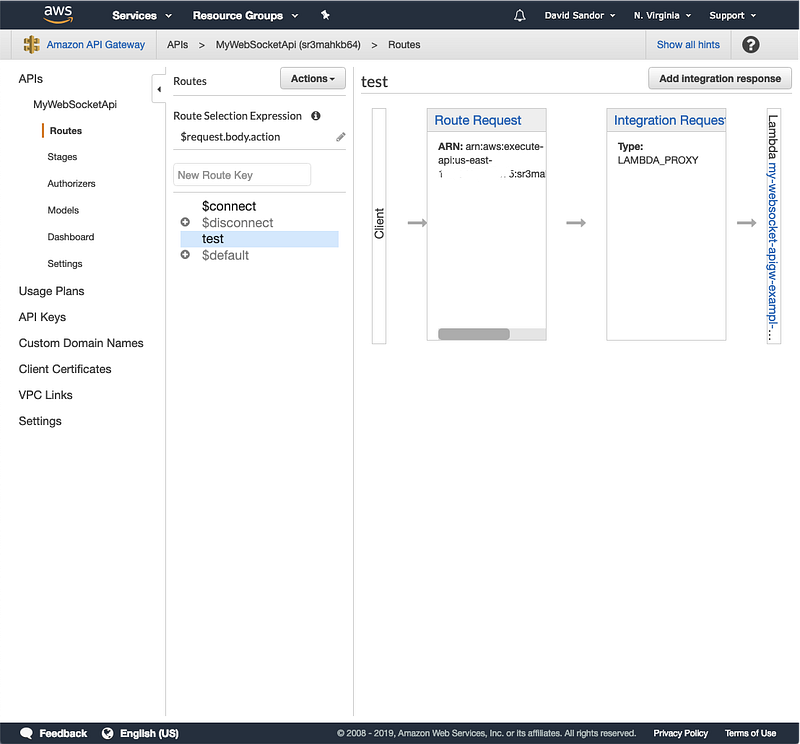
In this example I created a test route that has a basic handler.
TestRoute:
    Type: AWS::ApiGatewayV2::Route
    Properties:
      ApiId: !Ref MyWebSocketApi
      RouteKey: test
      AuthorizationType: NONE
      OperationName: TestRoute
      Target: !Join
        - '/'
        - - 'integrations'
          - !Ref TestLambdaIntegration
  TestLambdaIntegration:
    Type: AWS::ApiGatewayV2::Integration
    Properties:
      ApiId: !Ref MyWebSocketApi
      Description: Test Integration
      IntegrationType: AWS_PROXY
      IntegrationUri:
        Fn::Sub:
            arn:aws:apigateway:${AWS::Region}:lambda:path/2015-03-31/functions/${MyLambdaRouteHandlerFunction.Arn}/invocations
This route is defined in the SAM Template and then the PROXY integration is defined which hooks up the Lambda to the route.
Deployment:
    Type: AWS::ApiGatewayV2::Deployment
    DependsOn:
    - TestRoute
    Properties:
      ApiId: !Ref MyWebSocketApi
Stage:
Type: AWS::ApiGatewayV2::Stage
Properties:
StageName: v1
Description: Version 1 'stage'
DeploymentId: !Ref Deployment
ApiId: !Ref MyWebSocketApiNext, we defined the Stage and the Deployment. This tells SAM how to create a stage and to actually deploy the WebSocket Endpoint.
The last thing we do is define the permissions needed for the two functions.
PortfolioBlocksPermission:
    Type: AWS::Lambda::Permission
    DependsOn:
      - MyWebSocketApi
      - MyLambdaRouteHandlerFunction
    Properties:
      Action: lambda:InvokeFunction
      FunctionName: !Ref MyLambdaRouteHandlerFunction
      Principal: apigateway.amazonaws.com
AuthorizerFunctionPermission:
Type: AWS::Lambda::Permission
DependsOn:
- MyWebSocketApi
- LambdaRequestAuthFunction
Properties:
Action: lambda:InvokeFunction
FunctionName: !Ref LambdaRequestAuthFunction
Principal: apigateway.amazonaws.comWhen all of this is put together we have a WebSocket API Gateway defined with a Request Authorizer.
Using the wscat tool we can connect to our new WebSocket API Gateway endpoint and make a request.
$ wscat -c wss://sr3mahkb64.execute-api.us-east-1.amazonaws.com/v1/
connected (press CTRL+C to quit)
> { "action": "test" }
< {"message":"This response was pushed from my Lambda."}
>


