How to create Real-time Database in Firebase.
Atypically, the need for mobile apps is a central location to store application data. Consider the case when you are creating a mobile game, and you have to preserve user progress. It can be locally saved on the phone.
What happens if the user logs in using the same account on a different gadget? Because of this, the player must restart the game even when they have already made some progress. This may result in dissatisfied consumers and negative app reviews.
It is possible to sync your data easily across multiple devices and save it in the cloud using Firebase Real-time Database. It is only one piece of a much larger puzzle and is powered by the Google Firebase platform.
To set up the application to use a real-time database in Firebase, let’s start with the first stages and go into further detail on each one.
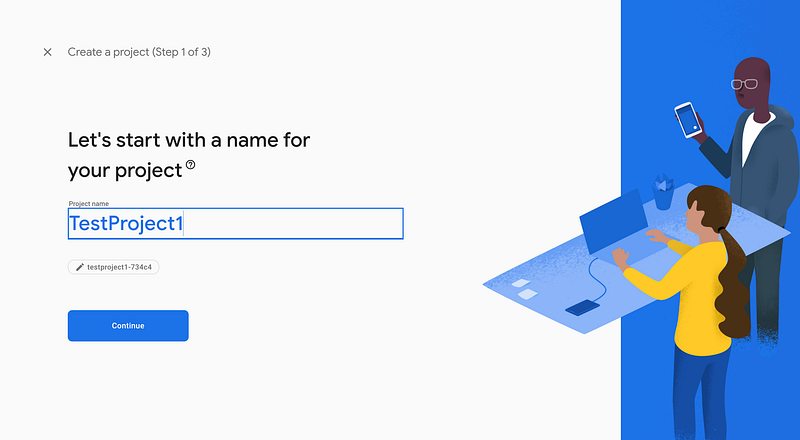
Step 1. We will start by creating a new project with the name "TestProject1".
Step 2. The Real-time database will be examined in the following phase when we access the Firebase console. Under Developers -> Database, there will be two options: cloud storage and real-time databases.
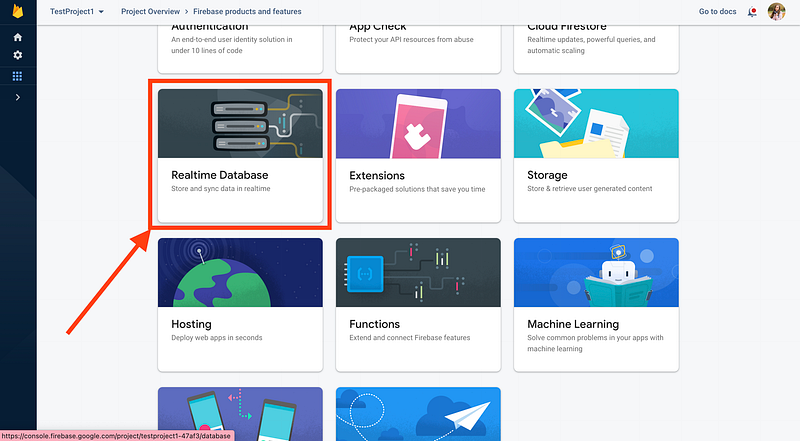
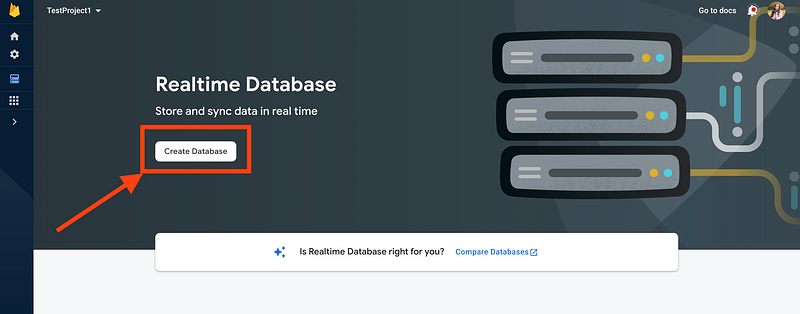
Step 3. Create a database. Your database must first be created in the console. From the left-hand menu, select Database. Click the Create Database button after scrolling to the Realtime Database section.
We’ll discuss the Firebase Database Rules before moving on to the subsequent phases.
Step 4. A declarative rule language is offered by the real-time database. It specifies when our data may be read from and written to, how it should be indexed, and how it should be formatted. Since read and write access is limited by default, only authenticated users are permitted to view or write data in our database.
The Security Rules dialogue will start to appear:
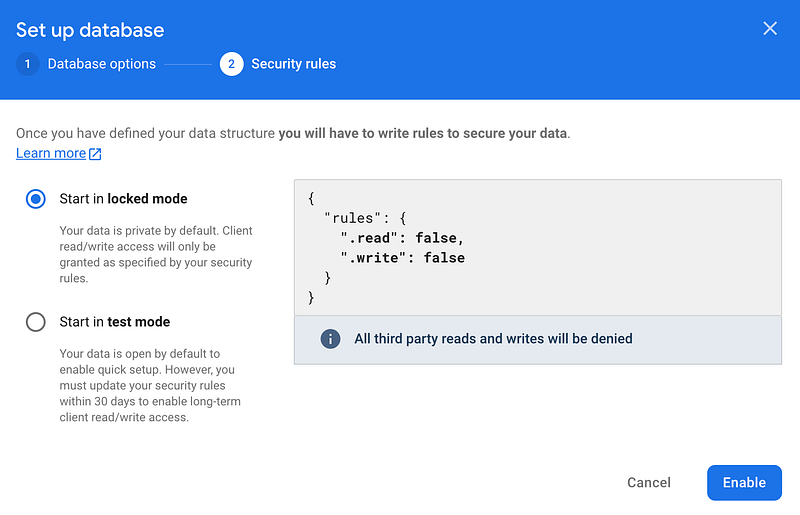
The real-time database will automatically be enabled with a database after selecting Enable. For storing data, security rules, backups, and use, respectively, we have Data, Rules, Backups, and Usage.
You can adapt your rules to a public context, so don’t worry.
Step 5. Now you can create a database table with fields. Below is an example with the database name “tableName1”.
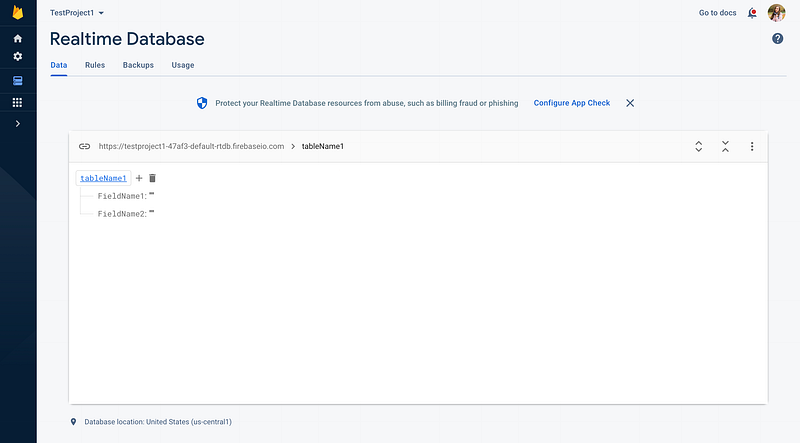
So, that is an example of creating a Real-time database on Firebase. Now, our database is set up with specific rules, and we can use it.
Read my previous story:
How did I get my First Order In Upwork in 2024?
or


