
Data Engineer has never been so easy with Microsoft Fabric Pipelines and Dataflows (Gen2) 🏭
Explore Microsoft Fabric Pipelines and Dataflows (Gen2) and simplify your data transformation tasks.
If you’re in the data industry, then the name ‘Microsoft Fabric’ must already ring a bell.
If that’s not the case, then this is a great opportunity for you to learn more about this platform. Essentially, Microsoft Fabric is a platform that includes different features for data analysts, engineers, and scientists. One of those features is Pipelines and Dataflows (Gen2), which are one of the ways that you can bring data to your data stores.
In the world of data engineering, pipelines, and dataflows hold central importance. Imagine them as the blood vessels of your data body, transferring data from its source to the intended destination. Not just that, they often refine this data on the journey, much like our body refines the nutrients it receives.
This harmonious interaction is key in automating the traditional Extract, Transform, and Load (ETL) process. It’s like having a well-oiled machine that efficiently does the heavy lifting, saving you a significant amount of time and resources. It’s not about pushing a product but recognizing the immense value these systems bring to the table in managing and manipulating data.
For the experienced data engineers, we´ve already used or at least heard about pipelines in Azure Data Factory and Azure Synapse, and we've also heard about dataflows in PowerBI.
Basically, Fabric brings Data Factory components into a unified environment where you can use them to interact in an easy way with all the other components that make Fabric.
Microsoft Fabric Pipelines: Driving Efficient Data Processes
Essentially, pipelines are in charge of controlling data processing tasks. Think of them like a highway for data, linking together a multitude of sources and driving all that information to the right place.
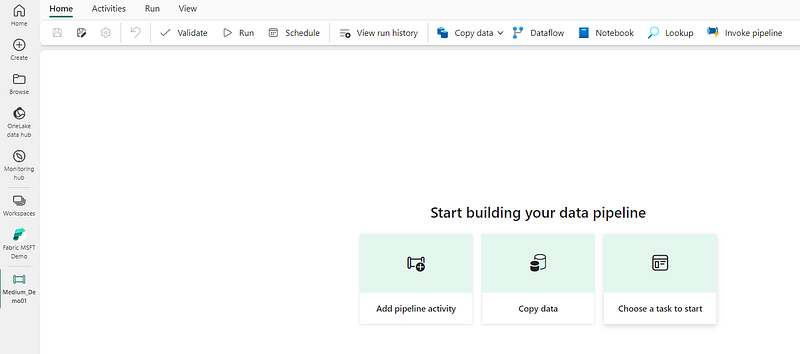
But this isn’t just your average highway — it’s smart and adaptable. Pipelines come equipped with control flow logic, meaning they can manage various data processing tasks. This includes handling things like branching and looping, along with other types of data processing logic.
One of the cool features is the graphical pipeline canvas available in the Fabric user interface. This tool lets you construct complex pipelines with little or no coding required. It’s an intuitive and visual way of managing data processing that simplifies the task at hand.
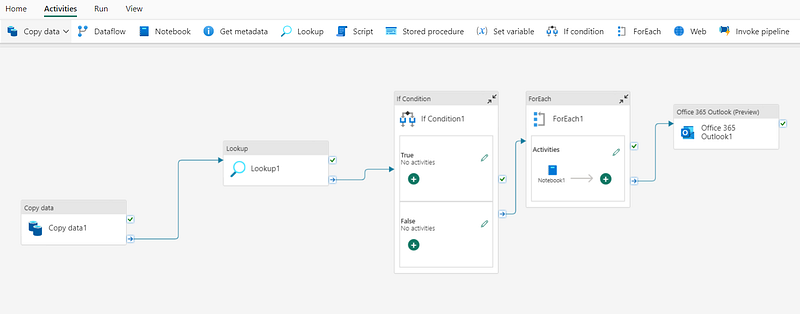
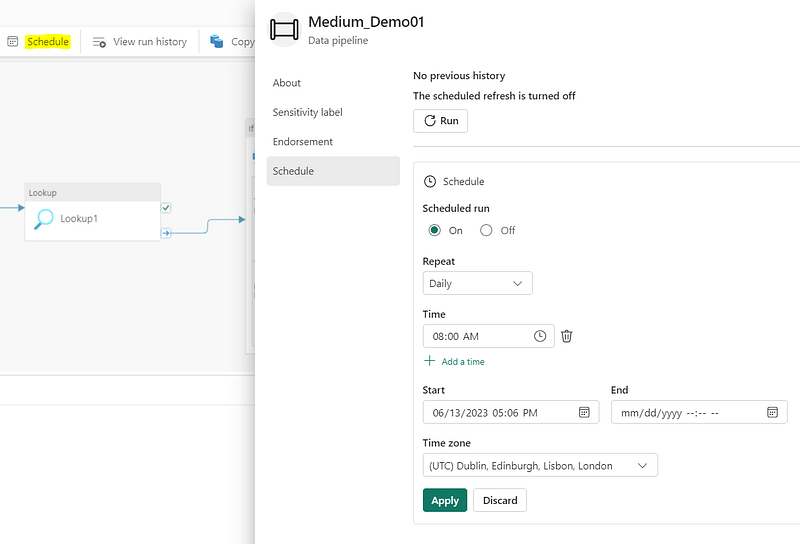
What makes these pipelines tick? They rely on something called interconnected activities to outline the processes. There are two ways you can operate these pipelines: interactively through the Microsoft Fabric user interface, or they can be scheduled to run all by themselves.
Activities: The Heart of Fabric Pipelines
The structure of pipelines is primarily composed of tasks that can be executed, known as activities. There are two main types of activities you’ll find in a pipeline: data transformation activities and control flow activities.
Let’s start with data transformation activities. These are tasks that handle the movement and modification of data. A simple example of this is the Copy Data activity, which extracts data from a source and transfers it to a specified destination. But it can get more complex with data flow activities, where the data doesn’t just move from point A to point B. Instead, it goes through a series of transformations, ensuring it arrives at its destination in the desired format or state.
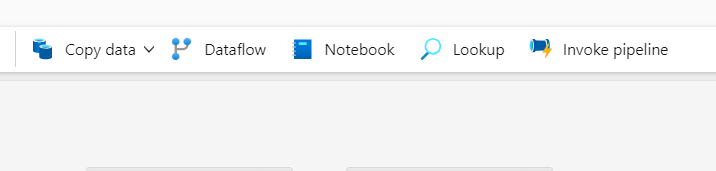
Control Flow Activities, on the flip side, deal with the logic and flow of the pipeline. These aren’t so much about moving the data as about how the pipeline operates. For instance, you can use these activities to create loops, set up conditional branching, or manage variable and parameter values. These activities help you craft a sophisticated pipeline logic that orchestrates the data ingestion and transformation processes efficiently.

So while the setup might look complicated at first, remember that each type of activity has a specific purpose in the pipeline, either transforming data or controlling the pipeline’s flow, making your data management task a lot more structured and manageable.
Parameterizing Pipelines for Reusability
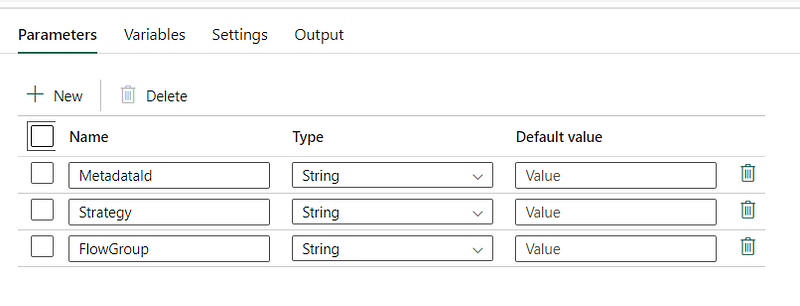
What’s interesting about pipelines is their ability to be parameterized.
What does this mean? Simply put, you can define specific values that are applied every time the pipeline is operated. By defining these values, your pipelines become more reusable and adaptable. This flexibility is crucial when dealing with varying data ingestion and transformation processes, where conditions and requirements may change, but the core pipeline structure can remain the same.
Using the Copy Data Activity
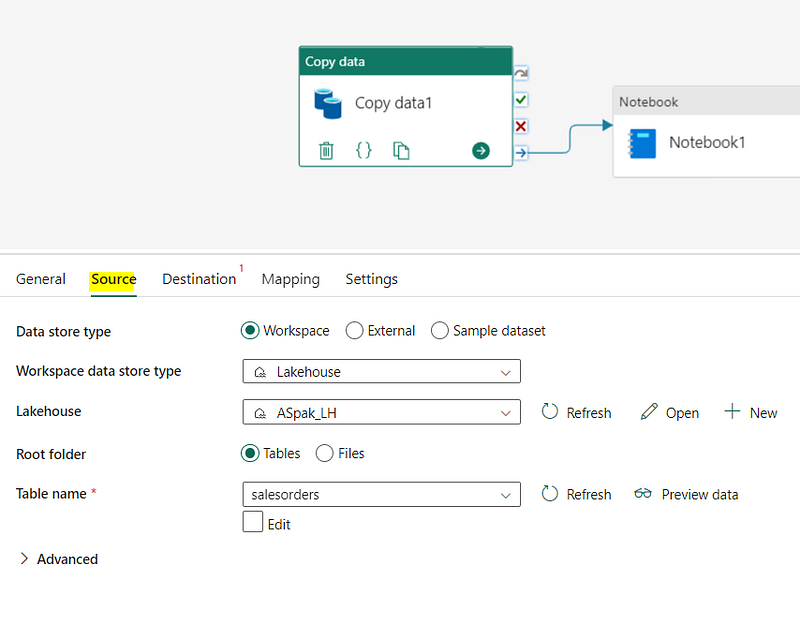
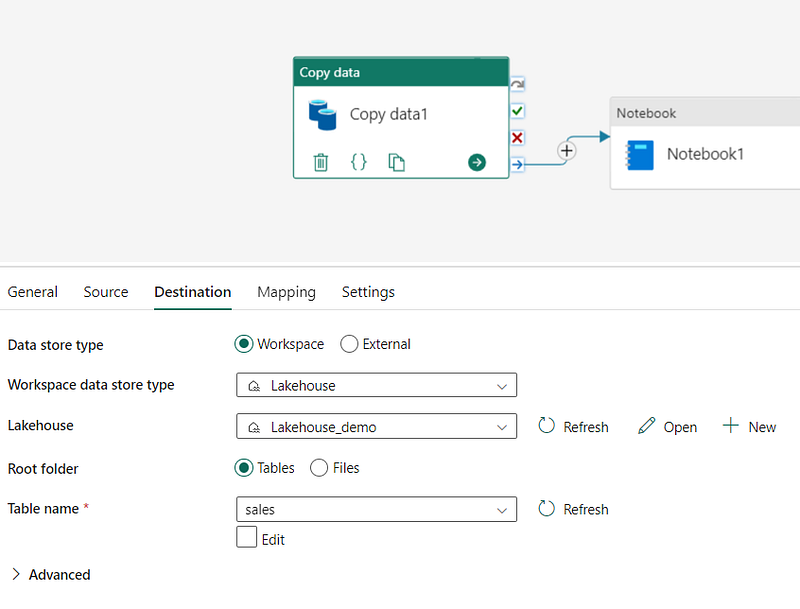
One common task you might perform with a data pipeline is the "copy data" activity. Essentially, this function lets you bring in data from an outside source and put it into a file or table in a lakehouse. What’s interesting is that you’re not just limited to this one action; you can mix and match the Copy Data activity with other tasks to set up a routine data ingestion process that can run over and over again.
Understanding Dataflows (Gen2) in Microsoft Fabric
Imagine you have a toolbox filled with a diverse assortment of power tools. That’s essentially what Dataflows (Gen2) represent in the realm of data extraction, transformation, and loading (ETL). They’re handy gadgets that allow you to pull data from all sorts of places, manipulate it through various operations, and then put it precisely where you need it.
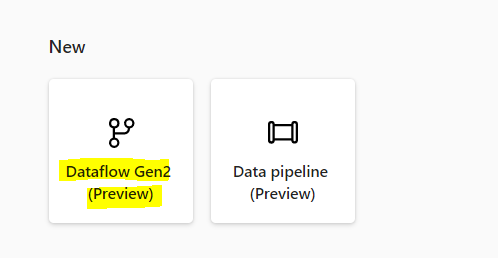
One of the best things about these tools is that they’re cloud-based. This means they’re not just designed to handle data transformations; they’re also built to execute these processes at a scale that fits your needs.
Even better, Dataflows (Gen2) simplify the ETL process. They come with Power Query Online, a tool that provides a user-friendly and reusable solution for managing ETL tasks. This makes the entire process less daunting and more efficient.
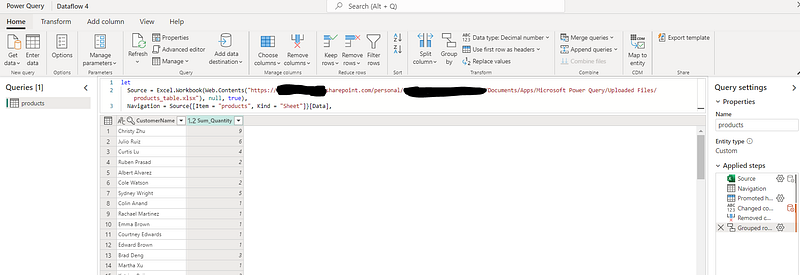
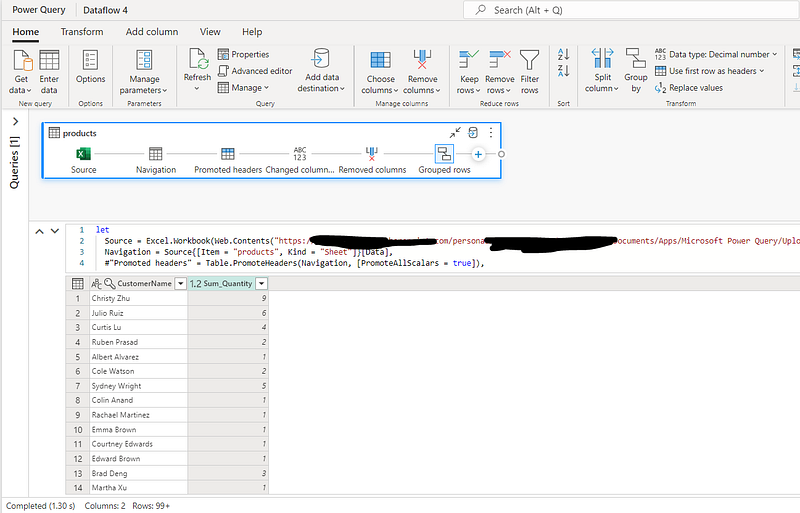
And there’s one more thing I´ve found later! Dataflows (Gen2) also provide an excellent way to enhance performance. They’re designed to extract data just once for reuse, which means you spend less time waiting around for data refreshes from slower sources. In essence, Dataflows (Gen2) make your work less about battling with processes and more about efficiently using your data.
Benefits and Limitations of Dataflows (Gen2)
Dataflows Gen2 are powerful tools with a range of distinct advantages, but they also have certain limitations. On the plus side, they offer an excellent means to enrich your data, creating a consistency that simplifies the complexity of various data sources. They also help ensure the quality and uniformity of the data and make data integration a smoother process.
However, it’s important to remember that they aren’t a substitute for a data warehouse. They lack support for row-level security, which might be a significant feature for some users. And another thing to note: they require a Fabric capacity workspace to function. So while Dataflows Gen2 can undoubtedly bring benefits to your data management, these points are worth considering before diving in.
The Integration of Dataflows (Gen2) and Pipelines
In Fabric, Dataflows (Gen2) and pipelines aren’t separate entities; they form a symbiotic relationship. When you’re dealing with transformed data that needs a bit more tweaking, these two come together to make that task much simpler.
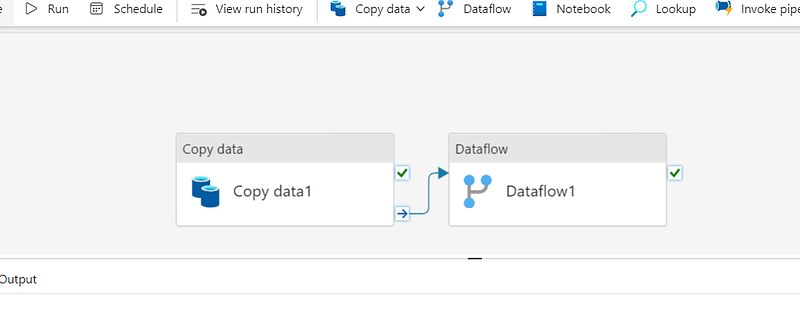
Creating pipelines isn’t a complex process in the context of the Data Factory and Data Engineering workloads. It’s just a matter of a few clicks and keystrokes, and voila, you have a pipeline ready to go.
What makes these pipelines valuable is the variety of activities they can orchestrate. Think of them like conductors of an orchestra, each one guiding and controlling different parts to produce a harmonious output. They bring structure and efficiency to your data management process, making it less chaotic and more streamlined.
Investigating these features could significantly influence your data engineering process, potentially transforming it into a more streamlined, effective operation.
Now, this doesn’t necessarily mean you’ll outshine all your competitors overnight — every business has its unique characteristics, after all. But by leveraging such powerful tools, you might find your data operations becoming more manageable and, perhaps, more productive. Isn’t that a worthy exploration?
I´ve been using pipelines for a quite few time, but Dataflows Gen 2 are just something that seems great for the citizen developer that wants to bring their data alive.
If you enjoyed this story, don’t forget to Clap 👏🏻. Follow and Subscribe to receive weekly stories by email.
Also, consider becoming a Medium Member for just 5$ a month and you will get unlimited access to every story on Medium. If you do that through my page or one of my starred stories I receive a small compensation for it that could really help me with my work here. 😊


