
Data Augmentation in Deep Learning
An implementation with Keras
Whenever you build and train a model for a machine learning task, regardless of its being a classification or regression one, your final goal is to make reliable predictions on new, never seen before input data. In other words, you want your model to generalize well on new data.
To achieve this goal, you have to prevent your model from being either excessively adjusted to training data (overfitted), or not capable of capturing pattern in data at all (underfitted).
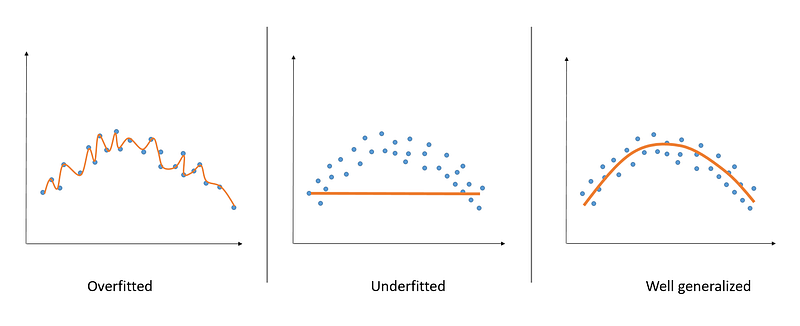
Note that the concepts of overfitting and underfitting are strictly related to the notion of bias-variance trade-off.
In this article, I’m going to dwell on the problem of overfitting and how to deal with it.
Understanding the cause and a possible remedy of overfitting
One of the reasons why overfitting might occur is the lack of data. Indeed, if you are training your model on too few data, it will try to exasperate its extraction of features from the training data, with the risk of identifying patterns that do not exist.
However, it often happens that available data are very few and that is all we can have. Namely, imagine a manufacturing company that wants to examine snapshots of its machinery with the goal of classifying them as “healthy” or “at risk of breakdown”. To train its algorithm (let’s say, a convolutional neural network, CNN) the company will need a bunch of pre-labeled images. The procedure of data collection will need time, but what if the company wants to accelerate the process, starting from a small sample of images? Well, rather than waiting for new images to come, the company could use the available data and derive new images from them, in such a way that each “new image” is created consistently with respect to the existing ones.
This process is called data augmentation and it is extremely powerful in terms of the increase of accuracy of the model. In the next paragraphs, we are going to see different types of data augmentation for image data, plus their implementation with Keras.
My inspirational muse for this activity will be a majestic golden retriever:
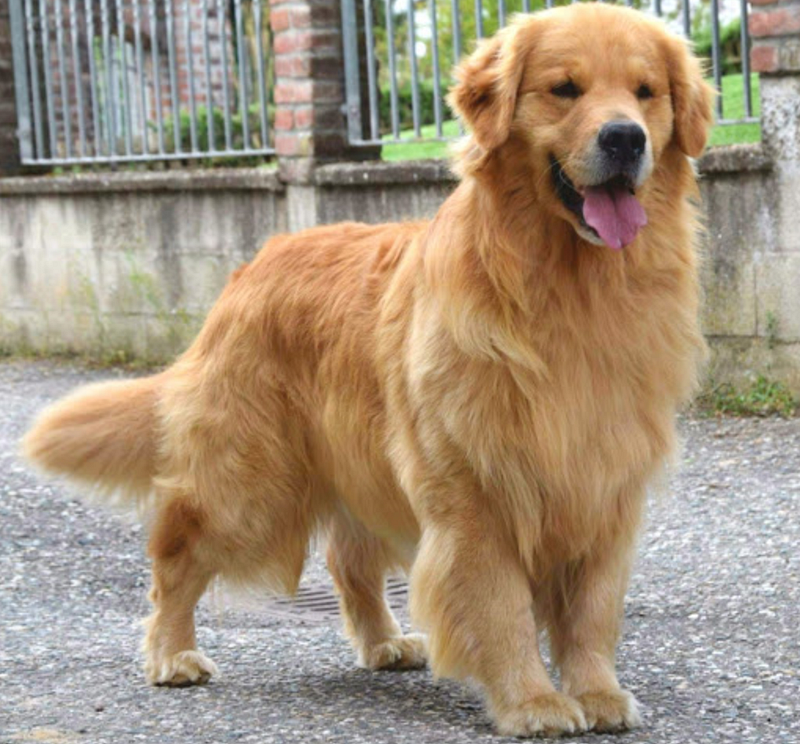
As first thing, let’s import and display the image in Python:
from numpy import expand_dims
from keras.preprocessing.image import load_img
from keras.preprocessing.image import img_to_array
from keras.preprocessing.image import ImageDataGenerator
from matplotlib import pyplot
# load the image
img = load_img('golden.jpg')
plt.imshow(img)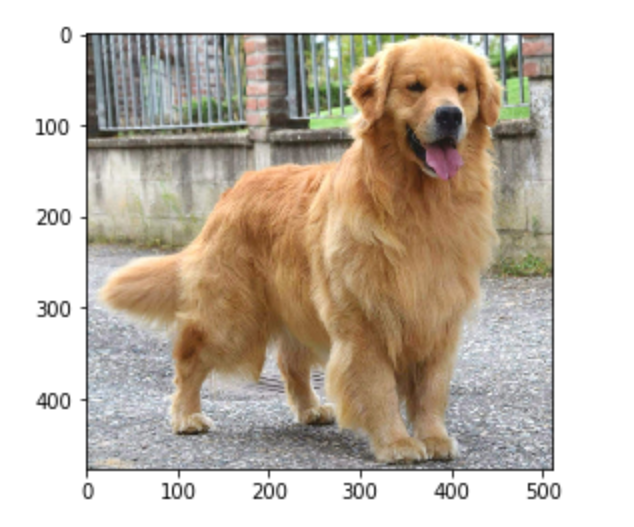
Exploring Data Augmentation strategies with Keras
There is a variety of ways in which images can be created starting from those available. Let’s examine the most popular and intuitive ones and their implementation with Keras. For this purpose, I’m going to use the Keras module ImageDataGenerator (you can read the official documentation here).
- Shifting the images horizontally or vertically. With this technique, we can specify the percentage of pixels (or their number) to be shifted up/down or left/right. By doing so, there will be some pixels that will be disappearing from the image, while some others will need to be imputed (you can find all the imputation techniques here). Note that the shift parameter will need a range of values (as mentioned above, either a percentage or a number), from which it will randomly pick.
Let’s see it with our sample image, starting with a horizontal shift.
data = img_to_array(img)
samples = expand_dims(data, 0)
#setting an array from which the algorith will randomly choose
datagen = ImageDataGenerator(width_shift_range=[-200,200])
_ = datagen.flow(samples, batch_size=1)for i in range(3):
batch = _.next()
image = batch[0].astype('uint8')
plt.subplot(130 + 1 + i)
plt.imshow(image)
plt.xticks([])
plt.yticks([])plt.show()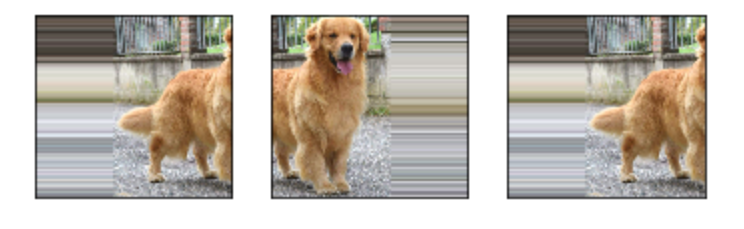
We can do the same by shifting vertically:
datagen = ImageDataGenerator(height_shift_range=[-200,200])
_ = datagen.flow(samples, batch_size=1)
for i in range(3):
batch = _.next()
image = batch[0].astype('uint8')
plt.subplot(130 + 1 + i)
plt.imshow(image)
plt.xticks([])
plt.yticks([])plt.show()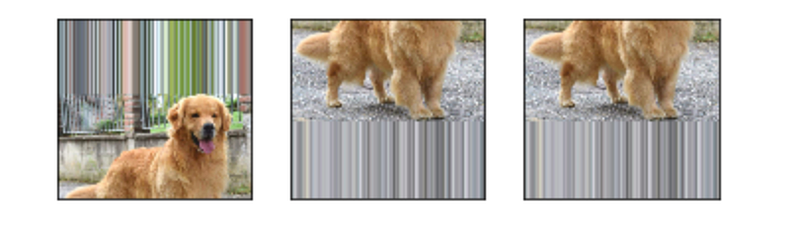
- Flipping the images. Again, we can flip it horizontally or vertically, simply by setting to “True” the flip parameter.
#horizontal flipping
datagen = ImageDataGenerator(horizontal_flip=True)
_ = datagen.flow(samples, batch_size=1)
for i in range(3):
batch = _.next()
image = batch[0].astype('uint8')
plt.subplot(130 + 1 + i)
plt.imshow(image)
plt.xticks([])
plt.yticks([])plt.show()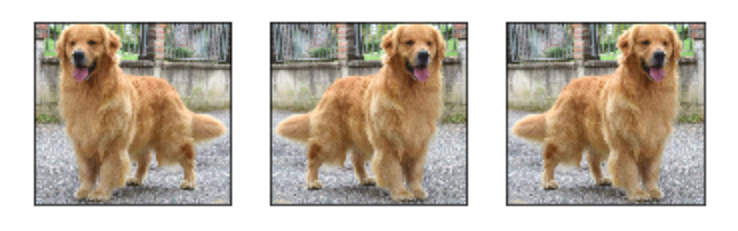
#vertical flipping
datagen = ImageDataGenerator(vertical_flip=True)
_ = datagen.flow(samples, batch_size=1)
for i in range(3):
batch = _.next()
image = batch[0].astype('uint8')
plt.subplot(130 + 1 + i)
plt.imshow(image)
plt.xticks([])
plt.yticks([])plt.show()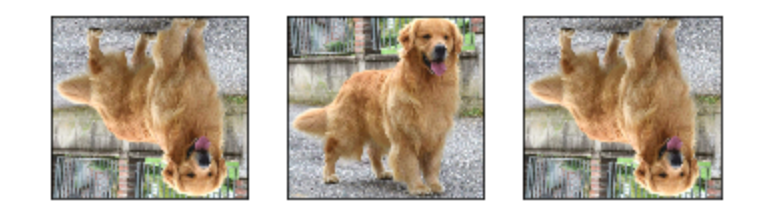
- Rotating the picture. Similar to flipping, but with customizable angles of rotations.
datagen = ImageDataGenerator(rotation_range=90)
_ = datagen.flow(samples, batch_size=1)
for i in range(3):
batch = _.next()
image = batch[0].astype('uint8')
plt.subplot(130 + 1 + i)
plt.imshow(image)
plt.xticks([])
plt.yticks([])plt.show()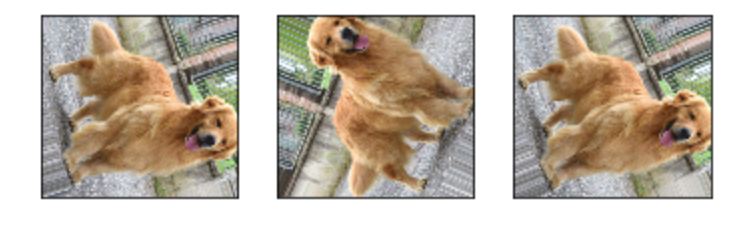
- Zooming at random. By doing so, the algorithm will zoom random areas of the image, resulting in a new set of zoomed images. Note that, when setting the zoom range, you have to take in mind that any value less than 1 will zoom in (making the image closer), while any value greater than 1 will zoom out (making the image further away).
datagen = ImageDataGenerator(zoom_range=[0.5,1.0])
_ = datagen.flow(samples, batch_size=1)
for i in range(3):
batch = _.next()
image = batch[0].astype('uint8')
plt.subplot(130 + 1 + i)
plt.imshow(image)
plt.xticks([])
plt.yticks([])plt.show()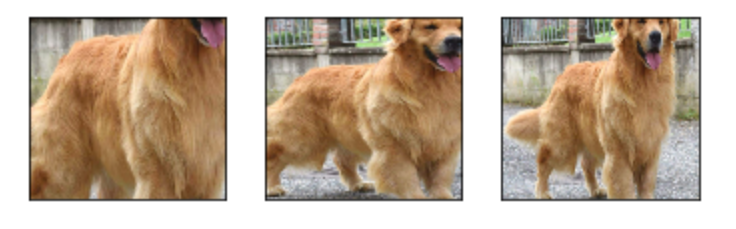
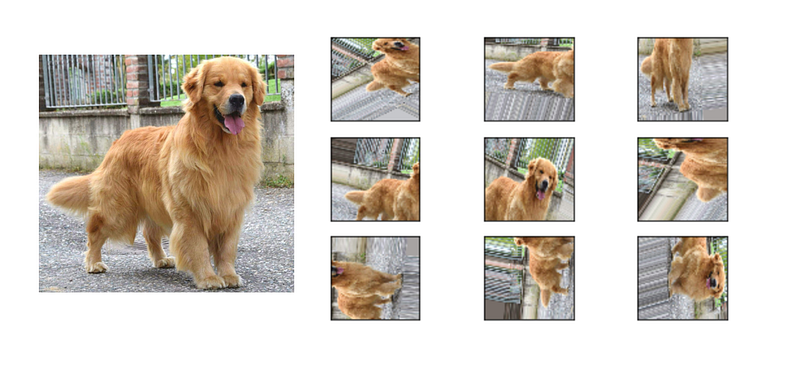
Of course, all the techniques seen above can be combined into a unique ImageDataGenerator object, so that, in addition to the single changes, there can be a potentially infinite number of combinations among them, leading to more new data.
datagen = ImageDataGenerator(width_shift_range=[-100,100],
                             height_shift_range=[-100,100],
                             zoom_range=[0.5,1.5],
                             rotation_range=90)
_ = datagen.flow(samples, batch_size=1)
for i in range(9):
batch = _.next()
image = batch[0].astype('uint8')
plt.subplot(330 + 1 + i)
plt.imshow(image)
plt.xticks([])
plt.yticks([])plt.show()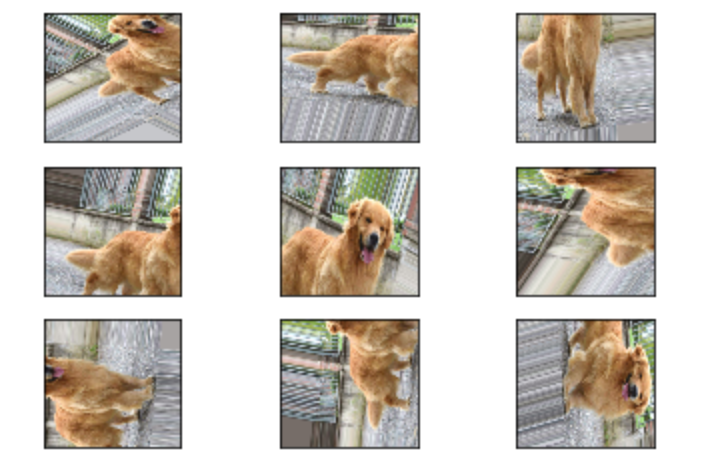
As you can see, each picture is different from the others, yet the main subject is still recognizable. That means that our Neural Network will be able to train on a larger set of data, yet preserving the main “topic”.
I hope you enjoyed the reading! I will follow up on this topic with a comparison of the accuracy of the same Keras model with and without augmented data. Henceforth, if you are interested in the topic, stay tuned!
References
- https://keras.io/
- https://keras.io/api/preprocessing/image/#imagedatagenerator-class
- “Deep Learning with Python”, Francois Chollet



