
Dask or Spark? A Comparison for Data Scientists
3 Reasons Why Dask is Better Suited for Data Science Projects (And When it is Not)
Introduction: Big Data in Data Science
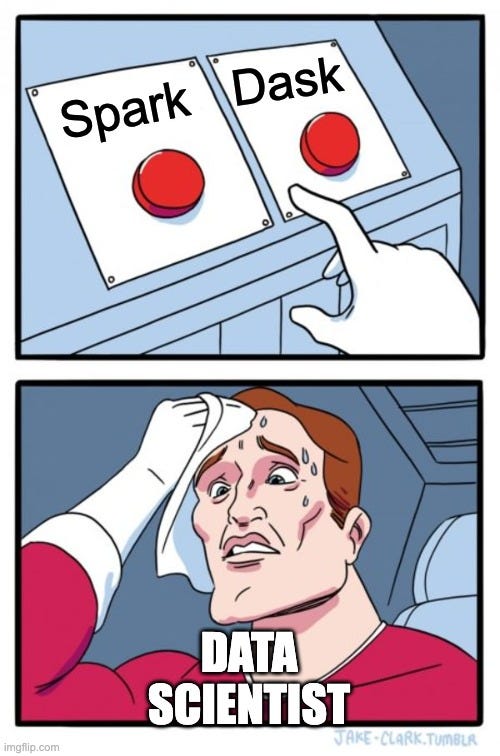
As a data scientist, you might encounter projects where your data doesn’t fit into memory. In these cases, popular tools such as pandas and NumPy cannot support your operations, even after optimization. Before going to Big Data solutions such as PySpark, there are 3 question you should ask yourself:
- Why do I have Big Data? Do I really need all the data? Is there any way to reduce its size by sampling or filtering?
- How can I make it small again? Do I really need this level of aggregation? Can I reduce its size by aggregation or using chunks?
- What are my Big Data needs and which tools support it? Where is my bottleneck? • Do I train or predict on Big Data? • Do I train one model on a large dataset, or do I train many models on small datasets?
If after answering the first two questions your data still doesn’t fit in memory, then the purpose of this post is to present the advantages (and disadvantages) of Dask in comparison to Apache Spark for your data science needs and to advise when to choose which.
What is Dask?
Dask is a Pure Python Big-Data solution that integrates with the Python Data Science ecosystem.
Dask is a Python module and Big-Data tool that enables scaling pandas and NumPy. Like Spark, Dask supports parallel execution and handles out-of-memory data frames and arrays. But while Spark is written in Scala and offers a Python API (PySpark), Dask is a Pure Python solution that is part of the Python data science ecosystem.
Dask shares many characteristics with Spark. Like Spark, Dask has a lazy execution. That means that when you run a command in the console, the actual action isn’t executed — but appended to an execution graph. When the execution command is called, Dask will optimize the graph before executing it. You can manage Dask’s execution graph with the .compute() and .persist() methods.
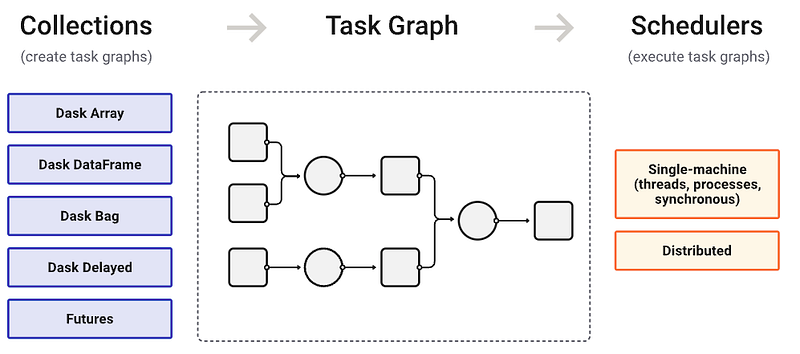
Another resemblance is the ability to scale by deploying clusters. Like Spark, a Dask scheduler can be deployed to a cluster of machines using various technologies. In this case you can work with many Dask workers, and their resources will be managed by the scheduler. Unlike Spark, you can work without a scheduler; You can just import dask.dataframe as dd and get to work.
3 Reasons to Choose Dask
I: Integration with pandas and NumPy
pandas and NumPy are the bread & butter of any Data Scientist, and Dask is built upon these libraries. This fact results with a couple of positive outcomes for us. First of all is the common API; if you have good control over the pandas and NumPy API, you’ve already half way migrated to Dask as Dask inherits most of these modules’ API.
The second is the ability to work with these libraries in the same project. As pandas dataframes are the “building blocks” of Dask dataframes, Dask knows how to handle them both. For example, if I deal with both large and small dataframes in my project, I can manage the big ones using Dask and the small ones using pandas. I can concatenate and merge them together easily without any preparation.
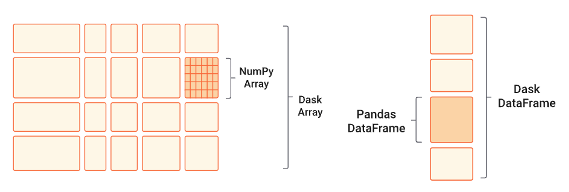
However, it is important to remember that Dask is not pandas. Unlike pandas, Dask objects are immutable, and don’t support inplace operations. This can be very frustrating, as for example you cannot assign new values using the .loc method. However, Dask offers the .map_partitions method that does support pandas operations on each partition.
These properties allow you to write projects that can work on both Dask and pandas dataframes with very little effort. In turn, this makes it very simple to develop and debug your project: You can develop in pandas, debug with a simple scheduler, and deploy with a distributed scheduler.
II: Integration with SciKit-Learn and JobLib
Dask is closely integrated with SciKit-Learn and inherits it’s conventional API; this is a huge advantage over Spark, as pyspark.ml uses a whole new unconventional API that we need to learn.
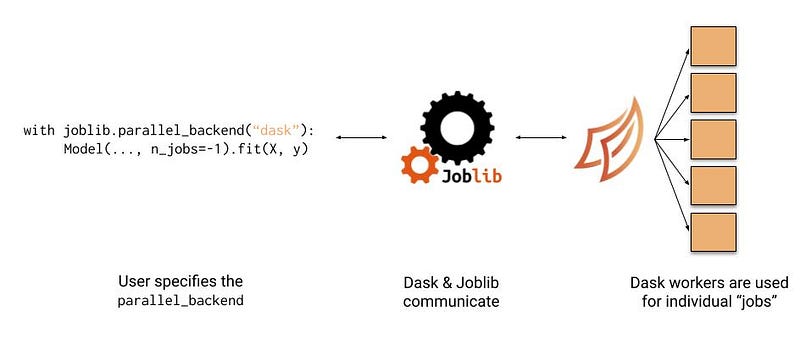
Dask offers some in-house preprocessing and machine learning algorithms, ranging from linear models and Naive Bayes to clustering, decomposition and XG-Boost. Nonetheless, Dask supports the parallelization of most SKLearn models as a backend for the JobLib library.
Finally, in cases when you need to train your model on a small dataset and predict on a large one, Dask offers the ParallelPostFit wrapper over SciKit-Learn models. This wrapper allows any SKLearn model to support Dask dataframes and arrays in their .predict method.
III: A Pure Python Solution
Dask is implemented purely in Python, so it has no ex-pythonic dependencies. This has implications for both us data scientists, and the engineers supporting our operations.
For us data scientists, this means that the developing and debugging becomes much simpler. In order to run your project locally, you don’t need to install non-pythonic dependencies such as Scala, Java and Spark. If you’re working with a simple scheduler, you don’t need to deal with raising a local cluster, and the project dependencies can be easily managed with an environment manager (such as Anaconda). This makes it much simpler to research, develop and debug our projects.
For data engineers, this means that deploying projects becomes much simpler. If your data is medium sized and you use a simple scheduler in your project, it can be deployed with a virtual environment, instead of building a Spark cluster (with a YARN scheduler, for example).
Spark’s Advantages over Dask
While Dask suits data science projects better and is integrated within the Python ecosystem, Spark has many major advantages, including:
- Spark is able to deal with much bigger work loads than Dask. If your data is larger than 1TB, Spark is probably the way to go.
- Dask’s SQL engine is premature. Unlike Spark, you can’t manipulate your data with SQL queries (for now).
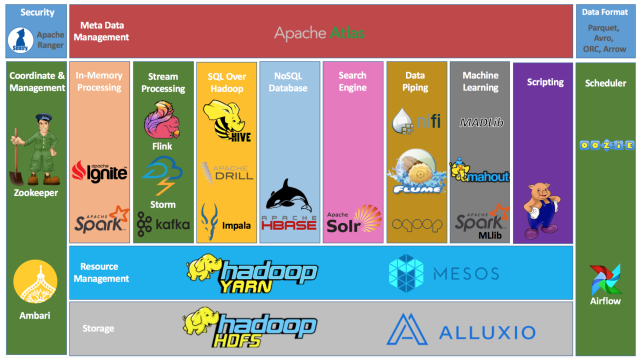
- Spark is part of the Apache eco-system. Unlike Dask, it integrates with other Apache tools such as Hive and Iceberg.
Summary
You should save the big guns for the big wars — and Spark is a really big gun.
Remember the 3 questions you need to ask yourself as a data scientist dealing with big data:
- Why do I have Big Data?
- How can I make it small again?
- What is the correct Big Data Tool for my project’s needs?
In this blog post, I presented 3 reasons why Dask can be more suitable for data science projects: it integrates with pandas and NumPy, it integrates with SciKit-Learn, and it is a Pure Python solution — making life much easier for us data scientists and the engineers that support us. While Spark intends to be an all-in-one solution, Dask intends to blend in the Python data science ecosystem.
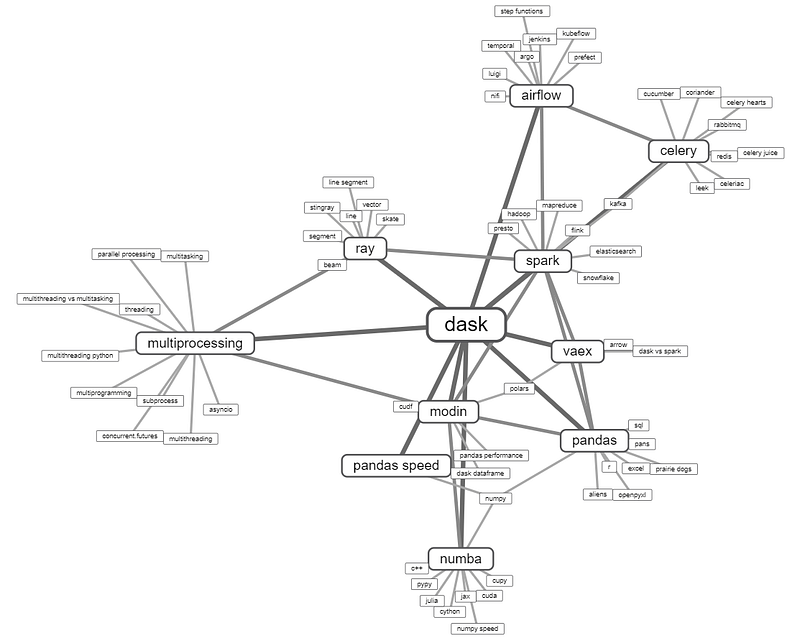
However, Dask might also not be the best suited tool for your project; think about what you need before choosing a solution. There are other Pythonic solutions for Big Data, such as Ray and Modin, Vaex and Rapids; all have their pros and cons. And if you have more than a couple of terabytes of data, Spark is still probably the way to go.
References
- Comparison to Spark, dask.org
- Dask and Apache Spark, databricks.com
- Scaling Pandas: Comparing Dask, Ray, Modin, Vaex, and RAPIDS, datarevenue.com


