
Daily Notes In Capacities : 2 Features Which Have Transformed My Workflow
Also featuring a blue elephant and a lemon squeezer.

The following is based on personal experience: it’s not an ad, and other PKM apps are available!
Opening up my Daily Notes in Capacities is like receiving a gift every morning.
I click on Daily Notes, and straight away I’m presented with, um… yep. My Daily Notes. It’s that straight-forward.
When you first delve into Capacities, one of the Objects in your menu will be entitled Daily Notes.
When you click on Daily Notes, you will see it’s referred to as an ‘Inbox’ — a place to write everything that happens through the day.
The idea, I presume, is to sort through it all at the end of the day and give each thing a relevant tag so you can find it all later.
I’m not joking — I’ve only just realised this as I’m typing it: I’ve not been tagging my stuff. I’ve been using my Daily Notes merely as a place to plan each day.
So I’m using it to plan ahead, rather than to organise for future reference.
But both are invaluable activities, and I’ll write about how that works in Capacities now. (And I’ll fix the error of my ways from hereon!)
1. Looking ahead to plan
Another way to access your Daily Notes is by clicking on “Calendar” at the top of your menu.
This will take you to your calendar, and if you click on a date in the calendar, it will open up the Daily Notes page for that day.
You also have options to view three days at a time, or a week, or a month’s worth of Daily Notes.
This is so useful for me, as I find benefit in viewing at least three days in one go so I can see what’s coming.
I’m not a huge fan of surprises.
Templates
I was once bought a lemon squeezer.
A lemon squeezer is simple in its design but incredibly effective at squeezing all the juice out of a lemon.
Similarly, the most effective way of getting the most out of Daily Notes is to use templates.
You create your own templates. You can customise them to fit exactly what you need.
And you can have as many as you want. If your days vary wildly through the week, you could have a different template for each day, if you wanted.
My Monday-Saturday template
This is a blank Daily Note for July 10th.
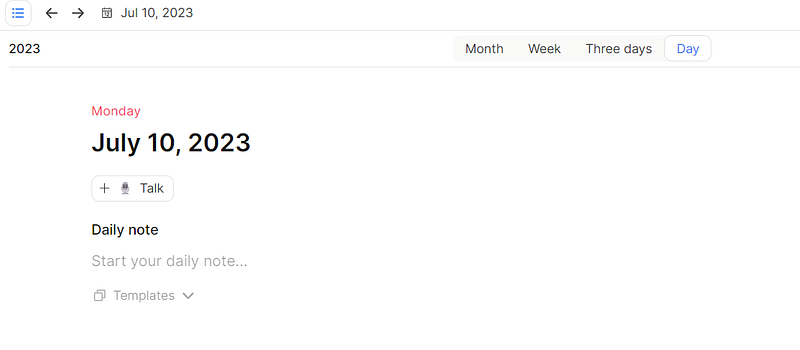
Can you see Templates at the bottom?
Click on that, and if you’ve made any templates, they’ll appear there.
Choose which one you want, and it will automatically appear in that Daily Notes.
If you’ve not created any templates, you can create one by clicking “New template”.
My template for Monday to Saturday currently looks like this:
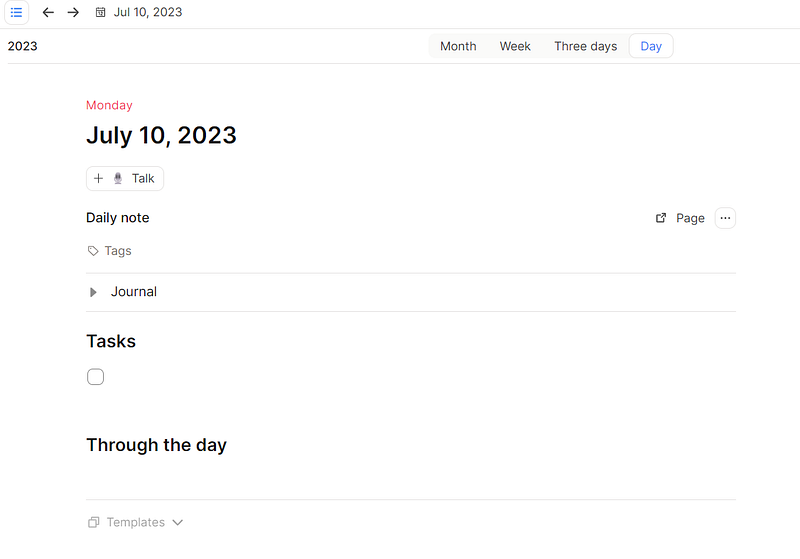
I have space to Journal hidden in a toggle at the top.
I expand the toggle by clicking on it, write all my darkest secrets, then hide it away when I’m done so it doesn’t take up any space.
Then I can record the tasks I need to complete that day.
And then “Through the day” is for my Interstitial Journal.
I wrote about Interstitial Journalling here. It’s a genius idea and so useful.
I’m also using “Through the day” as a kind of calendar. I use Google Calendar, but will use this section to record any appointments I have coming up in the day.
My Sunday template
I’ve been a church pastor for nearly seven years now, and am always looking for methods to improve my efficiency and planning.
Obviously pastors only work for one day every week (oh, please), so I designed a different template specifically for Sundays.
Here it is:
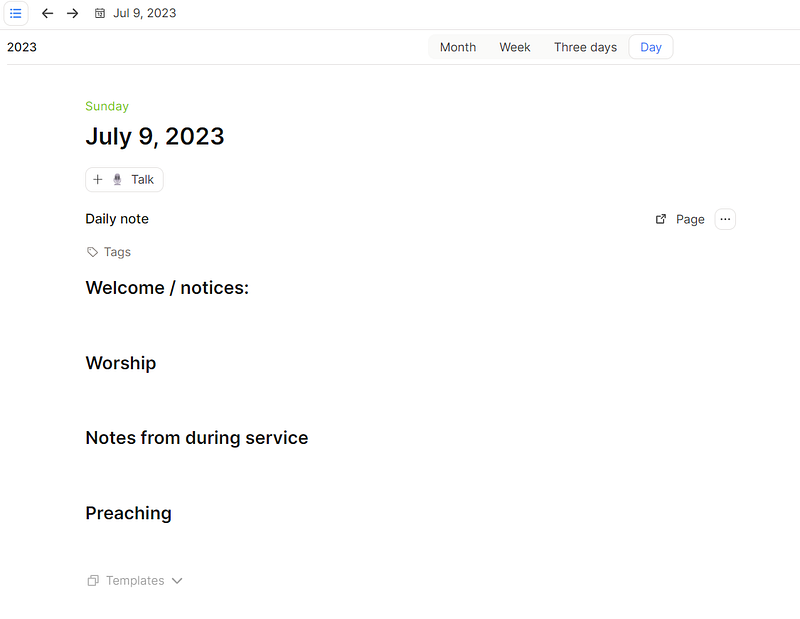
Pretty self-explanatory.
My purpose in showing you this is to demonstrate that you can have more than one template depending on the structure of your days.
And that’s it.
2. Organising for future reference
Not only does Daily Notes help me plan ahead, but it also gives me opportunity to record what happens through each day so I can refer back to it later.
But for that, I need a system which enables me to do so.
Problem
If I’m walking down the road this afternoon and encounter a blue elephant on his merry way to the supermarket to buy some cheese, and I record that in my Through the day interstitial journal, how am I going to find that particular entry again in the future?
In a year’s time, the memory of seeing this blue elephant might come back to me, but what day did it happen? I have no idea.
Solution
All I have to do in Capacities is add a tag. I’ll write something like this:
15:05 — I was taking a stroll down the road and lo and behold I encountered a blue elephant. I asked him where he was walking to on this fine day. He told me he was on his merry way to the supermarket to buy some cheese. I found this a little strange but I couldn’t put my finger on quite why. Something wasn’t right. But anyway, we said our farewells and he ran off, surprisingly quickly for someone so large. #blue elephant
When it comes to it, in a year’s time, and I remember I met a blue elephant, all I have to do is click on the Object entitled “Tags” (it’s already there for you in the menu), find #blue elephant and click on that, and all the posts which I’ve previously tagged #blue elephant will appear.
I don’t need to tell you how useful this is.
You can find out for yourself. And I encourage you to do so.
Go grab Capacities, it’s great.
I love coffee, real or metaphorical.
If you were thinking, “I’d actually love to buy Dave a coffee,” here’s your opportunity!
And thank you. It’s hugely appreciated.


