
Curve Card Review: The “All-In-One” Payment Card
Curve card review | Everything you need to know about the Curve Card
What is Curve?
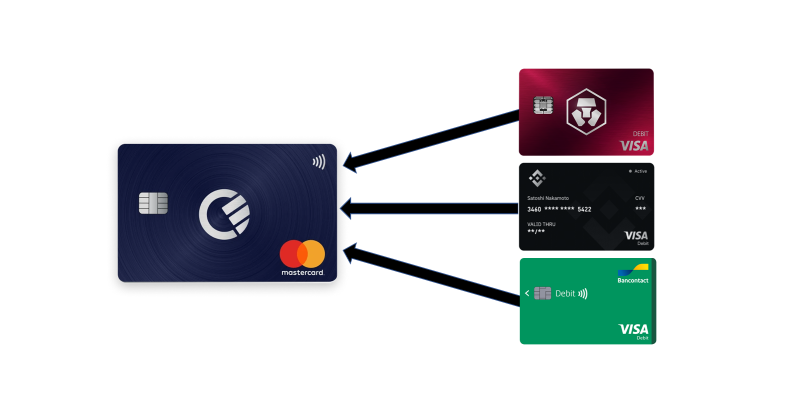
A Curve card is a free Mastercard debit card that you can link with your regular debit and credit cards.
For example, you can link your Curve card to a Crypto.com, Binance and traditional Visa card. When you pay with your Curve card, the transaction amount will be taken from these linked cards.
This article is not sponsored by Curve.
This blog summarizes what you need to know about Curve. Let’s have a look at:
- Why Curve is useful
- How to sign up and request a Curve card
- Tips and tricks to get the most out of Curve
Why is Curve useful?
Because of Curve, you need just one card for all your payments.
Do you have an interesting virtual card (for example with a high cashback ratio)? Link it to your Curve card to enjoy these cashbacks in-store as well.
Would you benefit from having a copy of a certain card, for example to share with your partner? Add it to Curve and you effectively have a duplicate:
- 1 original card
- 1 Curve card, linked to your original card
Curve allows users to withdraw up to £200/month and spend £500/month abroad for free. Other useful Curve features include:
- Phone notifications of transactions
- “Go back in time”-feature, allowing users to retroactively change which card is used for a payment
- Ability to add Curve to your smartphone (Apple Pay, Google Pay or Samsung Pay)
- Overview and categorization of expenses (exportable in CSV format)
- Ability to use credit where only debit is allowed (by linking your Curve debit card to a credit card) and ability to use Visa where only Mastercard is allowed
- 1% cashback at certain retailers of your choice (this feature costs €9.99/month for 3 retailers, €14.99/month for 6 retailers — not worth it unless you spend more than €999/month)
- App functionality to store all your loyalty and membership cards in one place
How do I request a Curve card?
Step 1: Sign up
Sign up for Curve for free through this link and get a €5 or £5 sign-up bonus, while also supporting this blog series.
The delivery of your card will take about 1 week and is free. Curve does not charge anything for transactions either.
Step 2: Add your existing card(s) to Curve
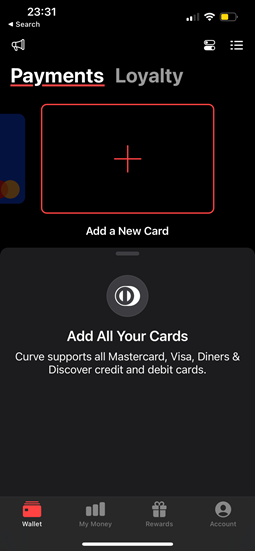
You can add all your existing debit cards, Mastercards and Visa cards to your Curve account by clicking on ‘Add a New Card’. However, Curve does not allow users to add American Express, Maestro, JCB or UnionPay cards.
Step 3: Select which card to use for payments
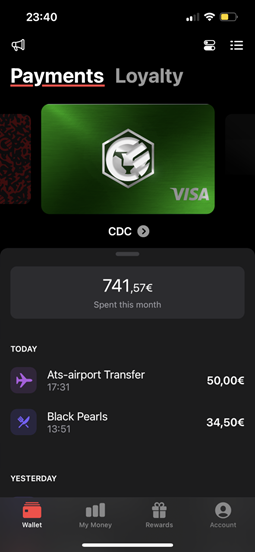
Then select the card that you want to use when you make an online or in-store payment. This card will be used by default. You can always change your choice afterwards.
Three tips to get the most out of your Curve card
1. Set up a backup card
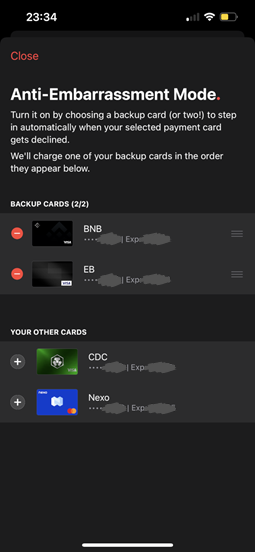
Does it sometimes happen to you that there’s not enough funds on your “default” card? If this is the case, it is a good idea to enable Curve’s Anti-Embarrassment Mode.
This can be done in ‘Settings’ and allows you to select which card(s) to use when your selected payment card gets declined. If the balance on one card is not sufficient when making a payment, Curve will automatically take the full amount from the card that’s second in line, and so on.
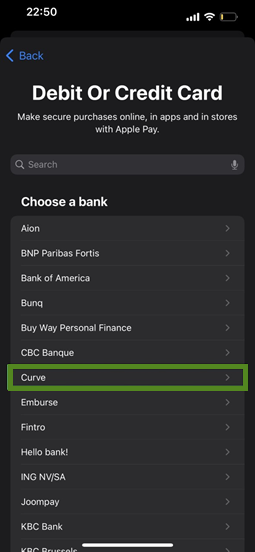
2. Add your Curve card to your phone
By adding Curve to Apple Pay, Google Pay or Samsung Pay, you can further reduce the amount of cards in your wallet.
While you might be skeptical at first, it is actually highly convenient to pay for everyday in-store purchases with your phone.
3. Create smart rules
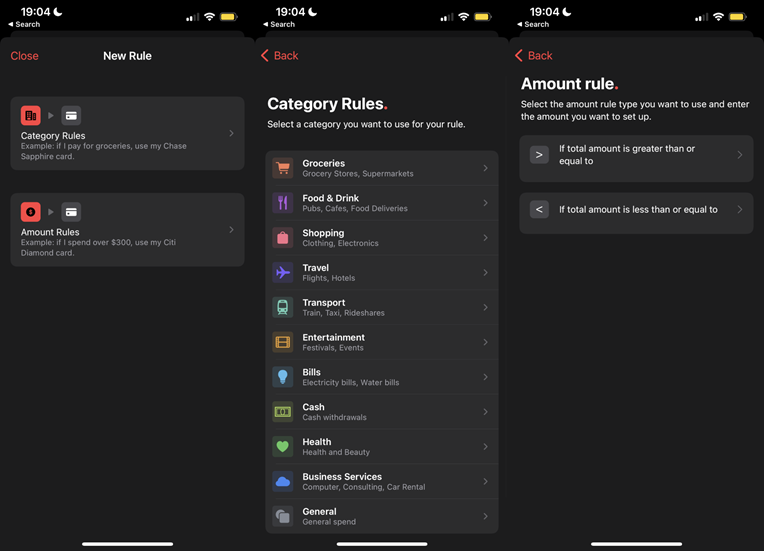
Is there a certain card that you prefer to do your cash withdrawals with? Maybe you have a specific card that provides you with a discount or cashback when paying for transportation? Or perhaps you have a joint debit card that you always use for grocery shopping?
Curve allows you to define rules about which card to use depending on the type of spend and the amount.
Sign up today
Take a first step in optimizing your personal finances by signing up for Curve through this link. As already mentioned, you will receive a small welcome gift and support this blog series.
Your welcome gift will unlock when you make 5 transactions within 10 days from the moment of signing up.
Plutus and Crypto.com
Curve is most interesting when you’re able to link it to good cards. Have a look at the Plutus card (for domestic spending) and the Crypto.com card (for transactions abroad).
Blogs
Because of today’s information overload, it’s hard to know what is correct and relevant. Many influencers push content that makes them the most money, regardless of the interest of their follower base. This blog series tries to remedy that by writing about finance in an independent and practical way.
Thank you for your support! If you found this content useful, please don’t hesitate to like and share — this helps out the series a lot.
An overview of my social media can be found here.

Also, Read
- Plutus Card Review: 3%+ Cashbacks And Perks
- Crypto.com Card Review: 0–5% Cashbacks And Perks
- 3 Problems with Crypto.com Cashback Cards
- 7 Crypto Survey Insights You Need To Know
- I asked European, Belgian and UK Investors if they hold Crypto
- Binance Stablecoin Interest Rates: Worth It?
- Why it’s Difficult for Young People to Buy a House