
Creating an Option Trading Alert System for the 0DTE Credit Spread Strategy — Part 2
Using Telegram to Receive Alerts to Trade a Put Credit Spread or a Call Credit Spread

This is the second part of our series on creating a trading alert system, and it will be a little longer than usual. However, the depth and detail provided here are vital for successfully implementing the system. By the end of this article, you will have a fully operational trading alert agent, which is a credit to the time and effort put into following these thorough instructions.
Recap of Part One
In the first part of this series, we focused on creating a Telegram bot. This bot serves as a notification agent, alerting us at crucial moments to initiate trades. Ensuring this foundational element is key before proceeding with the next steps.
Obtaining the Telegram Chat ID
One of the most important steps (and maybe also the most difficult) in setting up the alert system involves retrieving the Chat ID from a Telegram chat. This ID is crucial for the bot to know where to send messages. To do this, there are a couple of basic steps to follow:
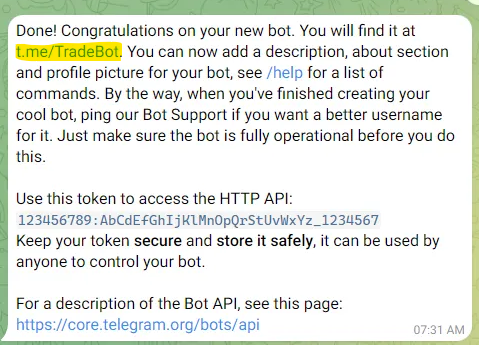
First, you must click on the link that BotFather sent us in the first part. In our case, t.me/TradeBot.
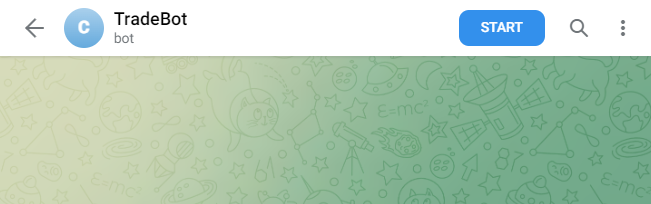
Then, click on the Start button to create the chat.
After that, we should write the text /mybot (or any other text) which will allow us to obtain the Chat ID.
Then, we need to visit the URL https://api.telegram.org/bot{bot_token}/getUpdates, replacing {bot_token} with the token obtained in part one.
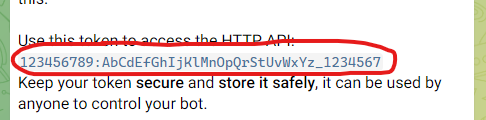
This step requires careful attention to ensure accurate retrieval of the Chat ID.
Just as an example, this is the URL using the token shown in the previous article
https://api.telegram.org/bot123456789:AbCdEfGhIjKlMnOpQrStUvWxYz_1234567/getUpdates
After this, you will see something like this.

The highlighted value is the Chat ID, and we will use it in our code. Save it in a safe place with your token and DO NOT SHARE with anyone because this is going to be used only by you and your code to send the messages.
Underpinning Strategy
The core of our bot alert system is the strategy outlined in the article “How I Achieved Over 80% Win Rate Using 0DTE Options and The Credit Spread Strategy on SPY”.
This strategy forms the foundation of our system’s operational logic. I highly recommend you check it out to understand the details of the system.
Detailed Code Explanation
Import the Required Libraries
The first step is to import the necessary libraries that our script will use.
import sys
import logging
import warnings
import math
import time
import asyncio
import pytz
import pandas as pd
import yfinance as yf

from datetime import datetime, timedelta
from telegram.ext import ApplicationBuilder
These imports bring various functionalities into our script, such as handling date and time (datetime, timedelta, pytz), data processing (pandas, yfinance), and setting up the Telegram bot (telegram.ext).
Constants Definition
Next, we define several constants that will be used throughout the script.
OPEN_TIME = '10:30'

UNDERLYING_TICKER = 'SPY'
ROUND_UNDERLYING_PRICE = 1
STRIKES = 2
DIST_BETWEEN_STRIKES = 1

MAX_CHANGE_BEARISH = -0.35
MIN_CHANGE_BULLISH = 0.35
MIN_PERCENTAGE = 0.2

TOKEN = [YOUR_TOKEN]
CHAT_ID = [YOUR_CHAT_ID]
OPEN_TIME: This constant represents the time of day when the trading window opens. In this case, it’s set to 10:30. This time is significant as it marks the point at which the script begins analyzing market data for potential trades.
UNDERLYING_TICKER: This constant specifies the ticker symbol of the financial instrument the script will monitor.
ROUND_UNDERLYING_PRICE: This constant is used for rounding the price of the underlying asset to the nearest whole number. It is set to 1, indicating standard rounding to the nearest dollar. This rounding can be crucial for determining strike prices for options trades.
STRIKES: This constant determines how many strikes away from the current price of the underlying asset (SPY) the script should consider when selecting option strike prices. A value of 2 indicates that the script will look at options that are two strike prices away from the current price of SPY.
DIST_BETWEEN_STRIKES: This constant sets the distance between the buy and sell strike prices in a credit spread. A value of 1 implies that there will be one strike price interval between the buy and sell strikes.
MAX_CHANGE_BEARISH and MIN_CHANGE_BULLISH: These constants define thresholds for determining the market trend. MAX_CHANGE_BEARISH sets the maximum negative change to identify a bearish trend, and MIN_CHANGE_BULLISH sets the minimum positive change for a bullish trend. They are essential in the strategy logic to decide whether to opt for a call or put spread.
MIN_PERCENTAGE: This constant represents the minimum required percentage return for a trade to be considered viable. It’s set to 0.2 (or 20%), meaning the script will only notify about trades that offer at least a 20% return on the spread.
TOKEN and CHAT_ID: TOKEN is the unique token of your Telegram bot, obtained when you create the bot via BotFather in Telegram. CHAT_ID is the identifier of the chat where the bot will send messages. These constants are crucial for the Telegram bot to function correctly, allowing it to send trade alerts to the designated chat.
Calculated Values
Then, we calculate values based on the previously defined constants:
CLOSE_TREND_TIME = datetime.strptime(OPEN_TIME, '%H:%M') - datetime.strptime('00:01', '%H:%M')
CLOSE_TREND_TIME = datetime.utcfromtimestamp(CLOSE_TREND_TIME.total_seconds()).strftime('%H:%M')
This value calculates the time to close the trend analysis. It is derived by subtracting one minute (00:01) from the OPEN_TIME. This calculation is important for determining the time window within which the script analyzes market trends. The trend analysis helps in deciding the type of option spread (call or put) that should be traded based on market movements.
Configuration
Here, we set up the logging and warning configurations and some additional variables that will be used by the Telegram bot.
logging.basicConfig(level=logging.INFO, force=True)

warnings.filterwarnings("ignore")
pd.options.mode.chained_assignment = None

loop = asyncio.get_event_loop()
app = None
If you enjoy reading my articles, please don’t forget to share this article with your friends and hit the follow button — Diego Degese
Bot Functions
The bot functions are crucial for integrating the trading system with Telegram. They enable the system to communicate with users, sending alerts and updates about trading opportunities.
def create_and_connect_bot():

    global loop, app

    app = ApplicationBuilder().token(TOKEN).build()

    loop.run_until_complete(app.initialize())
    loop.run_until_complete(app.updater.start_polling())
    loop.run_until_complete(app.start())
This function is responsible for creating and initializing the Telegram bot.
How It Works:
ApplicationBuilder().token(TOKEN).build(): This line creates a new Telegram bot application using theApplicationBuilder, with theTOKENconstant that was set earlier.loop.run_until_complete(app.initialize()): This line initializes the bot asynchronously. Theloopvariable is anasyncioevent loop that handles asynchronous tasks.app.initialize()prepares the bot for operation.loop.run_until_complete(app.updater.start_polling()): This starts the polling process, which is how the bot listens for new updates or messages on Telegram. Polling is a process where the bot periodically checks with the Telegram server for new messages.loop.run_until_complete(app.start()): Finally, this line starts the bot, allowing it to begin its operations.
def send_message_bot(message):

    global app

    message_to_send = f'{UNDERLYING_TICKER} - {datetime.now().date()} - {message}'
    logging.info(f'send_message_bot() -> {message_to_send})')

    loop.run_until_complete(app.bot.send_message(chat_id=CHAT_ID, text=message_to_send))
This function is used to send messages through the Telegram bot to a specified chat.
How It Works:
message_to_send = f'{UNDERLYING_TICKER} - {datetime.now().date()} - {message}': This line formats the message to be sent. It includes theUNDERLYING_TICKER, the current date, and themessagethat was passed to the function. This structured format ensures that each message contains consistent and relevant information.logging.info(...): Before sending the message, the function logs the message content for debugging and record-keeping purposes.loop.run_until_complete(app.bot.send_message(chat_id=CHAT_ID, text=message_to_send)): This line sends the message.app.bot.send_messageis an asynchronous function that takeschat_idandtextas parameters.chat_idis the identifier of the chat where the message will be sent, andtextis the content of the message. Theloop.run_until_complete()method ensures that the message is sent asynchronously.
Market data functions
The market data functions are responsible for fetching and preparing the financial data necessary for the trading strategy.
def get_stock_data():

    # Download stock data
    df = yf.download(tickers=UNDERLYING_TICKER, interval='1m')

    # Remove timezone
    df.index = pd.to_datetime(df.index.strftime('%Y-%m-%d %H:%M:%S'))

    # Filter only regular market time
    df = df[df.index >= pd.Timestamp('today').floor('D')]
    df = df.between_time('9:30', '15:59')

    # Prepare required data
    df = df.reset_index()
    df = df[['Datetime','Close']]
    df.columns = ['date','close']

    logging.debug('get_stock_data() -> Prepared data')
    logging.debug(df)

    return df.sort_values(['date'])
This function retrieves stock data for the underlying asset.
How It Works:
- Data Download: The function uses
yfinance(imported asyf) to download minute-level stock data for the specified ticker (UNDERLYING_TICKER). - Timezone Handling: The timezone information is removed for uniformity. This step is crucial to ensure that all data aligns correctly time-wise, especially when comparing or merging with other data sources that might not have timezone info.
- Market Hours Filtering: The data is then filtered to include only the regular market hours (
9:30to15:59). This filtering is essential as the trading strategy focuses only on the market's open hours. - Data Preparation: The data frame is reset to make sure the index is in a standard format. It’s then narrowed down to only include the ‘Datetime’ and ‘Close’ columns, which are essential for the strategy.
- Logging and Return: Finally, the prepared data is logged for debugging and returned in sorted order by date.
def get_option_data(kind, buy_strike, sell_strike):

    # Download options data
    ticker = yf.Ticker(UNDERLYING_TICKER)
    df = ticker.option_chain(str(datetime.utcnow().date()))

    # Filter option kind
    df = df.puts if kind == 'P' else df.calls

    # Filter option strikes
    df = df[(df['strike'] == buy_strike) | (df['strike'] == sell_strike)]
    df = df[['lastTradeDate','strike','lastPrice']]
    df.columns = ['date','strike','close']

    # Convert date to Eastern Time
    df['date'] = pd.to_datetime(df['date'].dt.tz_convert('US/Eastern').dt.strftime('%Y-%m-%d %H:%M:%S'))

    # Reset index
    df = df.reset_index(drop=True)

    logging.debug('get_option_data() -> Prepared data')
    logging.debug(df)

    return df
This function fetches options data based on the type of option (‘call’ or ‘put’) and the specified strike prices.
How it Works:
- Data Download: The function uses
yfinanceto fetch options data for the current date. TheTickerobject is used for accessing the options chain ofUNDERLYING_TICKER. - Filter by Option Kind: Depending on whether ‘call’ or ‘put’ options are needed (determined by
kind), the relevant part of the options chain is selected (df.putsordf.calls). - Filter by Strike Price: The data frame is then filtered to include only the rows where the ‘strike’ value matches either
buy_strikeorsell_strike. - Data Preparation: The data is further streamlined to include only the ‘lastTradeDate’, ‘strike’, and ‘lastPrice’ columns. The ‘lastTradeDate’ is converted to Eastern Time to align with the stock market’s timezone.
- Logging and Return: The prepared data frame is logged and returned.
Are you still there? The best part is about to come, but if you enjoy reading my articles, please don’t forget to share this article with your friends and hit the follow button — Diego Degese
Strategy Functions
The strategy functions are critical for implementing the trading logic based on the 0DTE Credit Spread strategy. Each of these functions plays a specific role in the decision-making process. Let’s explore each of these functions and understand their purpose and work in detail:
def get_vertical_option_kind(df):

    changes = 100 * (df['close'].values / df['close'].values[0] - 1)
    change = changes[-1]

    min_change = min(changes)
    max_change = max(changes)

    logging.info(f'get_vertical_option_kind() -> Date range: {df["date"].iloc[0]} - {df["date"].iloc[-1]}')
    logging.info(f'get_vertical_option_kind() -> Max change bearish: {MAX_CHANGE_BEARISH} - Min change bullish: {MIN_CHANGE_BULLISH}')
    logging.info(f'get_vertical_option_kind() -> Change from first bar: {change:.2f} | Change (min): {min_change:.2f} | Change (max): {max_change:.2f}')

    if change < MAX_CHANGE_BEARISH and max_change < MIN_CHANGE_BULLISH:
        result = 'C' # Sell Call Vertical
        logging.info(f'get_vertical_option_kind() -> Option kind used to sell vertical: CALL')

    elif change > MIN_CHANGE_BULLISH and min_change > MAX_CHANGE_BEARISH:
        result = 'P' # Sell Put Vertical
        logging.info(f'get_vertical_option_kind() -> Option kind used to sell vertical: PUT')

    else:
        result = ''
        logging.info(f'get_vertical_option_kind() -> Option kind used to sell vertical: UNDETERMINED')

    return result
This function determines the type of option (call or put) that should be traded based on the market trend. It analyzes the price changes of the underlying asset (SPY) within a specified time frame and decides whether the market trend is bullish or bearish.
How It Works:
The function calculates the percentage change in the asset’s price from the beginning of the time frame. It then compares the maximum and minimum changes against predefined thresholds (MAX_CHANGE_BEARISH and MIN_CHANGE_BULLISH). Based on these comparisons, the function determines if a call or put spread is more appropriate or if the trend is indeterminate.
def get_vertical_strikes(df, kind):

    if kind == 'P':
        rounded_price = int(df['close'].values[0] - (df['close'].values[0] % ROUND_UNDERLYING_PRICE))
        logging.info(f'get_vertical_strikes() -> Underlying Price: [{df["close"].values[0]:.2f}] - Rounded Price: [{rounded_price}]')

        sell_strike = rounded_price - STRIKES
        buy_strike  = sell_strike - DIST_BETWEEN_STRIKES
        logging.info(f'get_vertical_strikes() -> Sell Strike: [{sell_strike}] - Buy Strike: [{buy_strike}]')

    elif kind == 'C':
        rounded_price = int(df['close'].values[0] + (ROUND_UNDERLYING_PRICE - df['close'].values[0]) % ROUND_UNDERLYING_PRICE)
        logging.info(f'get_vertical_strikes() -> Underlying Price: [{df["close"].values[0]:.2f}] - Rounded Price: [{rounded_price}]')

        sell_strike = rounded_price + STRIKES
        buy_strike  = sell_strike + DIST_BETWEEN_STRIKES
        logging.info(f'get_vertical_strikes() -> Sell Strike: [{sell_strike}] - Buy Strike: [{buy_strike}]')

    else:
        raise Exception("get_vertical_strikes() -> Invalid option kind")

    return (buy_strike, sell_strike)
Once the type of option (call or put) is determined, this function calculates the specific strike prices for the buy and sell positions of the credit spread.
How It Works:
The function first rounds the current price of the underlying asset to the nearest whole number. Then, based on whether a call or put spread is being executed, it calculates the buy and sell strike prices. For a put spread, it selects strikes below the rounded price, and for a call spread, it chooses strikes above.
def notify_result(df_stock, df_options, option_kind, buy_strike, sell_strike):

    global app

    stock_price = df_stock['close'].values[-1]
    buy_price   = df_options[(df_options['strike'] == buy_strike)]['close'].values[-1]
    sell_price  = df_options[(df_options['strike'] == sell_strike)]['close'].values[-1]

    logging.info(f'notify_result() -> Underlying Price: [{stock_price:.2f}] - Buy Price: [{buy_price:.2f}] - Sell Price: [{sell_price:.2f}]')
    logging.info(f'notify_result() -> Credit Spread: [{(-buy_price + sell_price):.2f}] - Full Price: [{abs(buy_strike - sell_strike):.2f}]')
    logging.info(f'notify_result() -> Percentage of Full Price: [{(-buy_price + sell_price) / abs(buy_strike - sell_strike):.2f}] - Min Required Percentage: [{MIN_PERCENTAGE:.2f}]')

    if (-buy_price + sell_price) / abs(buy_strike - sell_strike) < MIN_PERCENTAGE:
        message = f'The credit spread does not meet the minimum percentage requirement (Current: {(-buy_price + sell_price) / abs(buy_strike - sell_strike):.2f} - Required: {MIN_PERCENTAGE:.2f})'
    else:
        message = f'Sell {option_kind}{sell_strike} @ ${sell_price:.2f} - Buy {option_kind}{buy_strike} @ ${buy_price:.2f} - Credit Spread: ${(sell_price - buy_price):.2f} (Stock: {stock_price:.2f})'

    send_message_bot(message)
This function is responsible for sending a notification (via the Telegram bot) with the trade details. It informs the user about the proposed credit spread trade, including the underlying price, buy and sell prices, and the calculated credit spread.
How It Works:
It retrieves the last stock price and the prices for the selected options. It then calculates the credit spread and checks if it meets the minimum percentage requirement (MIN_PERCENTAGE). If the requirement is met, it sends a message with the details of the trade; otherwise, it notifies that the trade does not meet the criteria.
def check_and_notify():

    # Get Stock data (Date must be Eastern Time and only regular market time (9:30 to 15:59) must be received)
    df_stock = get_stock_data()

    # Prepare required datasets
    df_trend = df_stock.set_index('date').between_time('9:30', CLOSE_TREND_TIME).reset_index()
    df_trend_check = df_stock.set_index('date').between_time(CLOSE_TREND_TIME, '16:00').reset_index() # To check if there is any trade on or after the CLOSE_TREND_TIME
    df_open = df_stock.set_index('date').between_time(OPEN_TIME, '16:00').reset_index().head(1)  # Check the first trade on or after the OPEN_TIME

    # Check trend and open data
    if len(df_trend_check) == 0:
        logging.info(f'df_trend check: There is not enough data')
        return False

    if len(df_open) != 1:
        logging.info(f'df_open check: Open data size invalid (Received: {len(df_open)} - Expected: 1')
        return False

    # Get Option Kind
    option_kind = get_vertical_option_kind(df_trend)
    if option_kind == '':
        message = 'Option kind is empty because it does not meet the requirement'
        logging.info(f'option_kind check: {message}')
        send_message_bot(message)
        return True

    # Get Vertical Strikes
    (buy_strike, sell_strike) = get_vertical_strikes(df_open, option_kind)

    # Get Option Data
    df_options = get_option_data(option_kind, buy_strike, sell_strike)
    if len(df_options) != 2:
        logging.info(f'df_options check: Options size invalid (Received: {len(df_options)} - Expected: 2)')
        return False

    # Notify result
    notify_result(df_stock, df_options, option_kind, buy_strike, sell_strike)
    return True
The primary goal of this function is to orchestrate various components of the trading strategy: it fetches the latest market data, analyzes it to determine if a trading opportunity meets the strategy criteria, and if so, sends a notification to the user.
How It Works:
- Fetching Stock Data: The function starts by calling
get_stock_datato fetch the latest market data for the underlying asset (SPY in this case). This data includes the price movements of the asset during the trading day. - Preparing Datasets for Analysis: The stock data is then segmented into different datasets for trend analysis and for checking if there are any trades during specific time windows. This segmentation is done based on the
CLOSE_TREND_TIMEand other time-related constants.df_trendis used to analyze the trend up to theCLOSE_TREND_TIME.df_trend_checkchecks if there is sufficient data after the trend closing time.df_openfocuses on the opening data right after theOPEN_TIME. - Data Validity Checks: The function performs checks to ensure there is enough data for a reliable analysis. If data is missing or insufficient (for example, no data after
CLOSE_TREND_TIME), the function logs this information and returns without sending a notification. - Determining Option Kind: Using the trend data (
df_trend), the function callsget_vertical_option_kindto determine whether a call or put spread is more appropriate based on the market trend. - Calculating Strike Prices: If a valid option kind (call or put) is identified, the function proceeds to calculate the specific strike prices for the trade using
get_vertical_strikes. - Fetching Option Data: Next, it fetches the options data for the calculated strikes by calling
get_option_data. - Validity Check for Option Data: The function then checks if the options data received is valid (i.e., it has data for both the buy and sell strikes). If the data is invalid or incomplete, the function logs this and returns.
- Notifying the User: If all the above checks are passed, the function calls
notify_resultto send a detailed notification to the user. This notification includes the trade's specifics: the underlying price, option strikes, prices, and the calculated credit spread. - Return Value: Finally, the function returns a boolean value indicating whether a notification was sent. This return value can be used to determine if the function should be called again or if other actions should be taken.
Main Function
The main function serves as the entry point for the trading alert system. It orchestrates the system components, ensuring continuous operation and regular checks for trading opportunities.
def main():

    create_and_connect_bot()

    last_notification = None
    while True:

        curr_time = datetime.now().astimezone(pytz.timezone('US/Eastern')).replace(microsecond=0)
        trade_start = curr_time.replace(hour=int(OPEN_TIME.split(":")[0]), minute=int(OPEN_TIME.split(":")[1]), second=0, microsecond=0)
        trade_start_next = trade_start + timedelta(days=1)
        after_market_start = curr_time.replace(hour=16, minute=0, second=0, microsecond=0)
        # Check if:
        # - the user was already notified,
        # - today is weekend, or
        # - we are in after market hours
        if last_notification == trade_start or curr_time.weekday() >= 5 or curr_time > after_market_start:
            difference = math.ceil((trade_start_next - curr_time).total_seconds())
            logging.info(f'Sleeping for {timedelta(seconds=difference)} (Checking @ {trade_start_next})')
            time.sleep(difference)
            continue

        # Check if we are in pre-market hours
        if curr_time < trade_start:
            difference = math.ceil((trade_start - curr_time).total_seconds())
            logging.info(f'Sleeping for {timedelta(seconds=difference)} (Checking @ {trade_start})')
            time.sleep(difference)
            continue

        # If we could not notify, retry in 30 seconds
        if not check_and_notify():
            difference = 30
            logging.info(f'Sleeping for {timedelta(seconds=difference)} (Checking @ {curr_time + timedelta(seconds=difference)})')
            time.sleep(difference)
            continue

        last_notification = trade_start

if __name__ == '__main__':
    main()
The primary purpose of the main function is to initiate the bot, enter a loop that continuously checks for trade opportunities according to market conditions, and manage the timing of these checks.
How It Works:
1. Bot Initialization: The function starts by calling create_and_connect_bot, which sets up and connects the Telegram bot. This bot is used to send trade notifications to the user.
2. Initialization of Variables: It initializes last_notification to track when the last notification was sent. This helps in managing the frequency of trade checks and notifications.
3. Continuous Loop: The function then enters a while True loop, which allows it to continuously check for trading opportunities during trading hours.
4. Time Management: Within the loop, the function first gets the current time and adjusts it to the Eastern Time Zone, as the trading times are based on the Eastern US market hours. It calculates the start time for trading (trade_start) based on OPEN_TIME and determines the next day's start time (trade_start_next) for scheduling.
5. Checking Conditions for Trade Analysis: The function checks various conditions before proceeding with trade analysis.
- Whether a notification has already been sent for the current trading window.
- If the current day is a weekend (no trading).
- If the current time is after market hours.
If any of the above conditions are met, the function puts the script to sleep (time.sleep(difference)) until the next appropriate time to check for trades (either the next trading day or the opening of the market).
6. Pre-Market Hours Check: If it’s pre-market hours, the script again sleeps until the market opens.
7. Trade Opportunity Check: If the conditions are right for trading (not a weekend, within trading hours, and no prior notification), the function calls check_and_notify. This call checks for potential trades and sends a notification if an appropriate trade is identified.
8. Handling Unsuccessful Notifications: If check_and_notify does not find a viable trade opportunity or cannot send a notification for some reason, the function waits for 30 seconds before reattempting the process.
9. Updating Last Notification Time: Once a notification is successfully sent, last_notification is updated to the current trading start time. This prevents multiple notifications for the same trading opportunity.
Conclusion
In conclusion, this article has walked through the details of creating a sophisticated trading alert system for the 0DTE Credit Spread strategy. From the initial setup of a Telegram bot to the complexities of the trading algorithm, we have covered every critical aspect to equip you with a fully operational trading alert agent.
Key Takeaways:
- Foundational Setup: The article started with a recap of establishing the Telegram bot in the first part, emphasizing its role in alerting users about trading opportunities.
- Telegram Bot Integration: Understanding how to retrieve the Chat ID using the Telegram API was crucial, as it links the trading logic with user notifications.
- Data Source and Strategy Reference: We highlighted the use of Yahoo Finance for stock and options data, underscoring the system’s adaptability to other data sources.
- Detailed Code Breakdown:
- Constants and Calculated Values: These were dissected to show how they set up the system parameters and dynamically influence the trading logic.
- Strategy Functions: Each function was elaborately explained, showcasing how they collectively contribute to identifying and executing trading opportunities based on market trends.
check_and_notifyFunction: This critical function was dissected to show its role in continuously scanning for and notifying about viable trades.mainFunction: The central coordinator of the system, ensuring continuous operation and timely execution of the trading strategy.
Overall Impact:
This detailed exploration has not only presented a step-by-step guide to building a trading alert system but has also offered insights into the underlying mechanics of a trading strategy. Users equipped with this knowledge and the provided code can now have a trading agent ready to alert them of potential trades, significantly enhancing their trading efficacy.
The article fusions technology and finance, demonstrating how algorithmic approaches can be used to make informed, timely, and potentially profitable trading decisions.
If you enjoy my work, please support me on Medium by becoming a member through my referral link, and consider giving it a clap (or many?) as a small gesture of motivation. Thank you!
Download the full source code of this article from here
X (Twitter): https://x.com/diegodegese LinkedIn: https://www.linkedin.com/in/ddegese Github: https://github.com/crapher
Disclaimer: Investing in the stock market involves risk and may not be suitable for all investors. The information provided in this article is for educational purposes only and should not be construed as investment advice or a recommendation to buy or sell any particular security. Always do your own research and consult with a licensed financial advisor before making any investment decisions. Past performance is not indicative of future results.
Subscribe to DDIntel Here.
Have a unique story to share? Submit to DDIntel here.
Join our creator ecosystem here.
DDIntel captures the more notable pieces from our main site and our popular DDI Medium publication. Check us out for more insightful work from our community.
DDI Official Telegram Channel: https://t.me/+tafUp6ecEys4YjQ1


