
Creating a customer service chatbot with ChatGPT
Introduction
ChatGPT, short for “Generative Pre-trained Transformer,” is a powerful language model developed by OpenAI. It has been trained on a massive amount of diverse text data and can be fine-tuned for a wide range of natural languages processing tasks, such as language translation, text completion, and text generation.
One particularly promising application of ChatGPT is building chatbots for customer service. Chatbots have become increasingly popular in recent years as a way to provide quick and efficient assistance to customers. ChatGPT is well-suited for this task because it can understand and generate natural language, making it capable of having conversations with users. In this blog post, we will explore how to use ChatGPT to build a customer service chatbot.
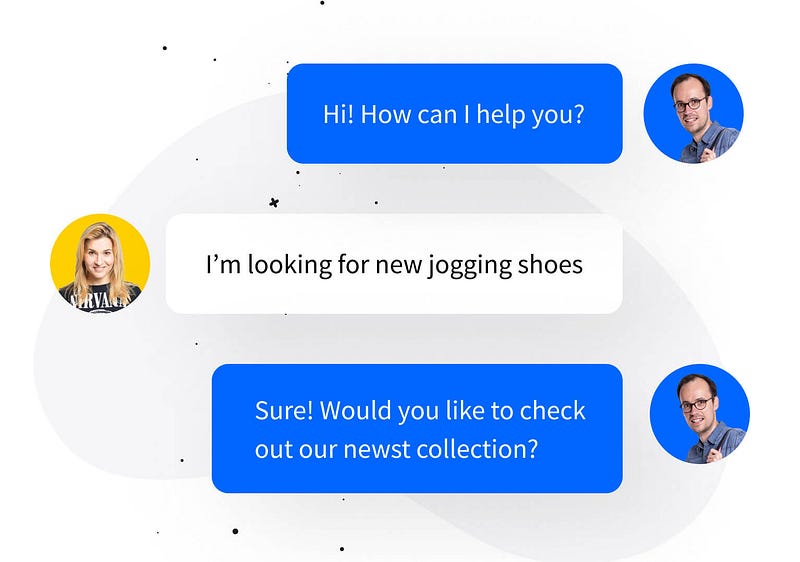
One example of a ChatGPT-powered chatbot in action is a virtual customer service agent for a retail company. The chatbot can assist customers with inquiries about store hours, product availability, and shipping information. It can also assist with account management, such as tracking an order or updating personal information.
Another example is a ChatGPT-powered chatbot for a financial institution. The chatbot can assist customers with account management, such as checking account balances and transaction history, as well as providing information about loan and investment options.
Build a chatbot with ChatGPT
Creating a customer service chatbot with ChatGPT can be broken down into the following steps:
Step 1: Gather and preprocess data: Collect a large and diverse dataset of customer service interactions. Preprocess the data by cleaning and formatting it so that it can be used to train the ChatGPT model.
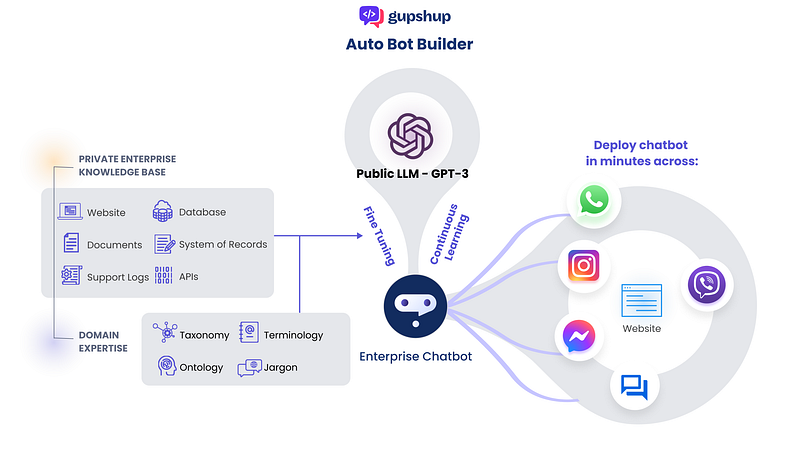
Step 2: Train the model: Use the preprocessed data to train the ChatGPT model. This can be done using OpenAI’s GPT-3 fine-tuning API or using your own implementation of the model.
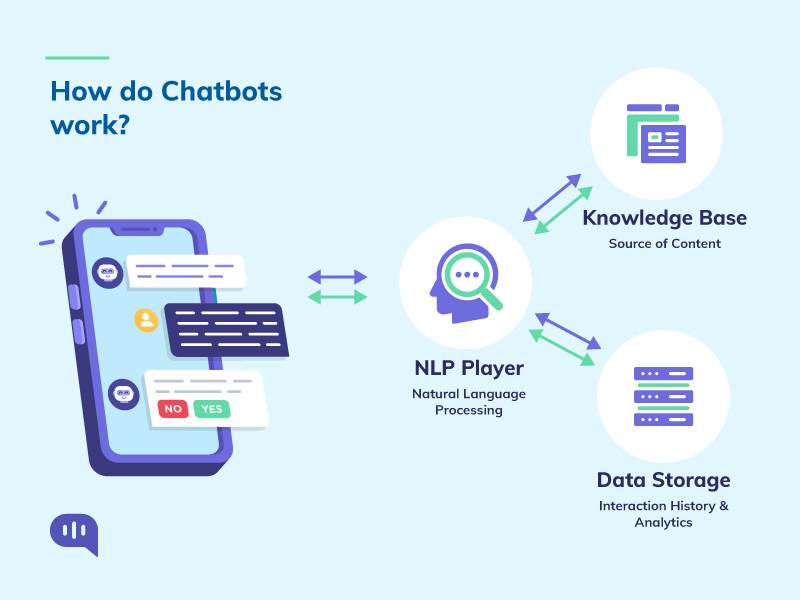
Step 3: Implement the chatbot: Use the trained ChatGPT model to build the chatbot. This can be done using a natural language processing library such as NLTK or spaCy, or by integrating the model with a chatbot development platform such as Dialogflow or Botkit.
Step 4: Test and evaluate: Test the chatbot with a diverse set of customer service interactions and evaluate its performance. Use this feedback to fine-tune the model and improve its performance.
Step 5: Deploy the chatbot: Deploy the chatbot to a customer service platform, such as a website or mobile app, where it can assist customers with their inquiries.
Note: Above-mentioned step are high-level steps and actual implementation can vary based on the use case and the infrastructure you have.
Integrating the chatbot with other systems
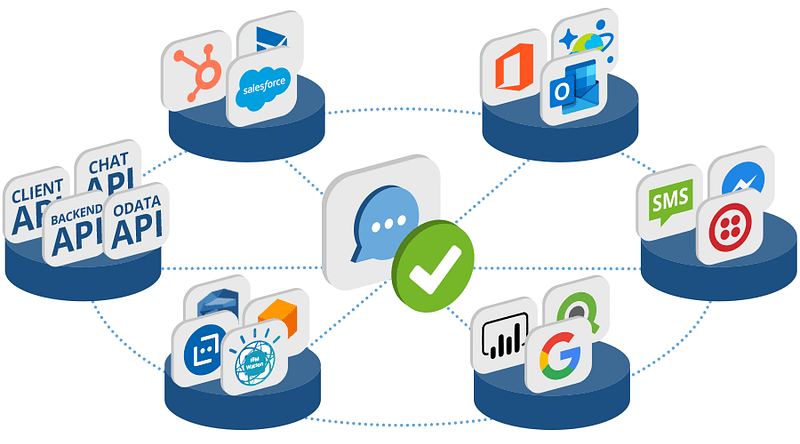
Once the model has been trained, it can be integrated with other systems, such as websites or mobile apps, to provide customer service assistance. This can be done by connecting to the chatbot via an API and sending it user input to receive responses.
There are various libraries and APIs, such as Hugging Face’s Transformers and OpenAI’s GPT-3 that can be used to interact with the chatbot model. These libraries provide a simple and easy-to-use interface for sending input to the model and receiving responses.
Evaluation and optimization
To evaluate the performance of the chatbot, metrics such as precision, recall, F1-score, and BLEU score can be used. Precision measures the percentage of responses that are relevant, recall measures the percentage of relevant responses that were given, and F1-score is the harmonic mean of precision and recall. BLEU score, which is widely used in machine translation, is a method for evaluating the quality of text generated by a model.
Fine-tuning and optimizing the chatbot can be done by tweaking the model’s hyperparameters, regularizing the model and applying dropout to prevent overfitting. Hyperparameter tuning involves experimenting with different settings to find the optimal configuration for the model. Regularization can help to prevent overfitting by adding a penalty term to the loss function. Dropout is a technique that randomly sets a fraction of input units to 0 at each update during training time, which helps prevent co-adaptation of neurons.
Get access to 100+ AI business ideas you can start today & stay updated on the newest advancements in AI