Creating a Cookie Gate with TealiumIQ
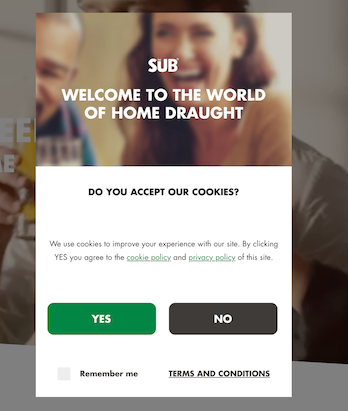
The General data protection regulation (GDPR) took effect in Europe in May 2018 and started imposing certain restrictions with the way data could be processed and passed to third parties. Consent from users was now required from visitors before data could be collected and shared with third parties.
Certain solutions existed on the market to manage handling the collection and sharing of data with third parties. We however already had a Tag Management System (TMS) in place that was triggering tags on the website and that could be configured to only trigger on consent.
Tags were meant to trigger only when accepting our cookies conditions. A few steps are required within Tealium to implement this:
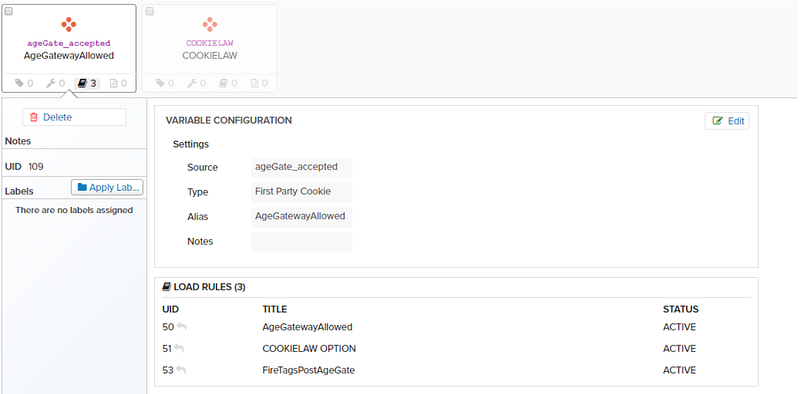
We were storing the information that a user had already consented to the cookie policy within a cookie. The first thing we needed to create within Tealium was a gate accepted variable within the data-layer in order to make it accessible in the rest of Tealium. Since we are storing the information that a user has accepted within a cookie, the type of variables that needs to be set is of first party cookie.

Creation of a load rule based on either having accepted the gate OR having a gate accepted event being triggered. The addition of an event is required since Tealium only evaluates cookies present once the Tealium tag is loaded, and on the first page the cookie would only be placed after having selected YES on the cookie gate.
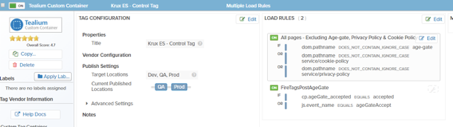
The specific tags should be updated with the specific load rule. This will make the tags only fire once the condition has been passed, in this case that the user has accepted the cookie conditions.
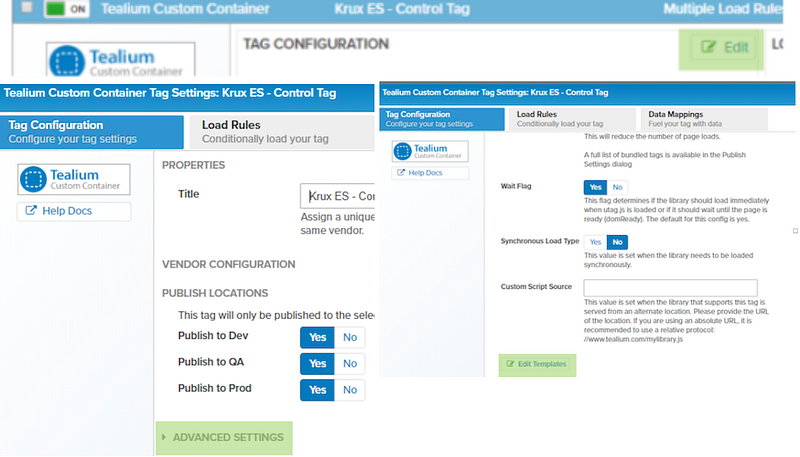
After having setup the load rules for a given tag, we need to edit the tag’s template in order to make sure that the tag listen to the events that we would be sending them once a user click on the YES button of our cookie gate. Within Tealium, non page view events are tracked through utag.link and we need to make sure the tags also listen to Link events.
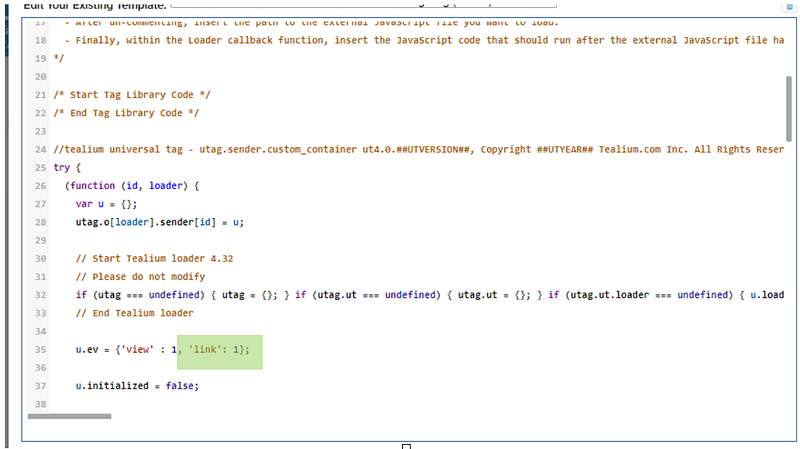
Within the template code we need to locate u.ev and make sure that link has been enabled within it.
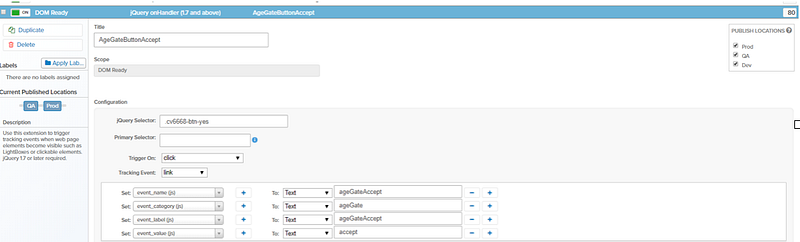
After having setup the different tags to trigger when someone accepted the cookie policy, the last thing left to do is to ensure that a utag.link event is triggered when a user accept the cookie policy. This can be done in multiple ways, either directly in the code by binding a javascript call directly to the YES button or through the setup of an event listener, or through using the JQuery extension of Tealium.
Read more from me:


